
The payment certificate came in lower than we applied for
Contractor side: Payment
Where the contract stands
The Project Manager makes its own assessment and does not have to adopt your figure, but the certificate should show how the amount was reached (51.1 in NEC4, 50.4 in NEC3). What is certified is what you will be paid this cycle unless a notice changes it, which is a separate point from what you are owed in the end. Note the time limits for disputes in your contract.
Read the guide: PM under certified your payment
This is our plain-English summary, not legal advice. Your own contract, including any Z clauses, decides.
In Contract Status, step by step
Put applied and certified side by side
The payment application record shows both sets of figures together: the contract value, implemented compensation events, the gross applied and the gross certified, and the nett payment due.
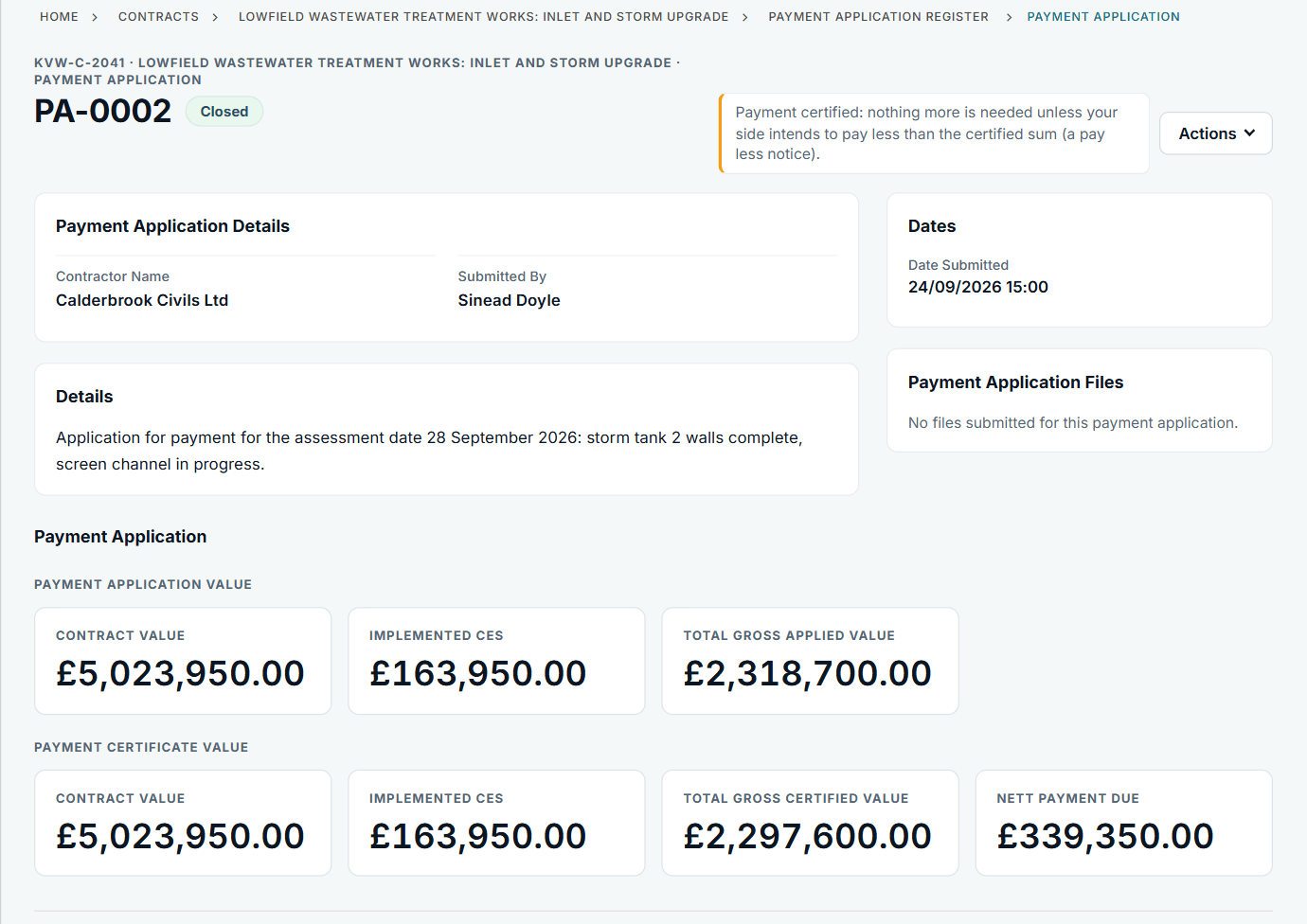
PA-0002: £2,318,700.00 applied, £2,297,600.00 certified.
Read the certificate details
Below the figures: who issued it, when, the reply details and any files. If the working is not attached, ask for it.
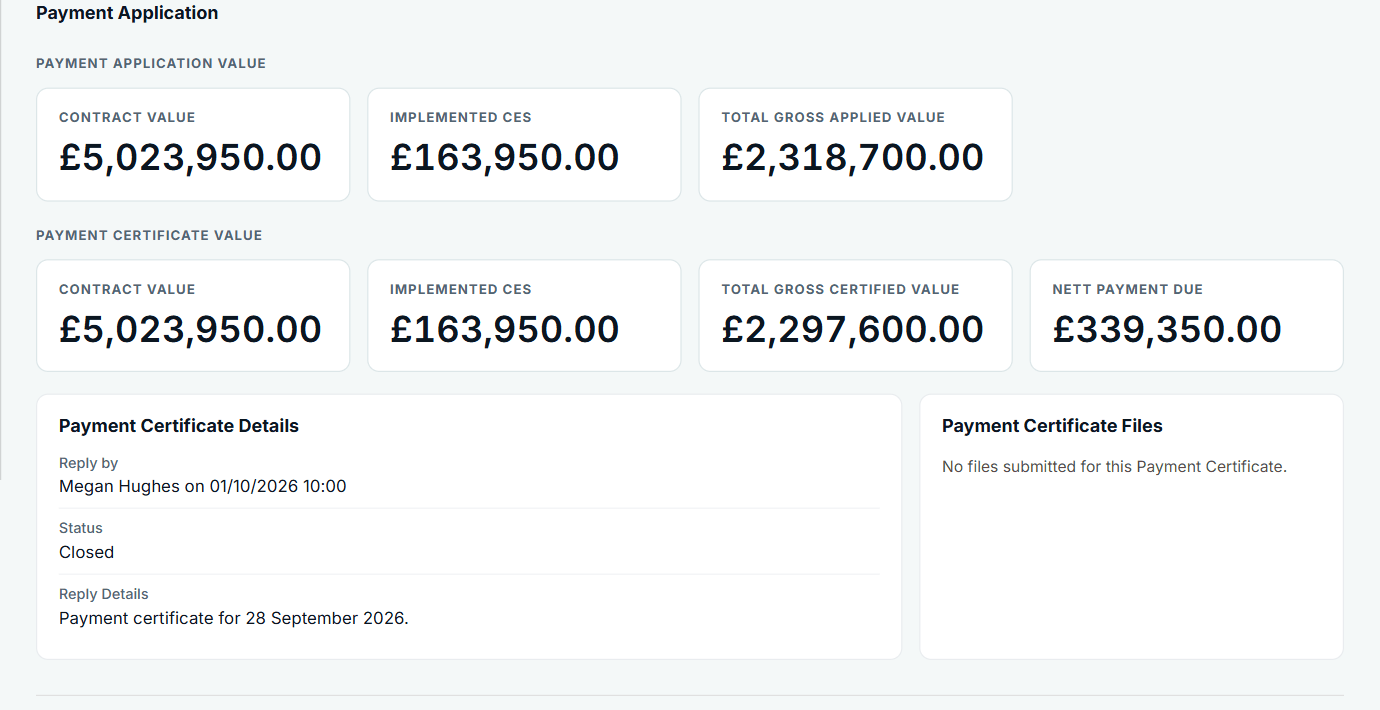
The certificate is part of the same record.
Ask in writing
Use General Communications so the question and the answer are dated on the contract, with a reply date if you need one.
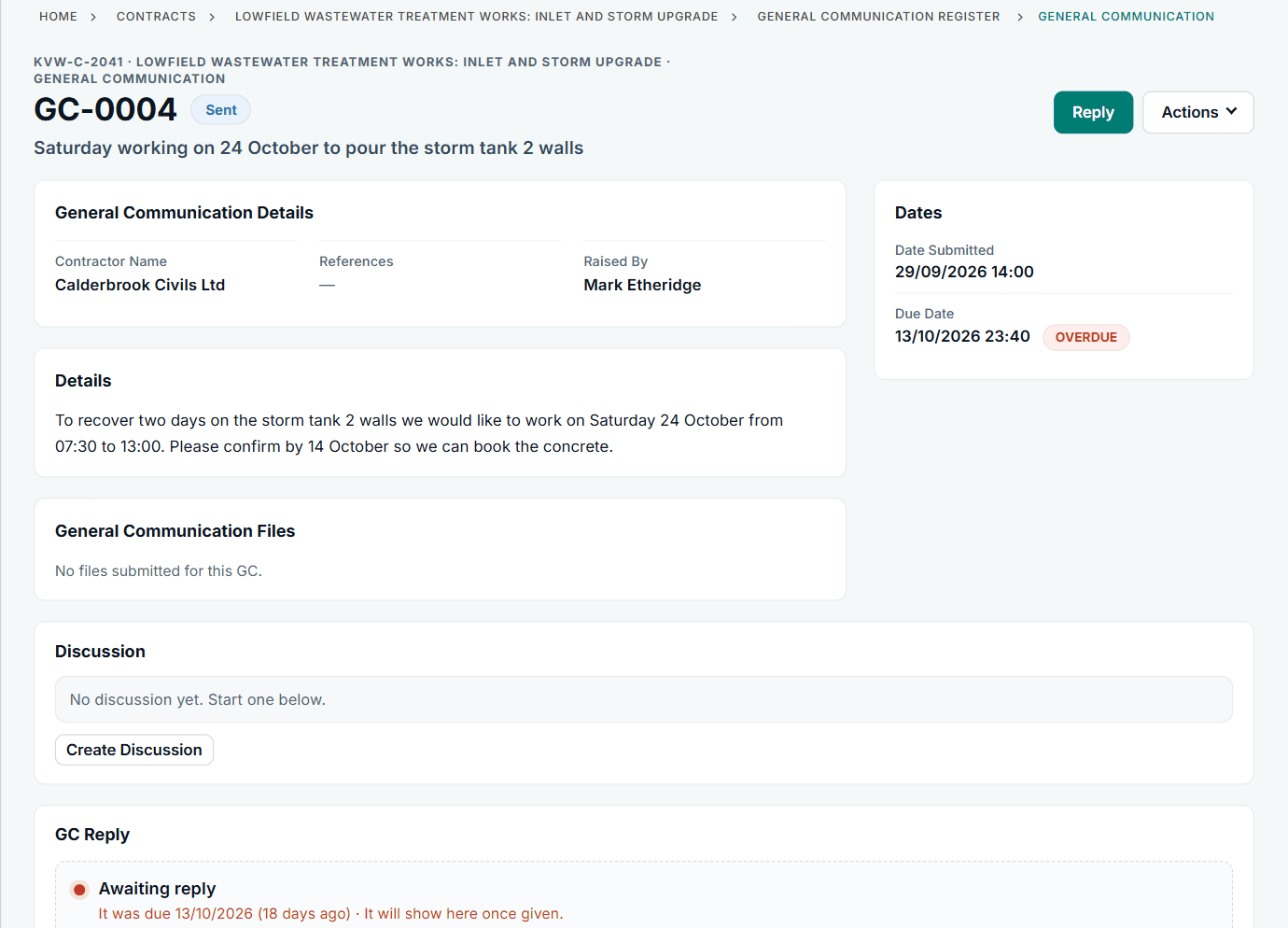
A general communication from the sample account: same form, different subject.
Get the next application in
The contract page counts down to the next assessment date and gives the date the certificate is due. Under NEC4, an application missed on that date can limit the amount due.
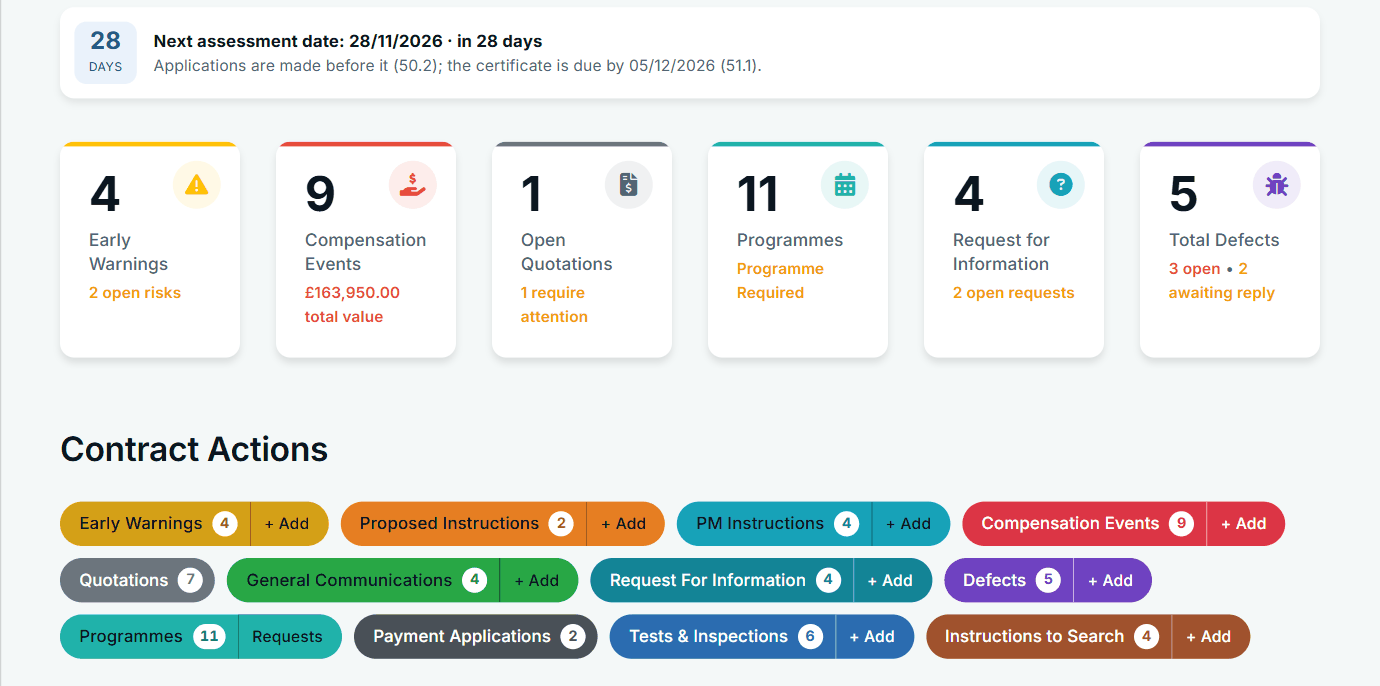
The assessment date banner on the contract page.
What it does not do: Contract Status holds the totals and the attached files, not a line-by-line comparison of your activity schedule. It does not run a dispute or adjudication either; those stay outside the app.
All screens are from the upgraded app, using a fictional water company, Kestrel Valley Water, and its made-up contractors.
What happens next on the other side
The Client side issues the certificate on the application and, only if it intends to pay less than the certified sum, a pay less notice with the sum and the basis. Both are kept on the record and shown on the register.
See it on a contract you can click through
The guided tour lets you walk the same fictional account yourself. Or book a demo, and bring the situation you are dealing with.