
Every Contract Status feature
This is the complete list, grouped by the job it does. If you would rather see it than read it, take the guided tour.
Jump to
- Registers and notices
- Compensation events and quotations
- Early warnings
- Programme
- Instructions
- Payments
- Defects and tests
- Communications, RFIs and submissions
- Action List and notifications
- Dashboards, reports and Contract Intelligence
- PMO and portfolio
- Commercial Director
- Money approvals
- Contract types and clause library
- Completion, final account and close-out
- Roles and permissions
- Set-up and ease of use
- Help centre and AI assistants
- Security
- Support
Registers and notices
Each NEC process has its own register on the contract page, in one consistent layout. A contract only shows the registers its form has.
- Registers for early warnings, compensation events, quotations, instructions, proposed instructions, programmes, payment applications, Defects, tests and inspections, instructions to search, general communications, RFIs, submissions and documentation
- Search, status filter, sortable columns remembered for each person, and rows that become blocks on a phone
- Each record shows one button for your next step, an Actions menu with only what you may do now, or who you are waiting for
- References in order from the moment a draft is saved
- Drafts stay private to the company writing them; the other side sees only a greyed "Draft by..." line
- A notice letter for most record types, on screen or as a PDF, with your letterhead, the parties and the clause
- A sent notice keeps the clause it was sent with, even if the library later changes
- A cancelled record tells the other company it was cancelled, without showing the draft details
- A way forward for older stuck notices: a button for the side whose move it is
- Files on notices and on replies, with a clear reason if a file is refused
- Links between related records, picked as you type
- Documentation register with document numbers and revisions; issuing a new revision marks the old one superseded
- Forms that check before saving, mark what is required, keep what you typed and stop double entries
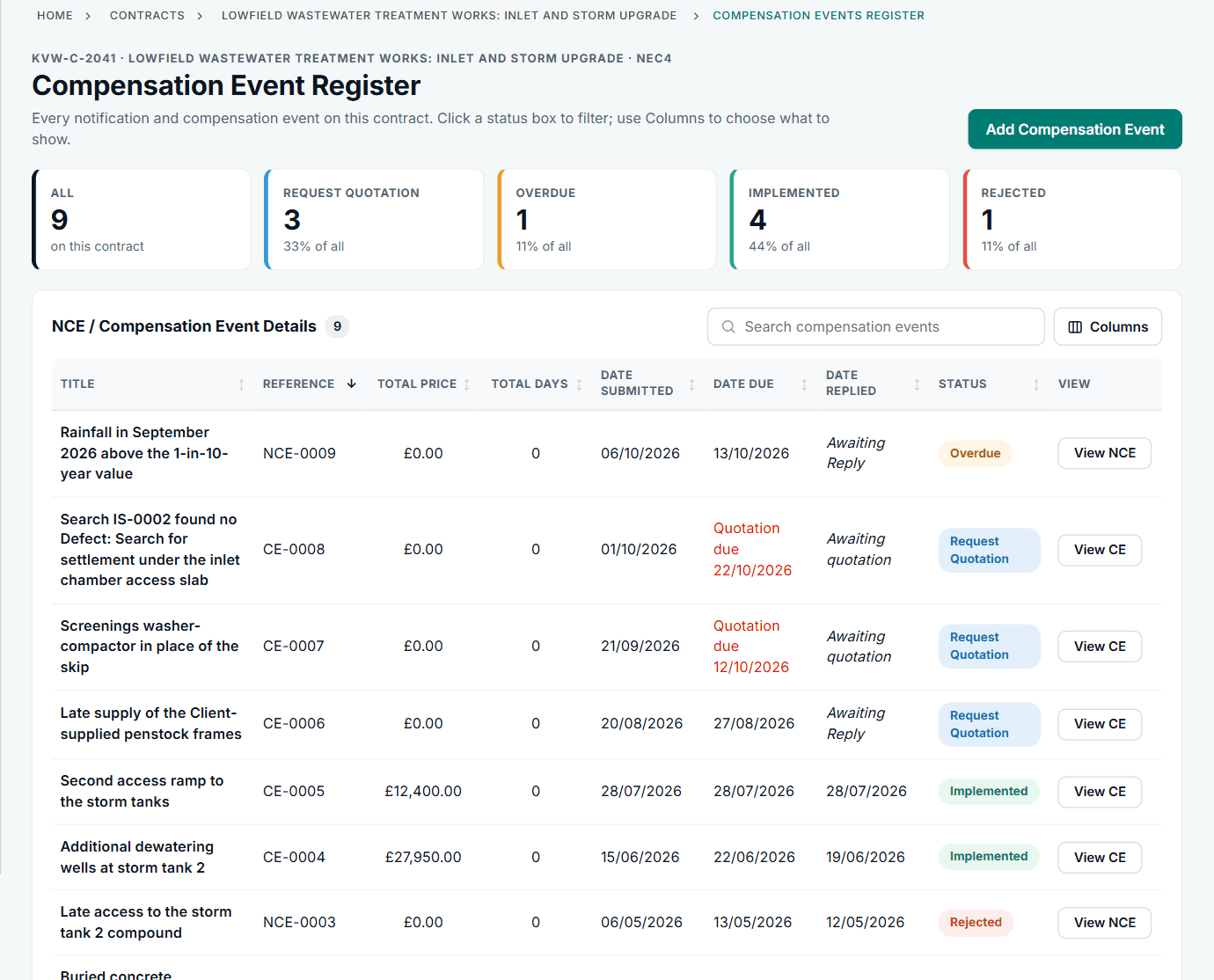
Compensation events and quotations
Notify, quote, reply and implement, with the time limits on the record and the money counted once.
- Notify a compensation event with the clause from your library, and record the date you became aware of it
- The time bar for that contract form checked where the awareness date is recorded: 8 weeks on an NEC4 ECC (61.3), 7 on an NEC4 ECS
- Project Manager side reply: request a quotation, or reject with the reason
- Quotations added from their compensation event, with amount, delay to the Completion Date, changed Key Dates and the build-up
- Option-specific quotation and payment breakdowns
- Accept, instruct a revised quotation with reasons, or make the Project Manager's own assessment (64.3)
- A revised quotation replaces the earlier one; a submitted quotation cannot be edited
- Request more time to reply, before the date passes, for the other side to agree or refuse
- When a reply is late: give notice of the failure, a countdown on the record, then record the treated acceptance (61.4, 62.6, 64.4)
- One implementing quotation per event, so totals are never counted twice, and the same figure everywhere
- Timelines for changes to the Prices and the Completion Date on each contract, with the event behind each change
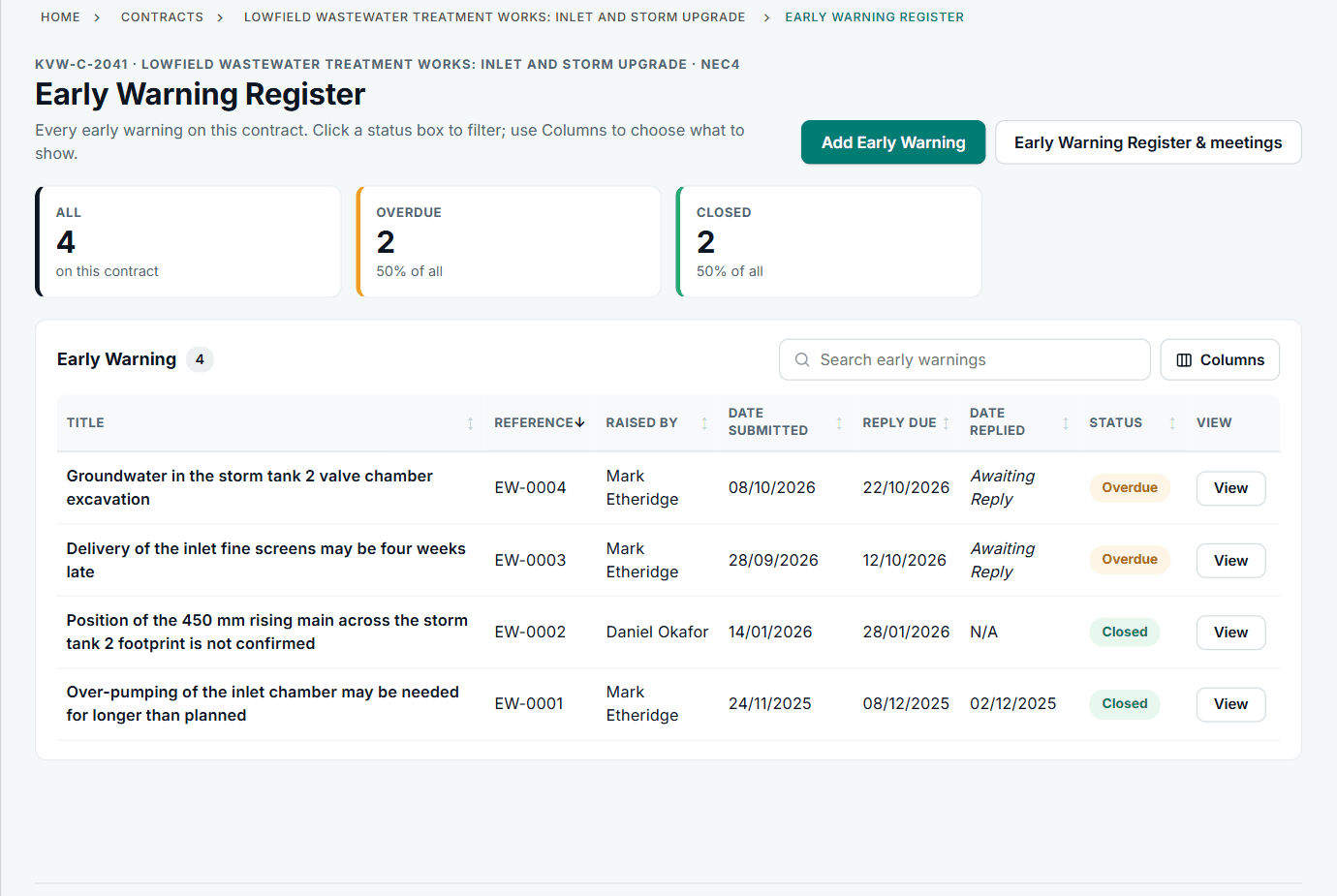
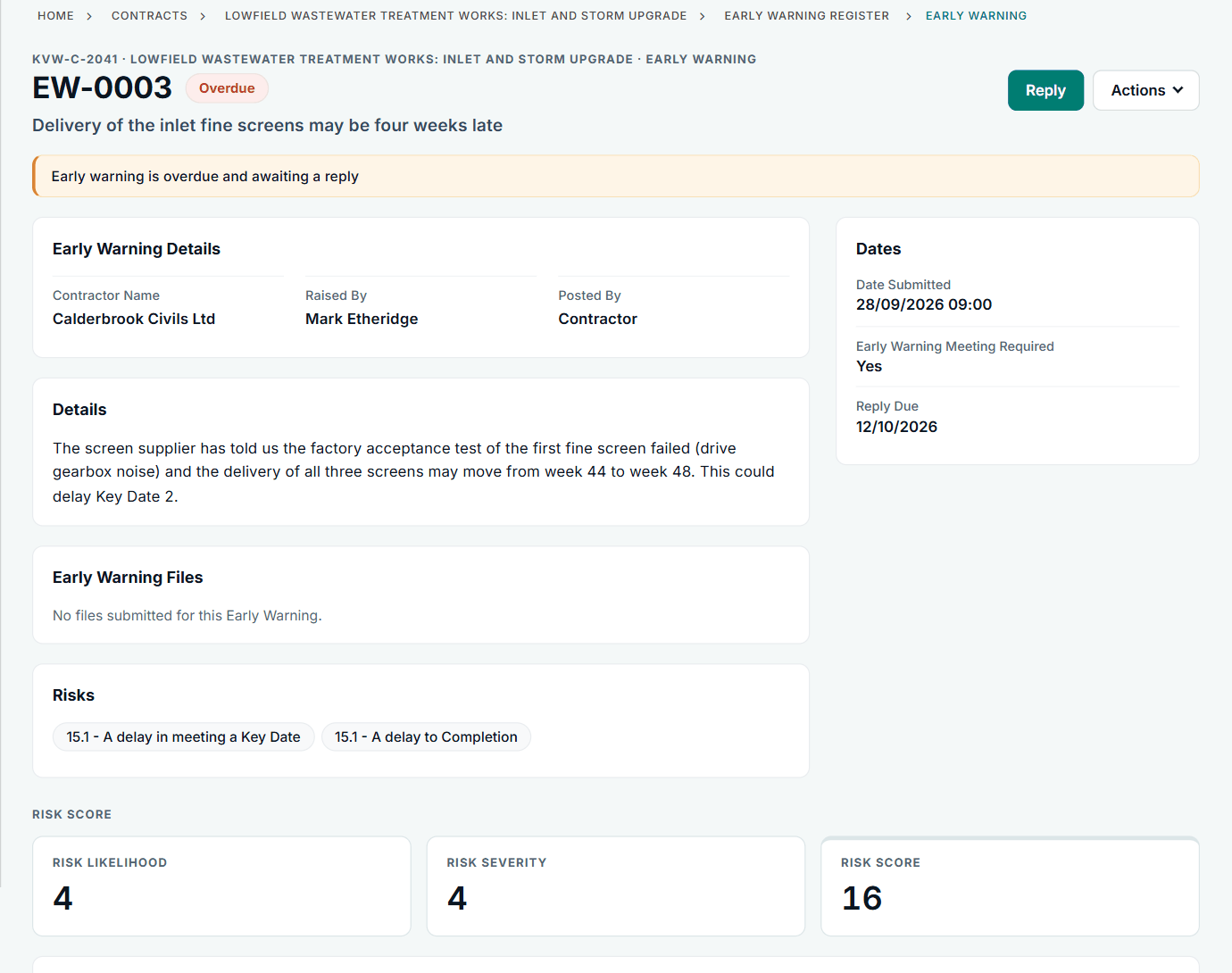
Early warnings
A warning, a meeting, decisions and actions. NEC3 contracts use the Risk Register words, NEC4 contracts the Early Warning Register words.
- Raise and submit an early warning; either side can do it
- A register with each warning's risk score, latest decision and agreed actions
- Request a meeting, choose the warnings to discuss, add preparation notes
- Record proposals, decisions and actions, each with an owner and a due date
- Actions land on each owner's Action List
- A reminder to issue the revised register after each meeting (within a week under NEC4 15.4)
- Files on replies and on meetings, such as minutes and attendance sheets
- Download the register as a spreadsheet, or print it
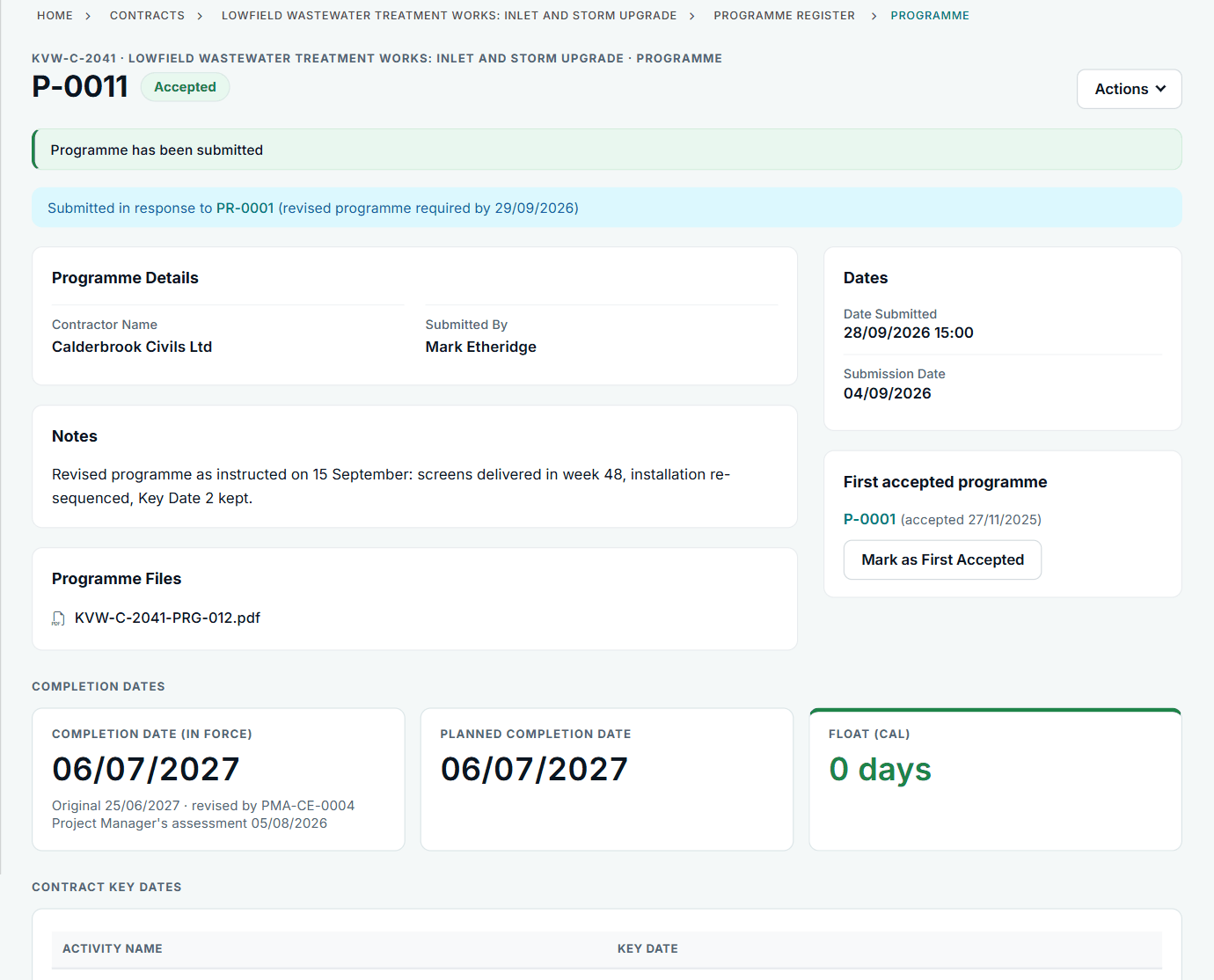
Programme
Submission, acceptance and revision, with the reasons the contract allows, and a clear view of what has been missed.
- Submit a programme with files and the planned Completion date, choosing between the last and next submission date
- Your organisation's guidance, and a summary of what the contract says a programme must show, on the submit page
- Accept, or withhold acceptance with one of the reasons the contract gives, and the date a revised programme is due
- Draft replies stay drafts; the client side can keep private review notes the other party never sees
- Instruct a revised programme at any time; the request closes when the new programme arrives
- NEC4: notice that a reply is late, then the programme treated as accepted a week later (31.3)
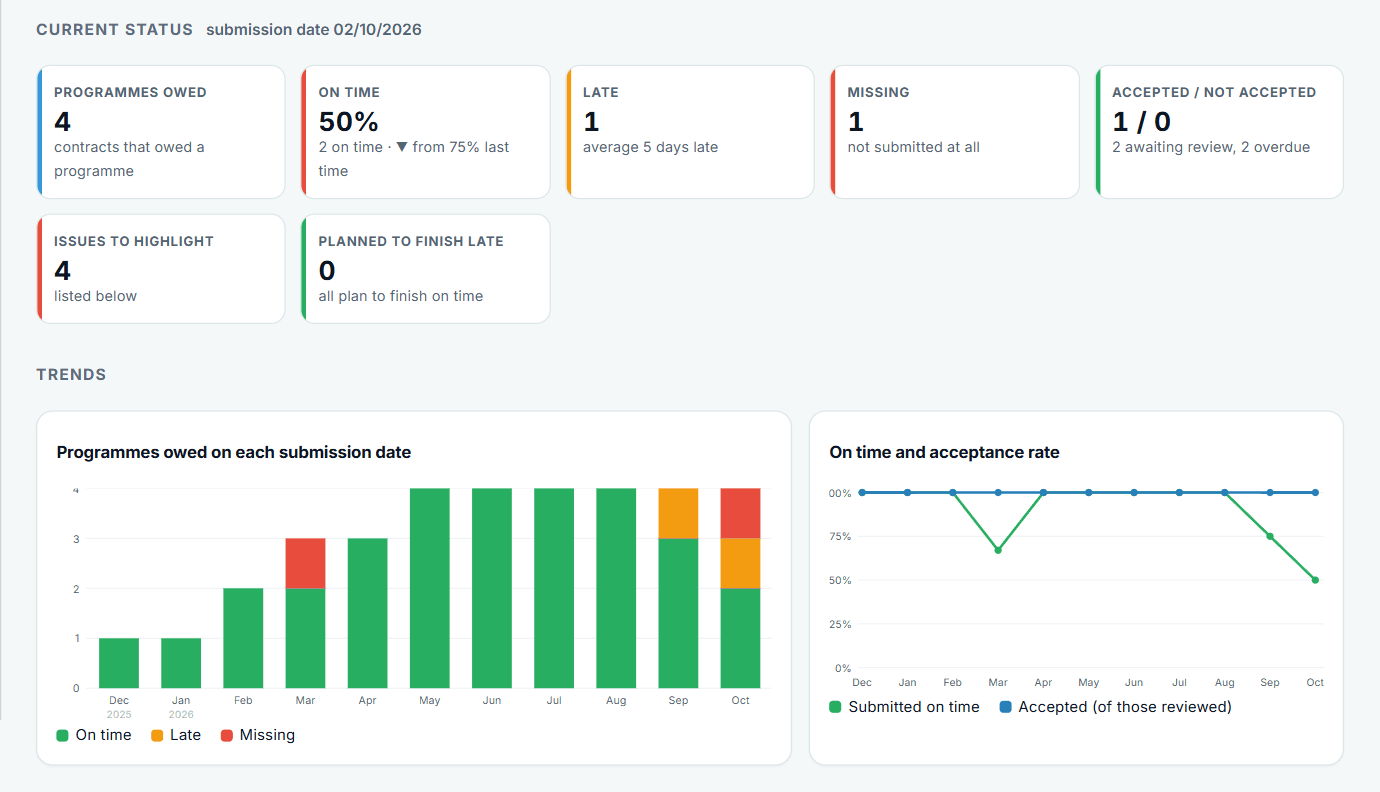
- A monthly tracker of programmes required, submitted, accepted, late and missing
- A To Review list, oldest first, and true first accepted programmes taken from the replies
- Task Order programmes on term service contracts, separate from the service plan
- Programmes on a form with no acceptance step are shown as such
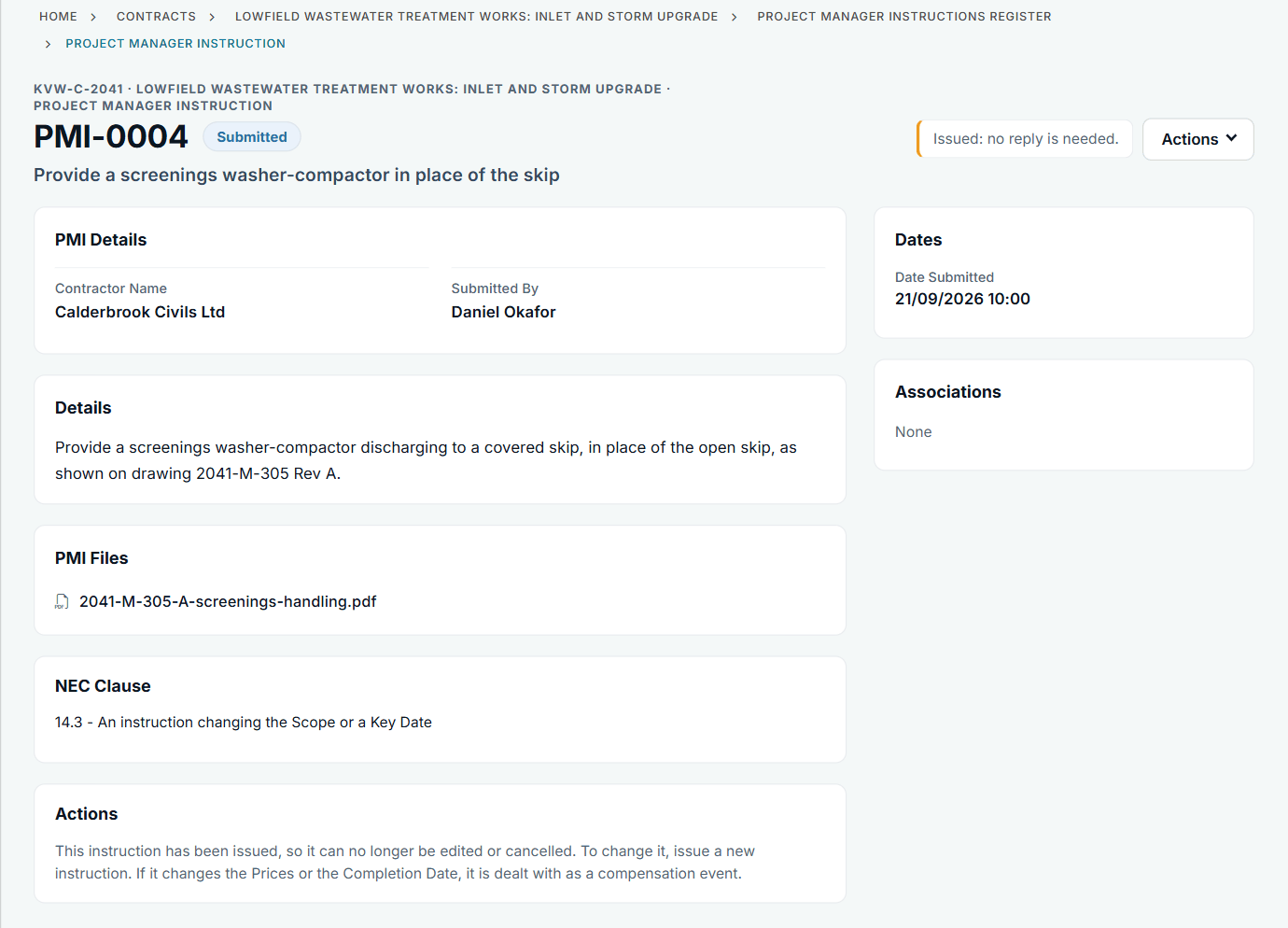
Instructions
Instructions in your account's own words: Project Manager's Instructions on a main contract, Contractor's Instructions on a subcontract.
- Add and submit an instruction; the other side is told and it goes on their Action List
- Notify the compensation event that goes with it, linked and in the same process
- Proposed instructions: ask for a quotation before deciding, with the date under NEC4
- One "Instruct and accept" that gives the instruction, creates the compensation event and implements it on the accepted quotation
- Revised quotations with reasons, or say the instruction will not be given
- Task Orders on term service contracts: raise, quote, accept or assess, with their own register
Payments
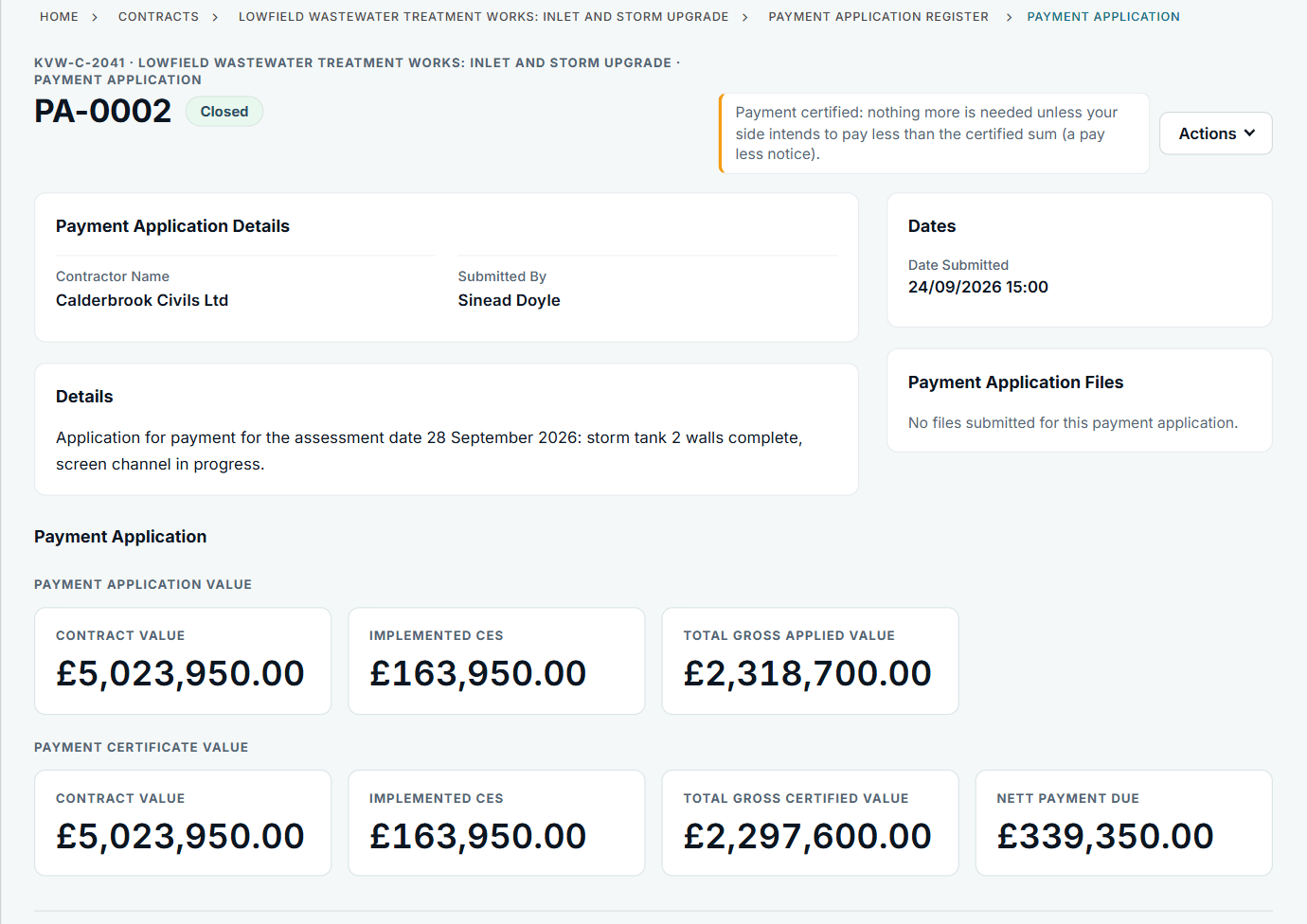
Assessment dates, applications, certificates and pay less notices, with the Construction Act dates in view.
- Load assessment dates once: one at a time, a monthly series or a spreadsheet list
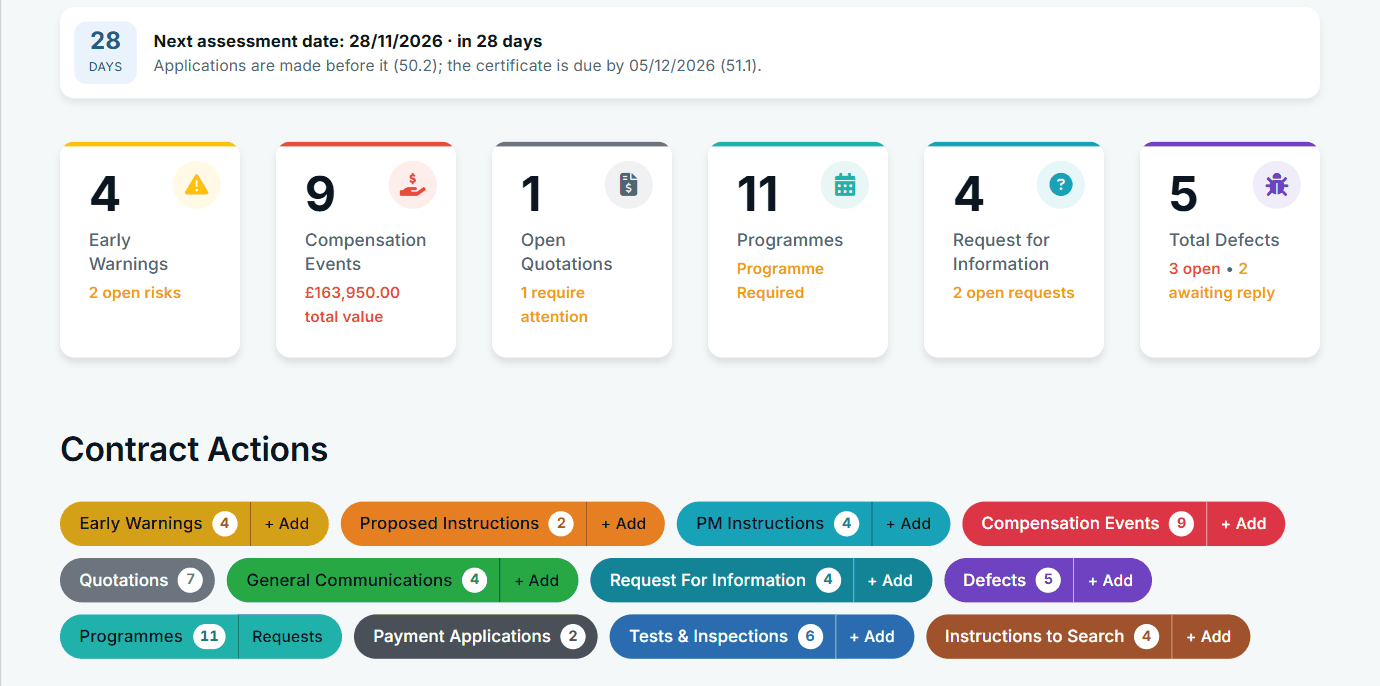
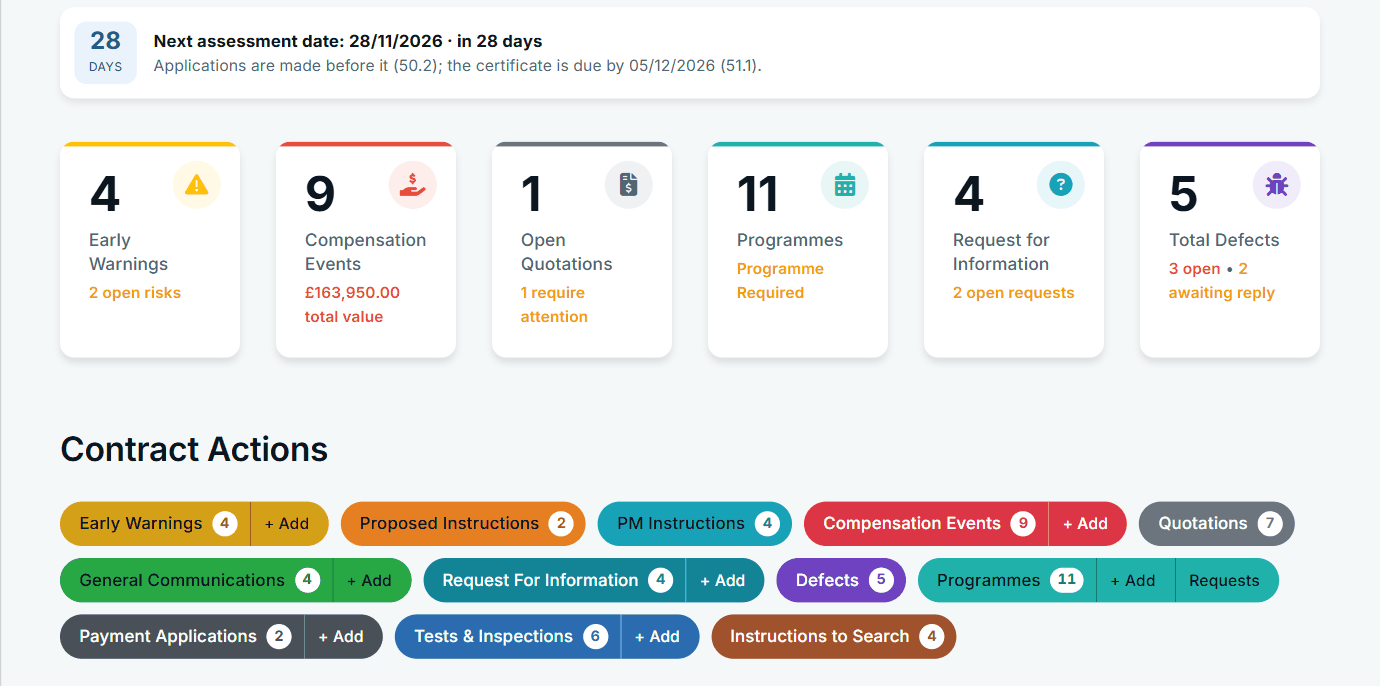
- A countdown to the next assessment date, and when the certificate is due
- Applications with amounts and files; implemented compensation events shown on the form as changes to the Prices
- Payment certificates with what was applied for, certified and due
- Breakdowns that follow the contract's main Option and form
- Structured pay less notices: the sum now due, the basis and the dates (Option Y(UK)2)
- Withdraw a pay less notice issued in error, with a reason, and issue a corrected one
- A view of who applied on time, late or not at all, and whether certificates followed within a week
- Payment figures shown only to people allowed to see them
Defects and tests
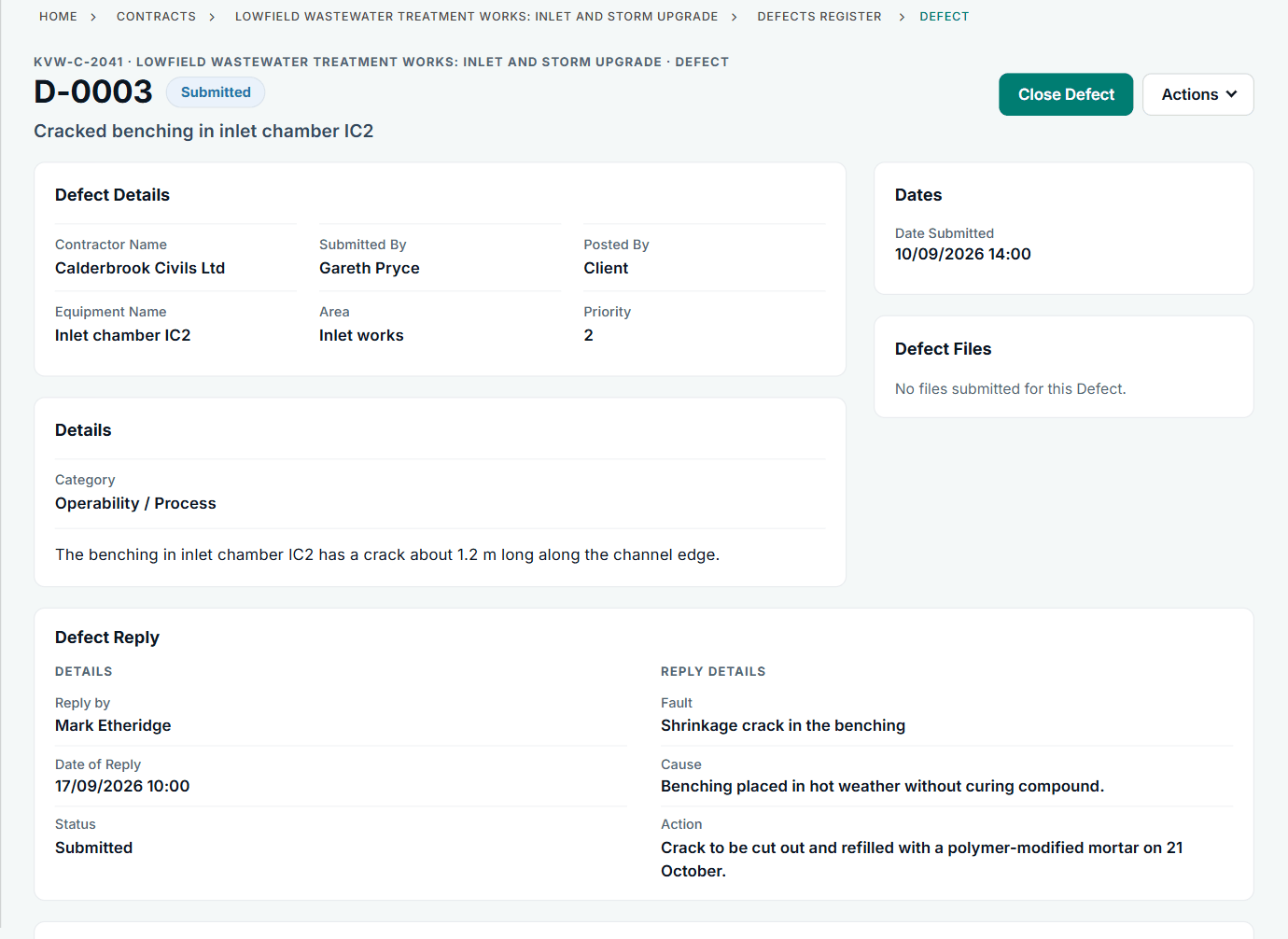
Registers for Defects, tests and inspections, and instructions to search, linked so a failed test leads to a Defect and a repeat.
- Notify a Defect with location and photos; the other side replies on the record
- Only the client side closes a Defect
- The defect correction period from the contract, so each Defect can be dated
- Mark a Defect as corrected by others, with who and the cost, carried to the final account
- Tests and inspections: notify before, invite the other side to watch, record the result, flag a late notice
- After a failure: notify the Defect, then arrange the repeat; the failed test closes when the repeat passes
- Instructions to search: reasons, findings, and either a Defect or a compensation event filled in from the search (60.1(10))
- Reports for Defects, tests and searches
Communications, RFIs and submissions
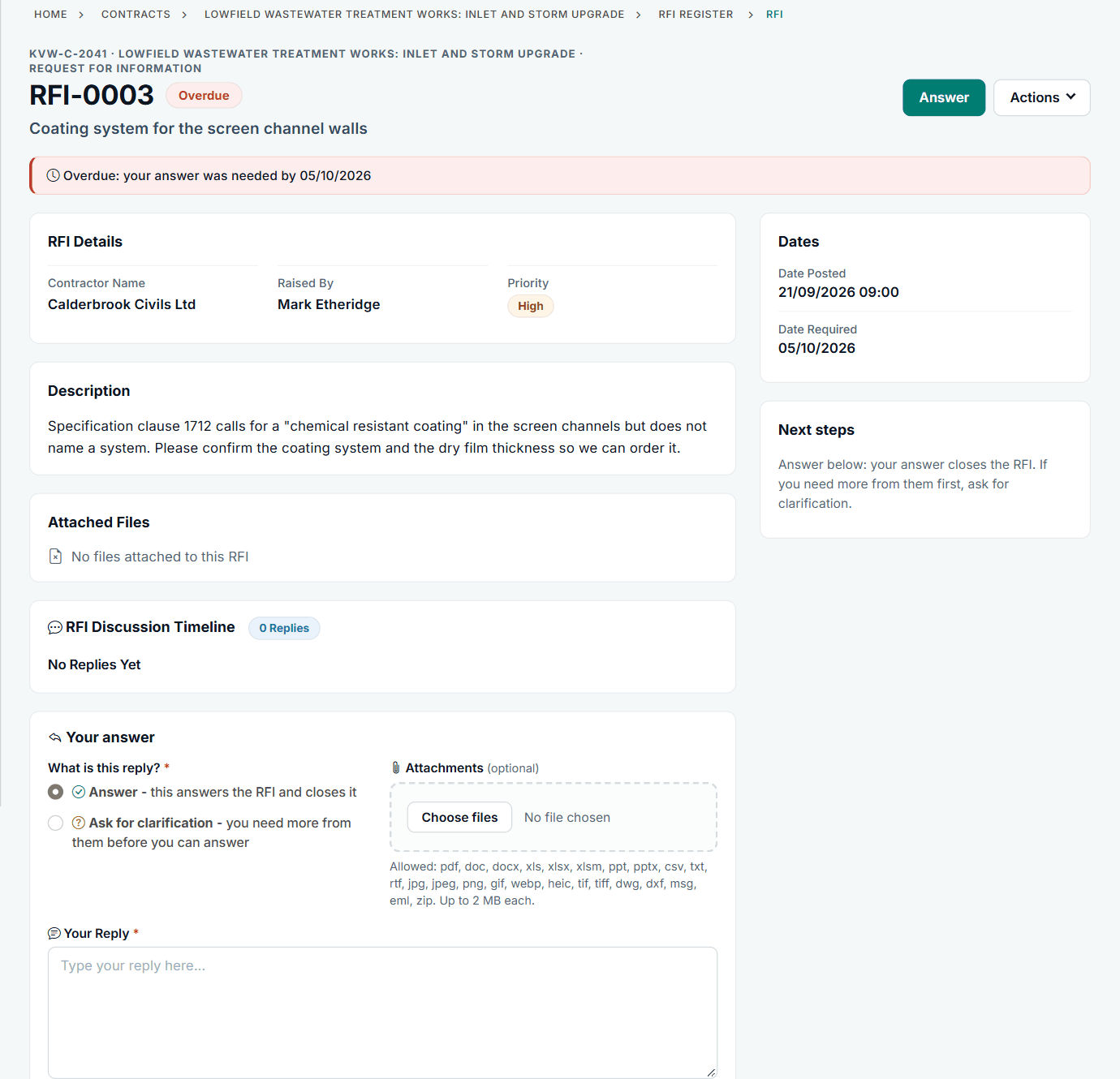
A place for everything clause 13 covers, so notifications are not buried in correspondence.
- General communications with files, a reply date if you need one and a one-step reply
- RFIs: an answer closes the RFI; the side that raised it can reopen it within 14 days with a reason; the other side can ask for clarification
- An RFI shows on the Action List only for the side whose move it is
- NEC submissions register: design, people and Subcontractors, quality, activity schedule, insurance and bonds, and other submissions
- Accept or not accept a submission with the contract's reasons, keep revisions, and be prompted to notify a compensation event where one follows
- Discussions on records, and requests for more time
Action List and notifications
What you owe, what they owe and what is overdue, without chasing anyone.
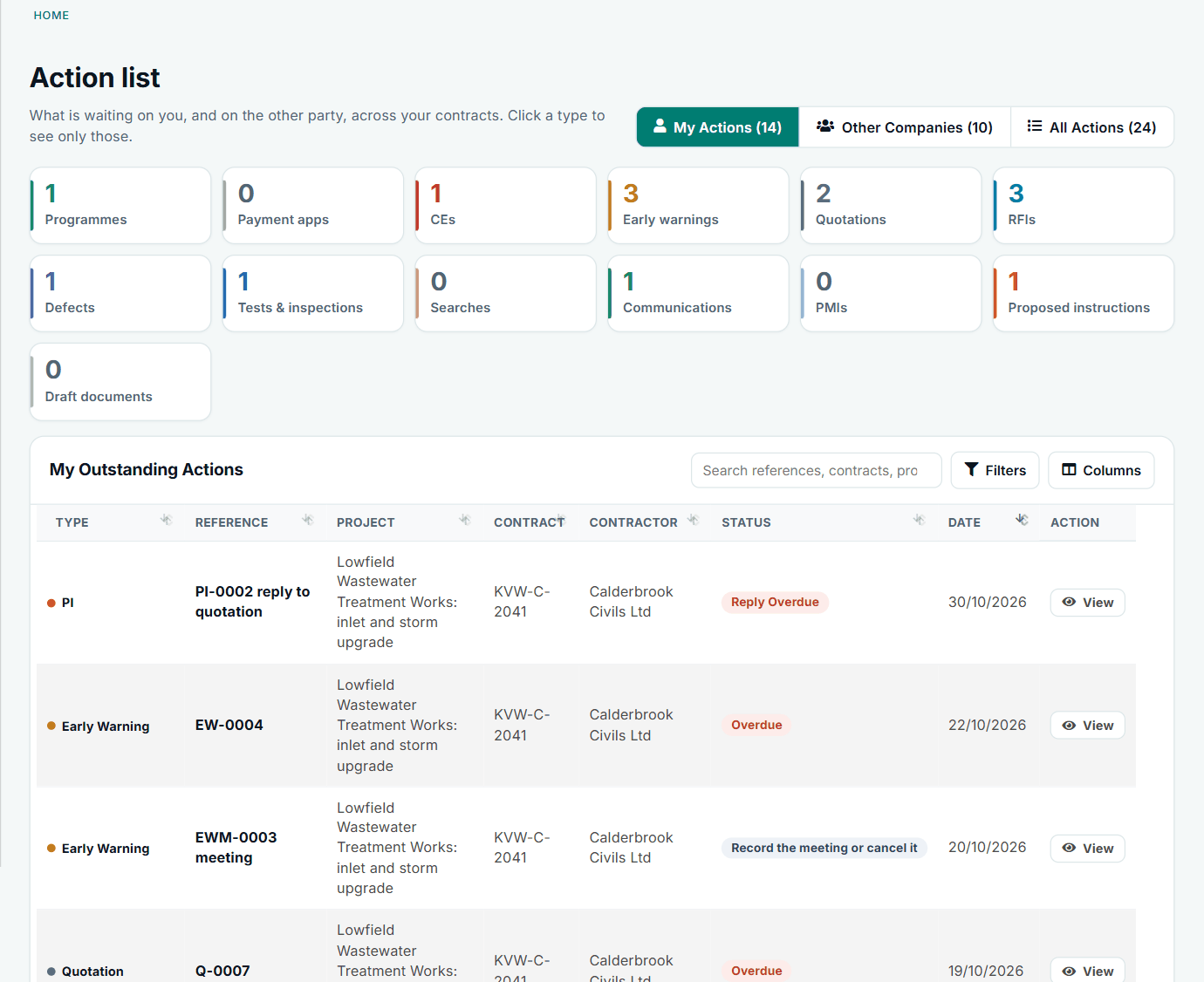
- An Action List across your contracts, split into your actions, other companies' actions and all actions, most urgent first
- A bell on every page and a Notifications page with filters
- E-mails for notices and replies, each with a link straight to the record
- E-mail preferences: switch off by record type, by kind of e-mail or by contract
- Overdue alerts to both sides, off until an administrator switches them on, and never for the backlog
- Notifications always lead somewhere, and say so if a record has since gone
- Counts for actions and notifications in the side menu
Dashboards, reports and Contract Intelligence
From one person's day to every contract you run.
- My Dashboard: arrange your own cards and charts, choose your contracts, and it follows you between devices
- A contract overview: who owes a reply, time to the Completion Date in force, the money, the programme position, the largest risks and the periods for reply
- Contract Activity feed on each contract
- A status report PDF for each contract, for meetings and monthly reporting
- Register reports that print cleanly or save as PDF or spreadsheet, with a replies column and spreadsheet-safe downloads
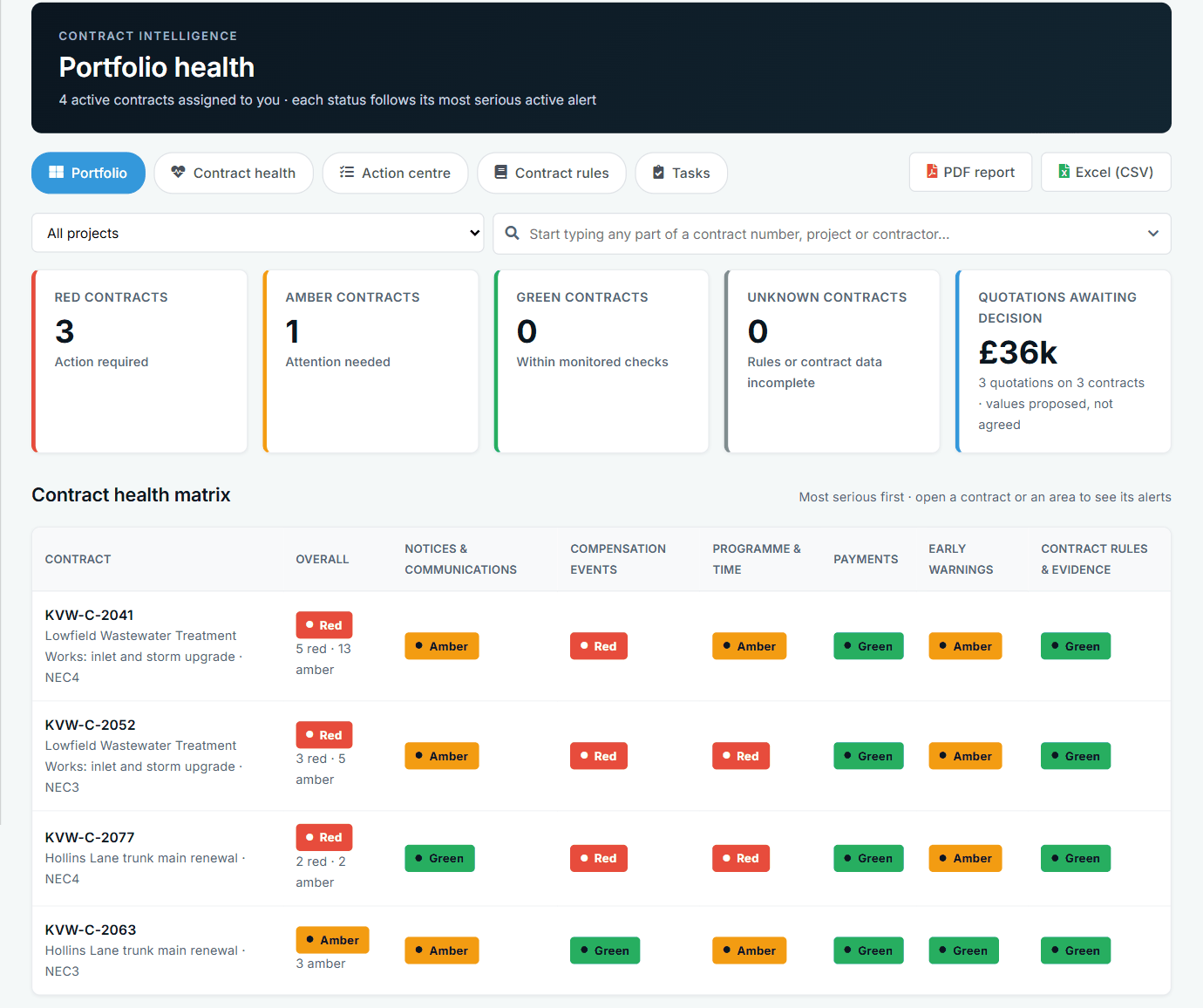
- Contract Intelligence: portfolio health, overdue against the contract's own time limits, an action centre, tasks on alerts, PDF and spreadsheet
- Contract health shows Red, Amber, Green or Unknown, with the clause and the next step; Unknown where a rule cannot be checked rather than a false Green
- A data feed for Power BI and Excel where switched on: 12 registers, locked to your company, never drafts or personal details
PMO and portfolio
For the people keeping programme discipline across many contracts.
- PMO Insights: programme status, trends, lateness, what to chase, and the subcontractors with the most problems
- Filter by period or programme manager, and download as a PDF
- Programme review links and review across the account's contracts for the PMO
- Payment dates and submission dates in one place for the account
- Contract cards with favourites and filters, and search across assigned contracts
- Key Date and Completion Date movement in days, worked out for you
Commercial Director
A view-only home for the person who needs the position, not the records. Their work happens in their own tools.
- An overview dashboard across the portfolio, and an items explorer
- Scorecards covering the commercial roles, counting each overdue item once in portfolio totals
- Their own meetings, agreed actions and contract discussions, seen by Commercial Directors only
- Reports and a board pack
- Bell alerts within the hour, a 7am digest e-mail, and an e-mail when an action they set is closed or missed
- A Commercial Director assistant, where AI is switched on
Money approvals
Limits for your own people, so a large decision is seen before it leaves your company. Switched on per account.
- Set a money limit for each role
- A quotation decision or Task Order over the person's limit is held for one sign-off
- The first person whose limit covers the amount releases it
- The approver approves, or sends it back with a reason. They never change the figures
- The other side never sees a held decision
- A contractor account can hold the quotations it submits in the same way
- A Commercial Director can approve from their own panel
Contract types and clause library
Each contract is recorded as the contract it really is, and its clauses, words, Options and registers follow.
- NEC4: ECC, ECS, ECSC, ECSS, PSC, PSS, PSSC, TSC, TSSC, Supply Contract and Supply Short Contract
- NEC3: ECC, ECS, ECSC, ECSS, PSC, PSSC and TSC
- One "Which contract?" list, then only that contract's main Options and its X and Y(UK) Options, each with a "What's this?"
- Each contract uses its own words: Consultant and Service Manager on a PSC, Subcontractor on an ECS, Employer on NEC3
- Periods for reply set for the company and changed for one contract, for example where Z clauses amend them
- A live standard clause library in our own plain English with the NEC numbers, which picks up later improvements
- Edit a clause to make it your own version; "Back to standard" returns it; you are told when the standard has moved on
- Options you tick bring their clauses into that contract's notices; others stay out
- A Z clause library for reuse, and per-contract clauses: change, hide or add, with a reason in the contract's history
- Where a library has no clause for something, it is shown without a number, never one that was made up
- Start a contract from another or from a saved set-up, or copy a set-up to many contracts after a preview
Completion, final account and close-out
The end of a contract, done on the record.
- Completion Date and Key Dates in force, with movement in days, changed only through implemented compensation events
- Key Dates marked complete with the date and a note, and reopened with a reason
- Final account and final assessment (NEC4 clause 53), with the referral window and uncorrected Defects
- Termination steps that follow the contract form: reasons, notices and a certificate where the form has one
- Contract close-out: open items closed, waiting requests declined, team removed, view only, and reopen if needed
- A close-out pack: history PDF, timeline spreadsheet and every document in one ZIP
Roles and permissions
People see and do what their role allows, checked on the server rather than by hiding buttons.
- Standard roles for each side, shown as cards in plain words
- Custom roles built from a standard one, offered wherever a role is chosen
- A role change is previewed ("1 person will gain...") and saved with a reason
- Compare roles side by side, and see what each person can do and where they differ from their role
- Viewers are strictly read only
- A permission works only on the side it belongs to
- Payment figures and reports only for people with the right access
- A checks page lists anything that needs attention, with a preview before each fix
- View as: an administrator sees the app as one of the account's users, read only and logged, with other companies' drafts kept private
- Your organisation's own names for the two sides and for fields
Set-up and ease of use
Built so the people using it need very little training.
- A short guided start for the person setting up the company, including whether you are a client or a contractor
- A guided first-time set-up for your administrator: roles, contracts and clauses, periods, projects, companies, people, contracts and extras
- Every step says what to do, why and about how long; examples in every box; a "What's this?" beside every NEC or app term
- Skip a step, or save and come back; the last page lists what is left and who does it
- Add a person, their role and their contracts in one go, with their details e-mailed
- Ask for a new contract and have an administrator accept, adjust or decline it, where switched on
- Choose what opens first, and pin favourite contracts
- Works on a computer, an iPad or a phone, with UK English spell checking in every writing box
- Report a mistake on every record, showing what you can correct yourself
Help centre and AI assistants
Help that lives inside the app, and optional AI that stays within your contracts. AI is off until it is switched on for your account.
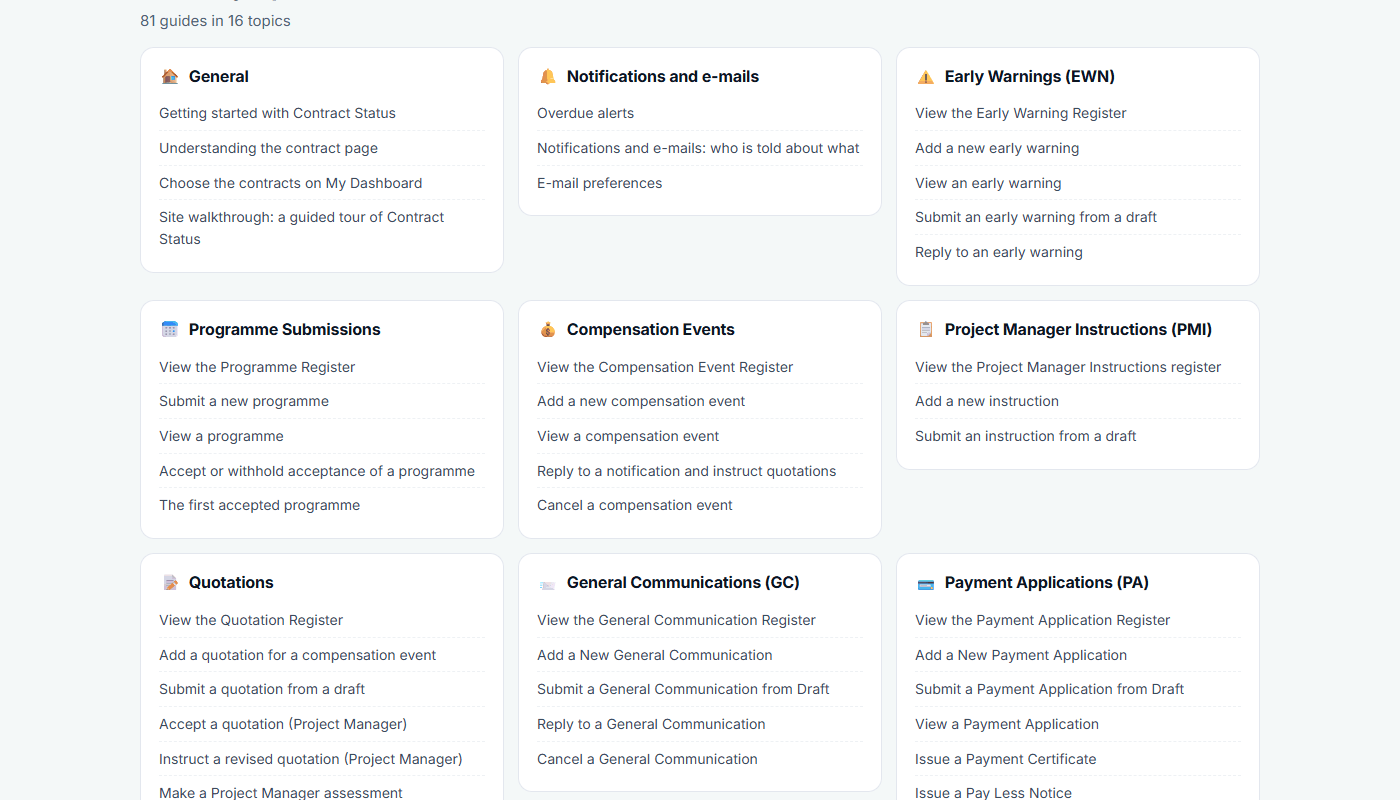
- A help centre with search, guides by topic, most popular, what's new and FAQs
- NEC3 and NEC4 guides with diagrams, covering each process and how the app follows it, and a site walkthrough
- Contract assistant: ask about a contract you are on, or the page in front of you, and it answers from that contract's records and NEC version
- Draft with AI: a formal reply in NEC terms from the notice and your points. You choose the decision first, it never sends anything, and references are checked against the records
- Programme review: a first check of a submitted programme against the contract's requirements, compared with the last one. The Project Manager still decides
- A help assistant for "How do I...?" questions
- The assistants never see drafts, other contracts or other companies, and payment figures go only to people who can view them
Security
The main protections, in plain words. There is more on the security page.
- Each company's data is kept apart from every other's, and every action is checked on the server
- Two-factor authentication with an authenticator app, which your organisation can require for administrators
- See where your account is in use, and end sessions on other devices
- Uploaded files checked by name and content, and kept out of search engines
- Every change to an issued record is kept, and permission changes record who, when and why
Support
Help from people, in the app.
- Raise a support ticket with a screenshot, and follow the replies
- Suggest ideas and see the replies
- A roadmap, release notes and service status notices
- Support can correct what users cannot, such as a record moved to the right contract, with the correction and its reason shown on the record
- Updates reach you automatically: there is nothing to install
Now see it working
A list only goes so far. The guided tour shows these screens with sample contracts, and a demo shows the parts that matter to your role.