
The Project Manager has told us to stop work
Contractor side: Instructions
Where the contract stands
Stop the work, then protect your position in writing. A stop instruction under 34.1 has to be followed, and it is normally a compensation event under 60.1(4), unless it arises from your own fault. Confirm who gave it, pin down what it covers and how long it may last, and record what is on site at the time.
Read the guide: PM stop work instruction
This is our plain-English summary, not legal advice. Your own contract, including any Z clauses, decides.
In Contract Status, step by step
The instruction is on the record
You are told as soon as it is issued. The record states the clause, what is stopped and what may continue, and tells you to carry it out.
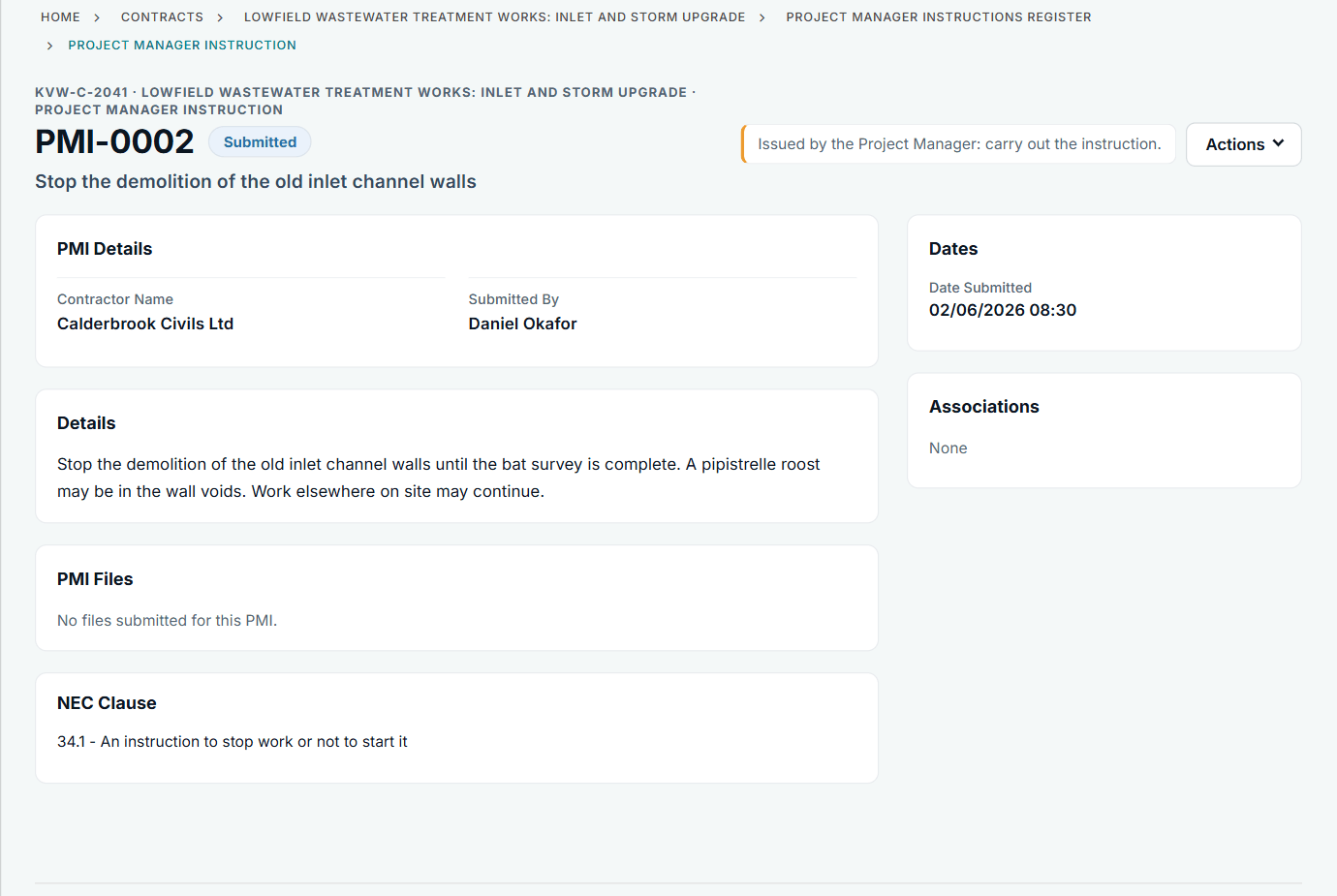
PMI-0002 from the contractor side: stop, with work elsewhere continuing.
Check for the compensation event
If the Project Manager has not notified one, add it on the Compensation Events register and refer to the instruction. Put your site record of people, plant and materials on as files.
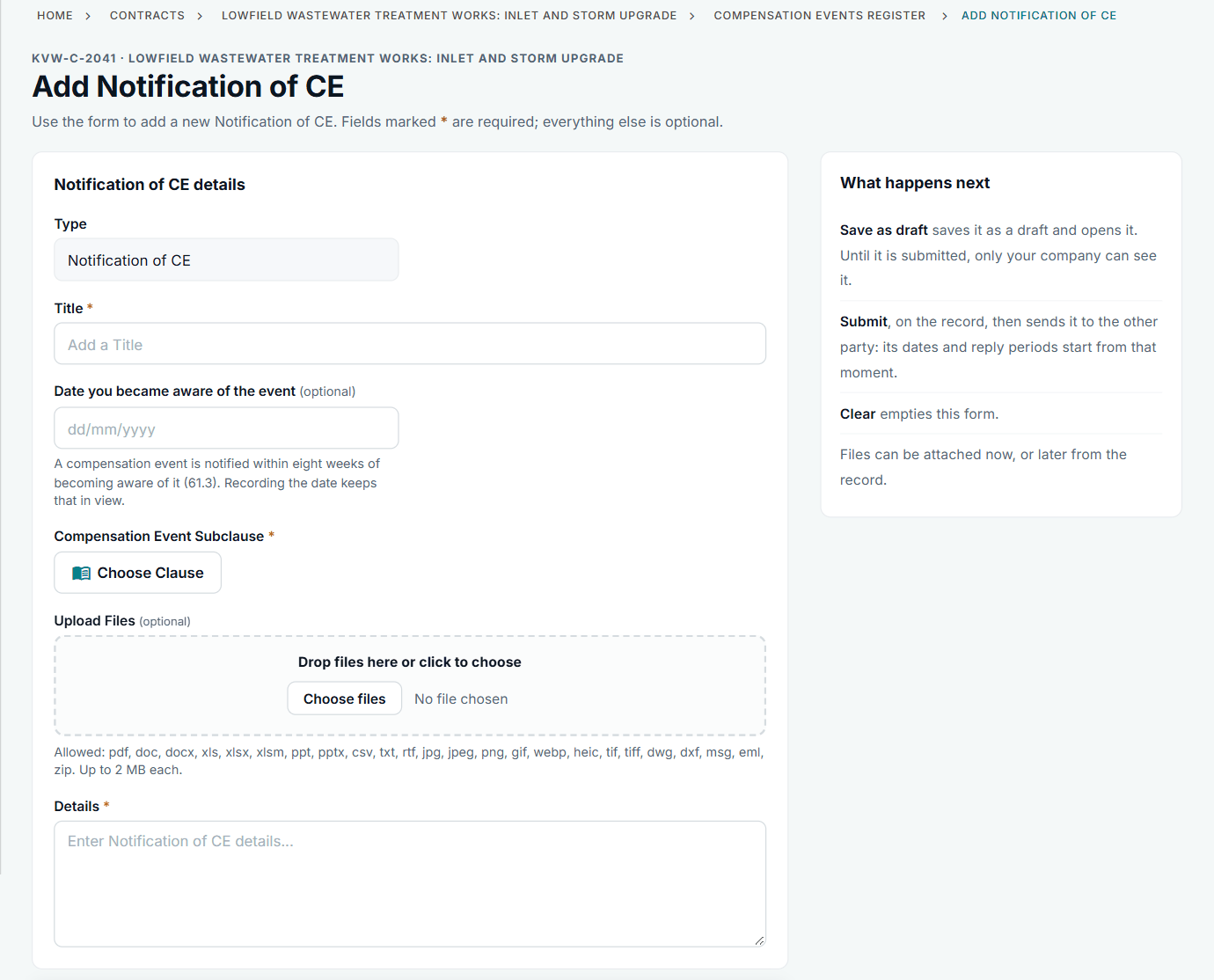
The eight-week bar does not apply to an event arising from an instruction, but there is no reason to wait.
See the sequence later
The contract's activity feed lists each record as it happened, so the stop, the restart and the event can be followed by date.
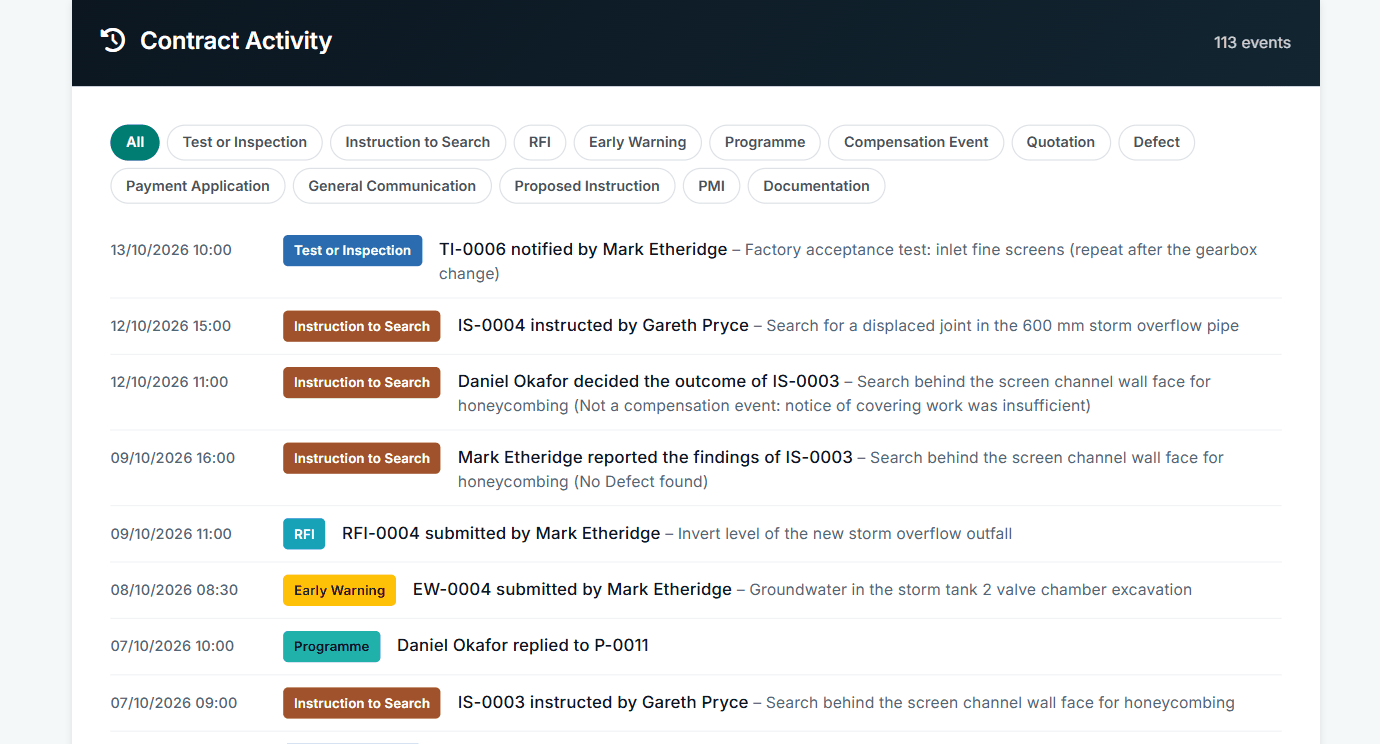
Contract Activity on the contract page.
All screens are from the upgraded app, using a fictional water company, Kestrel Valley Water, and its made-up contractors.
What happens next on the other side
The restart is another instruction from the Project Manager, on the same register: PMI-0003 in this account. The Project Manager also replies on any notification you added.
See it on a contract you can click through
The guided tour lets you walk the same fictional account yourself. Or book a demo, and bring the situation you are dealing with.