
What’s our exposure on this contract?
Client side: Commercial view
Where the contract stands
A budget is not a contract term, unless Option X22 applies, so no clause stops spending when it runs out. The Contractor's entitlement does not shrink because your approval has. The working controls are forecasting, early warnings, priced decisions on change and changes to the Scope, and the first step is to add up implemented events, notified events not yet priced and open early warnings.
Read the guide: Client budget being exceeded
This is our plain-English summary, not legal advice. Your own contract, including any Z clauses, decides.
In Contract Status, step by step
One contract at a glance
The contract overview gives the total of the Prices, implemented changes as a figure and a percentage, quotations awaiting a reply, what is certified and who owes a reply.
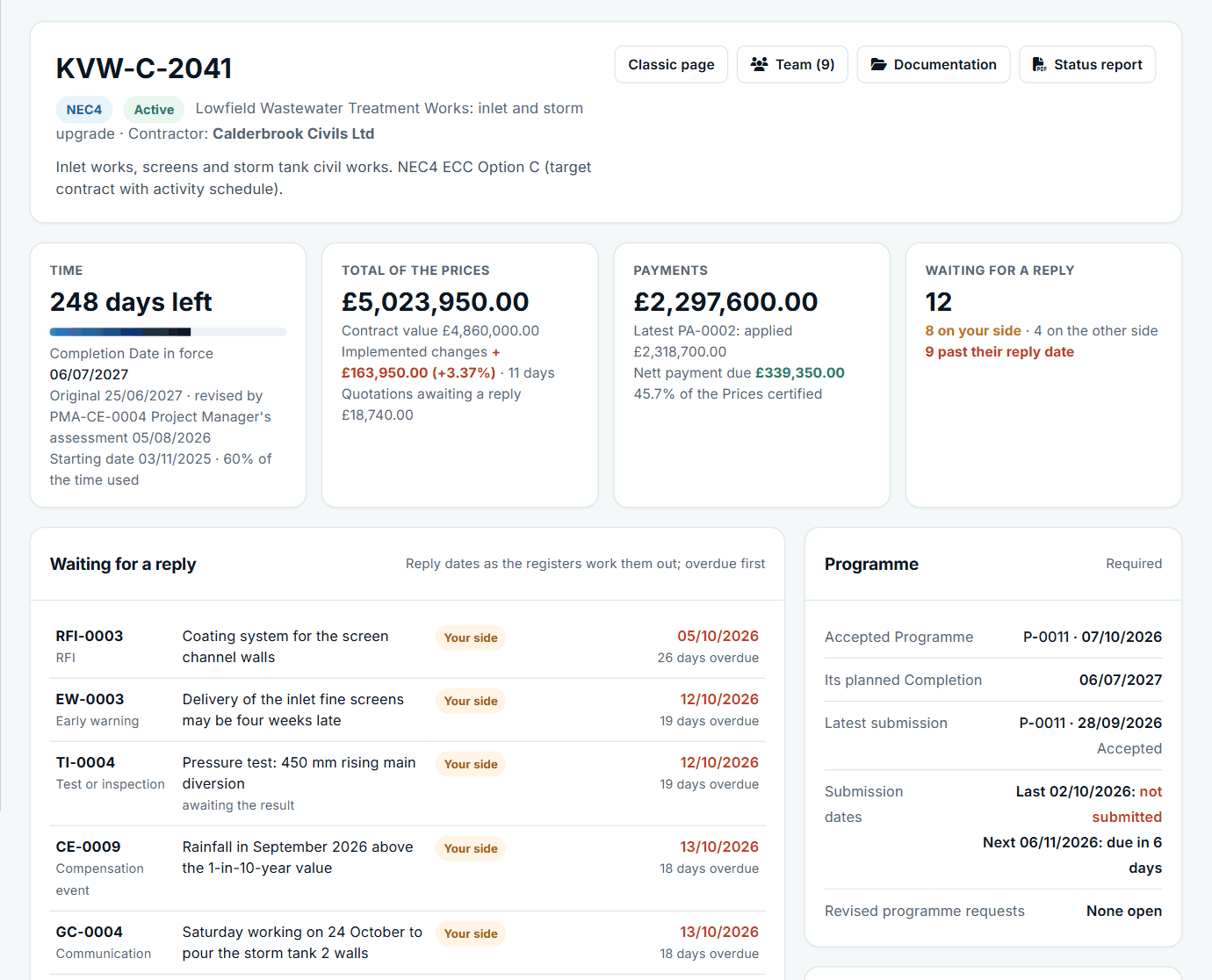
KVW-C-2041: £163,950.00 of implemented changes on a £4,860,000.00 contract.
What is not priced yet
The Compensation Event Register shows each event and where it stands, so you can see which are still waiting for a quotation or a reply.
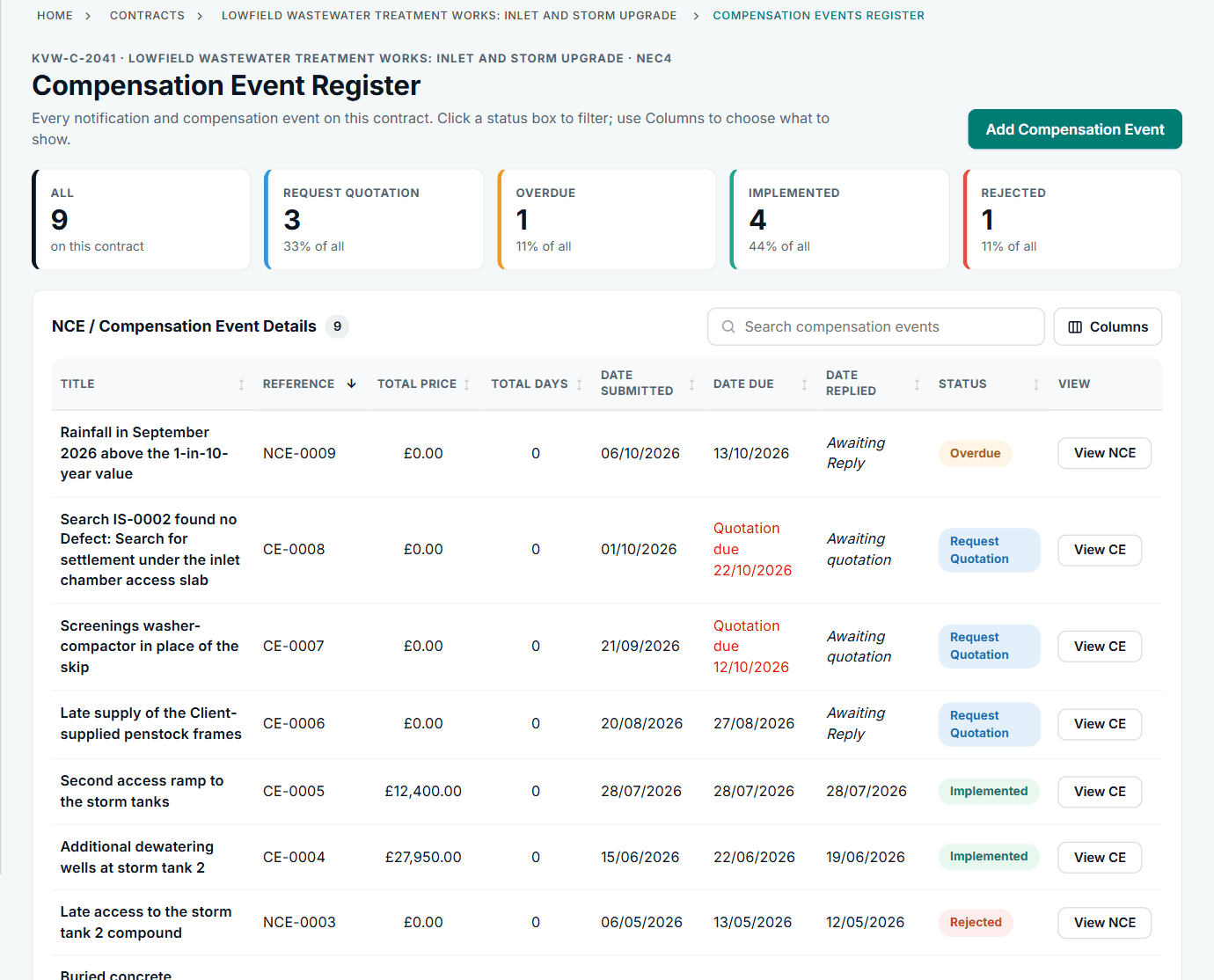
Events showing £0.00 have no accepted price yet.
Across all your contracts
Contract Intelligence shows the health of each contract by area, and the value of quotations awaiting a decision.
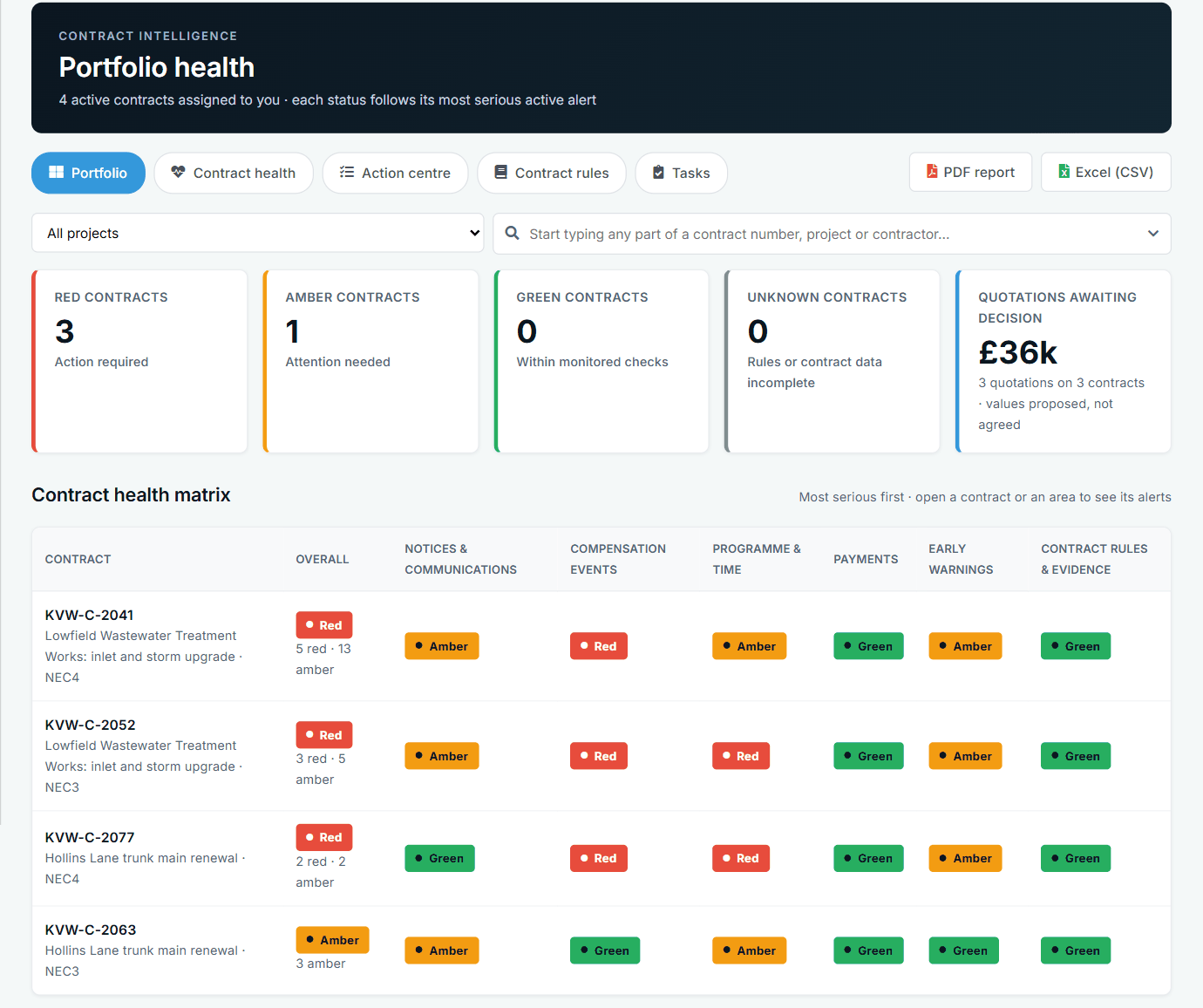
Available to administrators, commercial managers and the PMO.
For the commercial director
A view-only module for the director: what is outstanding on each side, contract health, agreed actions, and reports and downloads, with no contract team membership needed.
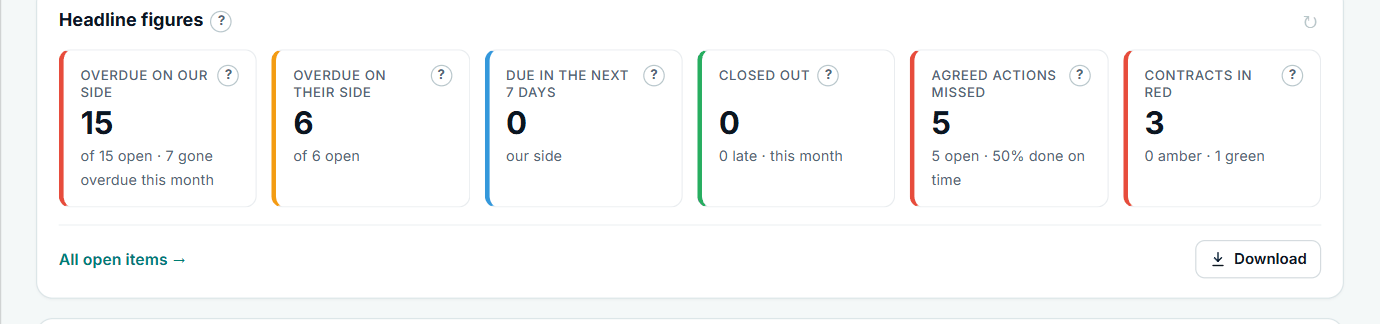
Headline figures for the whole account.
What it does not do: Contract Status has no budget figure and does not forecast your final cost. It shows what is on the registers, and marks quotations as values proposed, not agreed.
All screens are from the upgraded app, using a fictional water company, Kestrel Valley Water, and its made-up contractors.
What happens next on the other side
The Contractor does not see your internal views: Contract Intelligence and the Commercial Director pages are for your own side. They see the same registers and the same figures on the shared records.
See it on a contract you can click through
The guided tour lets you walk the same fictional account yourself. Or book a demo, and bring the situation you are dealing with.