
My quotation is waiting for a reply
Contractor side: Quotations
Where the contract stands
The Project Manager has two weeks to reply to a quotation (62.3). After that you can notify the failure, and if there is no reply within two further weeks the quotation is treated as accepted (62.6): the event is implemented and the Prices and dates change. Without your notice, nothing is treated as accepted.
Read the guide: PM no reply to a quotation
This is our plain-English summary, not legal advice. Your own contract, including any Z clauses, decides.
In Contract Status, step by step
Check where it stands
The Quotations register lists each quotation with its value, the movement in dates, the reply date and its status.
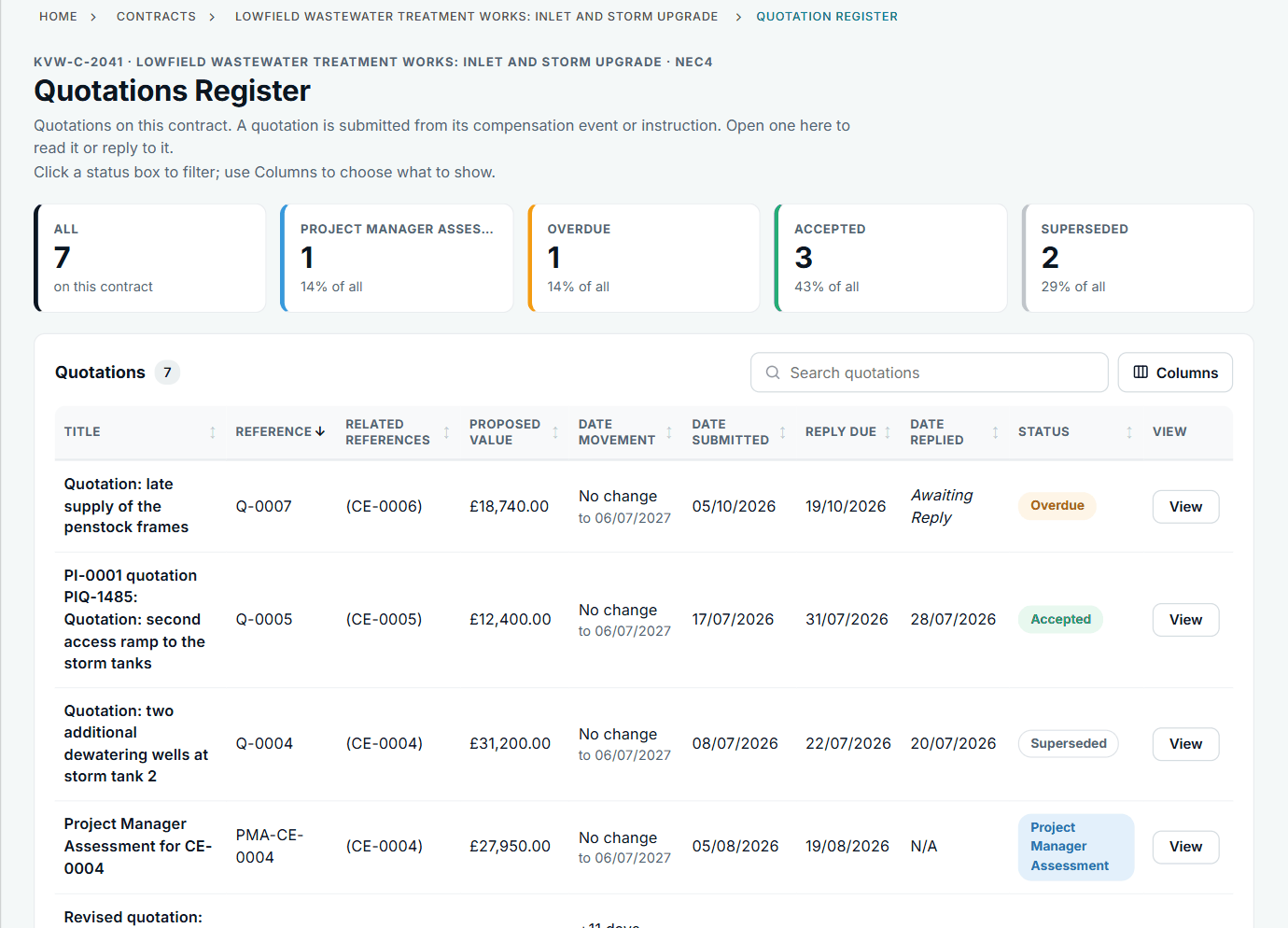
Overdue quotations stand out in the status column.
Give notice that the reply is late
Open the quotation. The banner names the amount and says what happens if the notice runs out. Add a note if you want, then press the button.
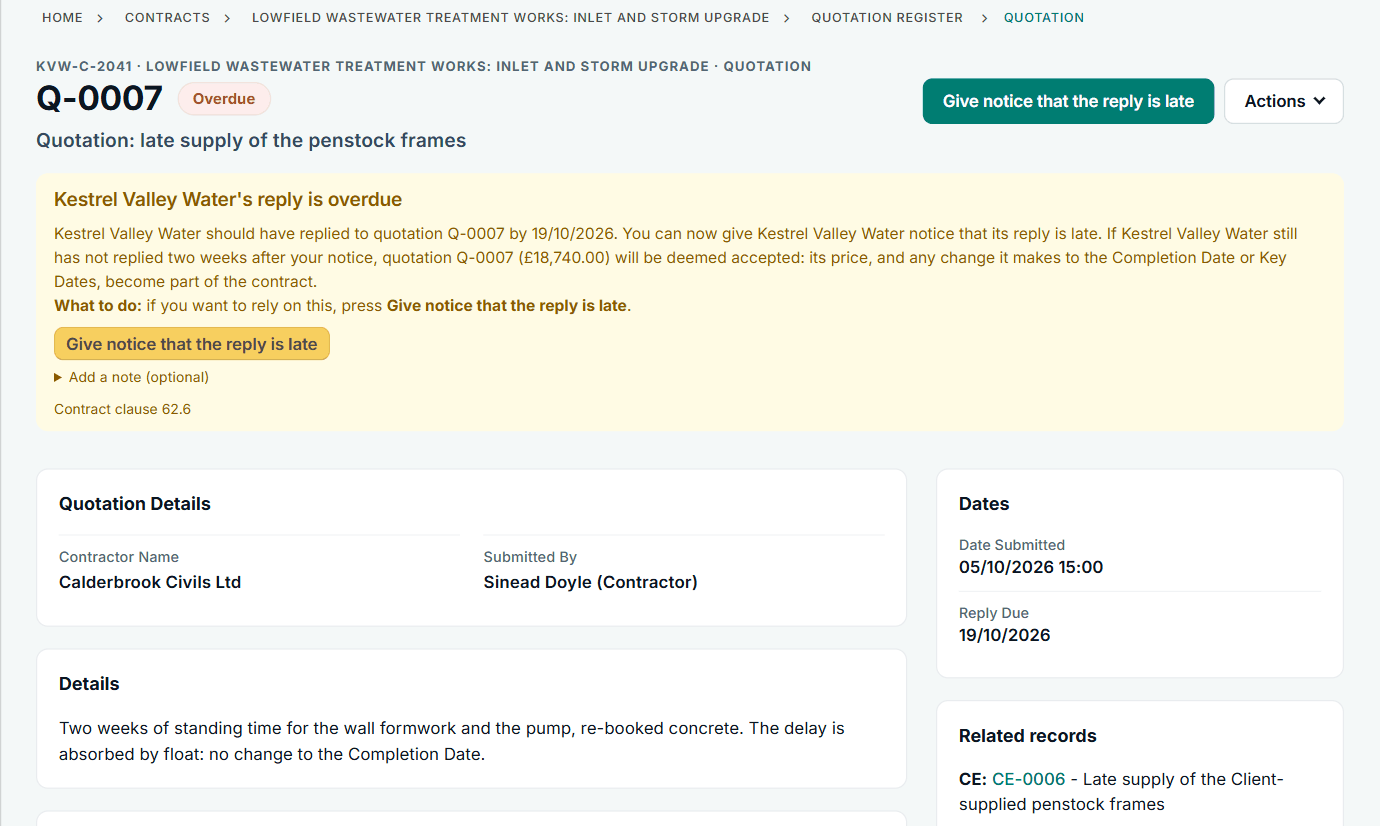
Q-0007 from the contractor side, clause 62.6 from the contract's clause list.
Record deemed acceptance
When the notice has run out the banner changes. Until someone presses Record deemed acceptance, the status, prices and dates stay as they are. You can also withdraw your notice.
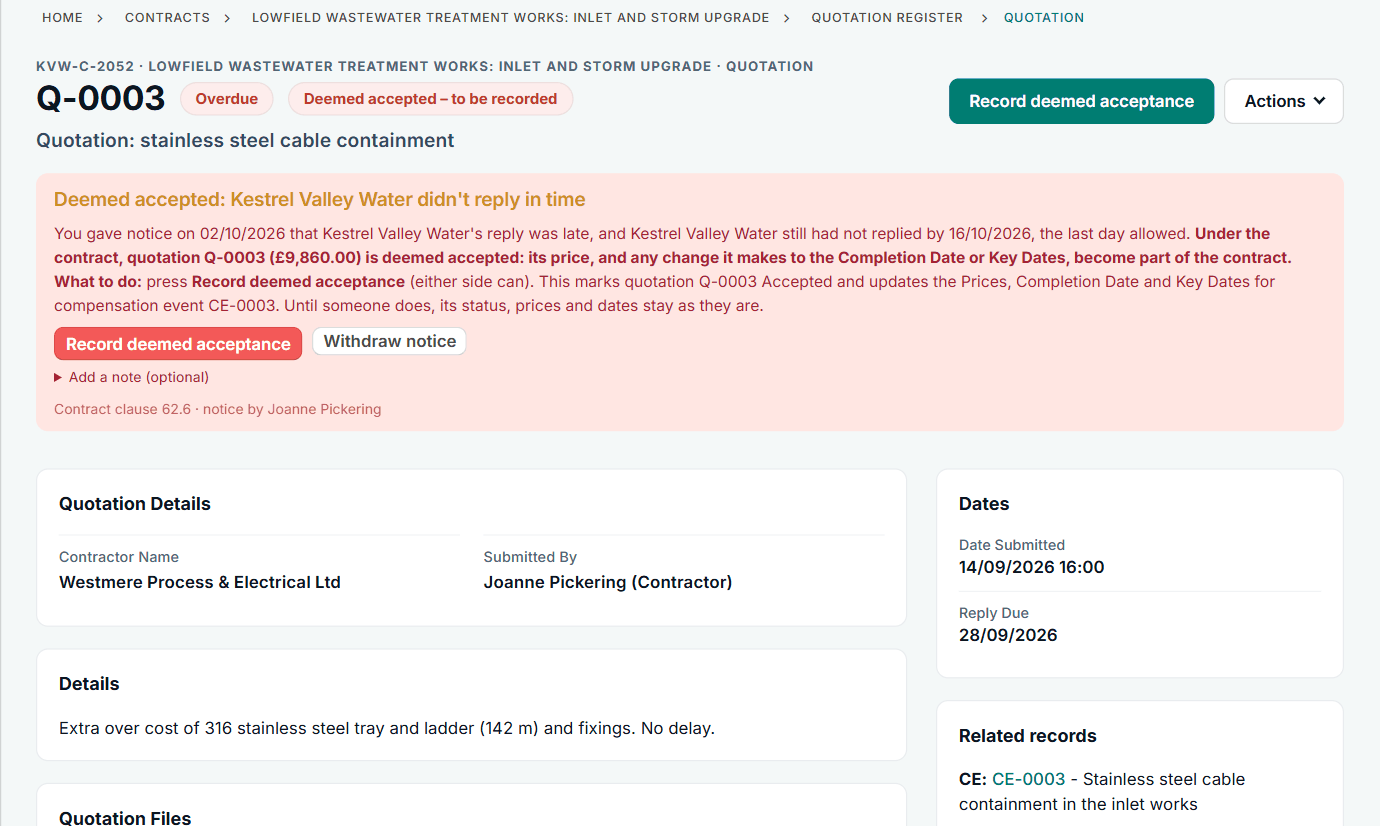
Q-0003 on the NEC3 contract: either side can record it.
All screens are from the upgraded app, using a fictional water company, Kestrel Valley Water, and its made-up contractors.
What happens next on the other side
On the Client side the same quotation tells the Project Manager that the reply is overdue, then that it has been treated as accepted; a reply at that point is marked late and changes nothing. Recording it marks the quotation Accepted and updates the Prices, the Completion Date and Key Dates for its compensation event. See the Client's view of the same situation.
See it on a contract you can click through
The guided tour lets you walk the same fictional account yourself. Or book a demo, and bring the situation you are dealing with.