
We instructed a search and found no Defect
Client side: Defects
Where the contract stands
It is normally a compensation event under 60.1(10), with the instruction to search at 43.1 in NEC4 (42.1 in NEC3). The main exception is where the search was only needed because too little notice was given of work that blocked a required test or inspection.
Read the guide: Search found no Defect
This is our plain-English summary, not legal advice. Your own contract, including any Z clauses, decides.
In Contract Status, step by step
Instruct the search on its register
Choose + Add on Instructions to Search: what you are looking for, where, your reasons and when you want the findings. Only your side has the button.
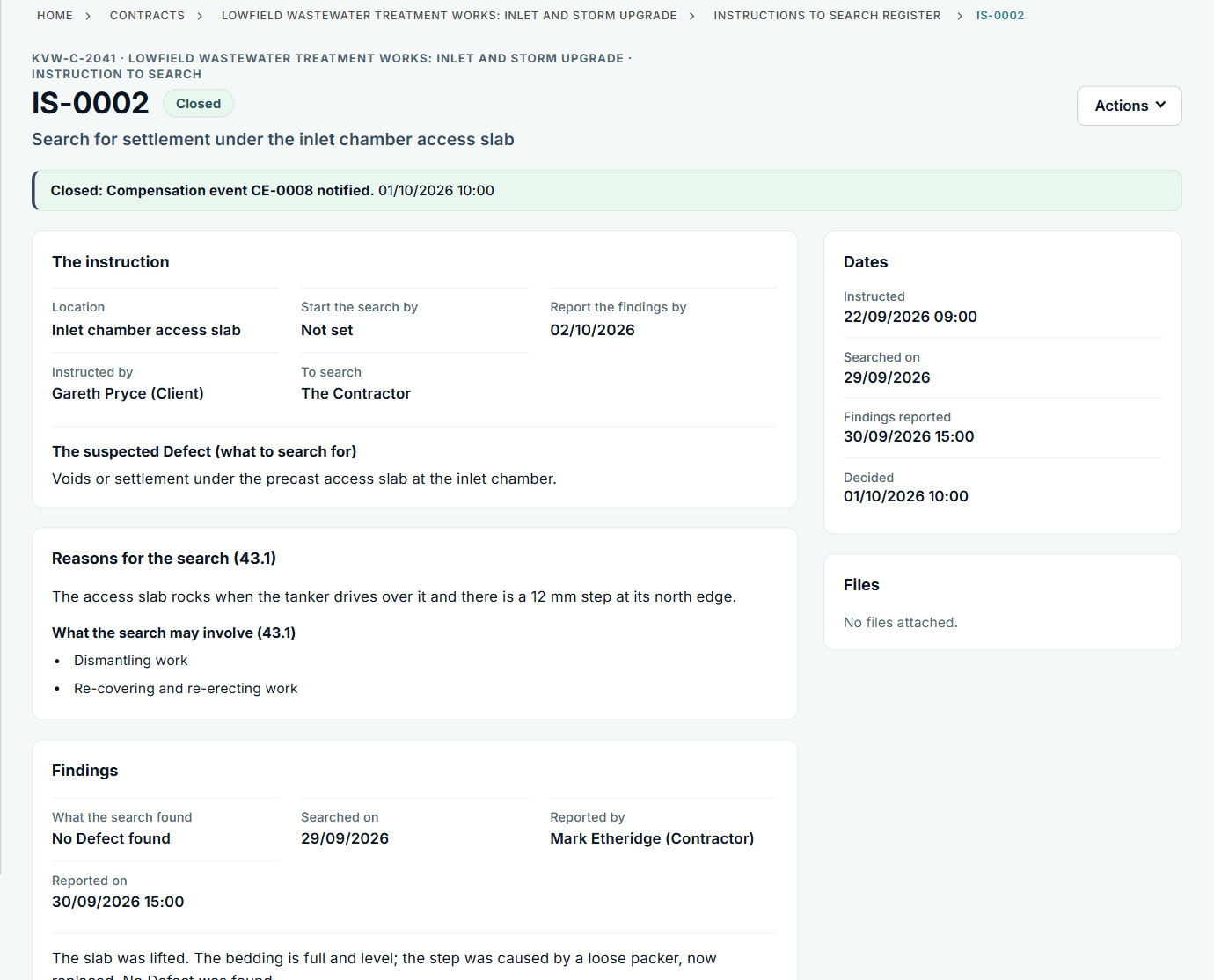
IS-0002: the slab rocked, and the search found a loose packer, not a Defect.
Decide the outcome
After the Contractor reports, you choose: Notify the Defect, Notify the compensation event, which opens filled in with the clause from your library, or record why it is not one.
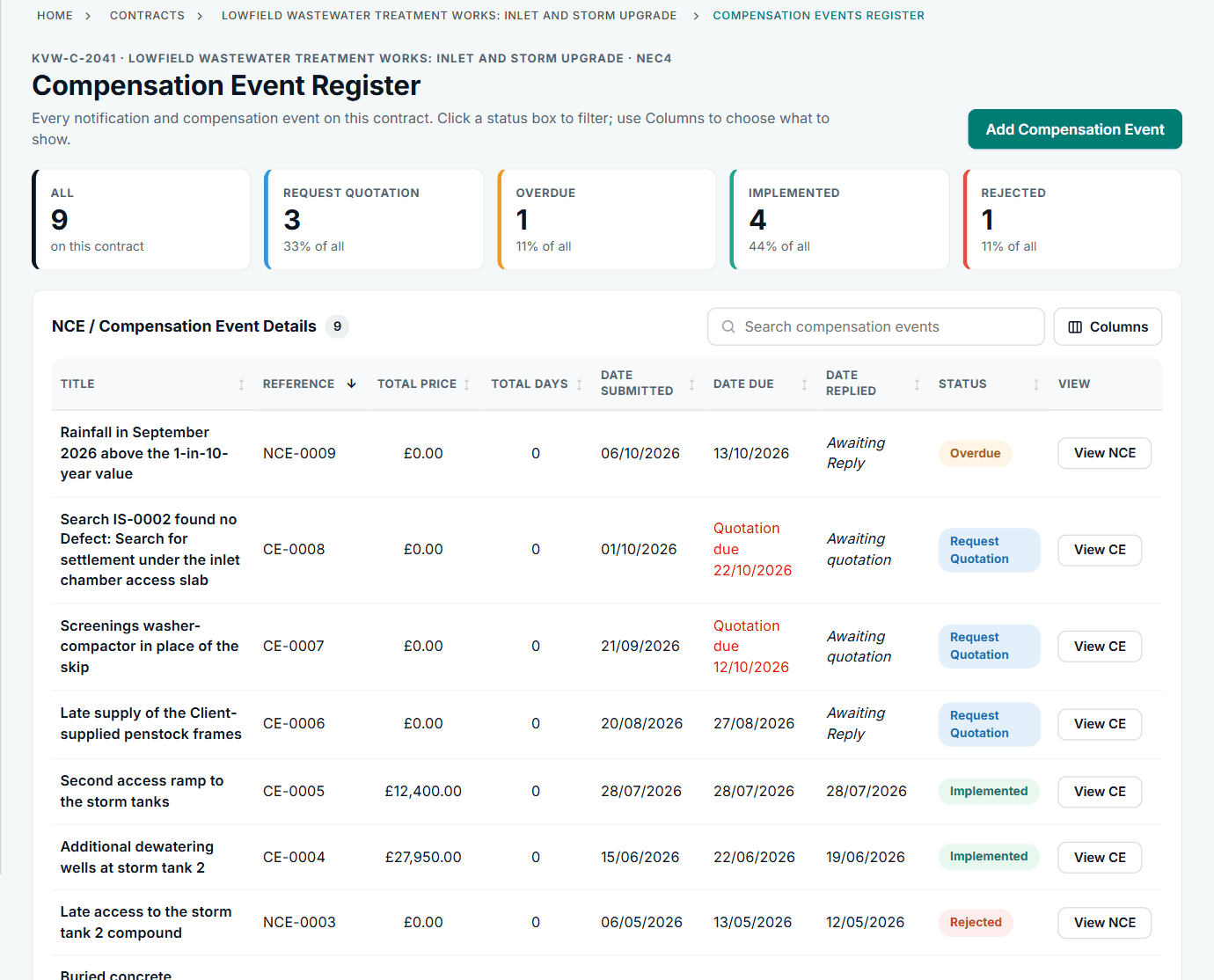
CE-0008 was raised from the search, and carries its name.
See it on the activity feed
The instruction, the findings and the decision are each dated and named.
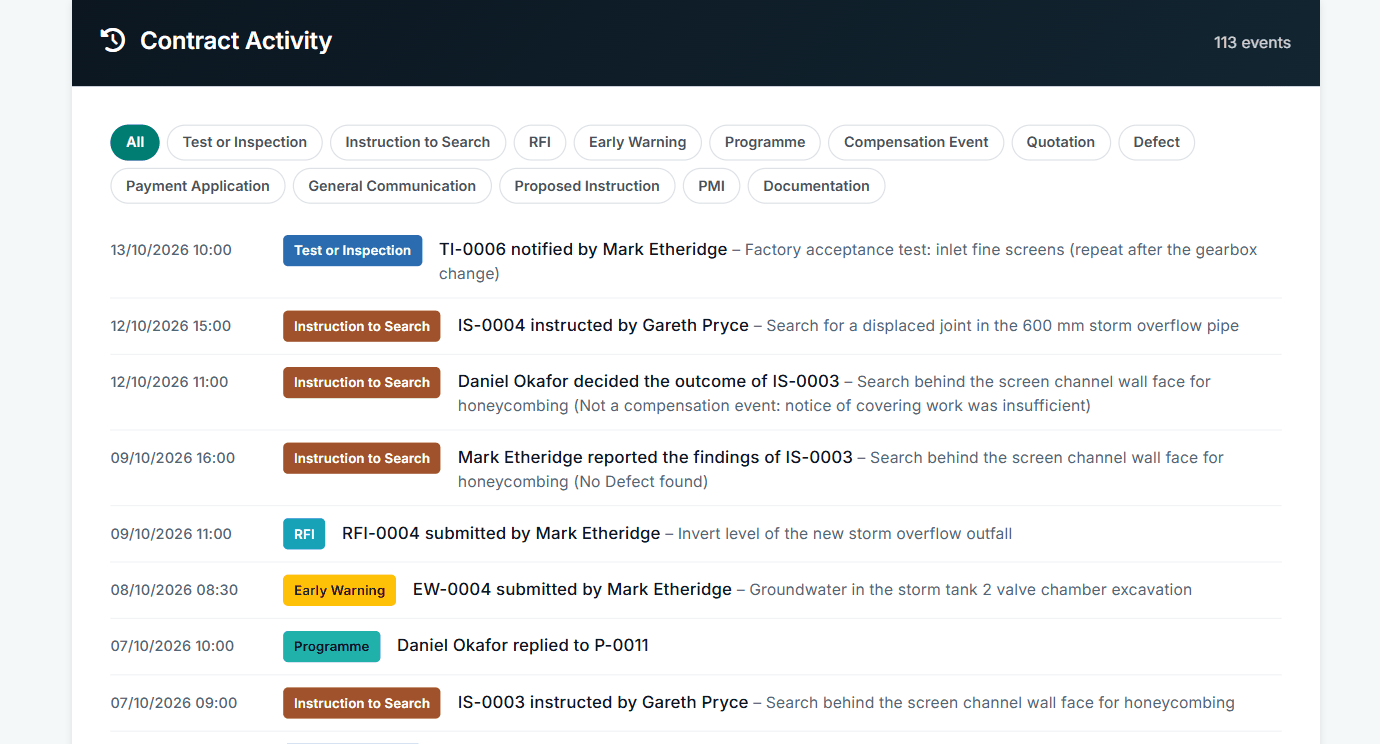
The sample account also has a search where the notice was too late, so no event followed.
All screens are from the upgraded app, using a fictional water company, Kestrel Valley Water, and its made-up contractors.
What happens next on the other side
The Contractor reports findings on the record and sees your decision. If you notify the event, they quote on it in the usual way. The fictional account shows each outcome: Defect found, compensation event, and not a compensation event.
See it on a contract you can click through
The guided tour lets you walk the same fictional account yourself. Or book a demo, and bring the situation you are dealing with.