
A subcontractor’s notice that affects the main contract
Contractor side: Subcontracts
Where the contract stands
A subcontractor warns the Contractor; the Project Manager is not a party to that contract. If the matter reaches the main contract, warning the Project Manager is the Contractor's own job under its own clause. Periods differ too: under the NEC4 subcontract the time bar is seven weeks and the reply to a notification is two.
Read the guide: Subcontractor early warning and Managing subcontracts
This is our plain-English summary, not legal advice. Your own contract, including any Z clauses, decides.
In Contract Status, step by step
Run the subcontract as a contract in its own right
In a subcontract account you are the Contractor, the other side is the Subcontractor, and you issue Contractor Instructions. You play the part the Project Manager plays in a main contract. The registers are the same.
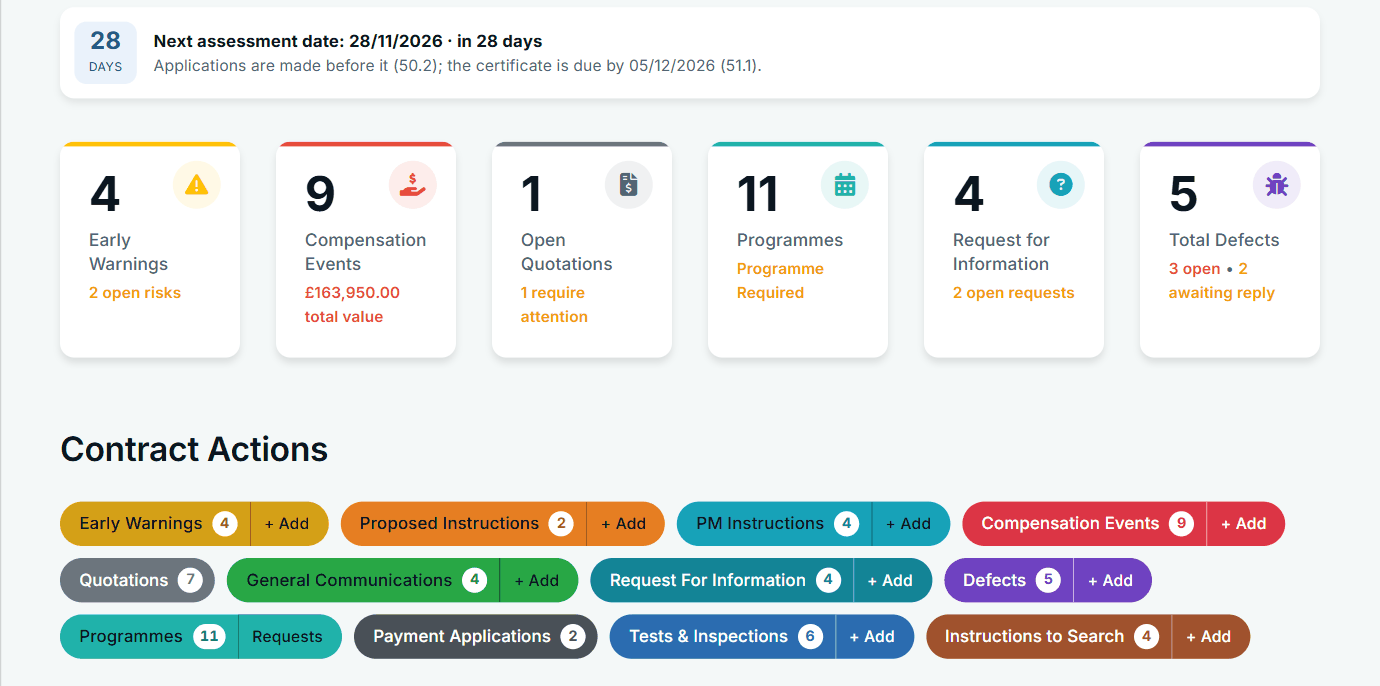
Shown on the fictional main contract; a subcontract account uses its own words.
The subcontractor's warning arrives on its register
You are told, you see it on your Action List, and it has its own reference and dates. Record the subcontract's own periods on the contract so the reply dates follow them.
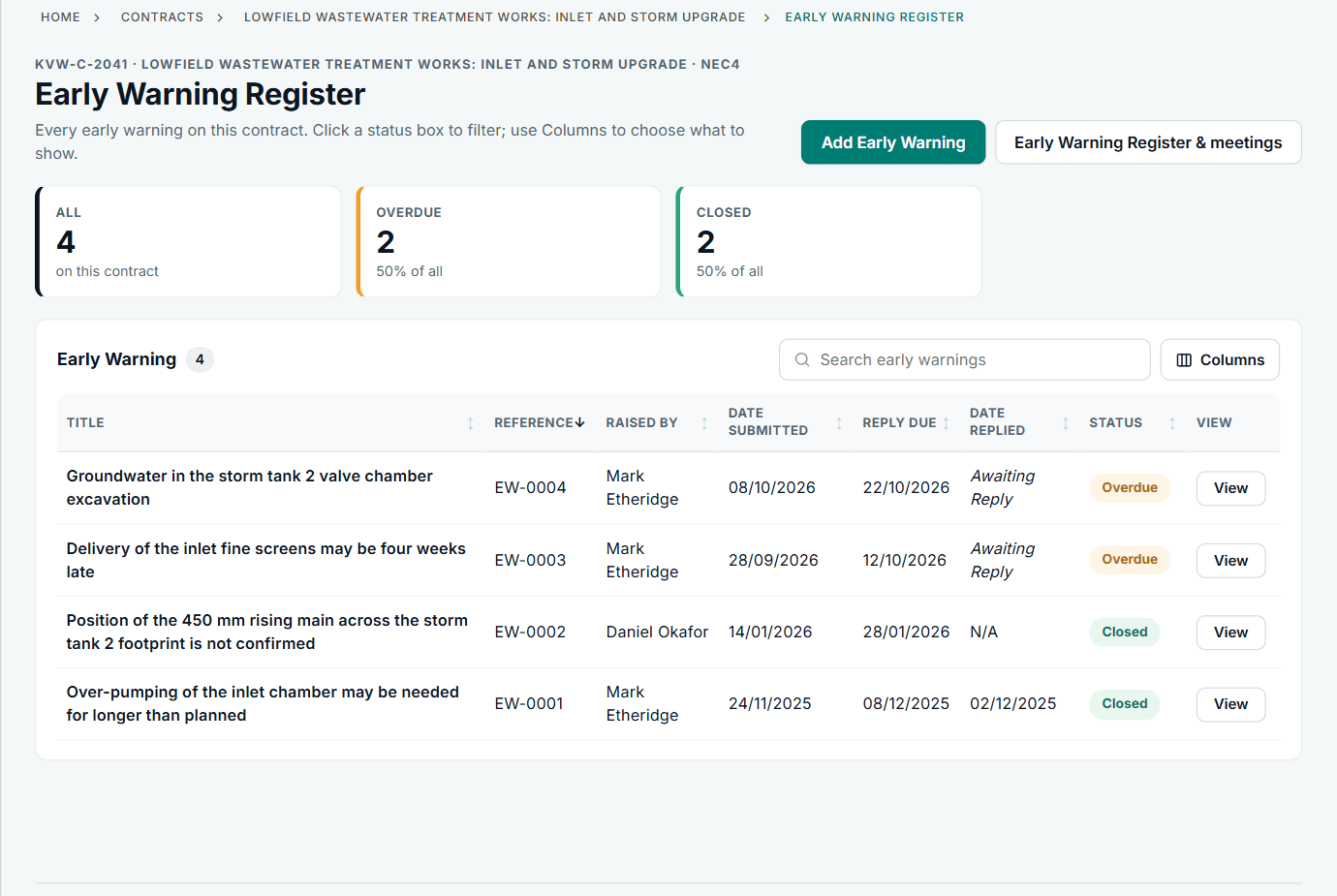
The register looks the same on either contract.
Give your own warning on the main contract
If it reaches the main contract, raise your own early warning there, on that contract's register, as a separate notice. Mention the subcontract record in the details so the two can be traced.
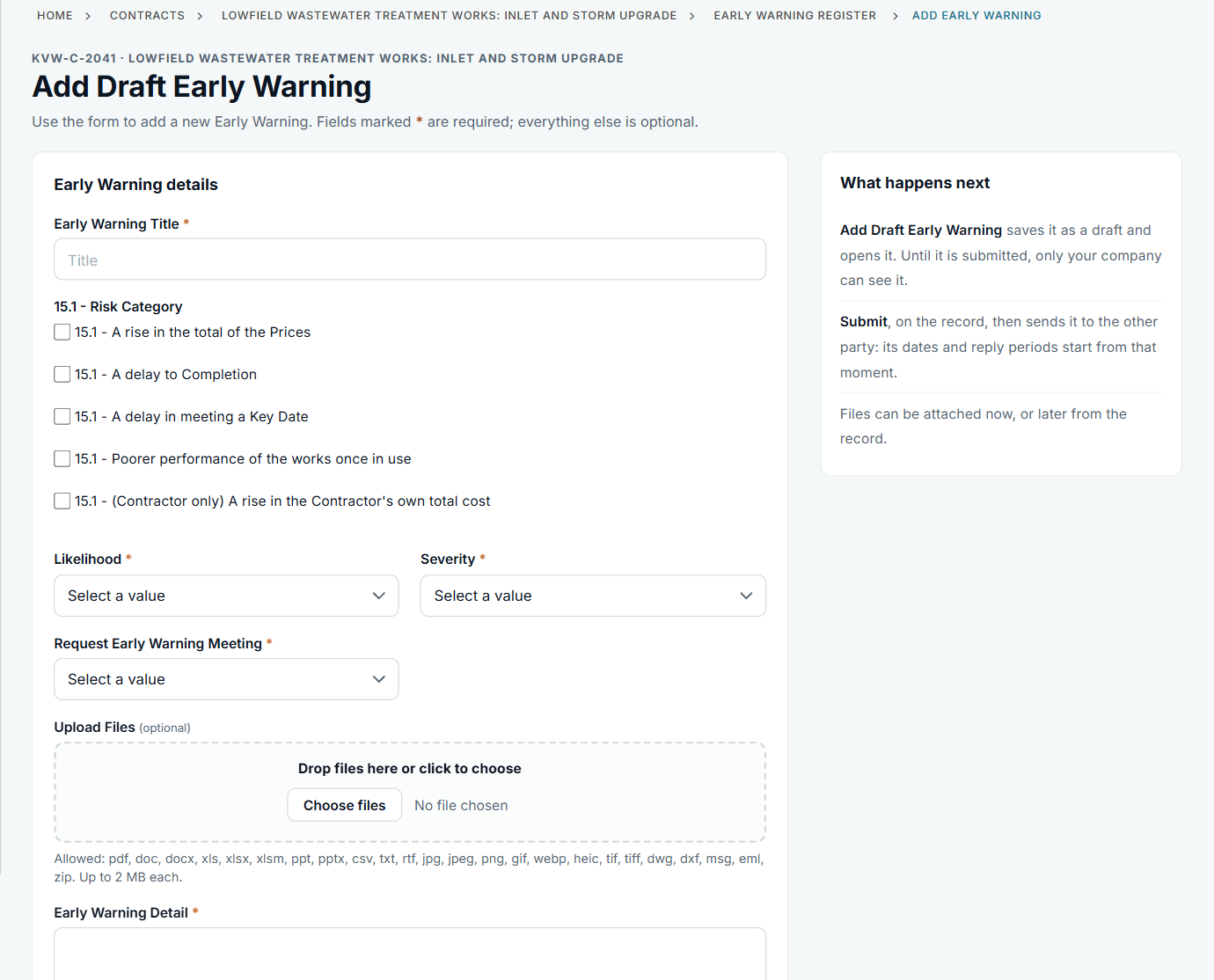
This is your own notice. Do not assume the first one covers it.
What it does not do: Contract Status does not pass a notice from a subcontract up to a main contract by itself. They are separate contracts with separate records, and may be in different companies' accounts.
All screens are from the upgraded app, using a fictional water company, Kestrel Valley Water, and its made-up contractors.
What happens next on the other side
The subcontractor sees your reply on the subcontract record. The Project Manager sees your warning on the main contract only if that contract is run in Contract Status; otherwise send it by the route that contract names.
See it on a contract you can click through
The guided tour lets you walk the same fictional account yourself. Or book a demo, and bring the situation you are dealing with.