
Unexpected ground conditions
Contractor side: Compensation events
Where the contract stands
It depends on what an experienced contractor could reasonably have allowed for at the Contract Date. Under 60.1(12) the Client carries only the part beyond a reasonable allowance. Warn straight away if price or programme could be affected, and notify within the time bar: nothing the Project Manager did caused this, so 61.3 applies in full.
Read the guide: Unforeseen ground conditions
This is our plain-English summary, not legal advice. Your own contract, including any Z clauses, decides.
In Contract Status, step by step
Give the early warning
Describe what you found, where and how it compares with the Site Information, score the risk and ask for a meeting.
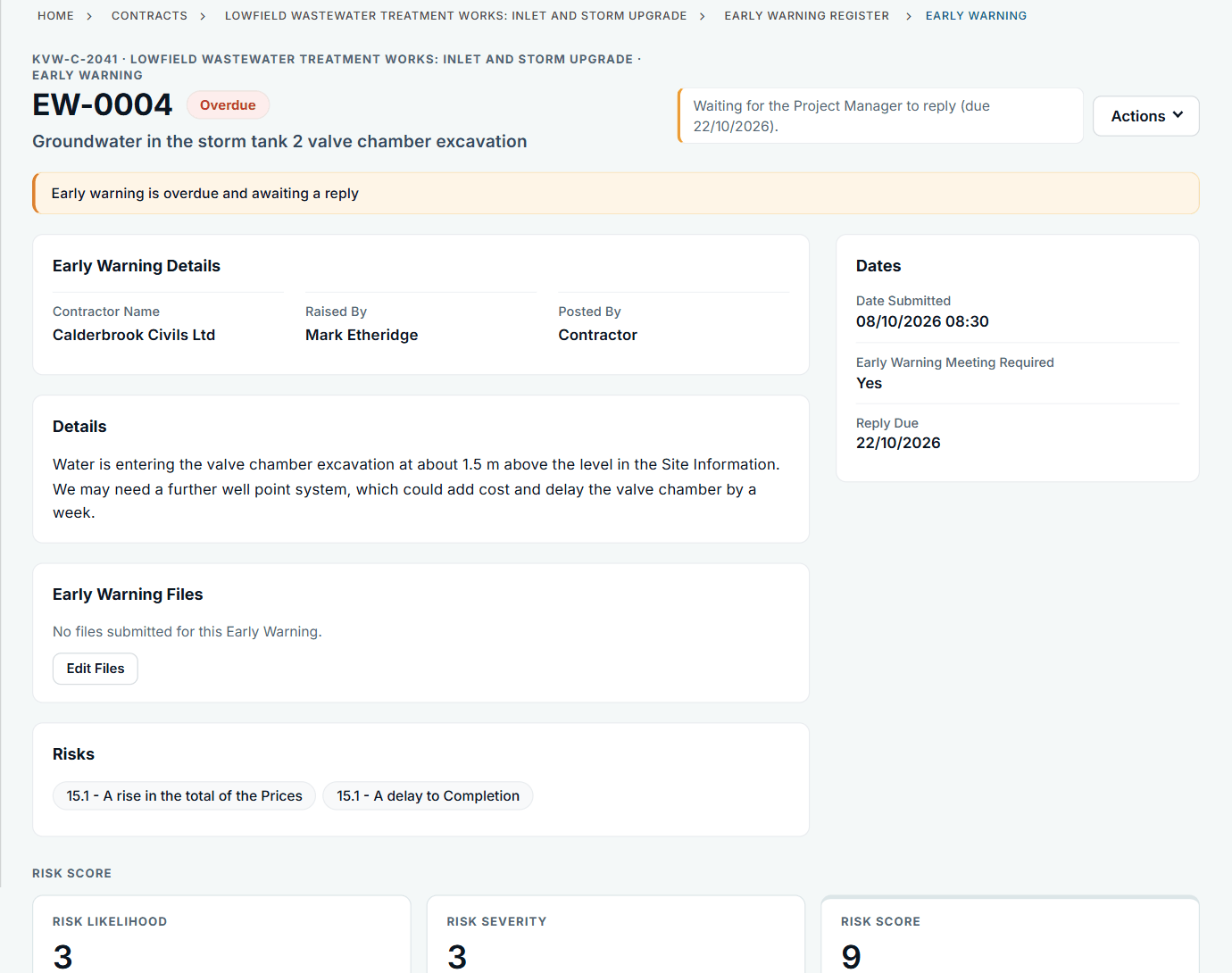
EW-0004: water about 1.5 m above the level in the Site Information.
Notify the compensation event
Add the notification with the clause from the list and the date you became aware. The photographs and survey go on as files.
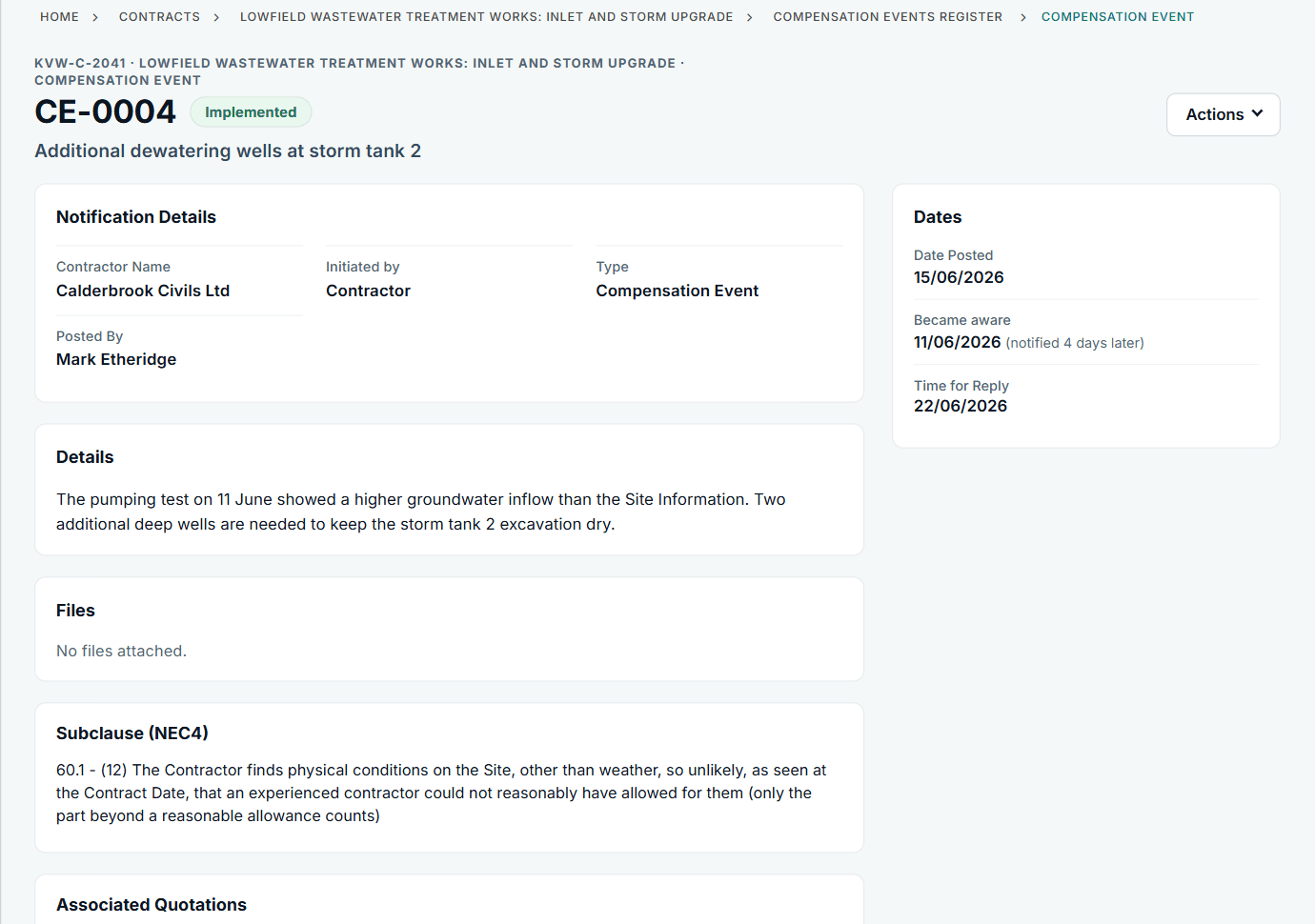
CE-0004: notified four days after the pumping test showed the inflow.
Follow it to a price
Your quotation goes on the event. In this example the Project Manager did not accept it and made its own assessment, which is kept on the same register against the same event.
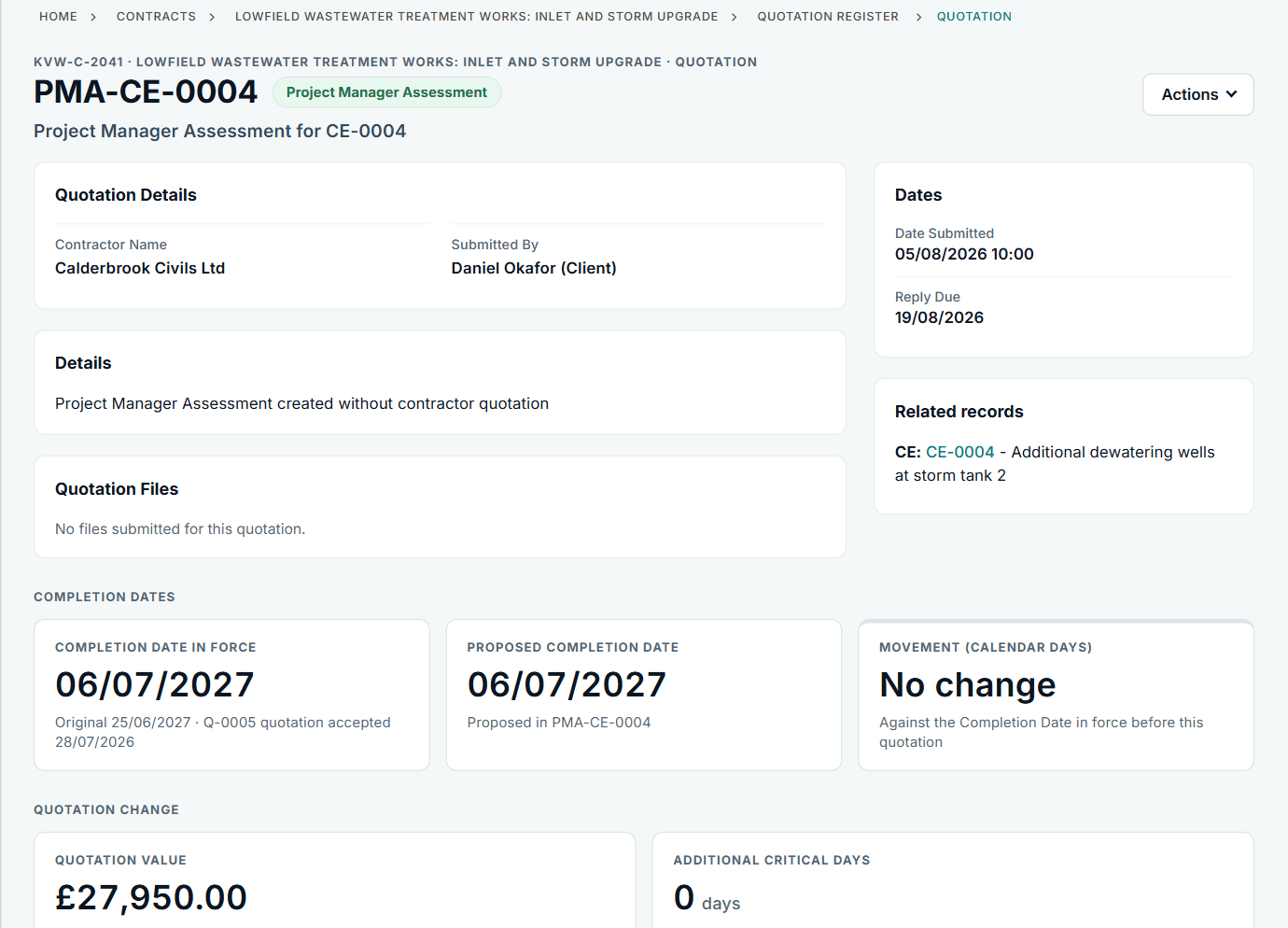
PMA-CE-0004: the assessment replaces the quotation as the event's price.
All screens are from the upgraded app, using a fictional water company, Kestrel Valley Water, and its made-up contractors.
What happens next on the other side
The Project Manager replies on the notification, then on your quotation: accept, ask for a revised quotation, or assess it. When the event is implemented, the total of the Prices, the Completion Date and any Key Dates update on the contract page.
See it on a contract you can click through
The guided tour lets you walk the same fictional account yourself. Or book a demo, and bring the situation you are dealing with.