
A service that isn’t on the drawings
Contractor side: Compensation events
Where the contract stands
It can be, under 60.1(12), if an experienced contractor could not reasonably have allowed for it at the Contract Date. A line missing from one drawing does not settle that. Make it safe, record it in place, warn if price or programme could be affected, and notify without waiting for the owner's report.
Read the guide: Unmarked services
This is our plain-English summary, not legal advice. Your own contract, including any Z clauses, decides.
In Contract Status, step by step
Warn the same day
Use the early warning form for the effect on price and programme, with a meeting request if you need a decision quickly.
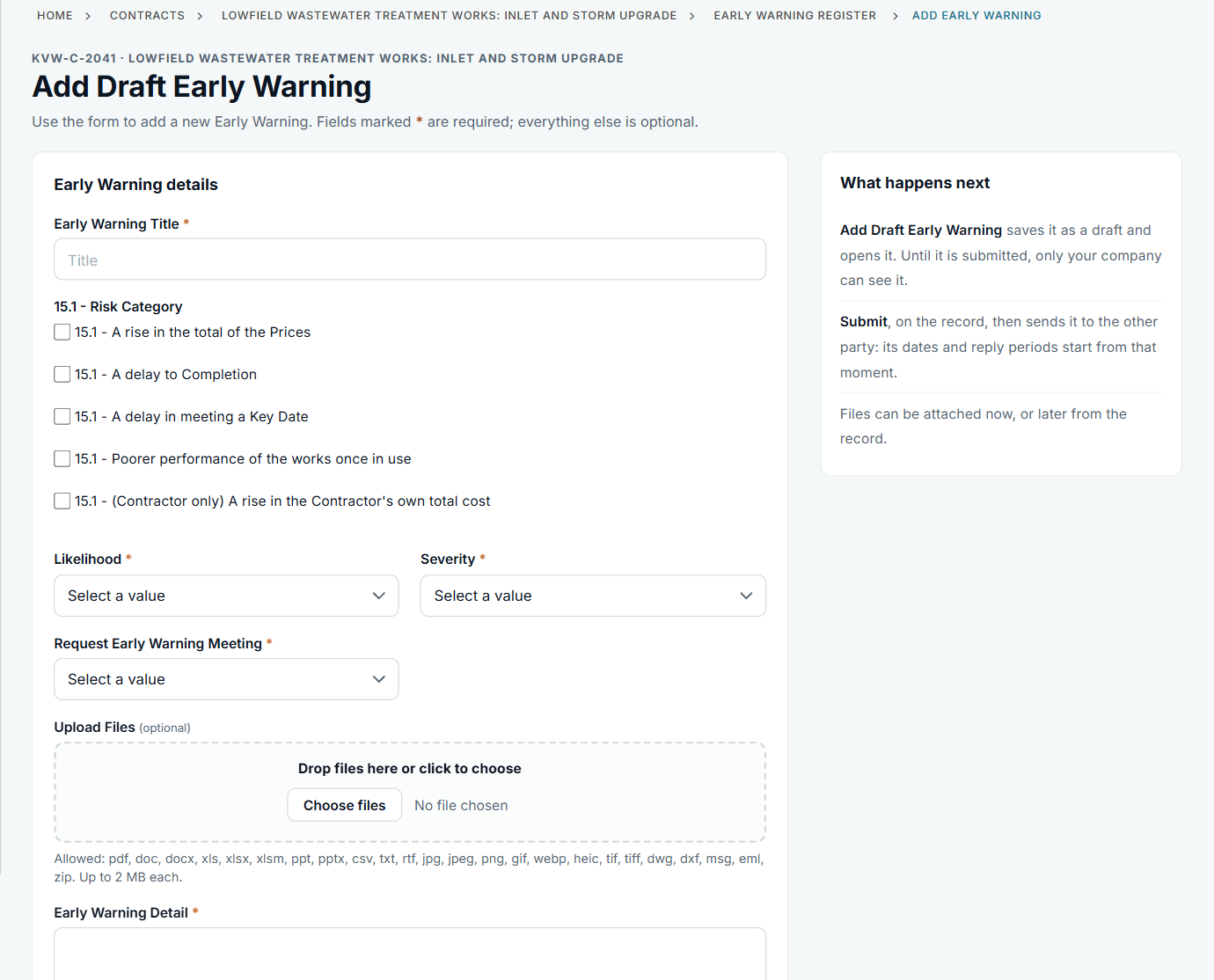
The warning and the notification are two separate records.
Notify, with the facts on the record
Say where it is, at what depth and what it means for the work. The record shows the awareness date and how long you took. On an NEC3 contract the clause list and the words follow that edition.
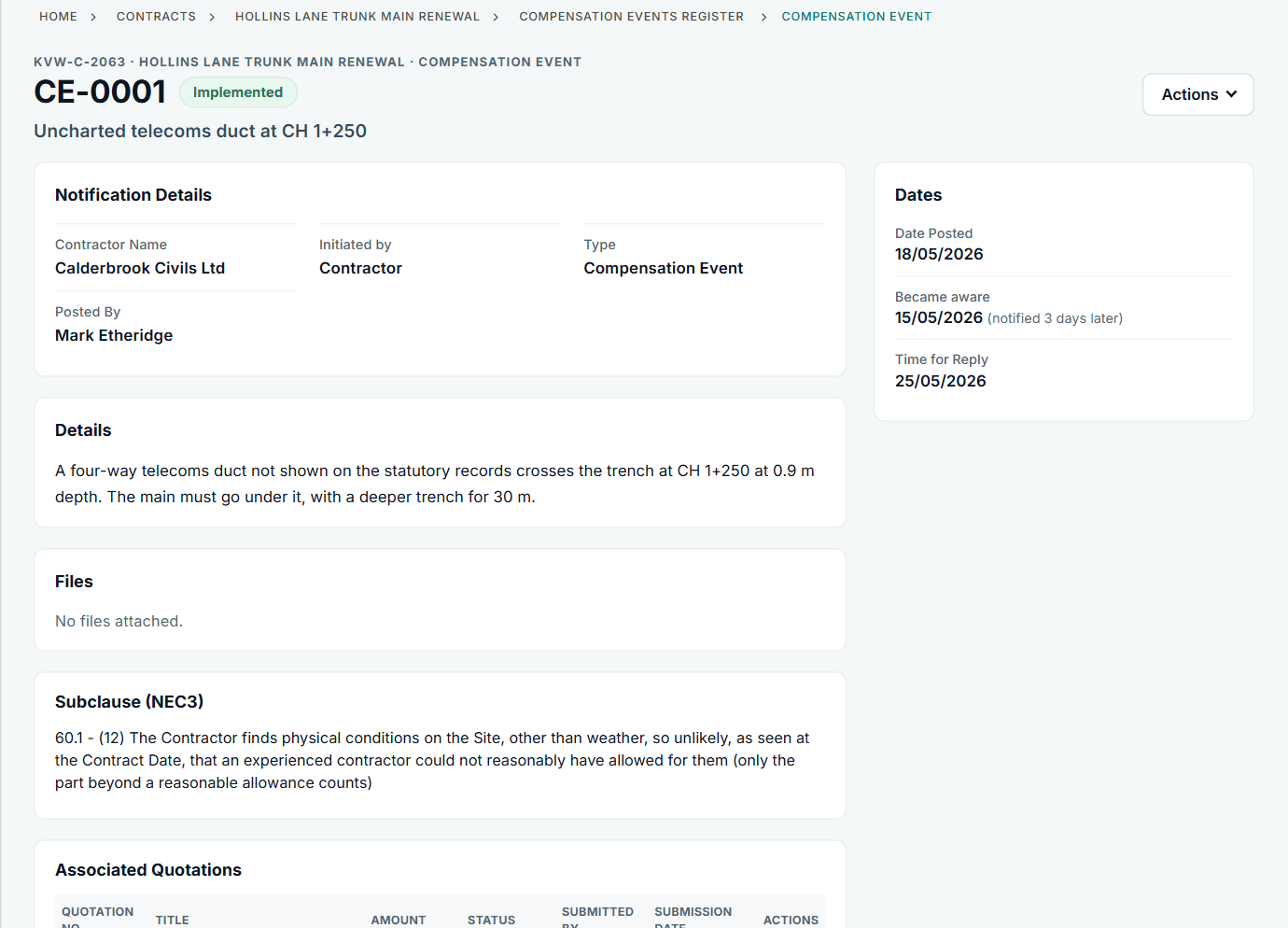
CE-0001 on the NEC3 trunk main contract.
Quote on the event
Once quotations are instructed, Add Quotation is the next step on the record: the price, the delay and any changed Key Dates, with your build-up.
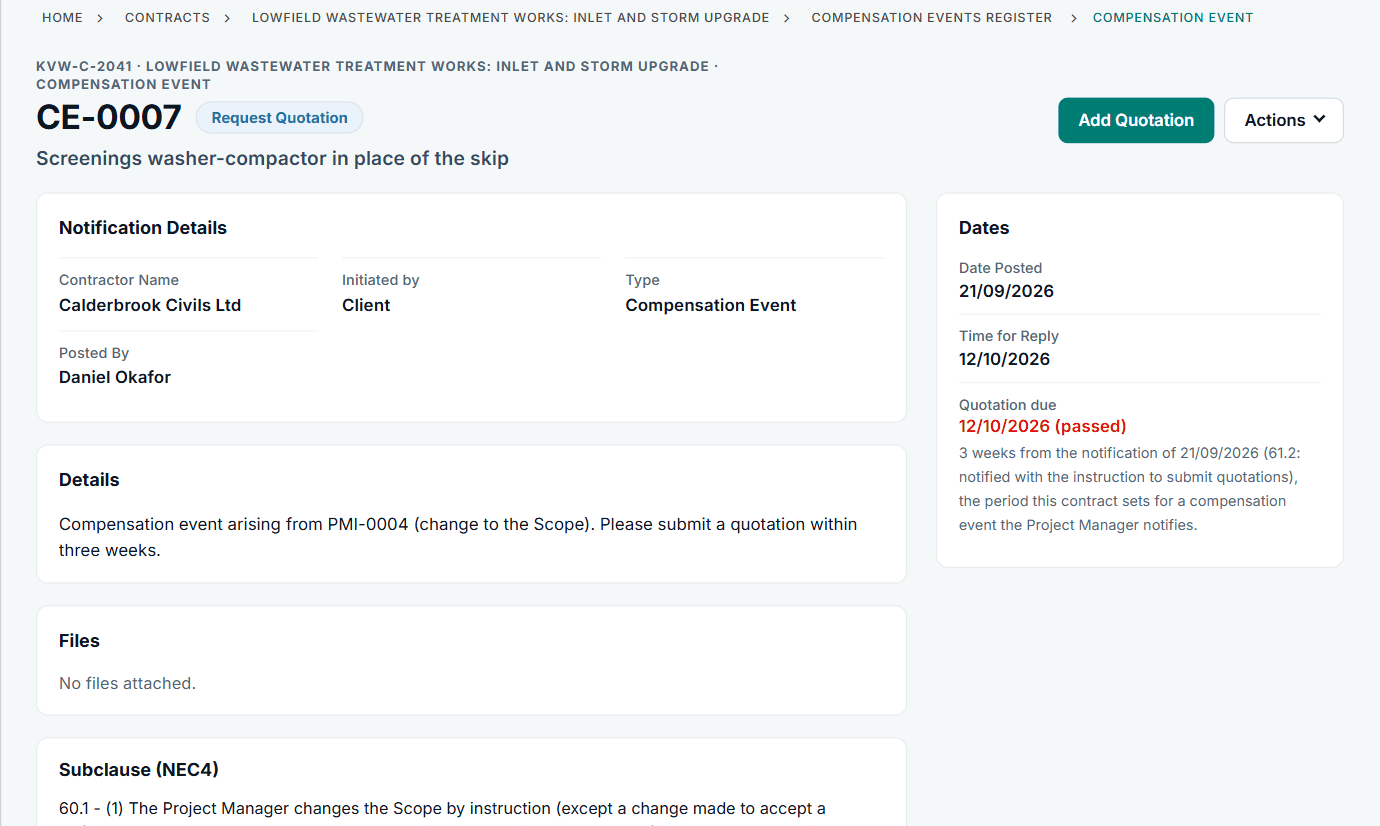
The due date comes from the contract's period for a quotation.
All screens are from the upgraded app, using a fictional water company, Kestrel Valley Water, and its made-up contractors.
What happens next on the other side
The Project Manager sees your notification on their Action List, replies, and later replies to the quotation. Once it is accepted, the event shows Implemented and its value goes into the contract's price changes.
See it on a contract you can click through
The guided tour lets you walk the same fictional account yourself. Or book a demo, and bring the situation you are dealing with.