
An instruction came with no compensation event
Contractor side: Instructions
Where the contract stands
No. Follow the instruction and notify it yourself under 61.3. The Project Manager should have notified it with the instruction (61.1), but the missing notice does not remove the event. An event arising from an instruction falls outside the eight-week bar, though there is no benefit in waiting. A change to the Scope is 60.1(1).
Read the guide: PM did not notify a compensation event
This is our plain-English summary, not legal advice. Your own contract, including any Z clauses, decides.
In Contract Status, step by step
Open the instruction
It sits on its own register with its files and clause. The record says it has been issued and cannot be edited or cancelled, and that an effect on the Prices or Completion Date goes through a compensation event.
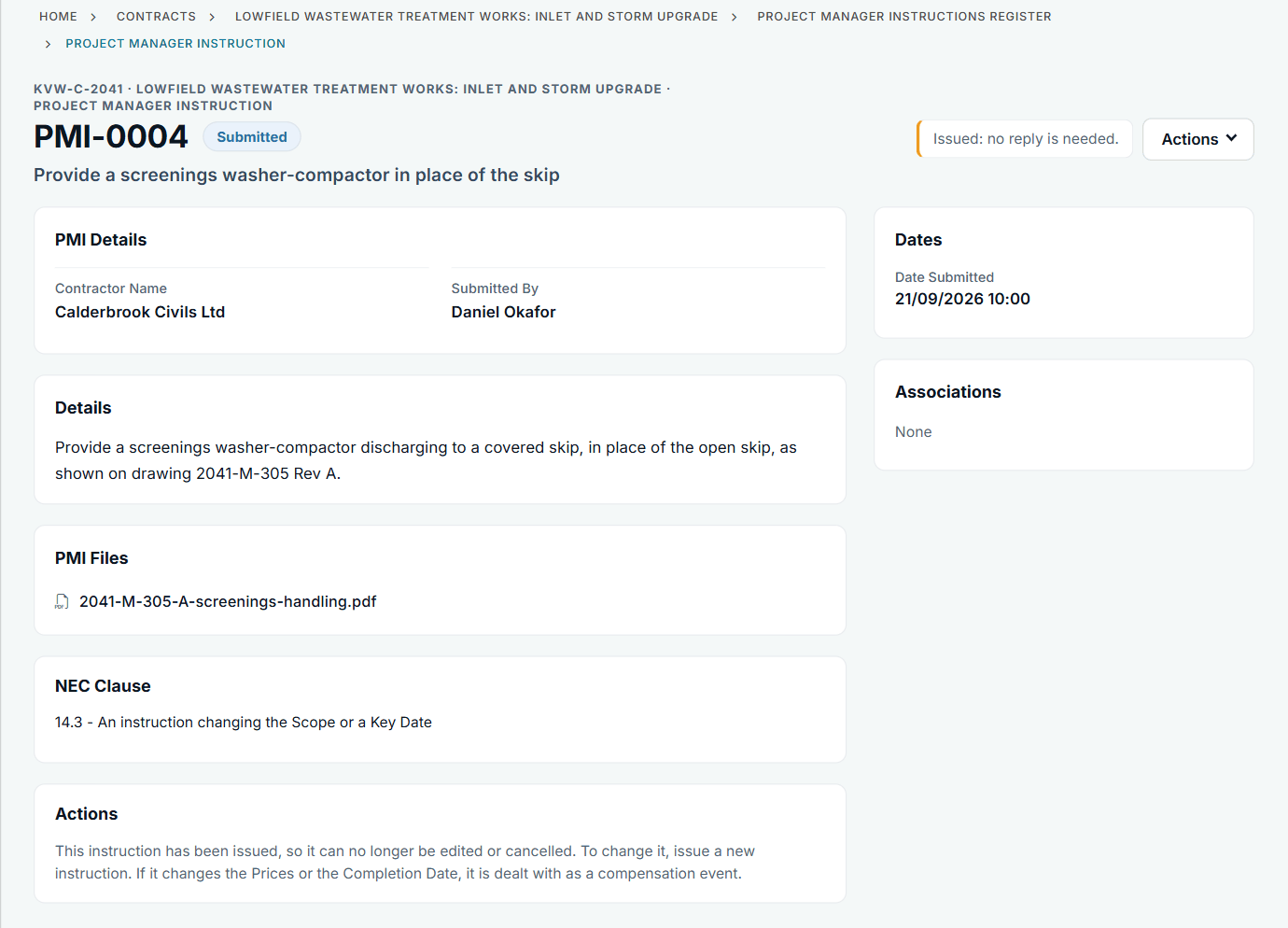
PMI-0004 with the drawing attached.
Add the notification
An instruction on its own does not create a compensation event in Contract Status. Choose + Add on Compensation Events, quote the instruction in the title or details, and choose the clause.
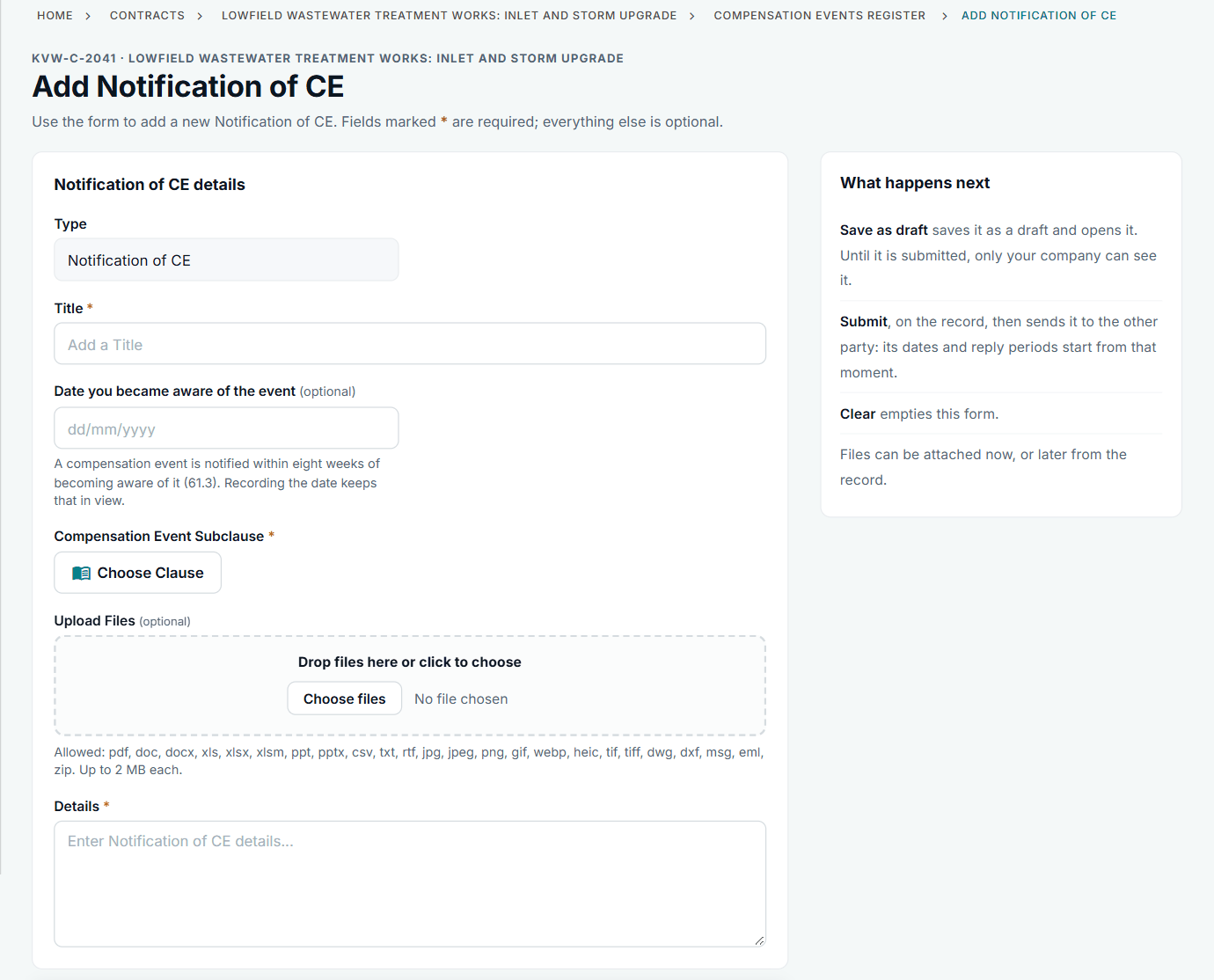
Choose 60.1(1) from the list if the Scope has changed.
When it is done properly, it looks like this
Where the Project Manager notifies the event at the time, the record names the instruction, states the quotation date and shows Add Quotation to you.
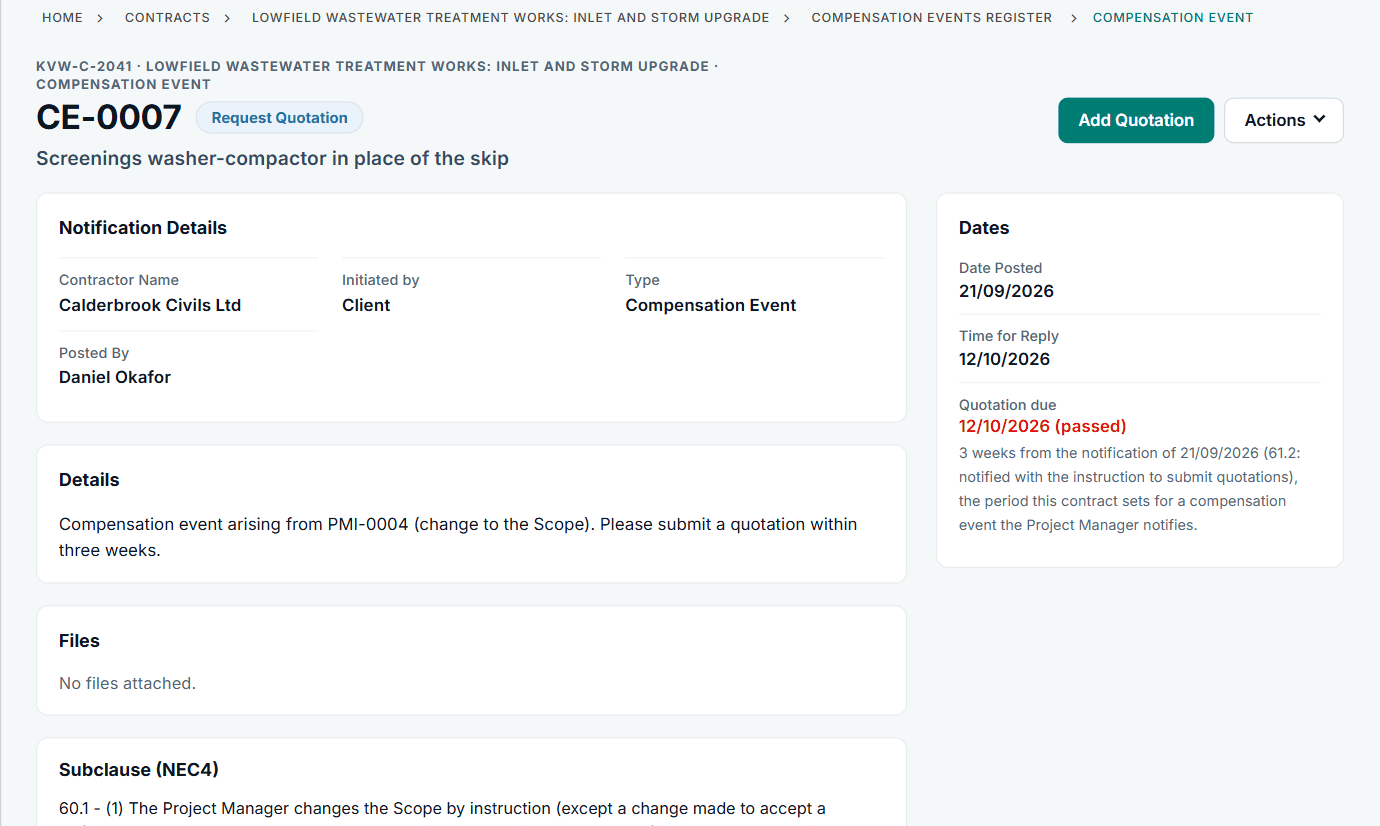
CE-0007: the event raised with PMI-0004.
All screens are from the upgraded app, using a fictional water company, Kestrel Valley Water, and its made-up contractors.
What happens next on the other side
The Project Manager has a week to reply to your notification (61.4). If they do not, the late-reply route applies.
See it on a contract you can click through
The guided tour lets you walk the same fictional account yourself. Or book a demo, and bring the situation you are dealing with.