
Notify it yourself under clause 61.3. If the PM did not notify a compensation event when giving an instruction that changes the Scope, the event still exists; clause 61.1 required notification at the time of the instruction, and the missing notification doesn't remove your entitlement.
Two things decide how strong your position is: whether the instruction really changes the Scope or does something else on the list, and whether one of the exclusions applies. The numbers are the same in NEC3 and NEC4 ECC, though NEC4 moves the instruction to quote into 61.2. For similar situations, see the NEC questions section.
Put the instruction into effect, then write
- Follow the instruction. Clause 27.3 requires you to obey an instruction that's in accordance with the contract. A pricing disagreement isn't a reason to stop.
- Notify today. Quote the instruction reference, its date and the sub-clause. Late notice isn't fatal on this kind of event, because an event arising from an instruction, notification, certificate or changed decision escapes the eight-week bar. Even so, there's no benefit in waiting.
- Note the reply date. The Project Manager has one week to answer under 61.4 (two under the NEC4 subcontract). If it doesn't, you can notify the failure.
- Keep records from the date of the instruction. That's the dividing date under 63.1, even if the notification came later.
- Warn if it has knock-on effects. Give an early warning under 15.1 if the instruction may affect time or cost beyond what's obvious.
Sample notification
Is every instruction an event?
No. Plenty of instructions change nothing about the Prices or dates. Check this first:
| The instruction | Event? |
|---|---|
| Changes the Client's Scope | Yes: 60.1(1) |
| Stops work, or changes a Key Date | Yes: 60.1(4) |
| Deals with a historic object found on Site | Yes: 60.1(7) |
| Changes an earlier decision | Yes: 60.1(8) |
| Searches for a Defect and none is found | Yes: 60.1(10), with an exception |
| Changes the Scope to accept a Defect | No, it's excluded from 60.1(1) |
| Changes your own design, at your request or to fit the Client's Scope | No, also excluded |
| Requires a revised programme, or removal of a person | Not in itself |
| Tells you to meet what the Scope already requires | No change, so no event. Compare the wording carefully |
Replies to expect
- "It's a clarification, not a change." This is the usual one. Put the Scope and the instruction side by side, and identify what you now have to do that you didn't before.
- "It's your design." Check the Scope's design split, and whether you asked for the change.
- "We'll deal with it at the final account." NEC doesn't work that way. Ask for the reply within the period and don't let it sit. See events still open at the end.
- "You've left it too long." Point to the exemption in 61.3. Under NEC4 the late notice ground in 61.4 relates to the timescales in the conditions, and this event isn't timed by them. A separate outer limit applies under 61.7.
The contract, and how it plays out
The contract says the Project Manager notifies at the time of the instruction: see clause 61.1. In practice, some instructions go out without it because the writer didn't regard the change as significant, or because a budget conversation hasn't happened. Assume it's an oversight the first time. If it becomes a habit, say so, because an honest question at the next meeting usually fixes it.
If the Project Manager replies that it isn't an event, that's a decision you can dispute. Disputes have their own time limits, which are short under W1.
Related guides
- NEC Questions Answered: Real Situations on Site
- We Missed the Eight-Week Time Bar: Is It Over?
- The PM Should Have Notified It: Does the Time Bar Still Apply?
- Can We Notify a Compensation Event Before It Happens?
- The Client Told Us on Site to Change Something: Is That Valid?
- The Client Keeps Instructing the Contractor Directly: What Should We Do?
How this looks in Contract Status
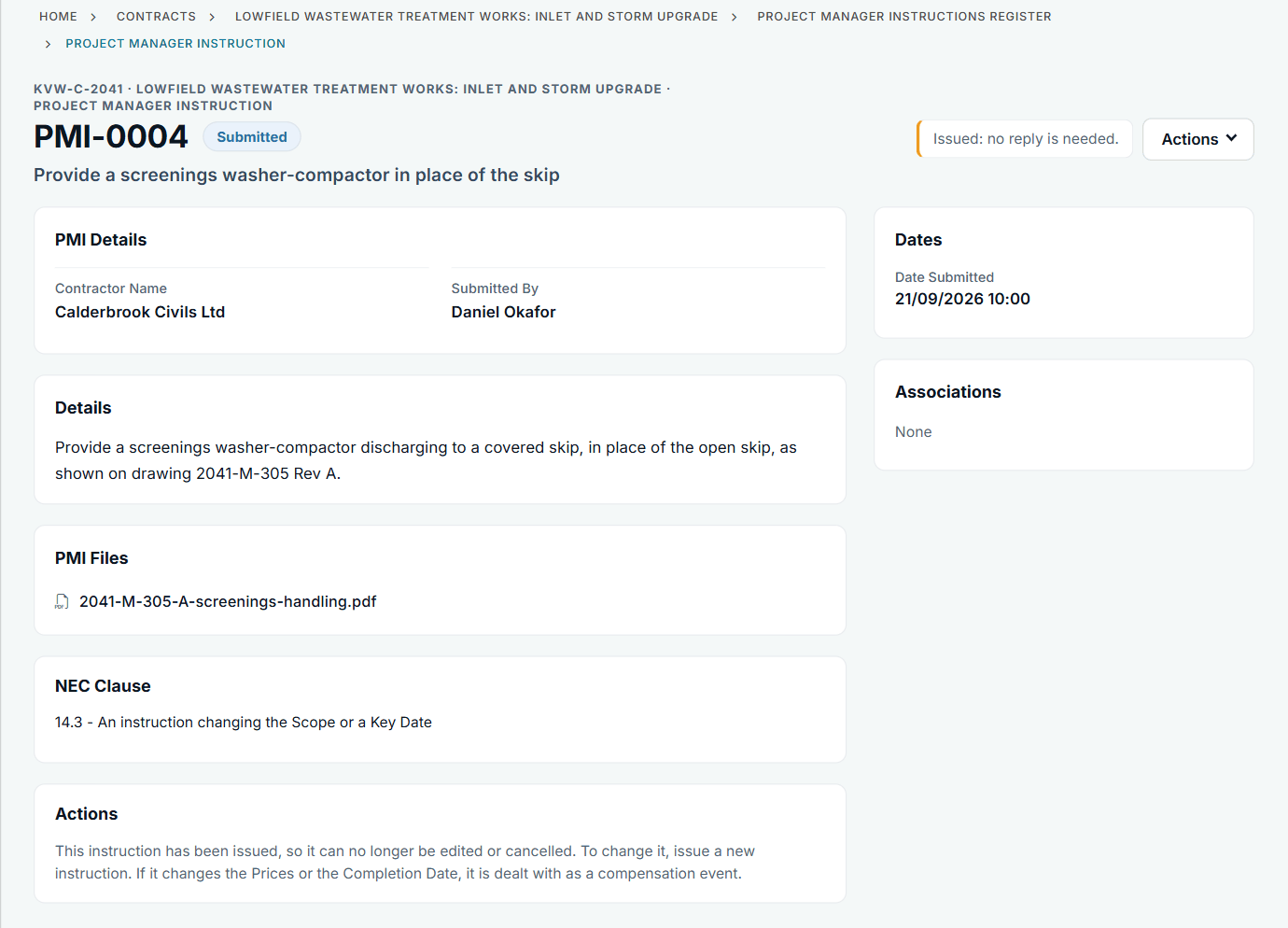
An issued instruction with its file and clause. See the worked example.
See how this works in practice
Click through Contract Status with sample contracts: raise the notice, reply to it, and watch both sides of one record.
Take the guided tour Book a demo
Use the NEC deadline calculator, use the free NEC tools or download free NEC templates.
This guide is general information in our own words, not legal advice. Your contract and its Contract Data always govern. NEC, NEC3 and NEC4 are trade marks of Thomas Telford Ltd; Contract Status is not affiliated with or endorsed by NEC.