
NEC clause 61.1 puts the job of notifying a compensation event on the Project Manager when the event comes from its own or the Supervisor's communication: an instruction, a notification, a certificate or a changed decision. The notification is due at the same time as that communication, not afterwards.
The logic is simple. If the Project Manager's own act causes the event, it already knows, so there is no reason to wait for the Contractor to tell it. This page is on NEC4 ECC with NEC3 differences noted. See the compensation events guide for where this fits.
Which events fall under it
| Event | The communication behind it |
|---|---|
| 60.1(1) | Instruction changing the Scope |
| 60.1(4) | Instruction to stop or not start work, or to change a Key Date |
| 60.1(7) | Instruction about an object of value found on the Site |
| 60.1(8) | A changed decision |
| 60.1(15) | Certificate of early take over |
| 60.1(17) | Notification correcting an assumption |
Other events might also come from a communication on the facts, for example a Supervisor's instruction to search for a Defect under 60.1(10). The question to ask is what caused the event, not what number it has. Events such as late Client information, ground conditions or weather have no such communication behind them, so they go through the Contractor's route at clause 61.3.
What travels with the notification
Under NEC4, clause 61.2 adds the instruction to send quotations, except where the event is the Contractor's fault or quotations have already gone in. In NEC3, the notification and the quotation instruction sit together in 61.1, with the same two exceptions.
In practice, a single document can carry the instruction and the notification together only if your contract's rules on communications are met. The notification should be clearly identifiable as one. Many teams issue the instruction and refer to the compensation event notice in a separate numbered communication on the same day, which also makes it easier to track.
NEC3's 61.1 also says expressly that the Contractor carries out the instruction or changed decision. In either edition, the Contractor's duty to obey an instruction given under the contract is at clause 27.3, so a disagreement about value isn't a reason to hold off.
What if the Project Manager doesn't notify?
This is common. An instruction goes out with no notification, sometimes because the Project Manager thinks the change is minor or sees it as clarification. The Contractor then has three things to do:
- Carry out the instruction, if it is valid.
- Notify the event itself under 61.3. The Contractor has the right to do this, as the Project Manager hasn't notified it.
- Reference the instruction and its date in the notice. That date becomes the dividing date for the assessment (63.1).
The eight-week time bar doesn't apply to these events in the usual way. Clause 61.3 carves out events arising from an instruction, notification, certificate or changed decision. That doesn't make it a good idea to wait, since old events are harder to evidence and 61.3 is easy to misread, but a late notice on an instructed change isn't automatically fatal in the way it is for other events.
Advice for each side
- Project Managers: before issuing any instruction, ask whether it changes the Scope. If it does, issue the notification with it. A pattern of instructions labelled as clarifications is a common source of dispute. The guide to Project Manager instructions says more.
- Project Managers wanting a price first: if you want to see the cost before deciding, don't give the instruction yet. Use a proposed instruction (clause 65 in NEC4, 61.2 in NEC3).
- Contractors: have someone review each instruction when it arrives, not when the costs appear. Note which ones came with a notification. For the rest, use the steps in how to notify a compensation event.
Related guides
- NEC Compensation Events: The Complete Guide
- Clause 61.3: The Eight-Week Time Bar
- Clause 61.4: Project Manager Decision
- Clause 61.5: Failure to Give an Early Warning
- The Compensation Event Process Step by Step
- How to Notify a Compensation Event
How this looks in Contract Status
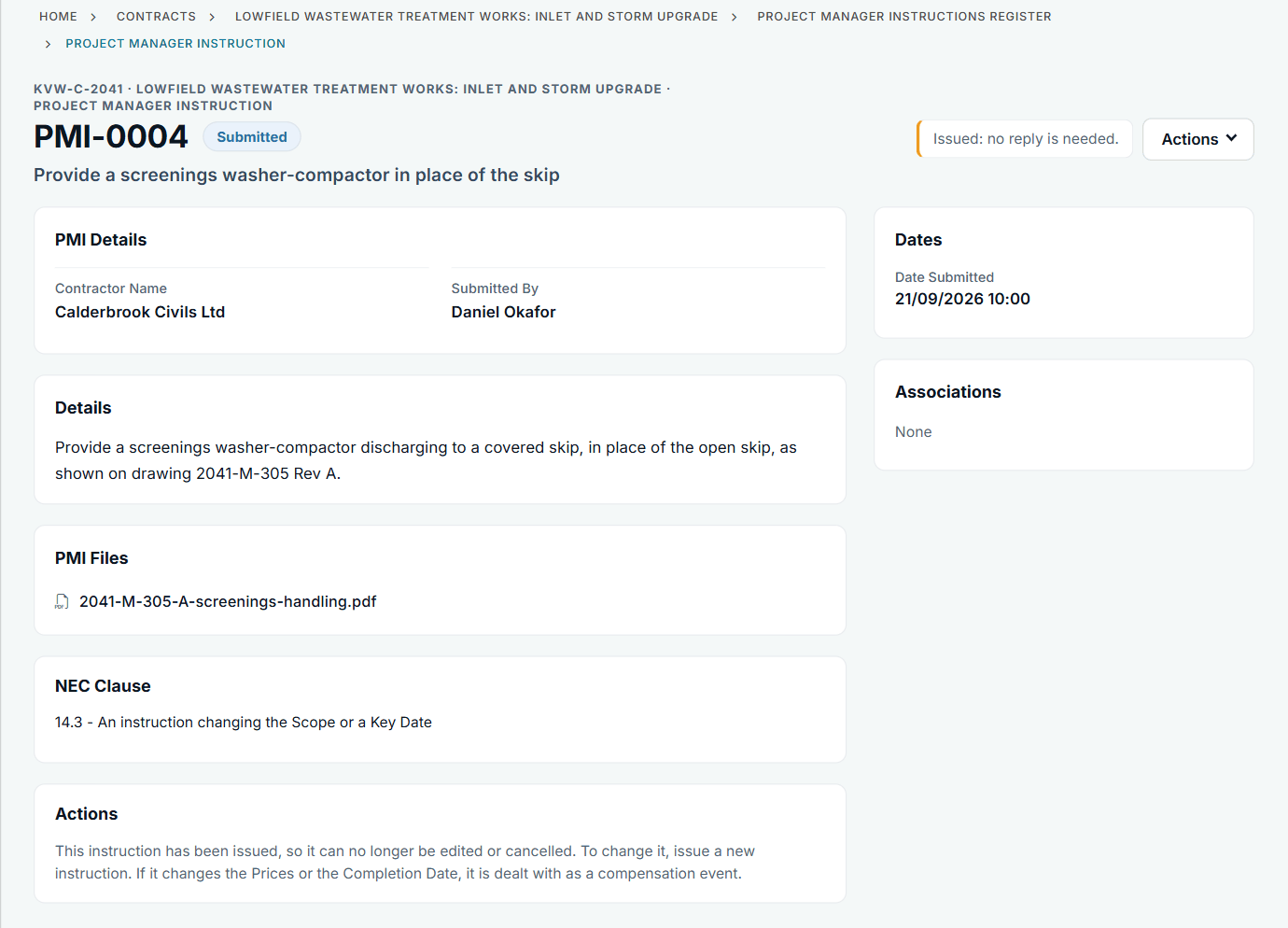
An issued instruction with its file and clause. See the worked example.
See how this works in practice
Click through Contract Status with sample contracts: raise the notice, reply to it, and watch both sides of one record.
Take the guided tour Book a demo
Take the NEC4 ECC quiz, use the free NEC tools or download free NEC templates.
This guide is general information in our own words, not legal advice. Your contract and its Contract Data always govern. NEC, NEC3 and NEC4 are trade marks of Thomas Telford Ltd; Contract Status is not affiliated with or endorsed by NEC.