
A compensation event register is a single list of every event on the contract, showing where each one stands, what's due next and what it's worth. NEC doesn't require one, unlike the early warning register, but disagreements about time bars and treated acceptance usually come down to dates that a good register would hold.
Either side can keep it, and many jobs have one on each side, which then gets reconciled at regular intervals. For what the register is tracking, see the compensation events guide. For registers in general, see the NEC registers guide.
Fields to hold
| Field | Why it's there |
|---|---|
| Reference and title | Used in every letter |
| Sub-clause, such as 60.1(5) | For reporting by cause, and checking entitlement |
| Notified by | Sets which route applies |
| Date of awareness | Starts the eight weeks under clause 61.3 |
| Date notified | Sets the dividing date for most events |
| Related instruction or early warning | Linked evidence, and a dividing date for instructed events |
| Project Manager's decision and date | One week from notice, unless extended |
| Quotation instructed | Starts the three weeks |
| Quotation submitted, and revision number | Starts the two-week reply |
| Reply and date | Accepted, revise or assess |
| Failure notified and date | Starts the further two weeks towards treated acceptance |
| Assumptions and 61.5 statement | Affects the assessment |
| Quoted and implemented value | Reporting and forecasts |
| Delay in days, Key Dates moved | Keeps track of the Completion Date |
| Implemented date | Closes the event |
| Next action, owner and due date | What actually gets people moving |
Statuses
A small set of statuses keeps reporting honest. These work for most jobs, although they're ours and not a contract requirement:
- Potential. Spotted, not yet notified. Keep the awareness date.
- Notified. Awaiting the Project Manager's decision.
- Not a compensation event. Closed by decision, with reasons. Note any dispute.
- Awaiting quotation. Instructed and on the Contractor's clock.
- Quotation with the Project Manager. On the Project Manager's clock.
- Revising. Back with the Contractor.
- Project Manager assessing. Under clause 64.
- Implemented. Closed, with a value and any change in dates.
Add a separate flag for "failure notified" rather than a status, since an event can have that flag at more than one stage.
Dates to calculate automatically
- Date of awareness plus 8 weeks: last safe day to notify.
- Notified date plus 1 week: decision due.
- Instruction date plus 3 weeks: quotation due.
- Submission date plus 2 weeks: reply due.
- Failure notice date plus 2 weeks: treated acceptance arises.
The periods above are the standard ECC ones under clause 62.3 and its neighbours. Change them if your contract amends them or uses another form. A spreadsheet can handle this on a small job; the guide to spreadsheet tracking explains where it starts to fail. Contract Status is one example of a system that handles these dates and records.
A sample line
| Ref | Clause | Status | Notified | Next action | Due | Value | Days |
|---|---|---|---|---|---|---|---|
| CE-022 | 60.1(3) | Quotation with the Project Manager | 4 May | Reply (PM) | 12 June | £38,500 | 5 |
This fictional line tells a reader everything needed in a single glance. It's a good target for how much detail a summary view should have.
What to report
Keep the monthly report to the things that lead to a decision:
- Count and value of events by status, showing what's still unimplemented.
- Implemented total against the original Prices, and the current Completion Date.
- Overdue items, by who holds them.
- Oldest open event, and average days from notice to implementation.
- Events by cause, which shows recurring problems such as late design information.
- Forecast value of potential and unimplemented events, for the Client's budget.
Reconcile the two parties' registers at regular meetings. A disagreement over whether an item is on the register at all is far better found now than at final account stage. The guide to NEC reporting has more ideas.
Related guides
- NEC Compensation Events: The Complete Guide
- Compensation Event Flow Chart Explained
- Compensation Event Examples
- Common Compensation Event Mistakes
- Can a Compensation Event Be Notified Without an Early Warning?
- Compensation Event vs Relief Event
How this looks in Contract Status
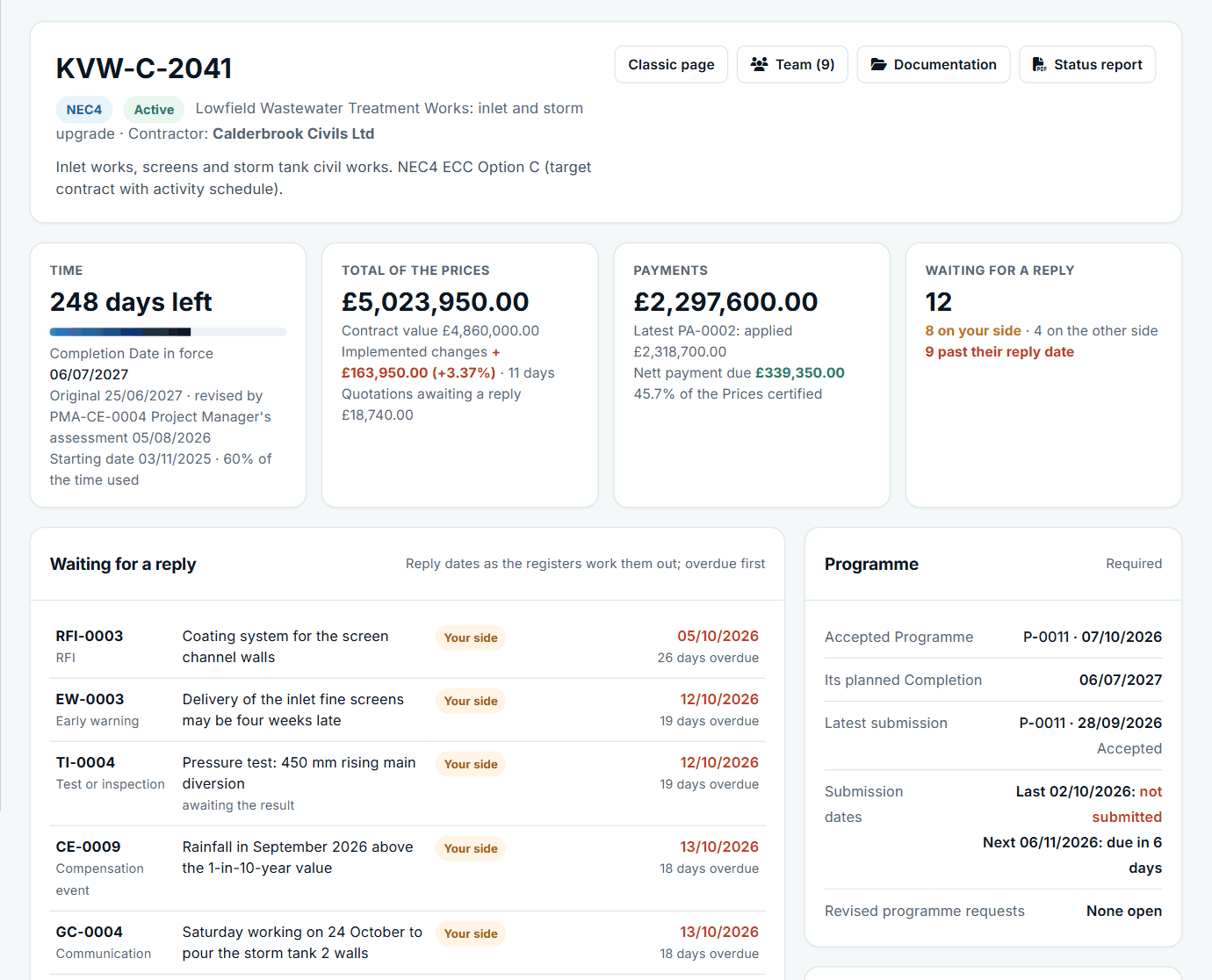
A contract at a glance: time, the total of the Prices, payments and replies waiting. See the worked example.
See how this works in practice
Click through Contract Status with sample contracts: raise the notice, reply to it, and watch both sides of one record.
Take the guided tour Book a demo
Take the NEC4 ECC quiz, use the free NEC tools or download free NEC templates.
This guide is general information in our own words, not legal advice. Your contract and its Contract Data always govern. NEC, NEC3 and NEC4 are trade marks of Thomas Telford Ltd; Contract Status is not affiliated with or endorsed by NEC.