
Good NEC contract reporting answers four questions each month: where will the job finish, what will it cost, what is at risk, and who needs to decide what. Everything else belongs in the registers. NEC4 sets no general reporting format, so the Scope and your own business decide the content.
Check the Scope first, as it may specify reports. Option X20 also brings a duty to report against Key Performance Indicators at the intervals in the Contract Data (X20.2). The rest of this page offers a sensible default for the NEC4 Engineering and Construction Contract (ECC). It is part of the wider guide to managing NEC contracts.
What makes an NEC report different
A conventional cost report often shows spend to date plus claims in dispute. An NEC report can do better because the contract keeps pricing change as it arises. The total of the Prices can be split into firm and forecast elements, and that split is the most useful thing a senior reader will see.
| Category | Meaning | Confidence |
|---|---|---|
| Original total of the Prices | The starting figure at contract award | Firm |
| Implemented compensation events | Quotations accepted or assessed | Firm, as they generally won't be revisited (66.3) |
| Quoted, not yet implemented | Quotation in, decision outstanding | Medium |
| Notified, not yet quoted | Estimate only | Low |
| Early warnings not yet events | Risk, weighted or shown as a range | Indicative |
A one-page layout
- Summary: three lines on where things stand and what changed this month.
- Time: Completion Date, planned Completion on the latest Accepted Programme, and movement since last month. Key Dates due in the next three months. How the terminal float has changed.
- Cost: the table above, with movements. On Options C and D, add forecast Defined Cost plus Fee against the target, and the expected share using the target cost and share mechanism.
- Change: number and value of open compensation events, with the average age. Three largest named.
- Warnings: open matters on the Early Warning Register, and those with no owner or overdue actions.
- Timeliness: replies due and made on time, both sides.
- Quality: open Defects, and those past their defect correction period.
- Decisions needed: who, what, by when.
The measures worth keeping
A small set, tracked consistently, says more than a large pack.
- Compensation event age. Days from notification to implementation. A rising average tells you the process is clogging well before any dispute appears.
- Treated acceptances. Any treated acceptance is a warning sign for the Project Manager's team.
- Reply performance. Share of required replies given on time. Report both sides, so that it reads as a shared measure.
- Time since the last Accepted Programme. If the most recent acceptance is months old, delay assessments will be weak. See the Accepted Programme.
- Warnings to events ratio. A job where most compensation events weren't warned of first probably has a culture problem.
A worked illustration
A fictional report line for a Project Manager at month nine of an Option A job, with illustrative figures.
| Item | Value | Last month |
|---|---|---|
| Original total of the Prices | £4,200,000 | £4,200,000 |
| Implemented events (31) | £318,000 | £287,000 |
| Quoted, undecided (6) | £94,000 | £121,000 |
| Notified, unquoted (4) | £30,000 to £70,000 | £40,000 to £60,000 |
| Forecast total | £4,642,000 to £4,682,000 | £4,648,000 to £4,668,000 |
The reader can see that the firm portion has grown, but the forecast barely moved. So the month's change was mostly about certainty, not extra cost. That is a far more useful message than a single total.
Common reporting mistakes
- Reporting the Prices alone. On a target contract, the Prices tell you little about the outturn. Show Defined Cost and the Fee too.
- Hiding unnotified risk. A Contractor's internal report that only shows notified events understates its entitlement and its exposure. The Client's team has the same blind spot if it ignores events it expects to arise.
- Different numbers on each side. Reconcile the compensation event register with the other team monthly. If the lists differ, sort that out before reporting either.
- Using it as a notice. A report isn't a notification. Under 13.7, a notification goes separately, so nothing in a report should be relied on as one.
Software can pull most of this from records automatically, but the commentary still needs a person who knows the job. Take your report's inputs from the weekly routine, and it should take no more than a couple of hours to write.
Related guides
- Managing NEC Contracts: A Practical Guide
- The Registers Every NEC Contract Needs
- NEC Letter Templates: What to Include
- Compensation Event Notice Template
- NEC Time Bars Explained
- A Table of Key NEC Time Periods
How this looks in Contract Status
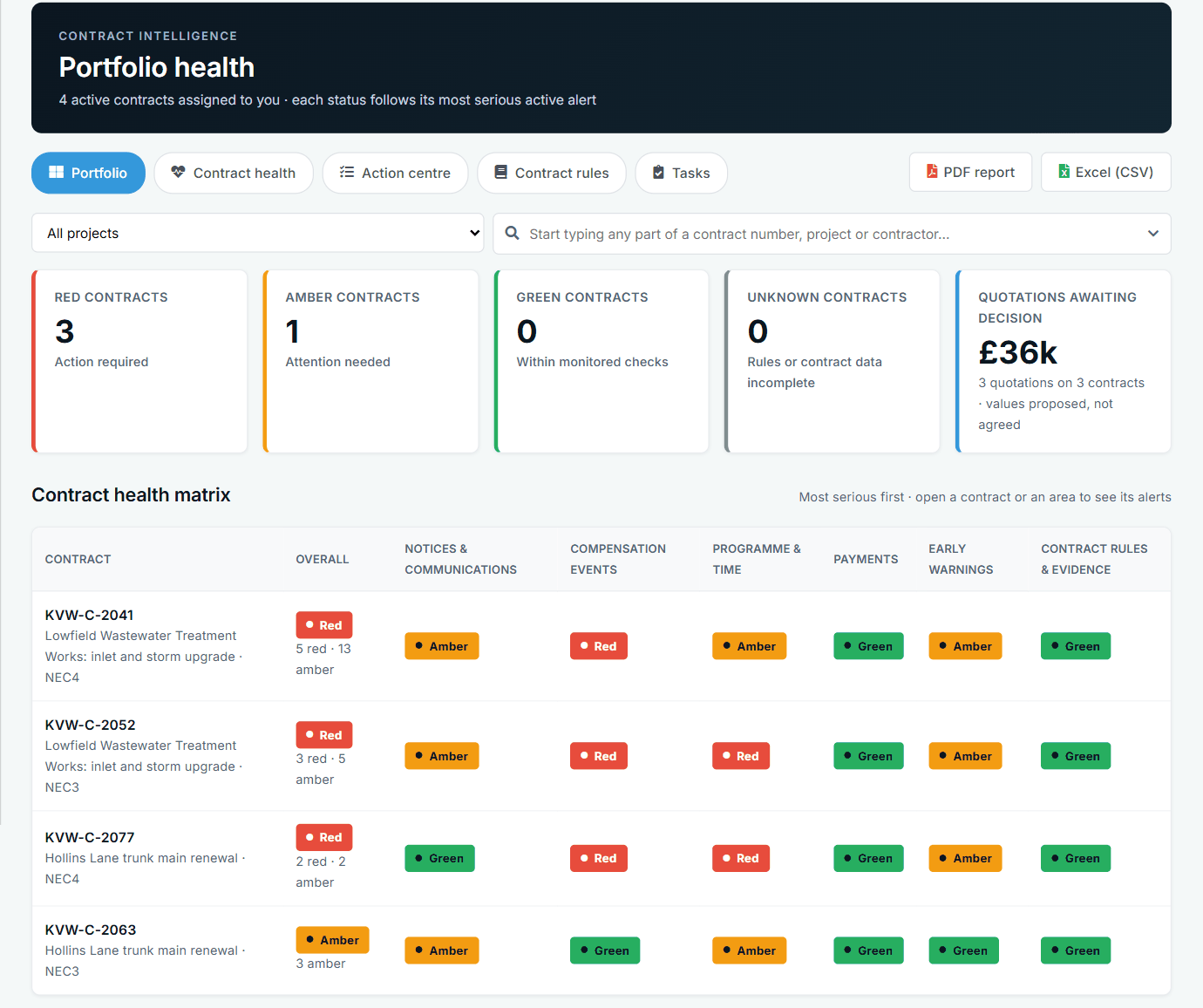
Portfolio health across contracts, by area. See the worked example.
See how this works in practice
Click through Contract Status with sample contracts: raise the notice, reply to it, and watch both sides of one record.
Take the guided tour Book a demo
Get free NEC templates, use the free NEC tools or download free NEC templates.
This guide is general information in our own words, not legal advice. Your contract and its Contract Data always govern. NEC, NEC3 and NEC4 are trade marks of Thomas Telford Ltd; Contract Status is not affiliated with or endorsed by NEC.