
Overseeing several contracts as a PMO
Client side: Oversight
Where the contract stands
The contract relies on people keeping it current: a programme kept accepted and up to date (31, 32), replies on time (13.3) and matters warned early (15.1). When there is no Accepted Programme, the Project Manager can assess events on its own view of the remaining work (64.2). A PMO needs to see those gaps early.
Read the guide: No Accepted Programme and Managing multiple contracts
This is our plain-English summary, not legal advice. Your own contract, including any Z clauses, decides.
In Contract Status, step by step
All the contracts as cards
The Contracts page shows each contract with its NEC type, contractor, Completion Date, health and what is due or late. Filter it, or star the ones you use most.
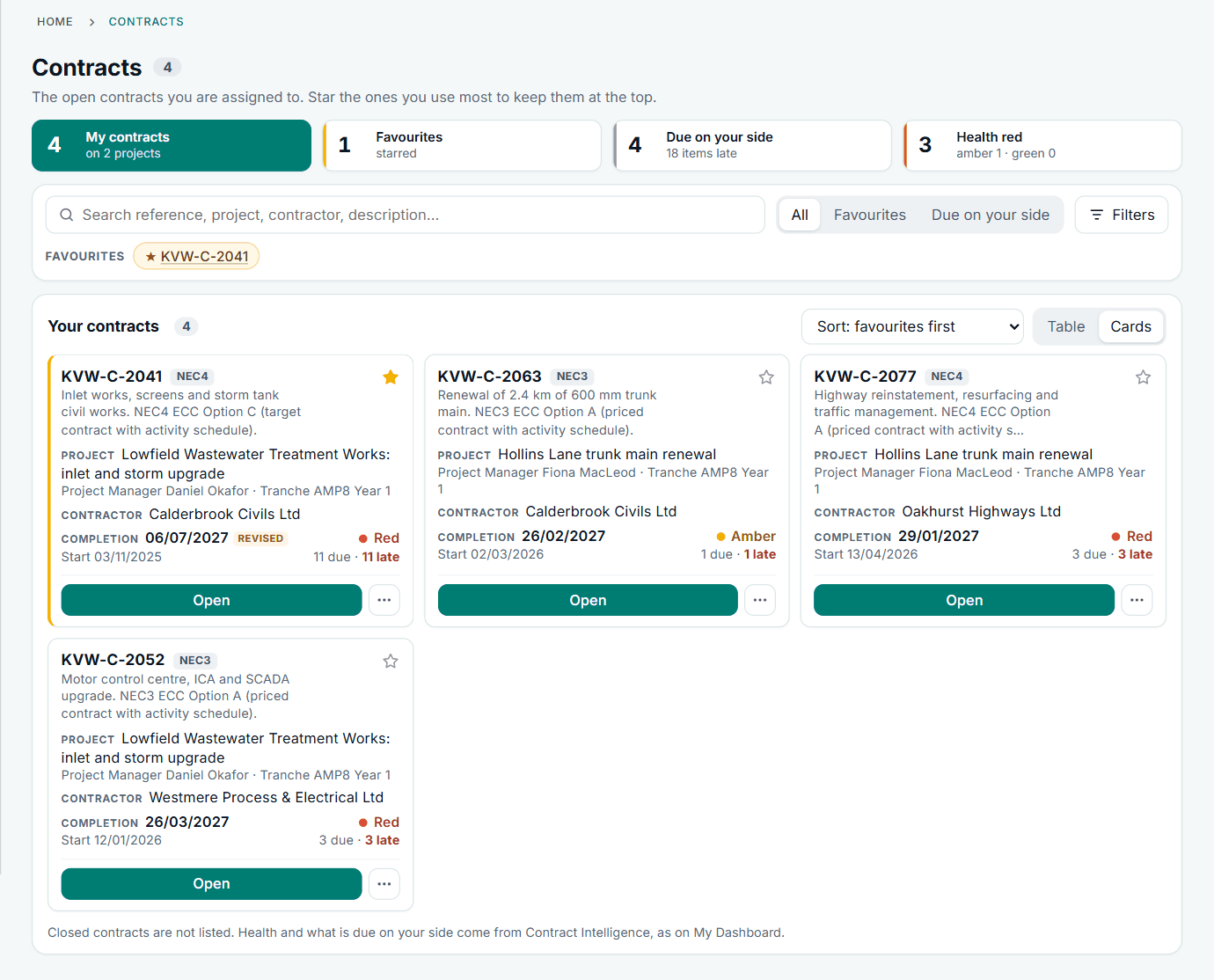
Four contracts in the fictional account.
Portfolio health
Each contract is rated by area, from the NEC rule behind each obligation: Red, Amber, Green, or Unknown where a rule cannot be checked against that contract.
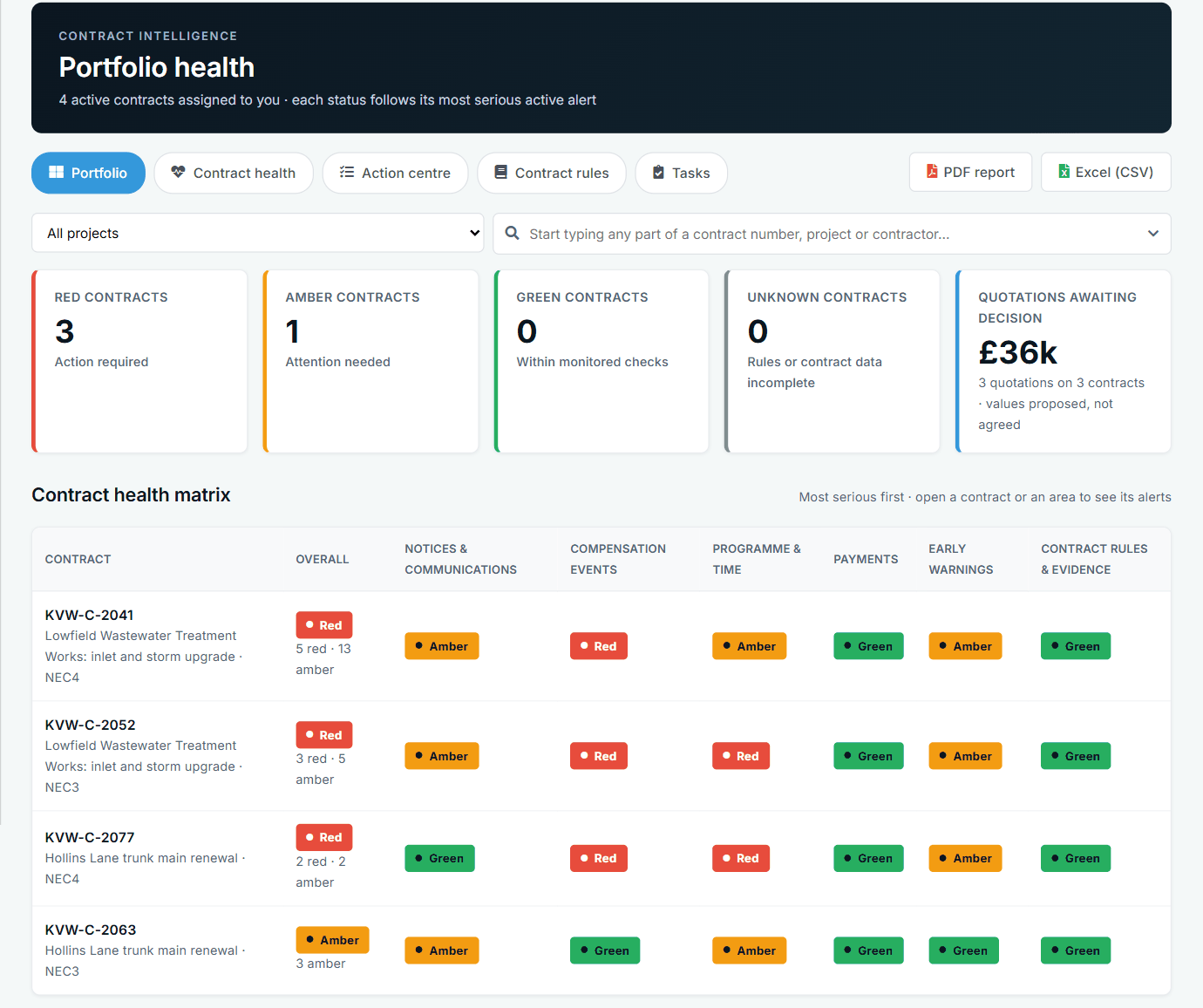
Contract Intelligence, with PDF and CSV versions.
What is most urgent
Passed deadlines first, then the soonest, each with the contract, who owes it and the clause.
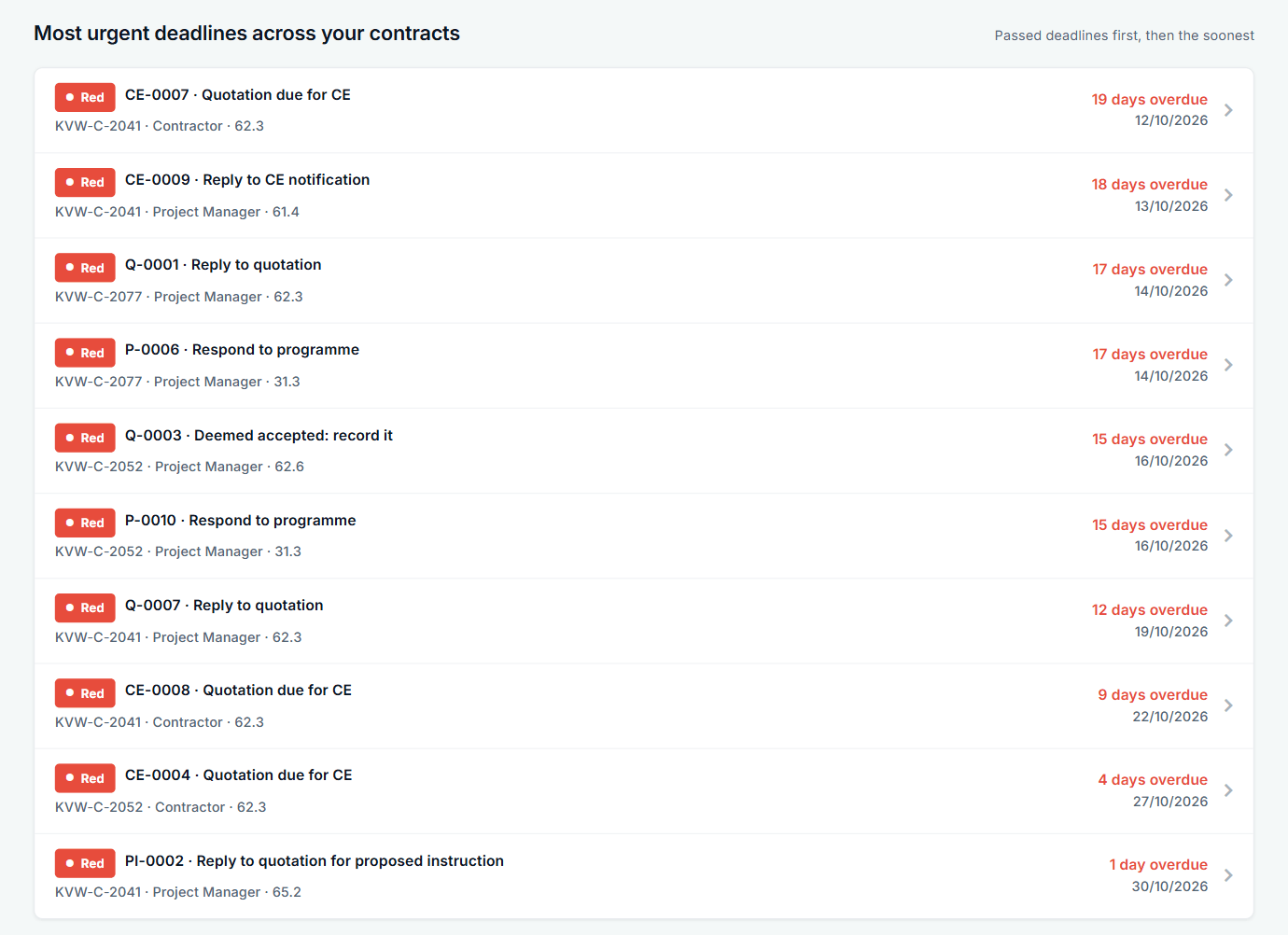
Each row opens the alert.
Programme Insights
On-time and acceptance trends by submission date, and the issues to raise: missing programmes, late ones, reviews overdue and contracts with no Accepted Programme.
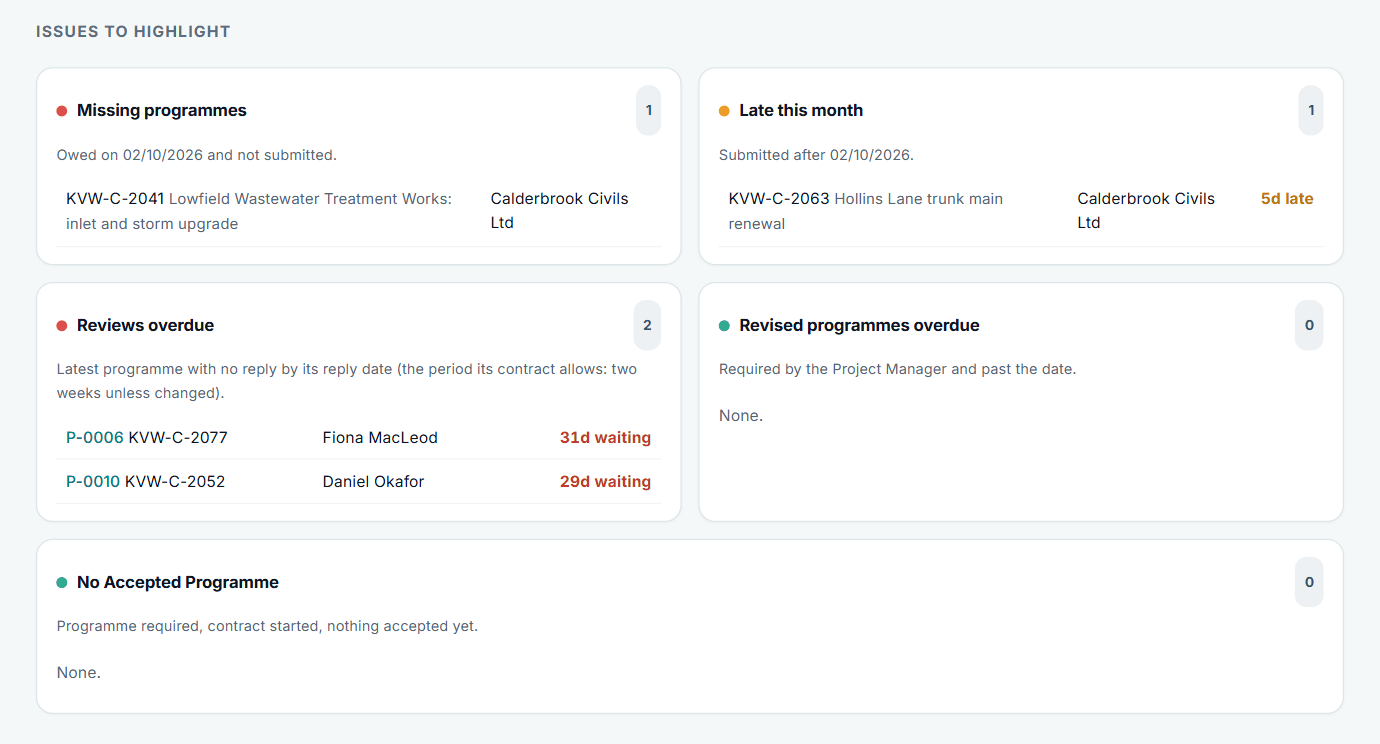
A PDF report of this page is available.
One contract in depth
Open a contract for its health by area, why it has that status, and what is due next.
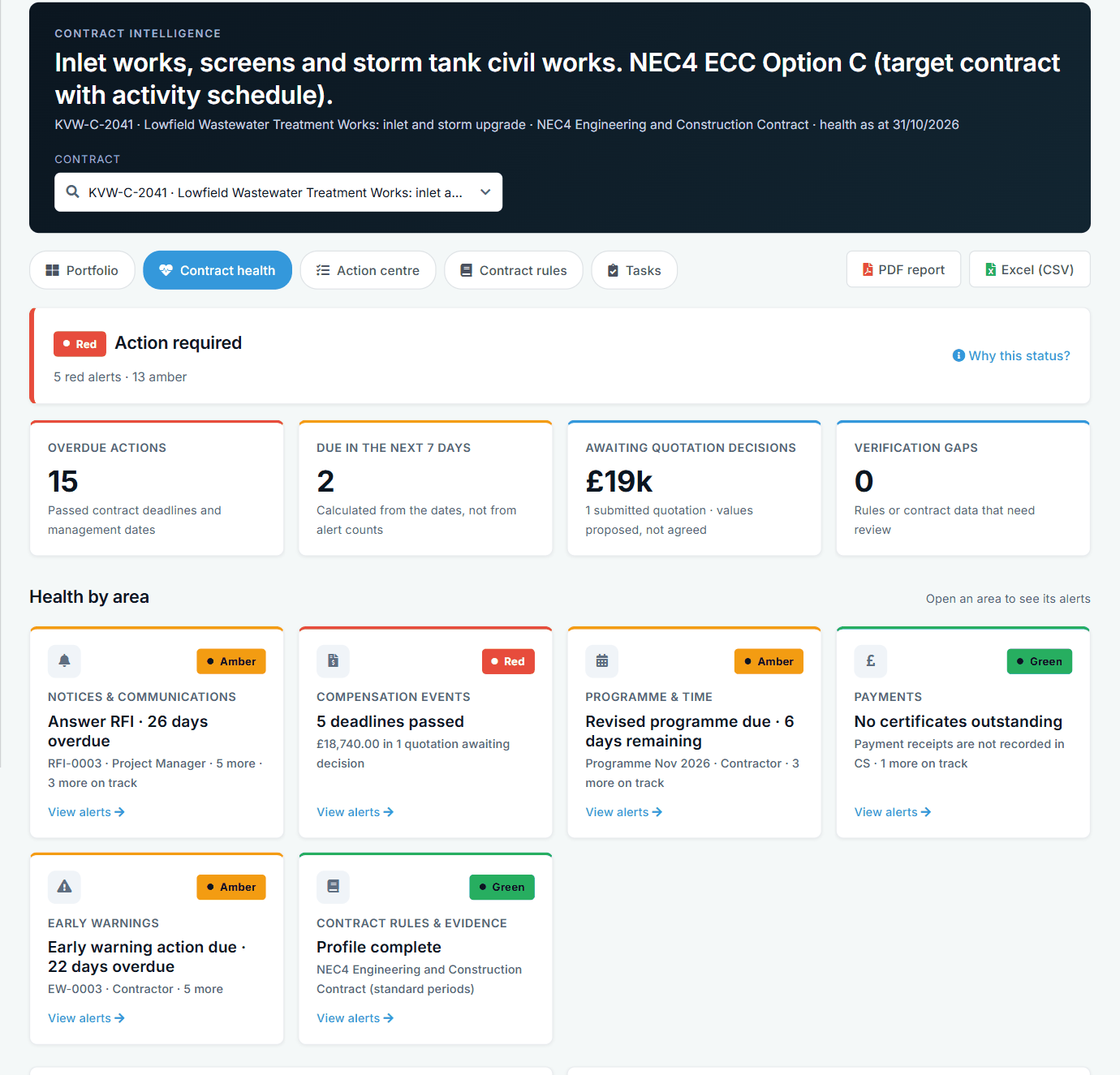
One contract, each area with its next step.
All screens are from the upgraded app, using a fictional water company, Kestrel Valley Water, and its made-up contractors.
What happens next on the other side
Project managers and contractors do not need to report into this: the figures come from the records they are already keeping. Tasks can be added on alerts, so what you ask for stays with the alert.
See it on a contract you can click through
The guided tour lets you walk the same fictional account yourself. Or book a demo, and bring the situation you are dealing with.