
The most useful NEC contract management tip is to give the contract the same hour every week. A short regular routine catches missed replies and unnotified events while they can still be fixed cheaply, and it stops the admin becoming a big monthly catch-up.
The checklist below is written for a mid-sized NEC4 Engineering and Construction Contract (ECC) job, but it adapts easily to other forms. For the wider framework, see the guide to managing NEC contracts.
The weekly hour
| Minutes | Do this | The question you're answering |
|---|---|---|
| 10 | Read the site diaries and progress notes since last week | Did anything happen that isn't on a register yet? |
| 10 | Check all reply dates for the next two weeks and anything overdue | What are we about to miss, and what has the other side missed? |
| 15 | Go through open compensation events by age | Which one is stuck, and what would move it? |
| 10 | Look at the Early Warning Register's actions | Has anyone done what they said? |
| 10 | Look four weeks ahead on the programme | What access, information or Client-provided items do we need soon? |
| 5 | Write the three actions for next week, with names | Who is doing what by when? |
Keep the output to a short list. If it is taking far longer than an hour, the registers are probably not being kept up day to day, and that is the problem to fix first.
The extra checks for each role
Contractor's commercial lead
- Does anything in the diaries look like one of the 60.1 events? Note the date of awareness and notify well inside the eight weeks in 61.3.
- Is any quotation due in the coming week? Has the planner got what's needed?
- Is there a matter the team knows about that hasn't yet been warned of?
- Have costs that may later need justifying been recorded this week?
Contractor's planner
- Is actual progress being recorded in enough detail for the next revised programme (32.1)?
- Does anything planned in the next four weeks depend on something the Client or Others have to do?
- When is the next revision due under the Contract Data interval?
Project Manager
- What is waiting on you, and is the reply on track? A late reply can itself become a compensation event under 60.1(6).
- Have you given any instruction this week that changes the Scope without notifying a compensation event at the same time (61.1)?
- Is the Client about to make a decision that will affect the Contractor? Should that be an early warning?
Supervisor
- Have all Defects found this week been notified (43.2)?
- Are upcoming tests booked, and could any of them hold up the work (41.5)?
A worked week
A fictional Option C highway drainage job. Reading the diaries on Monday, the commercial manager sees that a gas main was found 400mm from where the drawings showed it on Thursday. The foreman worked round it and nothing further was said. In the hour, she does the following:
- Logs last Thursday as the date of awareness, with the diary reference.
- Asks the site manager for a photo and a short note of what was done.
- Issues an early warning, since extra cost and delay are possible.
- Assesses whether this looks like a compensation event under 60.1(12), and notifies it this week if so.
- Puts it on Wednesday's agenda with the Project Manager.
None of that takes long on the Monday. It could take weeks if it surfaced at the end of the job, when the foreman had left.
What to do with the findings
- Overdue on your side: reply now, even if late, and note why. A late answer limits the damage. Where the deadline hasn't passed and you really need more time, ask for an extension before it does (13.5).
- Overdue on the other side: send a polite reminder first. If it remains unanswered, follow the formal route for the type of communication, as set out in tracking periods for reply.
- A stuck compensation event: find the single blocker. Often a meeting between two people clears it faster than another round of letters.
Repeat the routine at the same time each week, and give a deputy the same access and list. Most missed deadlines happen when the usual person is on leave. Once a month, take the week's findings into your contract report.
Related guides
- Managing NEC Contracts: A Practical Guide
- Managing NEC Communications
- Tracking Periods for Reply
- NEC Time Bars Explained
- The First 30 Days on an NEC Contract
- Running an NEC Kick-off Meeting
How this looks in Contract Status
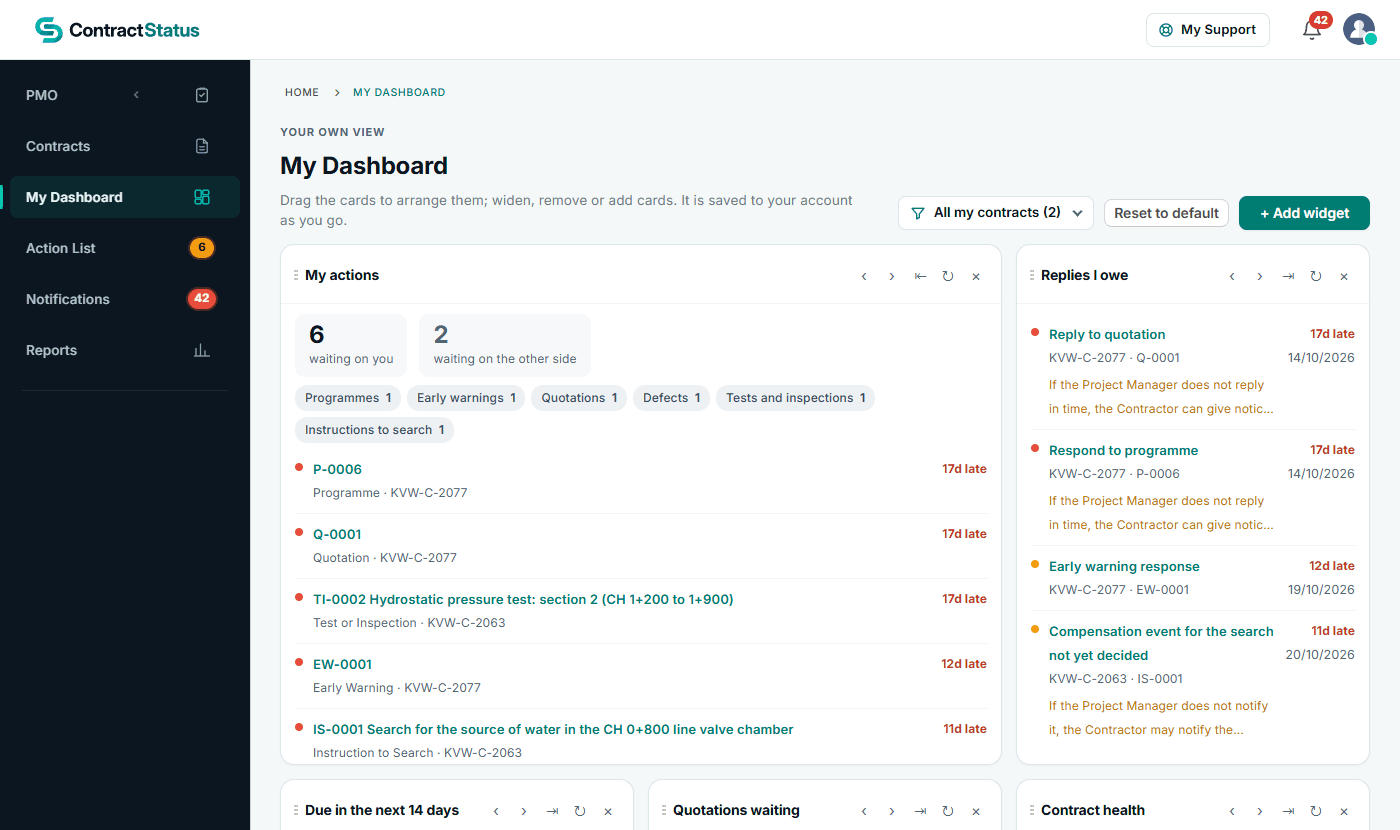
My Dashboard: what is waiting on you and which replies you owe. See the worked example.
See how this works in practice
Click through Contract Status with sample contracts: raise the notice, reply to it, and watch both sides of one record.
Take the guided tour Book a demo
Get free NEC templates, use the free NEC tools or download free NEC templates.
This guide is general information in our own words, not legal advice. Your contract and its Contract Data always govern. NEC, NEC3 and NEC4 are trade marks of Thomas Telford Ltd; Contract Status is not affiliated with or endorsed by NEC.