
What do I owe this week?
Client side: Staying on top of replies
Where the contract stands
A reply is due within the period for reply in the Contract Data, unless the contract sets another one (13.3). A late reply to the Contractor can be a compensation event under 60.1(6), and missing some replies can lead to deemed acceptance. An extension only works if it is agreed before the reply is due (13.5).
Read the guide: Late reply as a compensation event and Tracking periods for reply
This is our plain-English summary, not legal advice. Your own contract, including any Z clauses, decides.
In Contract Status, step by step
Start from My Dashboard
Each person arranges their own cards: what is waiting on you, the replies you owe with the clause behind them, what is due in the next 14 days and contract health.
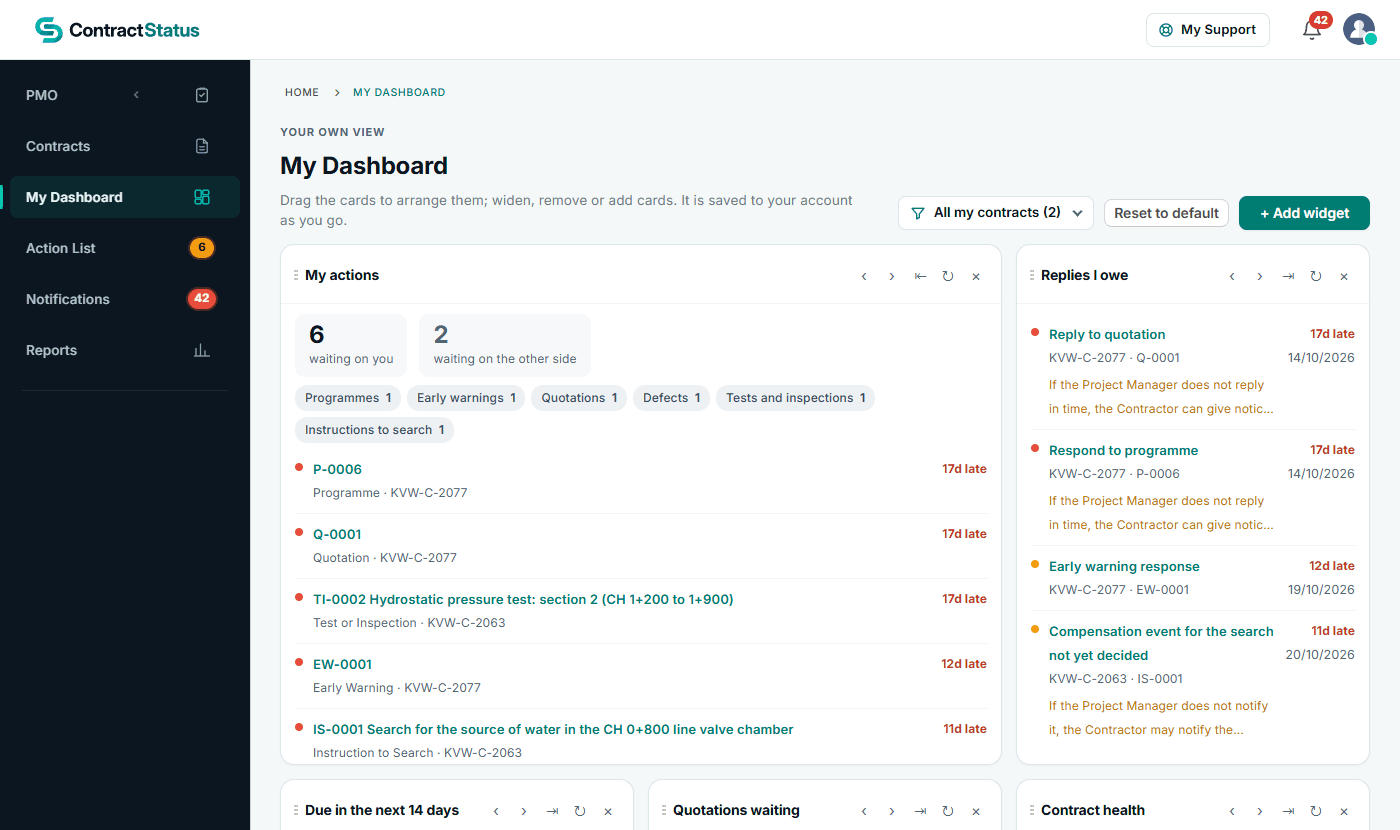
A Project Manager's view across two contracts.
Work through the Action List
Every register in one list, with a tile for each so you can narrow it down. Other Companies shows what you are waiting for.
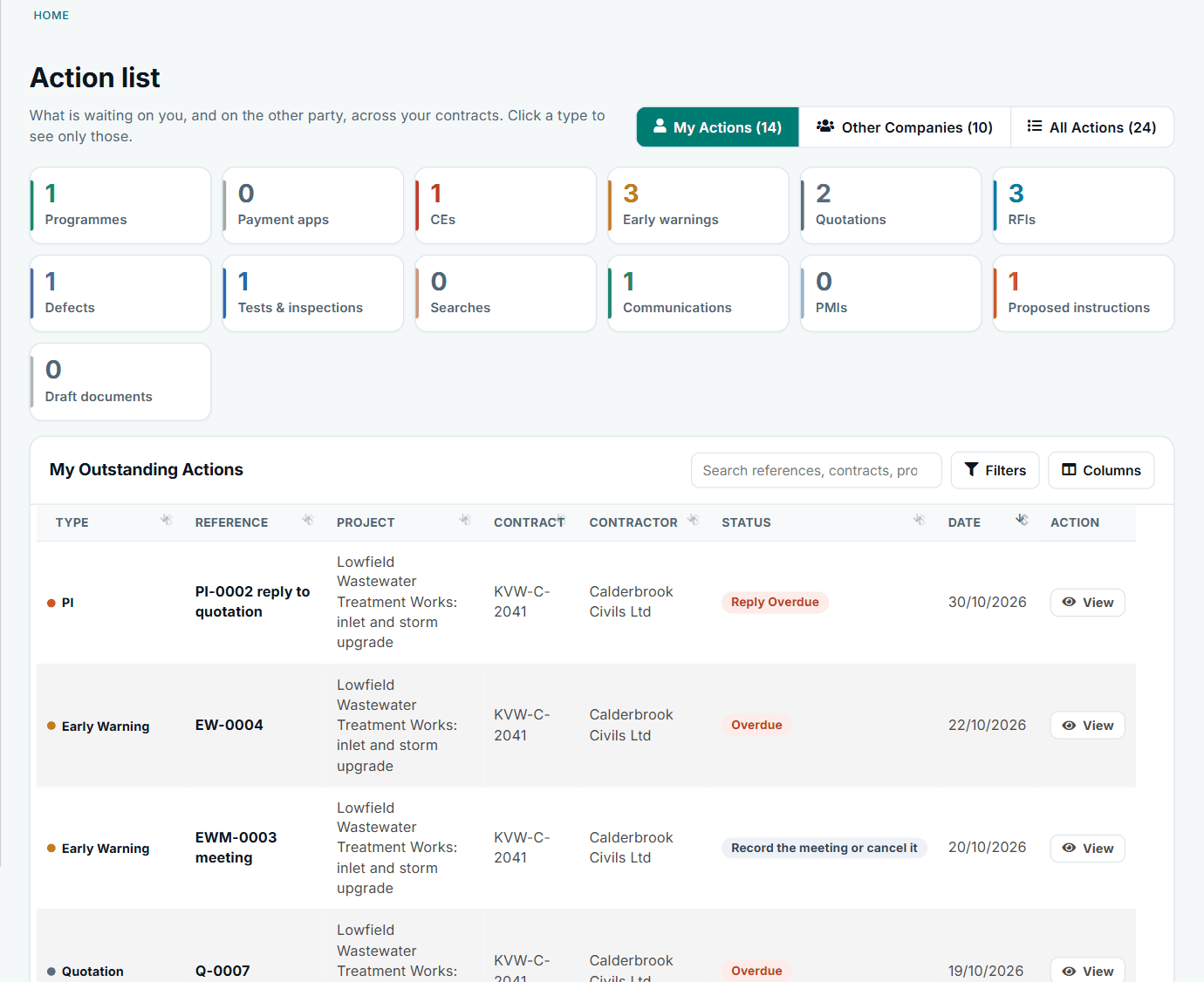
Reply dates come from the period recorded on each contract.
Check the bell
Notifications lists what was submitted, replied to or changed on your contracts, each with a link to the record and its letter. Each person chooses which e-mails they get.
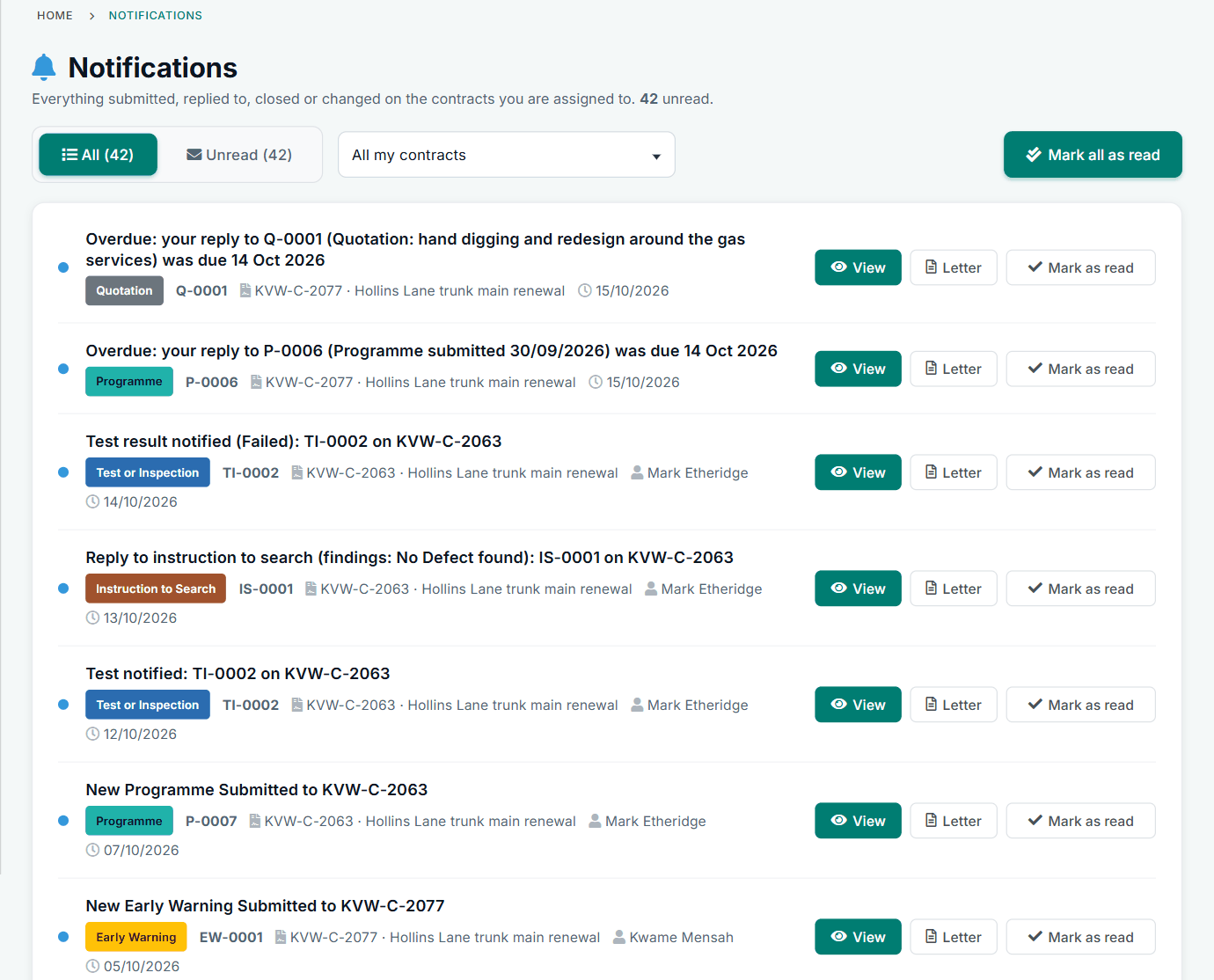
Notifications for the same Project Manager.
Reply from the record
The record says what the reply is and how it counts under the contract. On a notification you choose the decision and the status follows; to ask for more first, use Request Further Information, though the period keeps running.
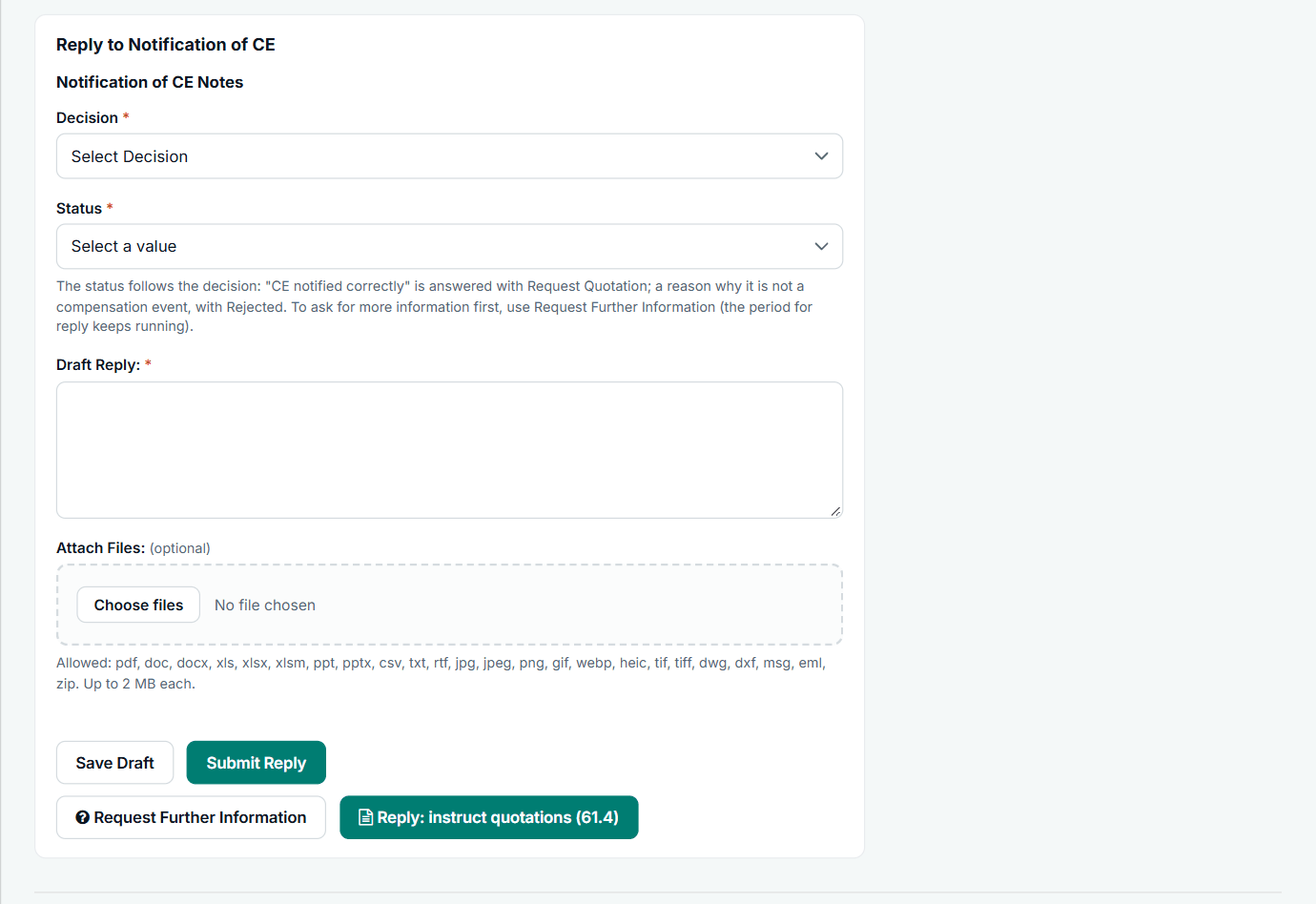
The reply form on a compensation event notification.
Need more time? Ask before the date
Use Request more time to reply on the record. The other side accepts or refuses, and an agreed extension replaces the date on that record only.
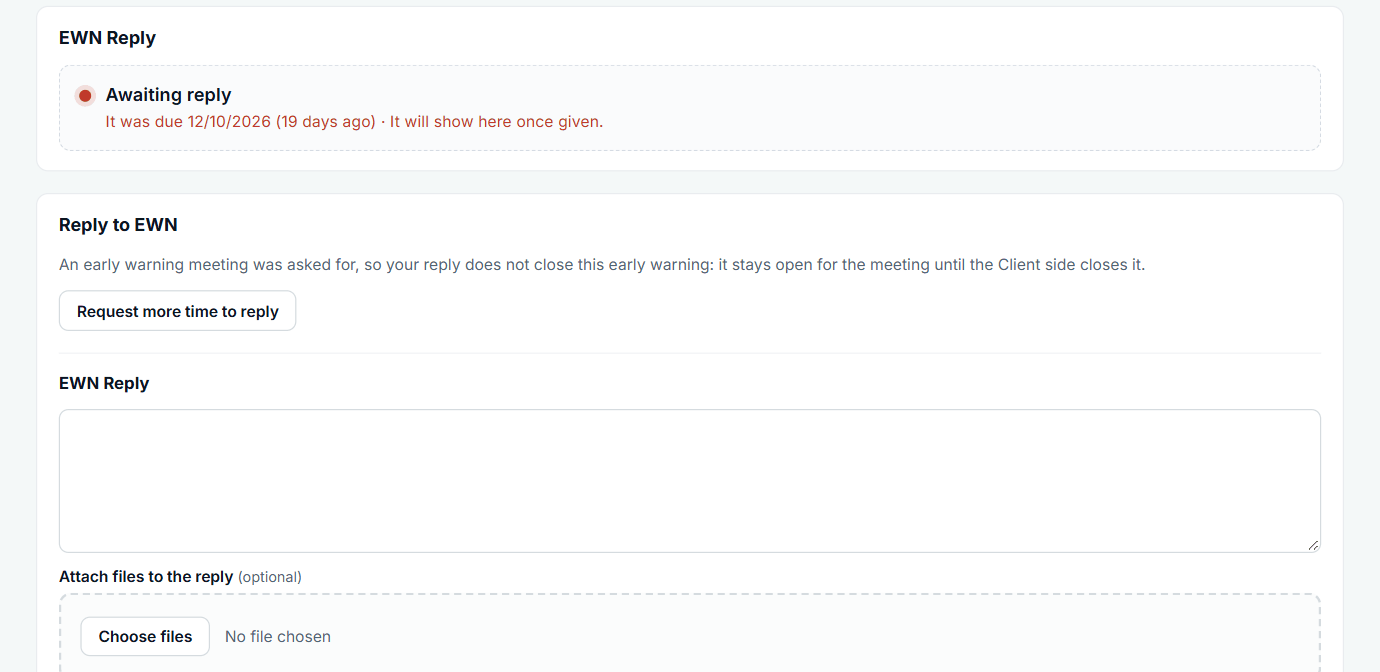
The button sits with the reply form.
All screens are from the upgraded app, using a fictional water company, Kestrel Valley Water, and its made-up contractors.
What happens next on the other side
The Contractor is told of your reply and the record moves to whoever is next. If a reply goes overdue, the Contractor sees the option to give notice on the records where NEC allows it.
See it on a contract you can click through
The guided tour lets you walk the same fictional account yourself. Or book a demo, and bring the situation you are dealing with.