
Clause 60.1(1) makes a Project Manager's instruction changing the Scope a compensation event, with two exceptions. It is the most common event on most jobs and usually the simplest, because the instruction itself proves the event happened and the Project Manager notifies it.
The argument tends to be about whether a change was instructed at all. Under NEC3 the same entry refers to the Works Information; the guide to Works Information and Scope covers the change of name.
What triggers it
Three things have to be true: the Project Manager gave an instruction, it changes what the Scope requires, and neither exception applies. The power to instruct is in clause 14.3.
| Exception | Why it isn't an event |
|---|---|
| The change accepts a Defect | The Scope is altered so a Defect can stay, in return for lower Prices, an earlier Completion Date or both. See accepting Defects. |
| A change to the Contractor's own design, made at its request or to fit other Scope | Either the Contractor asked for it for its own reasons, or its design was always meant to comply and putting that right is its own cost. |
Instructions that resolve an ambiguity or inconsistency between documents (clause 17.1) also come through here if they change the Scope. They have a special assessment rule: 63.10 prices the change on the reading most favourable to the Party that didn't provide the Scope.
How it is usually evidenced
- The instruction, in the form clause 13.1 needs, from the Project Manager or a notified delegate.
- The Scope before and after: the drawing revision, specification clause or employer's requirement that changed.
- For a disputed change, what was tendered and accepted, and any query and response that led to the new requirement.
Most disputes start with a comment on a drawing or an email from a design consultant. If someone other than the Project Manager is asking for something different, ask the Project Manager for an instruction before you build it. Someone with no authority cannot change the Scope just by expressing a preference.
Worked example: one addition and one omission
A fictional school extension on Option A, with illustrative figures and a 10% Fee.
The addition. The Project Manager instructs a rainwater attenuation tank that wasn't in the Scope, and notifies a compensation event with the instruction. The tank sits on the critical path, because the drainage run behind it can't start until the tank is in.
| Item | Forecast Defined Cost |
|---|---|
| Excavation and disposal | £6,200 |
| Tank, supply and install | £12,800 |
| Extended site running costs, one week | £4,500 |
| Subtotal | £23,500 |
| Fee at 10% | £2,350 |
| Change to the Prices | £25,850 |
Planned Completion moves one week on the Accepted Programme, so the Completion Date moves one week.
The omission. A month later, the Client drops a bike shelter from the Scope. Forecast Defined Cost falls by £9,000. Although the general rule in 63.3 is that a saving doesn't reduce the Prices, 63.4 makes an exception for this kind of change: one to the Client's Scope, not a proposal by the Contractor to change its own design. The Prices fall by the £9,000 saving and its Fee, a total of £9,900.
If the Contractor had suggested dropping the shelter and the Project Manager accepted, the main Option rules on sharing the saving would apply. Under Options A and B that is the value engineering percentage in 63.12; check the clause for your Option.
How it is assessed
The dividing date is the day the instruction was given (63.1). Work done before that date is at actual Defined Cost and the rest is forecast. Delay is how far planned Completion moves on the Accepted Programme current at that date (63.5). If the change makes a Key Date's Condition inaccurate, the Project Manager corrects it as part of the same event (63.11).
What people get wrong
- Treating every instruction as a change. An instruction confirming what the Scope already says changes nothing. Compare the requirement, not the volume of paperwork.
- Calling a change a "clarification". If a clarification makes the Contractor do something the Scope didn't require, it is a change, whatever the instruction calls it.
- Doing the work on a verbal request. Without a real instruction there's no event. Ask for it in writing first.
- Using it for the Contractor's own design errors. Where the Contractor's design doesn't fit the Client's Scope, correcting it isn't a compensation event.
- Forgetting the omission. Project Managers can leave a saving on the table by not instructing or notifying a deletion properly.
If the Project Manager doesn't notify, the Contractor can do so under 61.3. An event that arises from an instruction isn't caught by the time bar, but there's no reason to wait. The guide to notifying a compensation event covers the content of the notice.
Related guides
- NEC Compensation Events: The Complete Guide
- Compensation Event: Access Not Provided
- Compensation Event: Something the Client Should Provide
- Compensation Event: Instruction to Stop or Not Start Work
- Compensation Event Examples
- Common Compensation Event Mistakes
How this looks in Contract Status
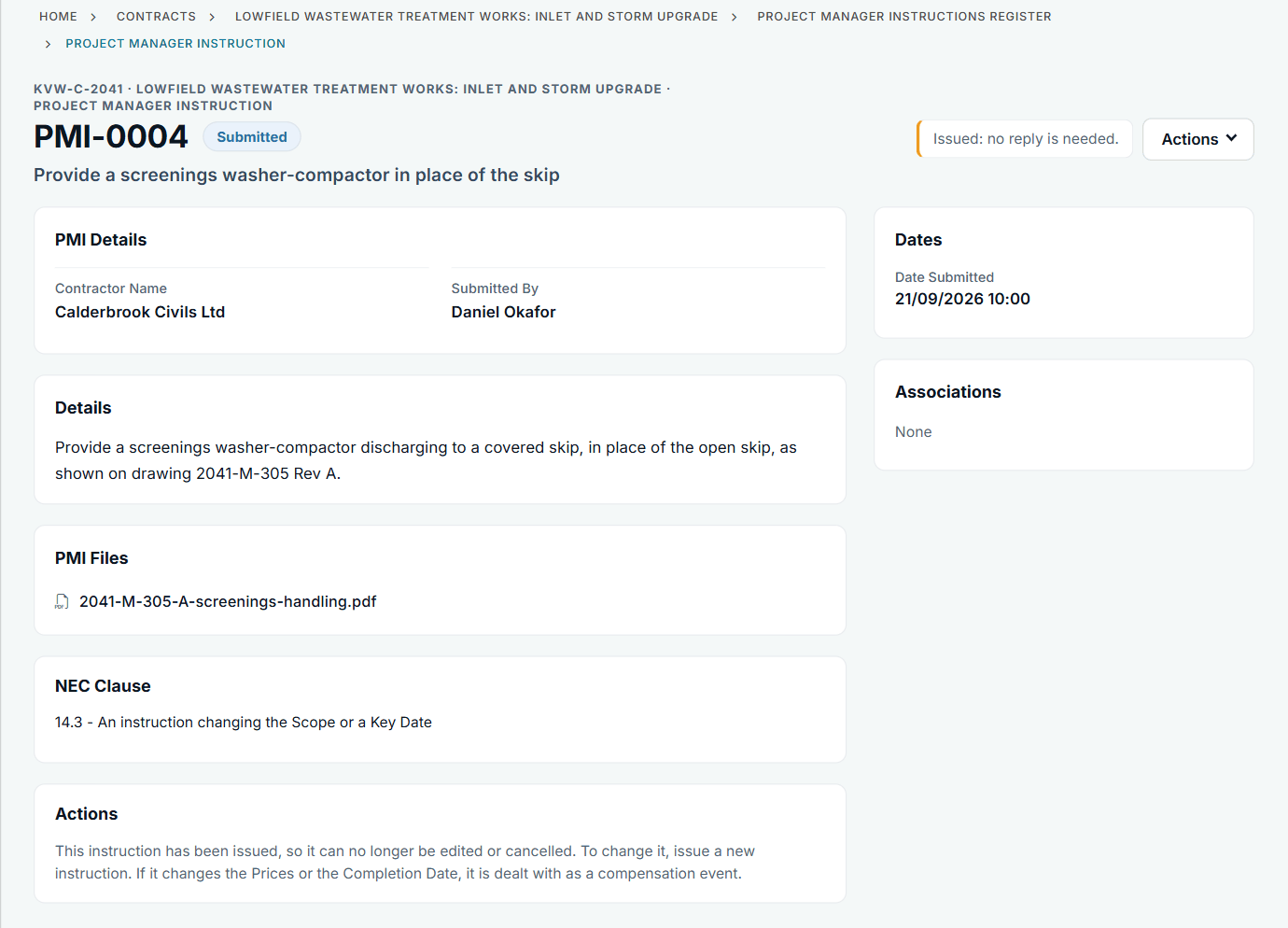
An issued instruction with its file and clause. See the worked example.
See how this works in practice
Click through Contract Status with sample contracts: raise the notice, reply to it, and watch both sides of one record.
Take the guided tour Book a demo
Take the NEC4 ECC quiz, use the free NEC tools or download free NEC templates.
This guide is general information in our own words, not legal advice. Your contract and its Contract Data always govern. NEC, NEC3 and NEC4 are trade marks of Thomas Telford Ltd; Contract Status is not affiliated with or endorsed by NEC.