
Either route those requests through the Project Manager, or have the Project Manager formally delegate the action. When a client instructs a contractor directly, the instruction has no standing under NEC unless the delegation is in place, so doing nothing leaves both sides exposed.
What to do first depends on which side you are on, and whether the work has already been done. Clause 14.2 lets the Project Manager delegate any of its actions after notifying the Contractor, and that can include delegating to someone at the Client (the numbers are the same in NEC3, where the Client is the Employer). Your other options are below. For one-off incidents, see an instruction on site. Other situations are in the NEC questions section.
Why it matters to each side
| Client's exposure | Contractor's exposure | |
|---|---|---|
| Cost | Changes reach the budget late, or appear as a surprise compensation event | Work with no entitlement, as no instruction under 14.3 exists |
| Time | The Completion Date moves without anyone having decided it should | Delay at your own risk, including any delay damages |
| Quality | The record of what's required no longer matches what's built | Work that departs from the Scope might be treated as a Defect |
| Authority | The Project Manager's decisions are undermined, and later ones can be challenged | Conflicting directions from two sources |
If you're the Client or Project Manager
- Decide who really needs to give instructions. If a Client's project lead is on site daily and needs to, make it formal.
- Notify the delegation. State the name, the actions and any limit. See clause 14 for how to do it well. The NEC4 subcontract wording asks for the delegate's name and the actions delegated, and it's a useful standard.
- Or stop the direct route. Tell Client staff that requests come through the Project Manager, and explain the reason: it keeps the money and programme under control.
- Clean up what's already happened. Issue instructions for changes you want to keep, notify them as compensation events (61.1), and say which ones you don't want to keep. Don't leave the Contractor guessing.
- Check that internal approval limits have been shared. A financial limit in the Client's rules doesn't bind the Contractor if it doesn't know about it, and the contract doesn't make it bind the Contractor just by being there.
If you're the Contractor
- Raise the pattern in writing. List the requests and their dates. Ask the Project Manager to say which ones are instructions.
- Notify any with an effect. The eight weeks in clause 61.3 is running on any event that doesn't clearly arise from a Project Manager's action. Don't wait for a reply first.
- Set a simple site rule. Log every Client request and send the log to the Project Manager each week, at least until it stops.
- Offer a solution. A same-day instruction form or a named delegate solves the problem for everyone.
Options for fixing it
| Fix | Good for | Watch out for |
|---|---|---|
| Delegation under 14.2 | A Client lead who's on site every day | Keep it narrow: an unlimited delegate means unlimited commitments. Keep the list current |
| Weekly review of requests | Minor Client preferences | A review doesn't create an instruction. The Project Manager still gives it |
| Change of Project Manager | A role that isn't being performed | Clause 14.4 lets the Client replace after notifying the name. Earlier decisions still stand |
| Amending the contract | A Client that wants formal control over changes | Needs both Parties' signed agreement (12.3), so it's slower than the other routes |
A note you could send
The likely pushback
The Client may read this as bureaucracy, or as the Contractor building up a claim. Be ready to explain the benefit: it sees the price before it commits, under the proposed instruction route. A Project Manager may feel exposed by having it pointed out. Raise it privately before you put it in a letter, but do put it in a letter. Spirit of mutual trust and co-operation (10.2 in NEC4, 10.1 in NEC3) doesn't override who holds which power. See the guide to the Project Manager's role.
Related guides
- NEC Questions Answered: Real Situations on Site
- The PM Issued an Instruction but No Compensation Event: What Now?
- We Missed the Eight-Week Time Bar: Is It Over?
- The PM Should Have Notified It: Does the Time Bar Still Apply?
- Can We Carry On Without a Written Instruction?
- The Client Told Us on Site to Change Something: Is That Valid?
How this looks in Contract Status
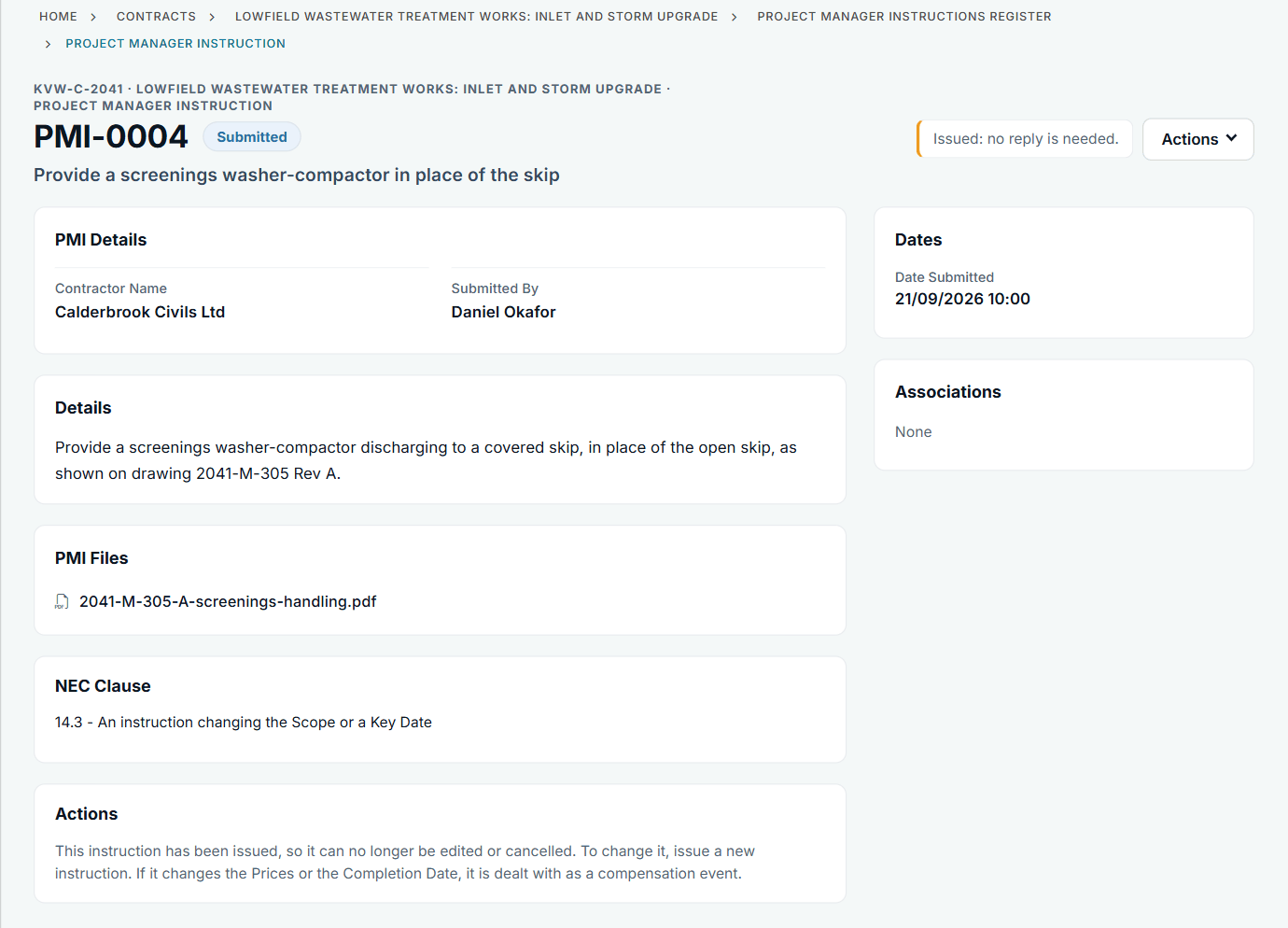
An issued instruction with its file and clause. See the worked example.
See how this works in practice
Click through Contract Status with sample contracts: raise the notice, reply to it, and watch both sides of one record.
Take the guided tour Book a demo
Use the NEC deadline calculator, use the free NEC tools or download free NEC templates.
This guide is general information in our own words, not legal advice. Your contract and its Contract Data always govern. NEC, NEC3 and NEC4 are trade marks of Thomas Telford Ltd; Contract Status is not affiliated with or endorsed by NEC.