
It depends on what the revision changes and who issued it. If a revised drawing requires something different from the Scope and comes from the Project Manager as an instruction, it's a change to the Scope and a compensation event under 60.1(1); a new revision alone doesn't do that.
Three questions decide it: was the earlier drawing part of the Scope, does the new one actually change the requirement, and who gave it to you? A rev C that lands in your document system from a designer's assistant isn't, on its face, an instruction. Clause 14.3 gives the power to change the Scope to the Project Manager, or to someone it has properly delegated to. (NEC3 calls the Scope "Works Information"; the numbers here are the same.) For related questions, see the NEC questions section.
When a new revision lands
- Compare it with what's in force. Log what's different: quantity, specification, position, sequence. If nothing changes, record that and carry on.
- Check who sent it. Project Manager, a notified delegate, or a designer with no authority?
- If it changes the requirement and there's no instruction, ask for one now. Don't build it first. Work that departs from the Scope without an instruction could be a Defect.
- Notify if the Project Manager hasn't. If you've received an instruction but no notification, send your own under clause 61.3. The time bar doesn't apply to events that come from an instruction, but there's no reason to wait. See instruction but no event notified.
- Warn if it affects time or cost. Clause 15.1 applies, especially if orders or fabrication are already under way.
- Stop abortive work where you can. The assessment assumes a competent and prompt reaction, so hold anything that the change would waste, and tell the Project Manager that you've done so.
What decides the answer
| Situation | Position |
|---|---|
| Client-side drawing in the Scope, revised by Project Manager's instruction | 60.1(1) applies |
| Same revision issued by the designer, no instruction | Not yet an event. Ask the Project Manager to instruct, or to confirm no change is intended |
| Revision corrects a clash or conflict between Scope documents | The Project Manager resolves it by instruction under 17.1. If that changes the Scope, it's normally an event, assessed in favour of the Party that didn't provide the Scope (63.10; 63.8 in NEC3) |
| Revision only adds detail that the earlier issue clearly anticipated | Arguable. Compare it with what the Scope already required, and don't assume "more detail" means no change |
| Your own designer revised its drawing to fix an error or to meet the Client's Scope | Not an event. 60.1(1) excludes a change to your design made at your request or to comply with the Client's Scope |
| Client-provided Scope isn't changed, but the drawing arrives later than the Accepted Programme date | Look at 60.1(3) or 60.1(5) instead |
"Issued for construction" is a label from project procedures, not a contract status. A drawing that was part of the contract at the Contract Date is in the Scope whatever its label. A later drawing might become part of the Scope in the way your Scope describes. Read that section: it's the one place where your document control process and your contract meet.
Sample request
What the other side may say
- "It's only design development." Ask them to point to where the Scope already required it. If the requirement was there all along, they're right.
- "Just build it, we'll sort out the paperwork." Reply in writing and notify the event. A spoken answer doesn't help you: see working without a written instruction.
- "You priced from the latest revision." Check which revisions the contract lists. Your tender set doesn't count if the contract documents say something else.
Assessing the change
The instruction's date is the dividing date, so abortive work already done is priced at actual Defined Cost, and the remainder is a forecast. Include materials that can't now be used, redesign you are responsible for as a result, and the effect on sequence. The contract doesn't use your tender rates unless you and the Project Manager agree to (63.2). See assessing compensation events.
Related guides
- NEC Questions Answered: Real Situations on Site
- Our RFI Has Not Been Answered: What Can We Do?
- The Project Manager Replied Late: Is It Automatically a Compensation Event?
- Can We Carry On Without a Written Instruction?
- Are Late IFC Drawings a Compensation Event?
- Our Own Designer Is Late With Drawings: Who Pays?
How this looks in Contract Status
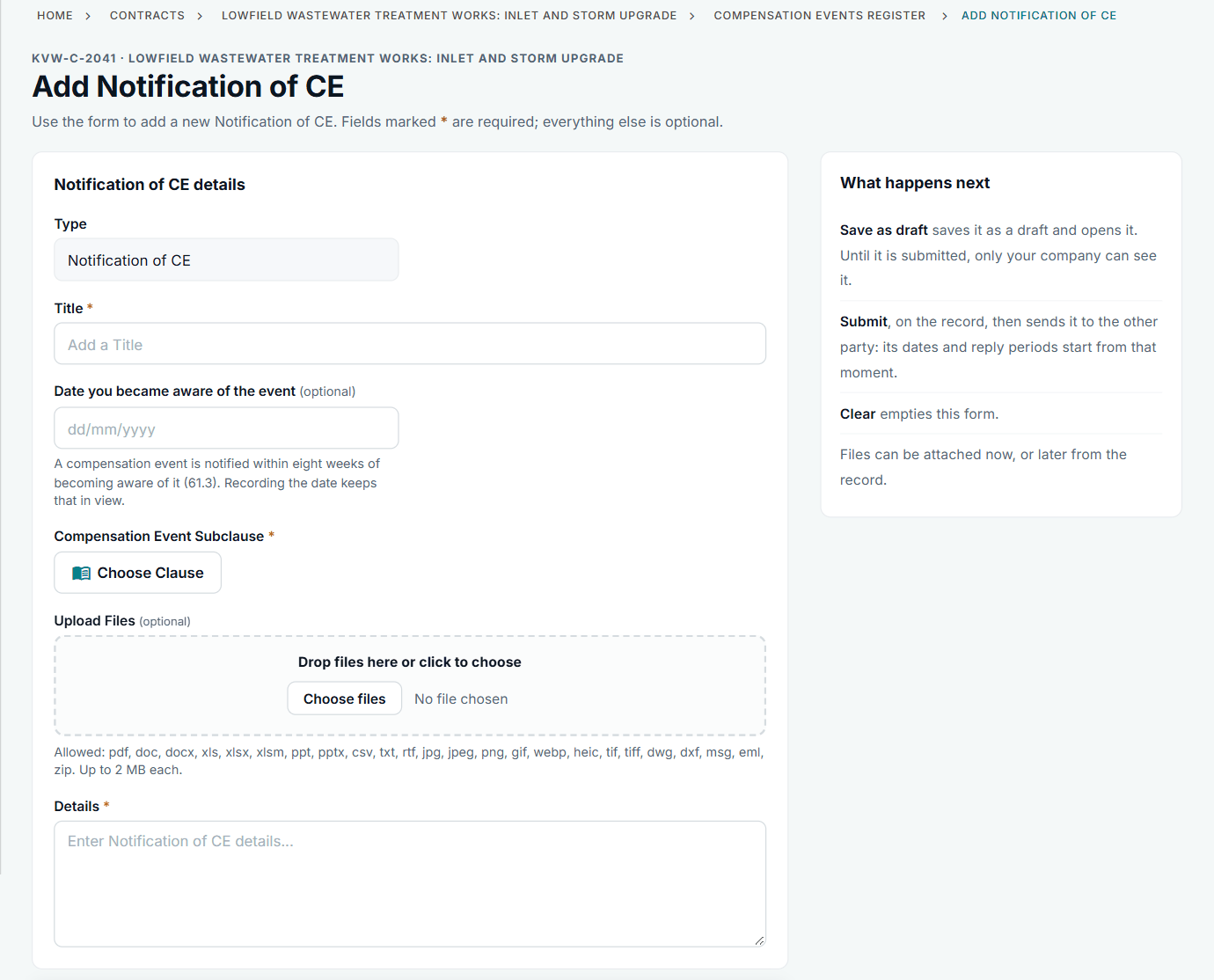
Notifying a change, with the date you became aware. See the worked example.
See how this works in practice
Click through Contract Status with sample contracts: raise the notice, reply to it, and watch both sides of one record.
Take the guided tour Book a demo
Use the NEC deadline calculator, use the free NEC tools or download free NEC templates.
This guide is general information in our own words, not legal advice. Your contract and its Contract Data always govern. NEC, NEC3 and NEC4 are trade marks of Thomas Telford Ltd; Contract Status is not affiliated with or endorsed by NEC.