
IFC drawings are late: warn first, then notify
Contractor side: Early warnings and compensation events
Where the contract stands
Usually both, as two separate notices. Warn as soon as you know the drawings could affect the Prices, Completion or a Key Date (15.1 in NEC4, 16.1 in NEC3). If the Client was to provide them and they arrive after the date on the Accepted Programme, that can be a compensation event under 60.1(3), and the warning does not stop the eight weeks in 61.3.
Read the guide: Early warning for late IFC drawings and Late drawings as a compensation event
This is our plain-English summary, not legal advice. Your own contract, including any Z clauses, decides.
In Contract Status, step by step
Raise the early warning
On the contract page, choose + Add on Early Warnings. Tick what the drawings could affect, score the likelihood and severity, and ask for an early warning meeting if you want one. It saves as a draft that only your company can see, until you press Submit.
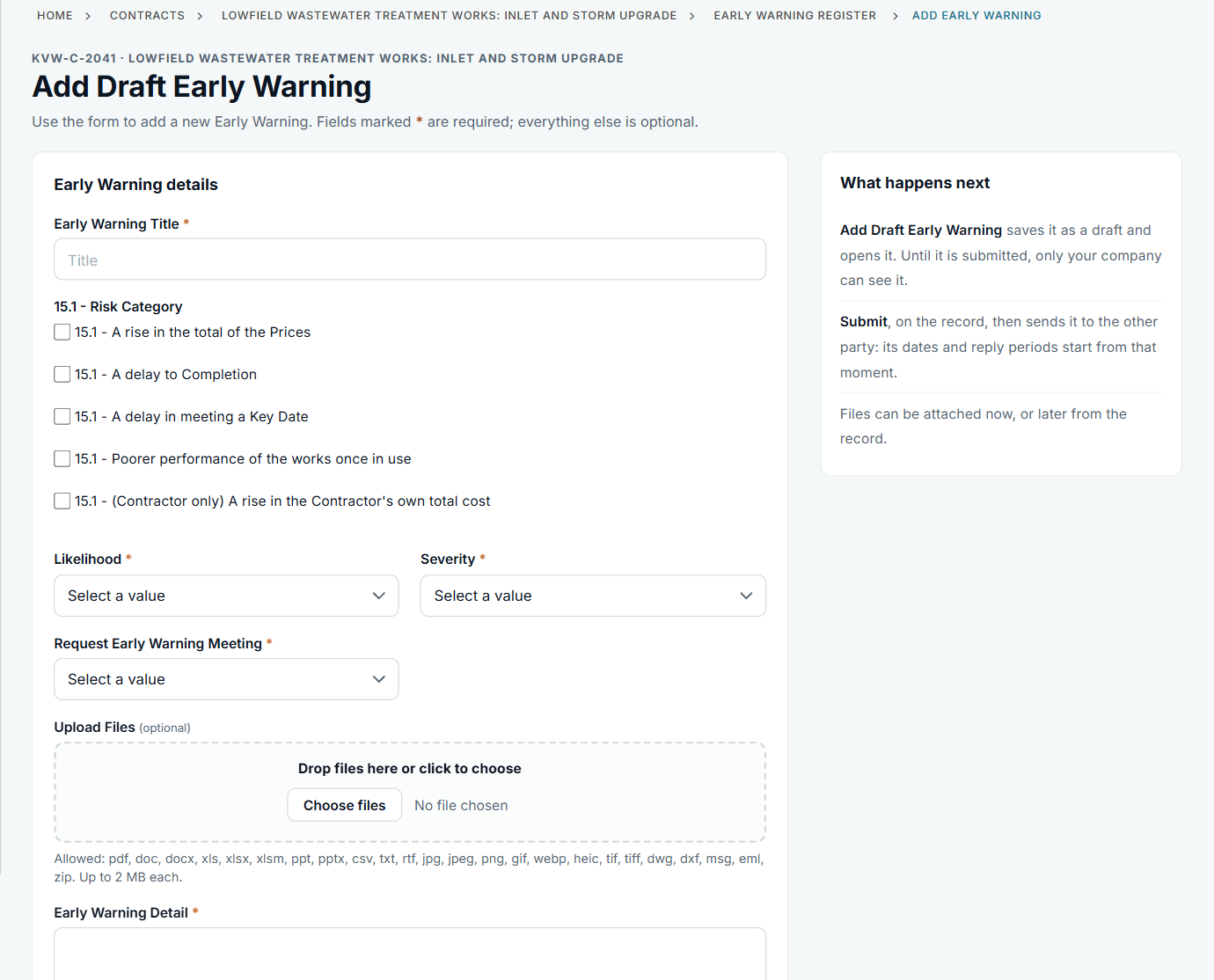
The form takes the 15.1 risk categories from the contract's clause list.
See it on the record, waiting on the other side
Once submitted, the warning has a reference and a reply date. The record tells you whose move it is. That reply date is a management target from your reply periods: NEC sets no period for answering an early warning.
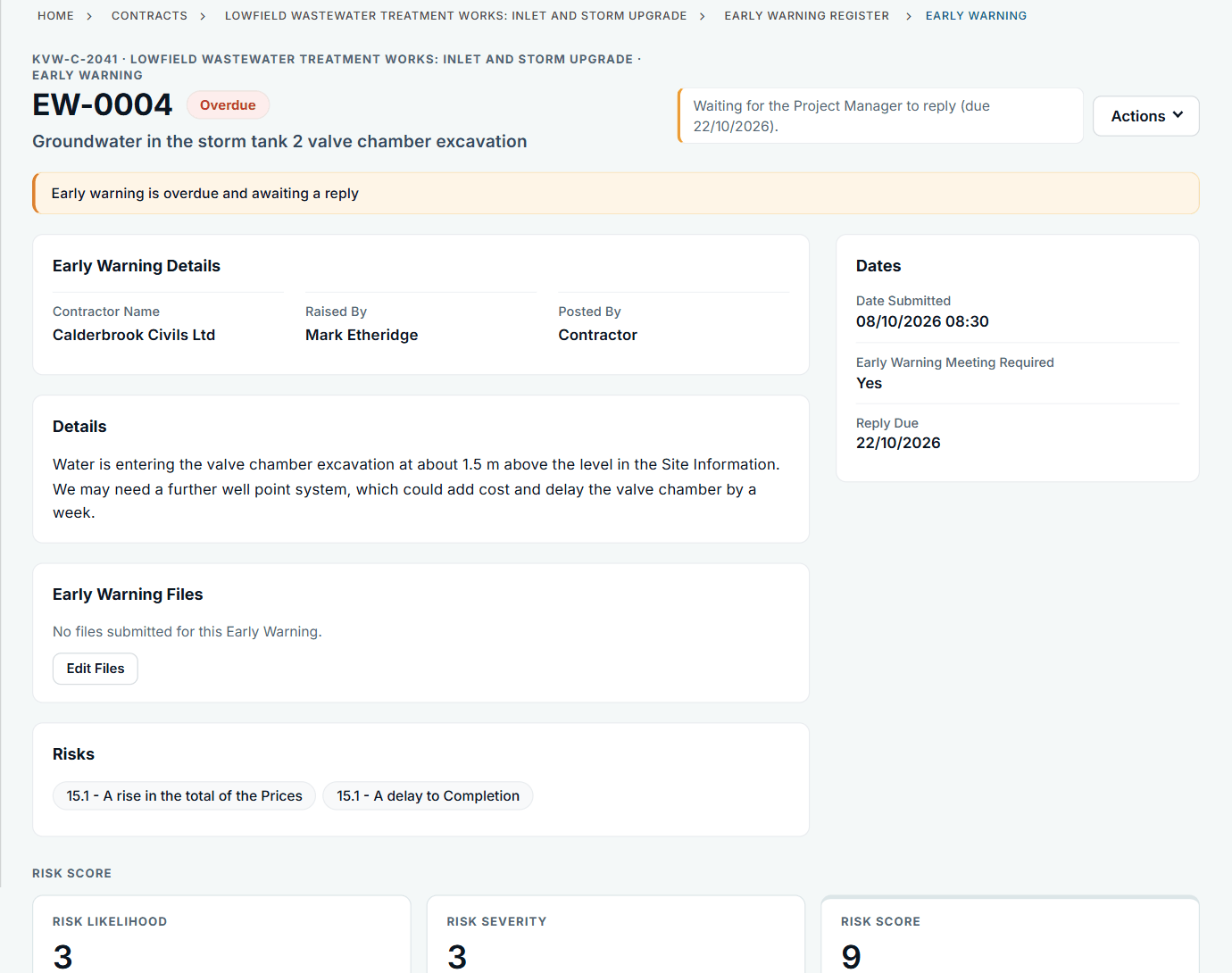
The sample account's warning is about groundwater; a late-drawings warning looks the same.
When the date is missed, notify separately
Choose + Add on Compensation Events. Give it a title, record the date you became aware, and choose the clause from the list. The form reminds you of the eight weeks in 61.3.
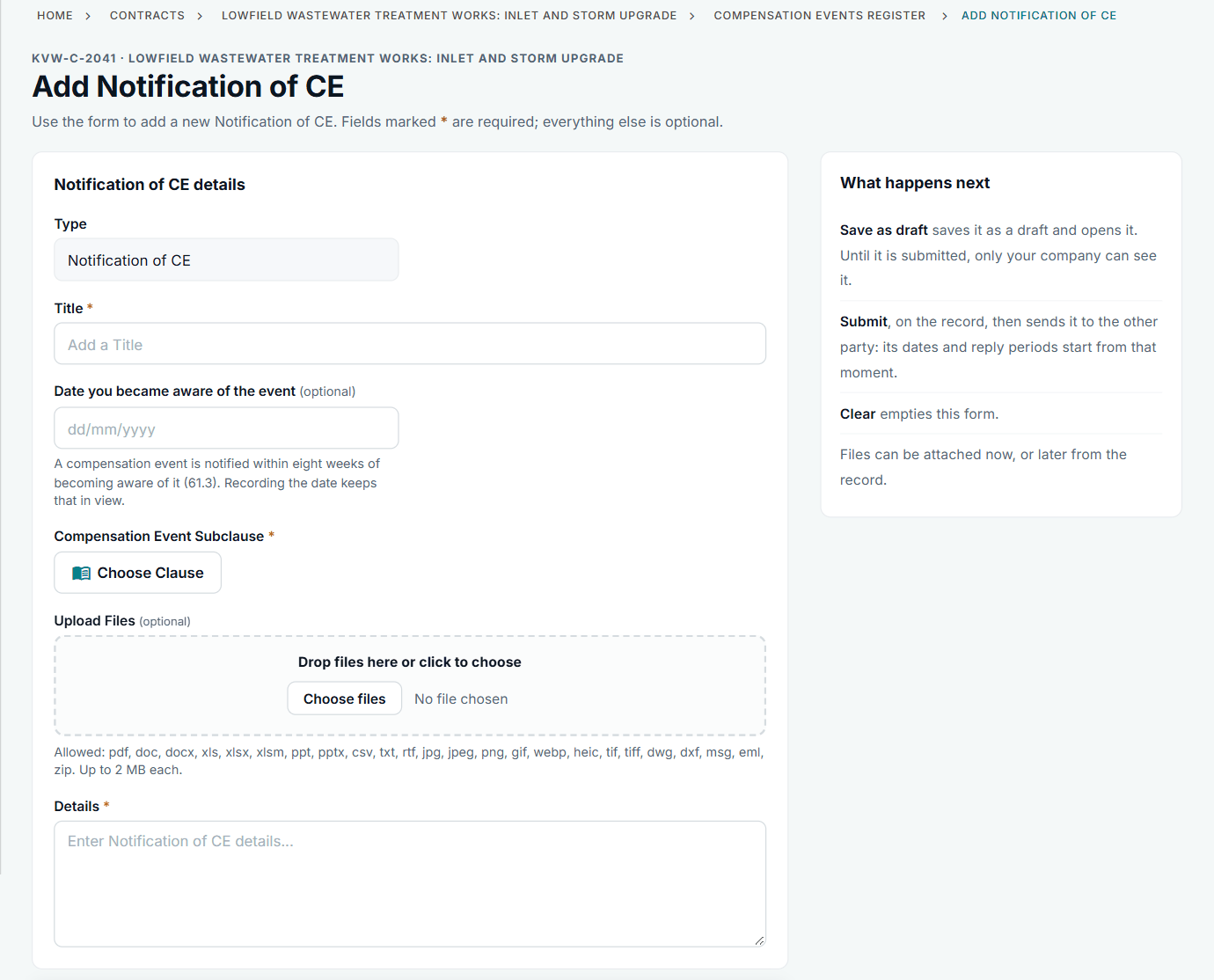
The awareness date is optional in the form, but it is what keeps the time bar in view.
The notice stands on its own record
After Submit, the record shows when you became aware, how long you took to notify, and the reply date worked out from the contract. In the sample account the same route was used for late Client-supplied penstock frames.
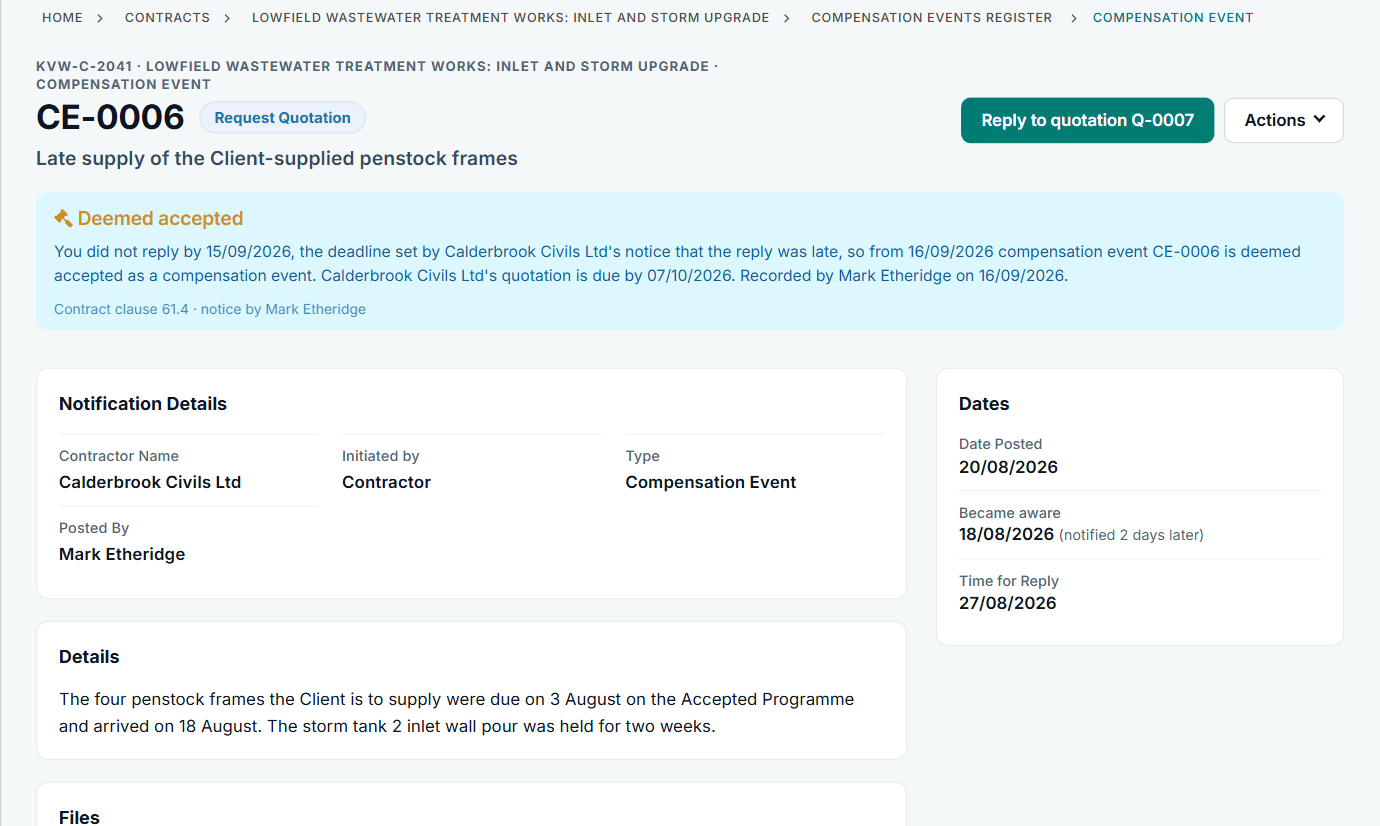
CE-0006 in the fictional account: Client-supplied items late against the Accepted Programme.
All screens are from the upgraded app, using a fictional water company, Kestrel Valley Water, and its made-up contractors.
What happens next on the other side
The Project Manager sees the notification on their Action List and My Dashboard, and has a week to reply (61.4). If the Project Manager replies with Request Quotation, the event moves to you to quote. If not, see what to do when the Project Manager has not replied.
See it on a contract you can click through
The guided tour lets you walk the same fictional account yourself. Or book a demo, and bring the situation you are dealing with.