
Yes, if they fall within one of three tests: an Others delay is an NEC compensation event under 60.1(5) when the Client or Others work outside the times on the Accepted Programme, outside the conditions in the Scope, or do Site work the Scope doesn't state. What usually decides it is whether their work was on your Accepted Programme at all.
It's the same in NEC3 and NEC4 ECC, though NEC3 refers to the Employer and Works Information. Under NEC4 ECS, the Contractor is added to those who can cause it.
First check: are they Others?
| Who is causing the delay | Status | Who holds the risk |
|---|---|---|
| The Client's separate contractor | Others | Client, if 60.1(5) is met |
| Utility, local authority, neighbour | Others | Client, if 60.1(5) is met |
| Your Subcontractor or supplier | Not Others | You. See supplier delays |
| A contractor you employ directly, whatever you call it | Not Others, as a Subcontractor | You |
| The Project Manager or Supervisor | Not Others, but a separate entry may apply | Often the Client through 60.1(6), (8) or (11) |
The full definition is in the guide to Others.
What to do now
- Open the Accepted Programme current today. Find their activity and dates. Clause 31.2 asks your programme to show work by the Client and Others as last agreed, so this is your baseline.
- Read the Scope for any conditions: working hours, sequence, shared space, or a statement of the work they'll do.
- Warn early (15.1) as soon as you see them slipping. Ask for an early warning meeting with them present, if the Project Manager agrees.
- Notify the compensation event. You can notify something you expect to happen. If you're already late, remember the bar: eight weeks from when you became aware it had happened (61.3; seven weeks under NEC4 ECS).
- Keep working as far as you sensibly can. You co-operate with Others and share the Working Areas as the Scope states (25.1). Clause 63.9 assumes a competent, prompt response.
- Record the facts: their attendance, what remains undone, your blocked work face, and the resources you've moved.
Sample wording: "The Accepted Programme dated [date] shows [Others] completing [activity] by [date]. Today's position is [X], and they now forecast [date]. We could not begin [our activity] as planned. We notify a compensation event under clause 60.1(5) and will quote when instructed."
What decides the result
A fictional example, with illustrative figures: a retail fit-out on Option A, where the Client's IT contractor needs to finish cabling before ceilings close.
| What the documents show | Result |
|---|---|
| Accepted Programme shows cabling finishing on 12 May. It finishes on 2 June | Event: outside the times shown |
| Accepted Programme shows nothing about it, but the Scope states that the IT contractor will do this work, with no dates or conditions | Harder. There's no time to measure against, and the work is stated in the Scope |
| Neither shows it, and the IT contractor turns up and disrupts your work | Event: Site work not stated in the Scope |
| Accepted Programme shows finishing on 12 May, but a later accepted revision shows 2 June | No event. The current programme has moved the date. Check which programme was current |
The last row is the trap. Planners sometimes update Others' dates to reflect reality without flagging a problem, and when that revision is accepted, the event is much harder to make out. If you do show their slip on a revised programme, also make sure a notified event sits behind it. Clause 63.5 measures delay against the programme current at the dividing date, and it takes account of the delay already shown on it. See programmes and compensation events.
What the other side will say
- "You were behind anyway." If your own work would not have been ready, the delay may not have caused your loss. Have a clear as-built record for the weeks before.
- "You knew they were slipping and said nothing." The Project Manager can say a warning could have been given (61.5) and have the event assessed as if it had (63.7).
- "The other contractor says you held them up." Work at an interface invites this counter-argument. Dated photos and joint meeting notes matter more than opinion.
In practice
The contract says the Client takes this risk through the event, but it doesn't make the other contractor answer to you, because you have no contract with them. Your route is through the Project Manager. If you're on the Client side, your best protection is to manage the interface and to give clear dates to both firms. If you're the Contractor, make sure each Others activity on the programme has a named date you can measure. The guide to 60.1(5) has a priced example, and NEC questions answered covers other delay scenarios.
Related guides
- NEC Questions Answered: Real Situations on Site
- A Utility Company Is Late: Who Takes the Risk?
- Our Materials Are Delayed by the Supplier: Who Takes the Risk?
- Material Prices Have Risen Sharply: Can We Recover the Increase?
- We Have Not Been Given Access to the Site: What Do We Do?
- The Client Restricted Our Access Part Way Through
How this looks in Contract Status
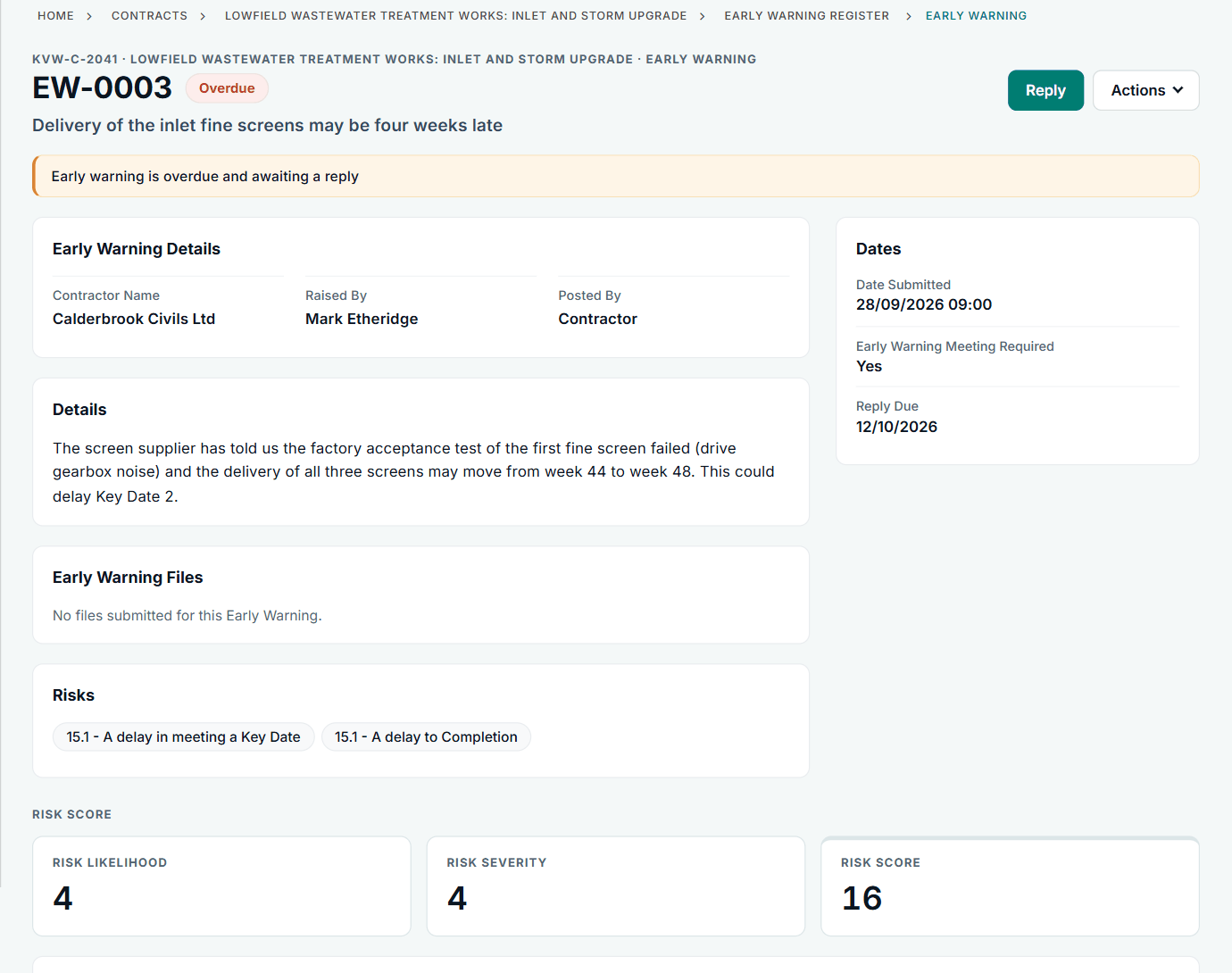
An early warning in Contract Status, with its risks, reply date and score. See the worked example.
See how this works in practice
Click through Contract Status with sample contracts: raise the notice, reply to it, and watch both sides of one record.
Take the guided tour Book a demo
Use the NEC deadline calculator, use the free NEC tools or download free NEC templates.
This guide is general information in our own words, not legal advice. Your contract and its Contract Data always govern. NEC, NEC3 and NEC4 are trade marks of Thomas Telford Ltd; Contract Status is not affiliated with or endorsed by NEC.