
Reviewing a programme on time
Client side: Programme
Where the contract stands
The Project Manager has two weeks from submission to accept a programme or give a reason (31.3), and acceptance can only be withheld for a reason the contract allows. Withholding acceptance for any other reason can be a compensation event under 60.1(9). Without an Accepted Programme, later events are assessed on the Project Manager's view of the remaining work (64.2).
Read the guide: PM not accepting a programme and Clause 31.3 acceptance
This is our plain-English summary, not legal advice. Your own contract, including any Z clauses, decides.
In Contract Status, step by step
See what is to review
Programmes to Review lists every submitted programme with no reply yet, oldest first, with the date it came in and when the reply is due.
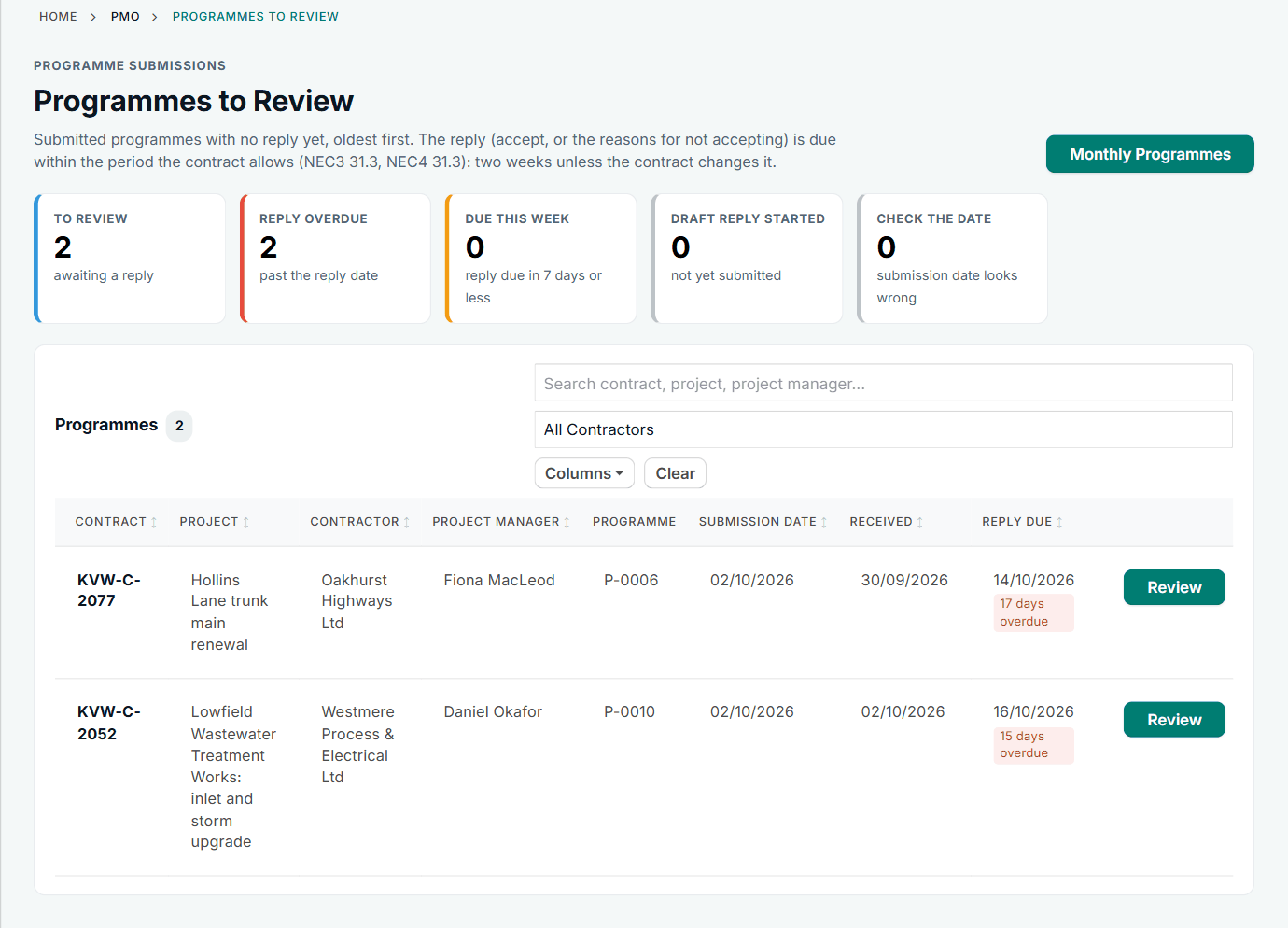
Two programmes waiting, each with its reply date.
Agree comments privately
On the review page, internal notes are visible to the Client side only. The Contractor never sees them, and adding one tells nobody.
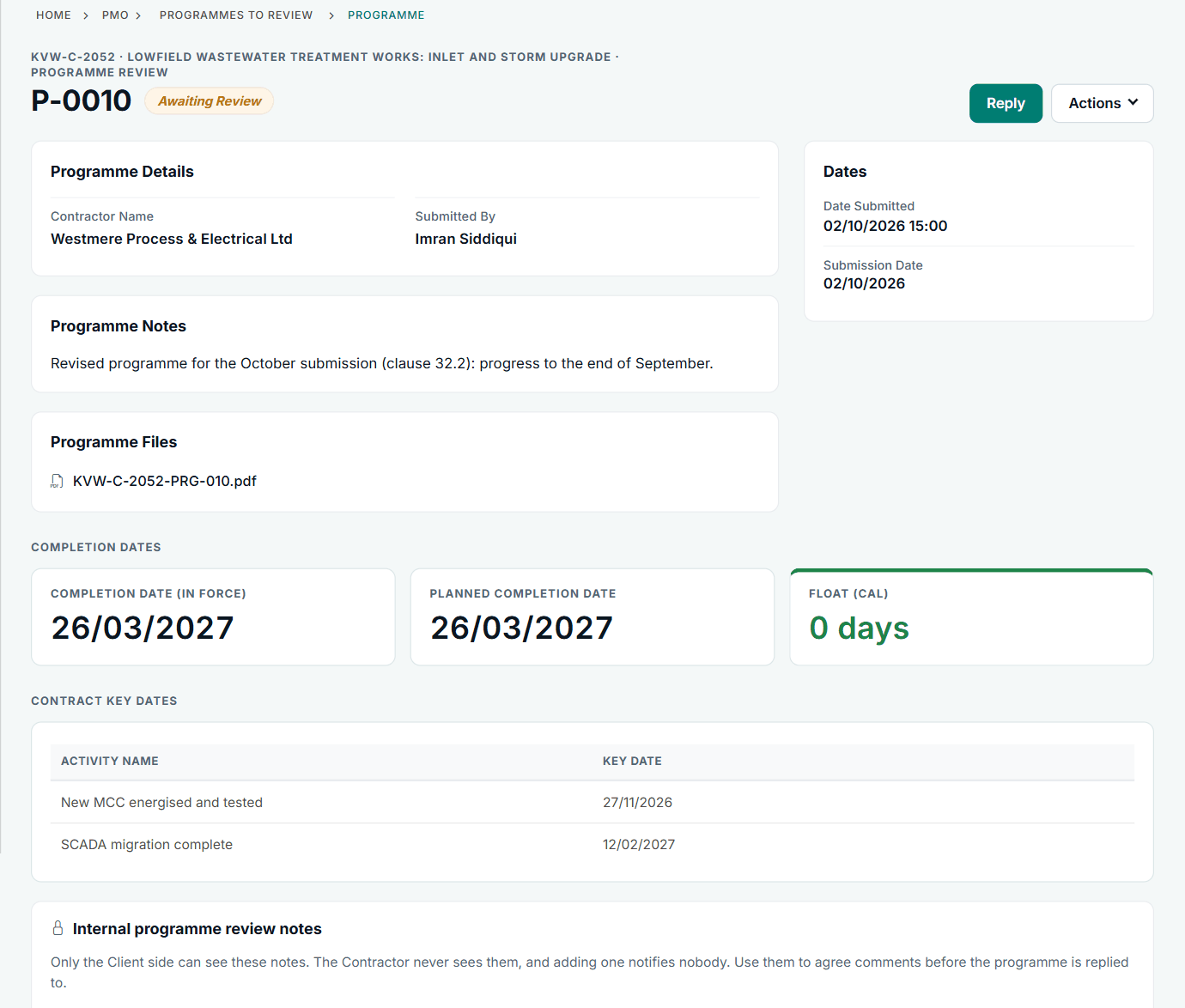
The notes panel is at the bottom of the review page.
Reply
Accept, or choose the reason from the list and explain it. Attach a marked-up programme if useful. Save Draft keeps it private until Submit Reply.
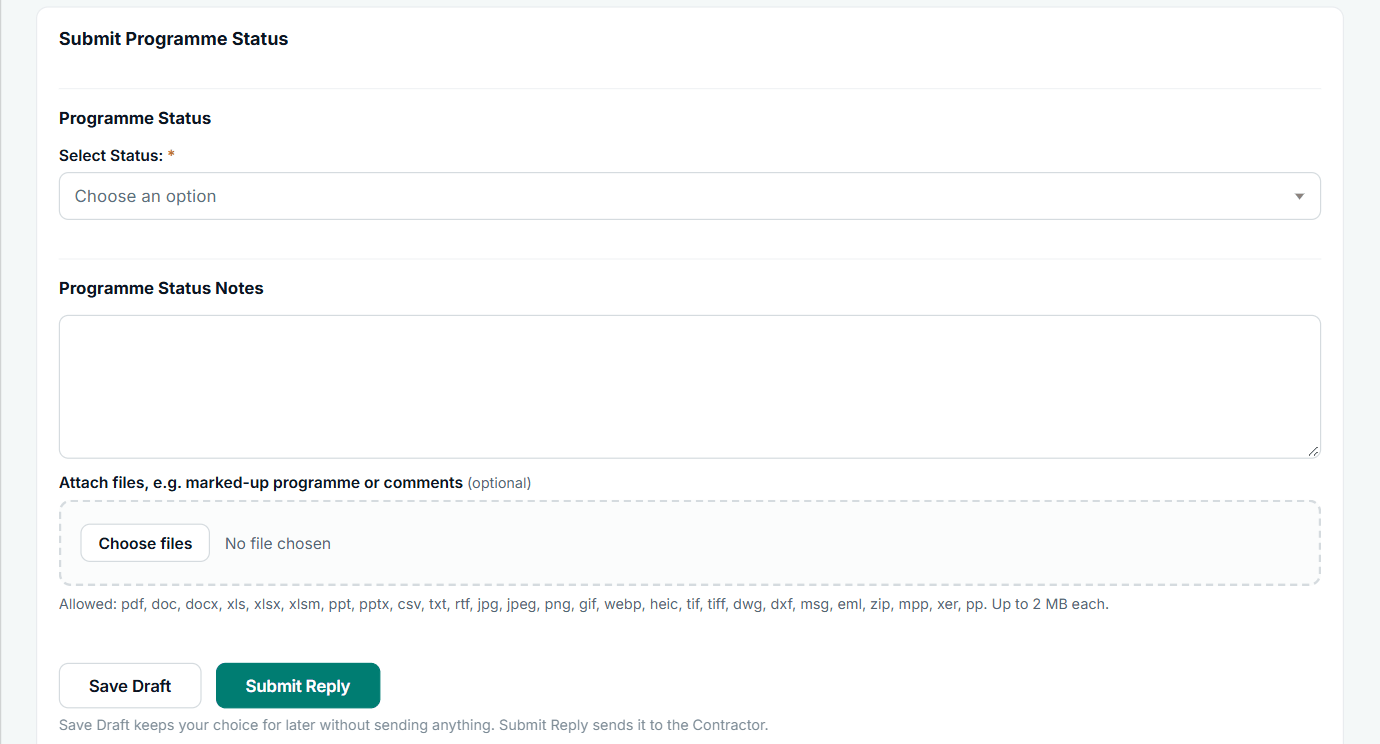
The list offers acceptance and the reasons for withholding it.
See the register
Every submission and its result stays on the Programme Register, and you can instruct a revised programme from there.
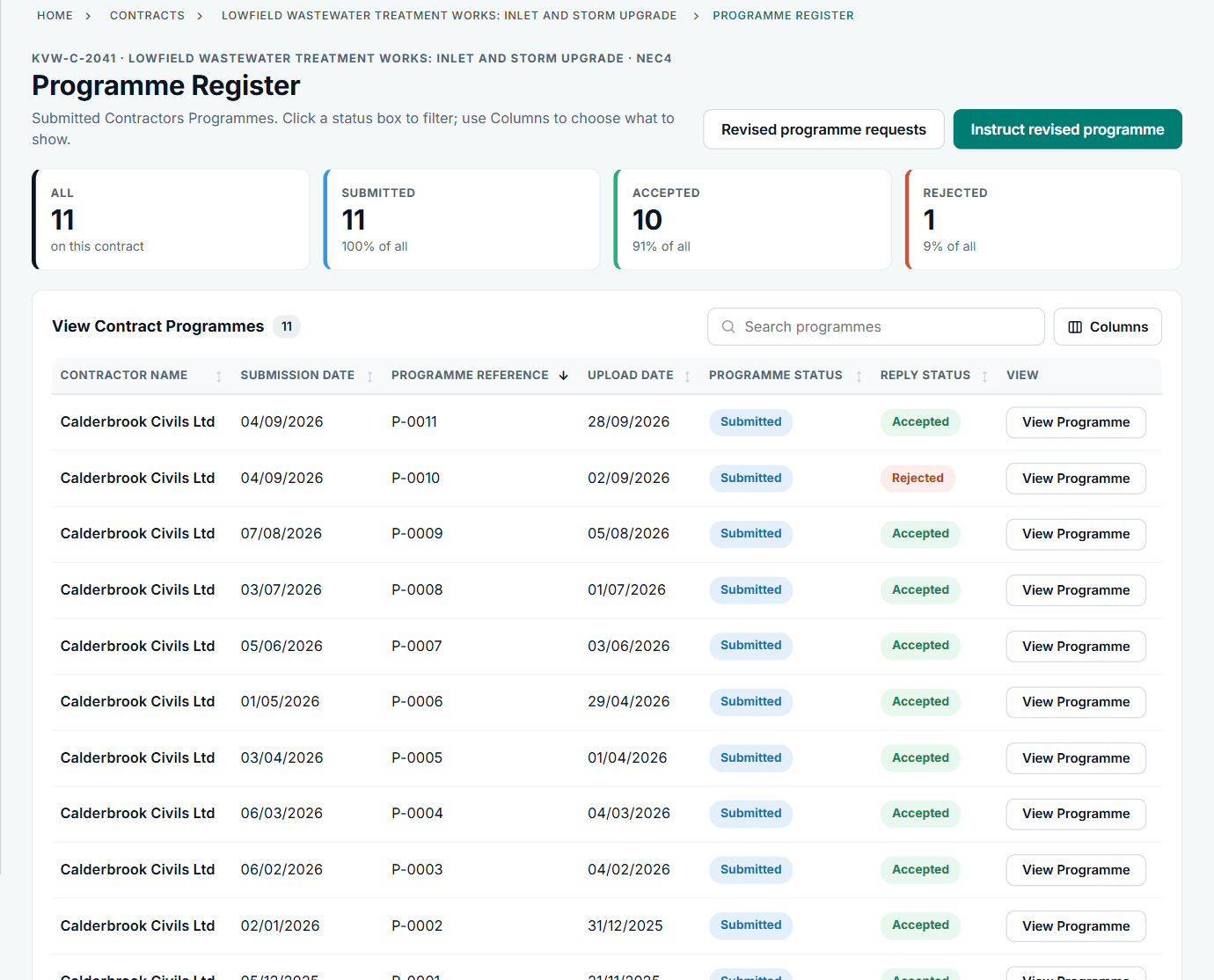
Ten accepted and one not accepted on this contract.
All screens are from the upgraded app, using a fictional water company, Kestrel Valley Water, and its made-up contractors.
What happens next on the other side
The Contractor is told of the reply. If acceptance is withheld, the record says a revised programme is needed. In this account only a PMO or an administrator replies to programmes: an account can arrange it that way through its roles.
See it on a contract you can click through
The guided tour lets you walk the same fictional account yourself. Or book a demo, and bring the situation you are dealing with.