
Who said what, and when?
Client side: Records
Where the contract stands
Every communication the contract calls for has to be readable, copyable and capable of being kept (13.1), and a notification goes on its own, not inside something else (13.7). Whether a record in a system counts as a communication depends on your contract, so check clause 13 and what your Scope names.
Read the guide: Keeping an audit trail and Communications under NEC
This is our plain-English summary, not legal advice. Your own contract, including any Z clauses, decides.
In Contract Status, step by step
The contract's activity
Every record on the contract in date order, with who did it, filtered by register.
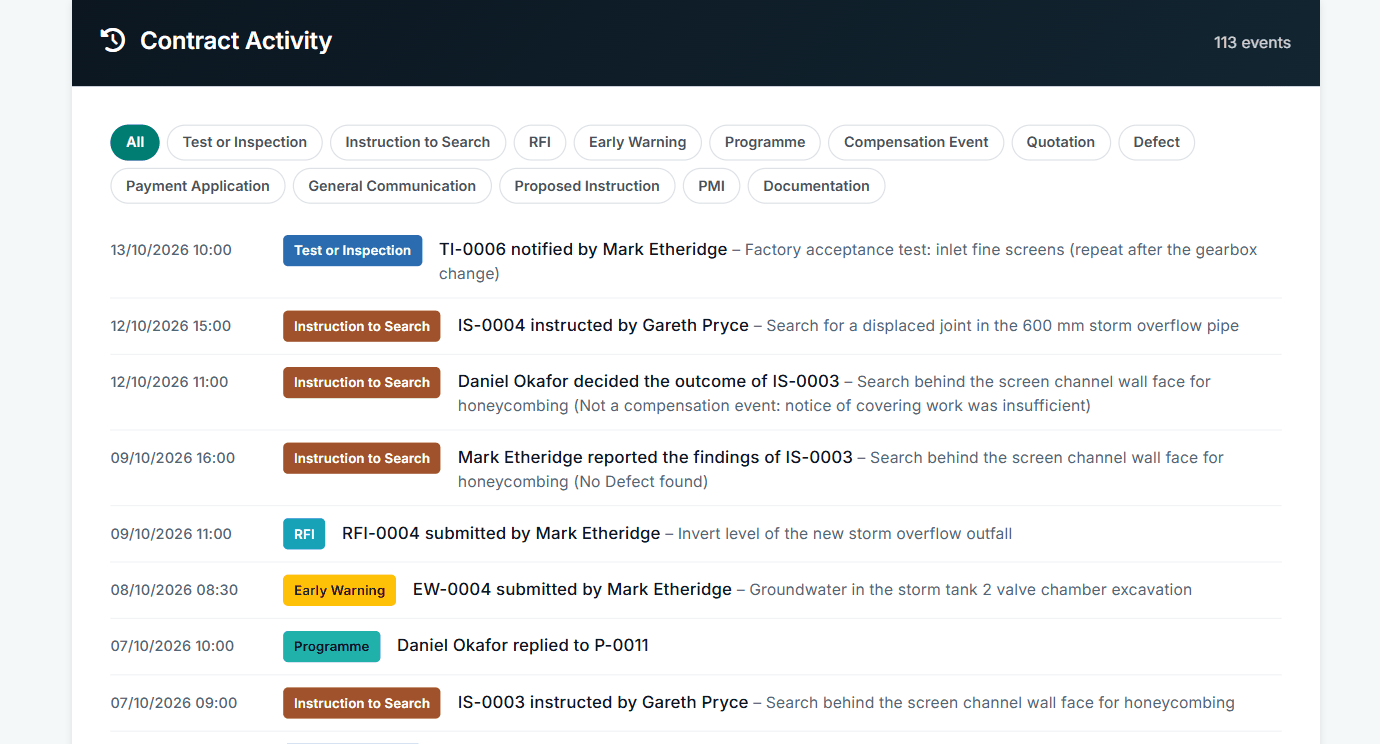
113 events on this contract, each dated and named.
Changes to the contract data
Changes to Key Dates and contract data need a reason, and are kept with who made them and when.
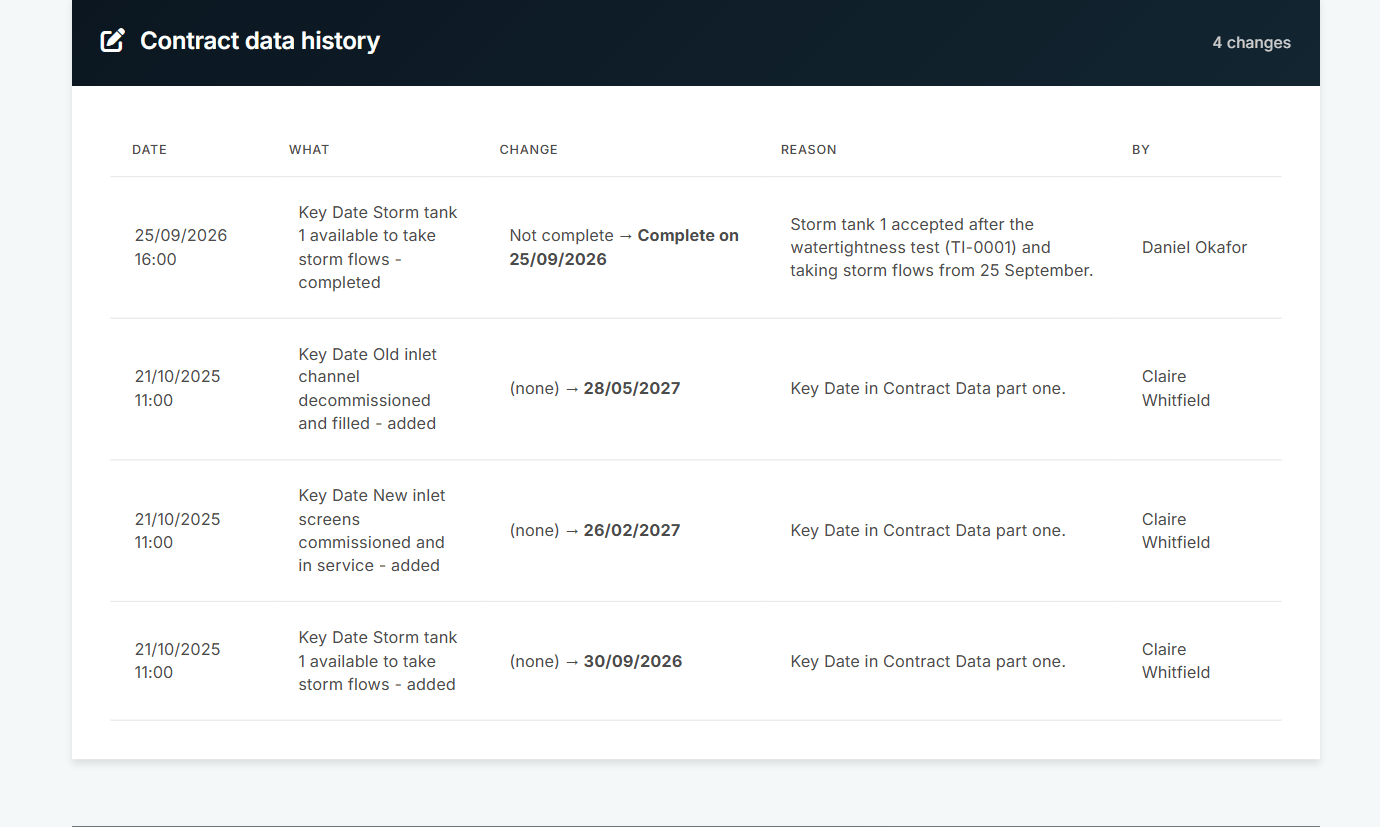
Each change has a reason.
The letter for each notice
Most records have a notice letter in the Actions menu, on screen or as a PDF, with the parties and the clause. A sent notice keeps the clause it was sent with.
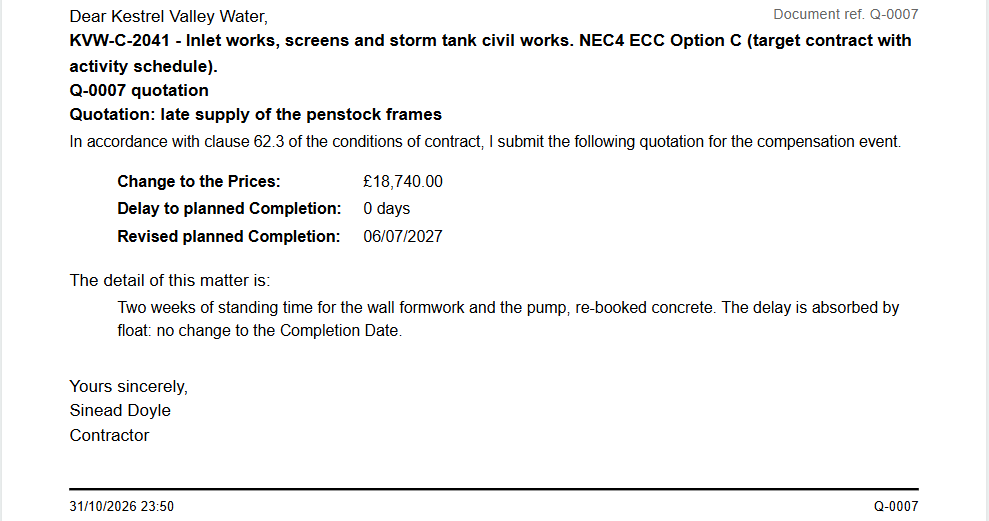
The letter for quotation Q-0007.
Reports for the whole register
Each register has a complete report and an awaiting-reply report, ready to print, save as PDF or download as CSV.
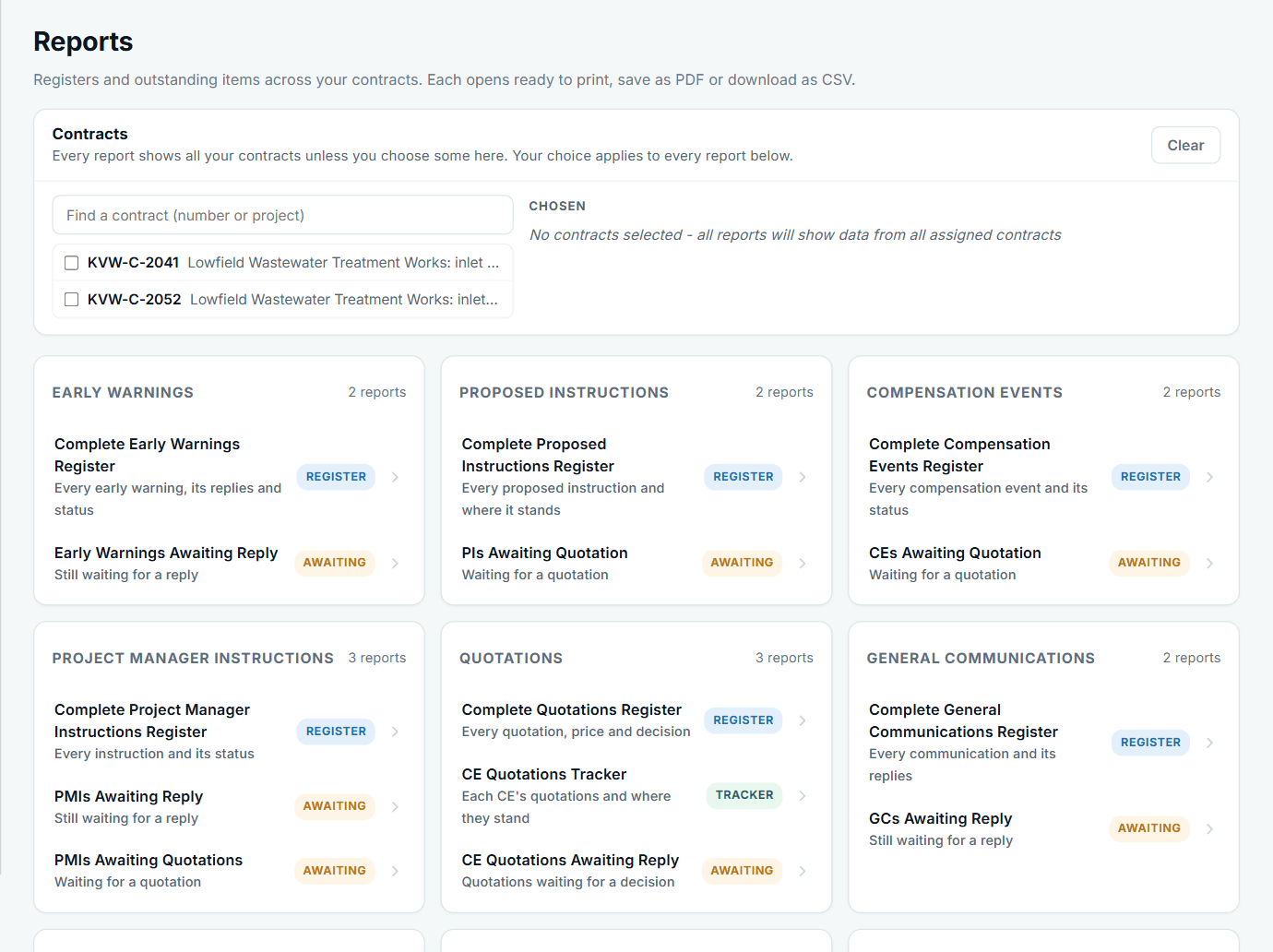
Choose which contracts each report covers.
What it leaves to you: anything that happens outside the app, such as a phone call or a site meeting, is not on record until someone puts it on the right register.
All screens are from the upgraded app, using a fictional water company, Kestrel Valley Water, and its made-up contractors.
What happens next on the other side
Both sides read the same records. Drafts stay private until submitted, and edits after issue are shown as changes after issue, and the other side is told. A cancelled record shows the other company that it was cancelled, and by which side. Contract Status records what happened; it does not decide who is right.
See it on a contract you can click through
The guided tour lets you walk the same fictional account yourself. Or book a demo, and bring the situation you are dealing with.