
A programme that gets answered, not just submitted
You build the logic and issue it on time. Then it vanishes into an inbox for three weeks, and the next compensation event is assessed against something nobody accepted. Contract Status makes the submission, the reply and the date visible to everyone.
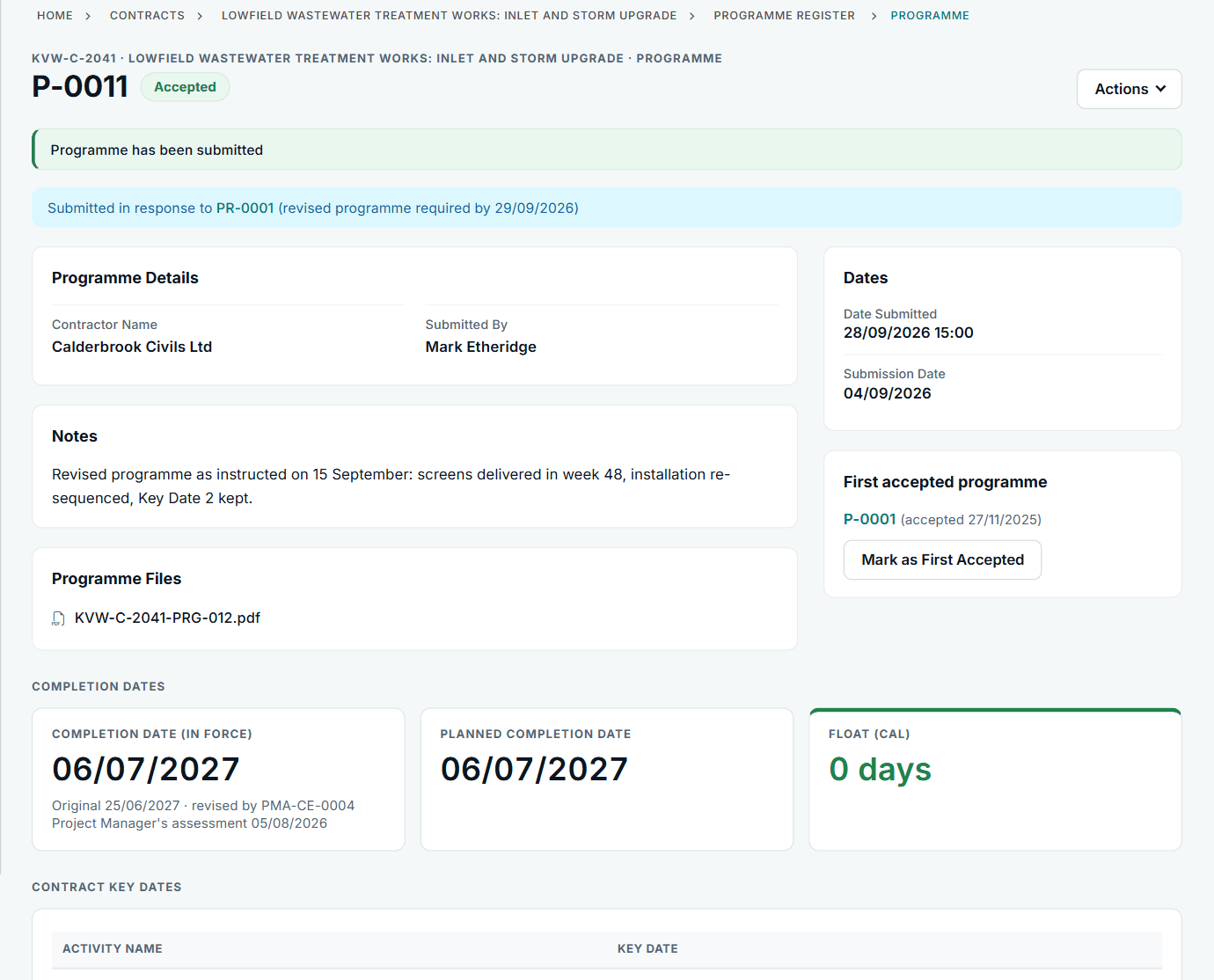
A day with NEC, without it and with it
Without it
Morning. You finish the revised programme and e-mail a link. You also send it to the document system. Now there are two.
Midday. The QS needs the effect of a compensation event, and asks which programme is the Accepted Programme. You check an e-mail from February.
Afternoon. A comment comes back: "not happy with sequence". Is that a reason the contract gives? Does it count as a reply?
Next month. The PMO asks for last quarter's submission record. You rebuild it from your sent items.
With Contract Status
Morning. You upload the files and the planned Completion date, pick the last or next submission date, and submit. The reply date is set.
Midday. The record shows which programme was last accepted, and the first accepted one is taken from the replies themselves.
Afternoon. The reply names one of the contract's reasons, and sets the date a revised programme is due.
Next month. The tracker shows, for each month, what was required, submitted, accepted, late or missing.
The clauses you work to
These are the standard NEC4 ECC references. The clause numbers for the programme are the same in NEC3, and the app shows the clauses in your own library. Subcontracts differ: under the NEC4 ECS the Contractor has three weeks, not two, to reply to your programme, and the record follows the form you are on.
| Clause | What it means for you | What the app does |
|---|---|---|
| 31.1 | First programme within the period in the Contract Data, unless one is already identified. | Requires a programme on the contract, with a tracker from the first month. |
| 31.2 | The list of what a programme must show, such as float, time risk allowances and the dates you need things. | Shows the contract's summary, and your organisation's guidance, on the submit page. |
| 31.3 | The Project Manager has two weeks to accept or give reasons. | Counts it from submission. Reasons come from the contract's list. |
| 31.3 (NEC4) | A notice of failure, then one more week, and it is treated as accepted. | The Contractor side can give the notice; the record counts down. NEC3 has no such rule, and it is not offered there. |
| 32.1 | A revised programme shows progress, implemented events and the plan for delays. | Files and a reply on the record, with earlier revisions kept. |
| 32.2 | Revised programmes when instructed, when you choose and at the Contract Data interval. | Submission dates set once. An instructed revision goes on your list, and closes when you submit it. |
| 60.1(6), 60.1(9) | A late reply, or withheld acceptance for a reason the contract does not give, is a compensation event. | Shows overdue replies, and the listed reasons when replying. |
| Clause 63 | Delay to the Completion Date is measured against the Accepted Programme. | Shows the Completion Date and Key Dates in force, and each change's event. |
A first check on the programme, if you want one
Where AI is switched on, the PMO can ask for a first review of a submitted programme against 31.2 (and 32.1 for a revision), comparing it with the previous submission. When both are XER files it compares activity by activity. PDF and Excel files can be read too. It lists what passed, what failed and why, what it could not check, and any possible 31.3 reasons.
It is advice only. The Project Manager still decides. And it cannot yet read Microsoft Project .mpp files, so export those to PDF or Excel. For a planner on the Contractor's side, the useful part is knowing what the other side is likely to raise, and being able to answer it from a dated record of what you submitted and when.
Private notes stay private
The client side can keep review notes on a programme while it is being reviewed. The other party never sees them, and a draft reply is not a decision until it is submitted.
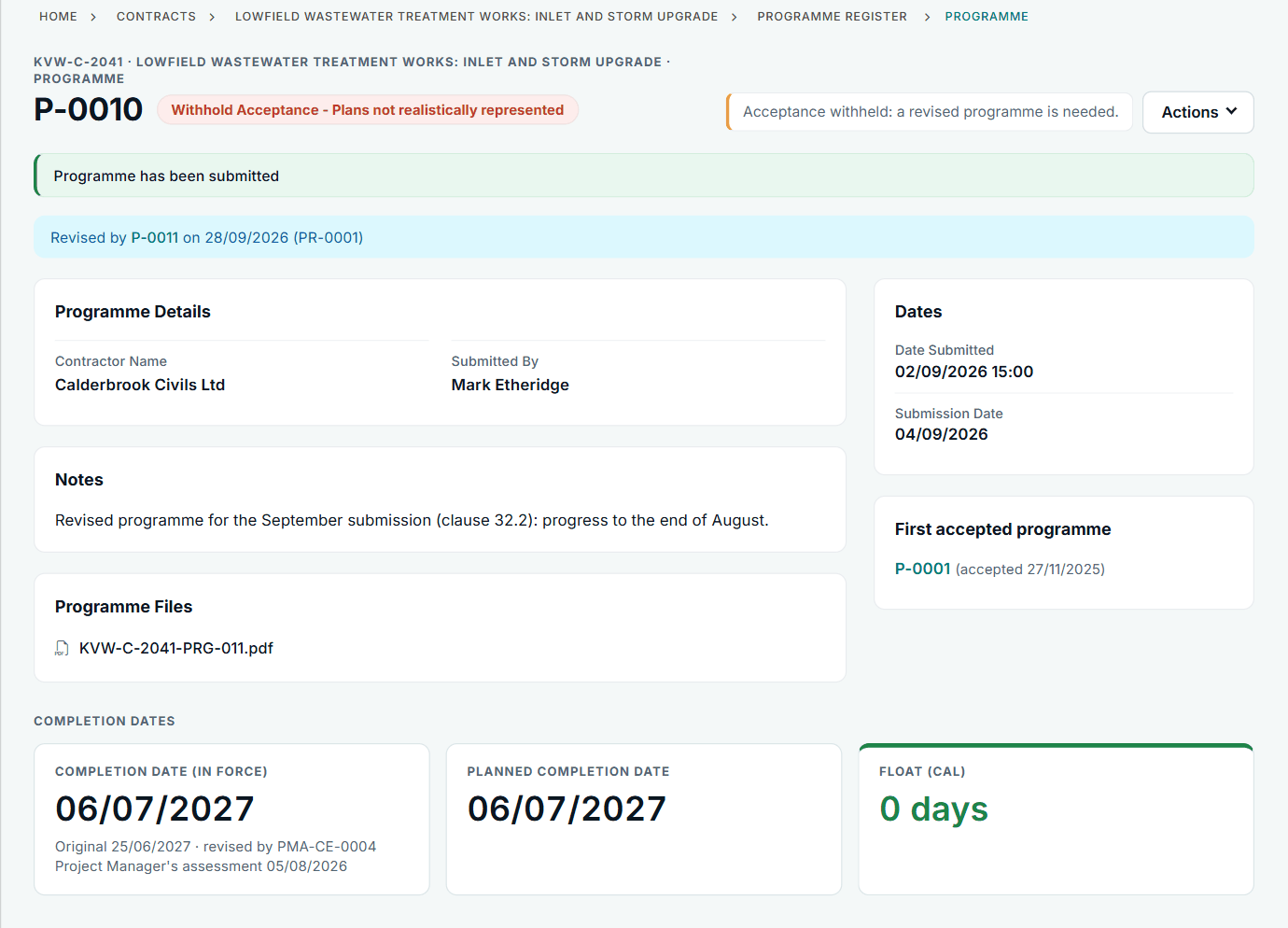
See it, try it, read up
My programme has not been accepted
A contractor's programme is not accepted. In Contract Status: the stated reason, the revised programme request and the revised programme that answers it.
See the exampleReviewing a programme on time
A Client team reviews a submitted programme. Contract Status lists what is to review, keeps private review notes and offers the reasons the contract gives.
See the exampleSee the programme workflow
Bring a real question about your acceptance process. We will show the workflow on sample contracts.