
My programme has not been accepted
Contractor side: Programme
Where the contract stands
The Project Manager has two weeks to accept or give a reason (31.3), and the reason has to be one the contract allows; withholding acceptance for any other reason is a compensation event under 60.1(9). Under NEC4 silence can lead to deemed acceptance after a further week; NEC3 has no such rule. The last Accepted Programme stays in force until a new one is accepted.
Read the guide: PM not accepting a programme and No Accepted Programme
This is our plain-English summary, not legal advice. Your own contract, including any Z clauses, decides.
In Contract Status, step by step
See the decision
The programme shows its status on the record, with the reason in the title, and the next step: a revised programme is needed. It also links to the programme that later replaced it.
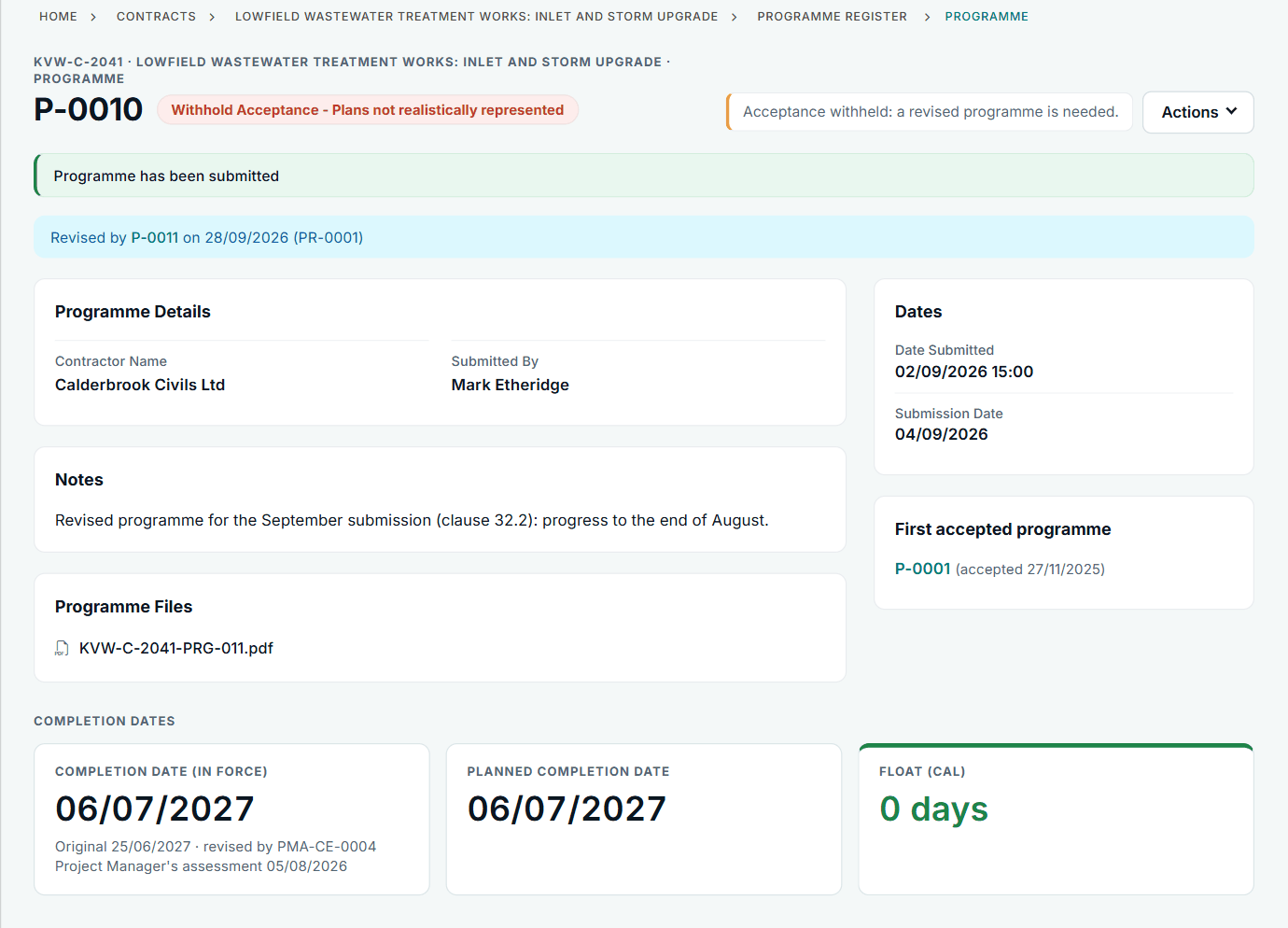
P-0010 from the contractor side.
Read the reasons
The Programme Status panel gives who replied, when, the reason chosen and the Project Manager's explanation. Test the reason on the day it arrives.
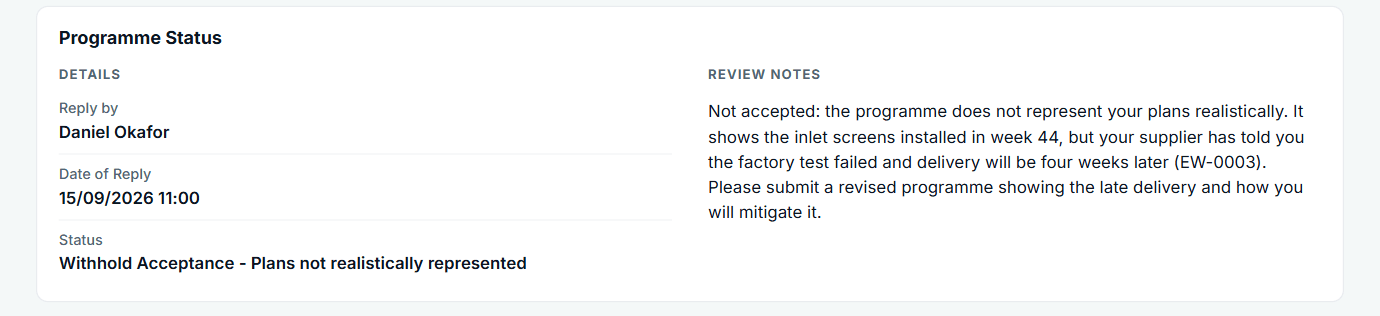
The reply ties back to the early warning EW-0003.
Submit the revised programme
Choose + Add on Programmes and upload it with the planned Completion. It is linked to the request it answers, so the history stays in one line.
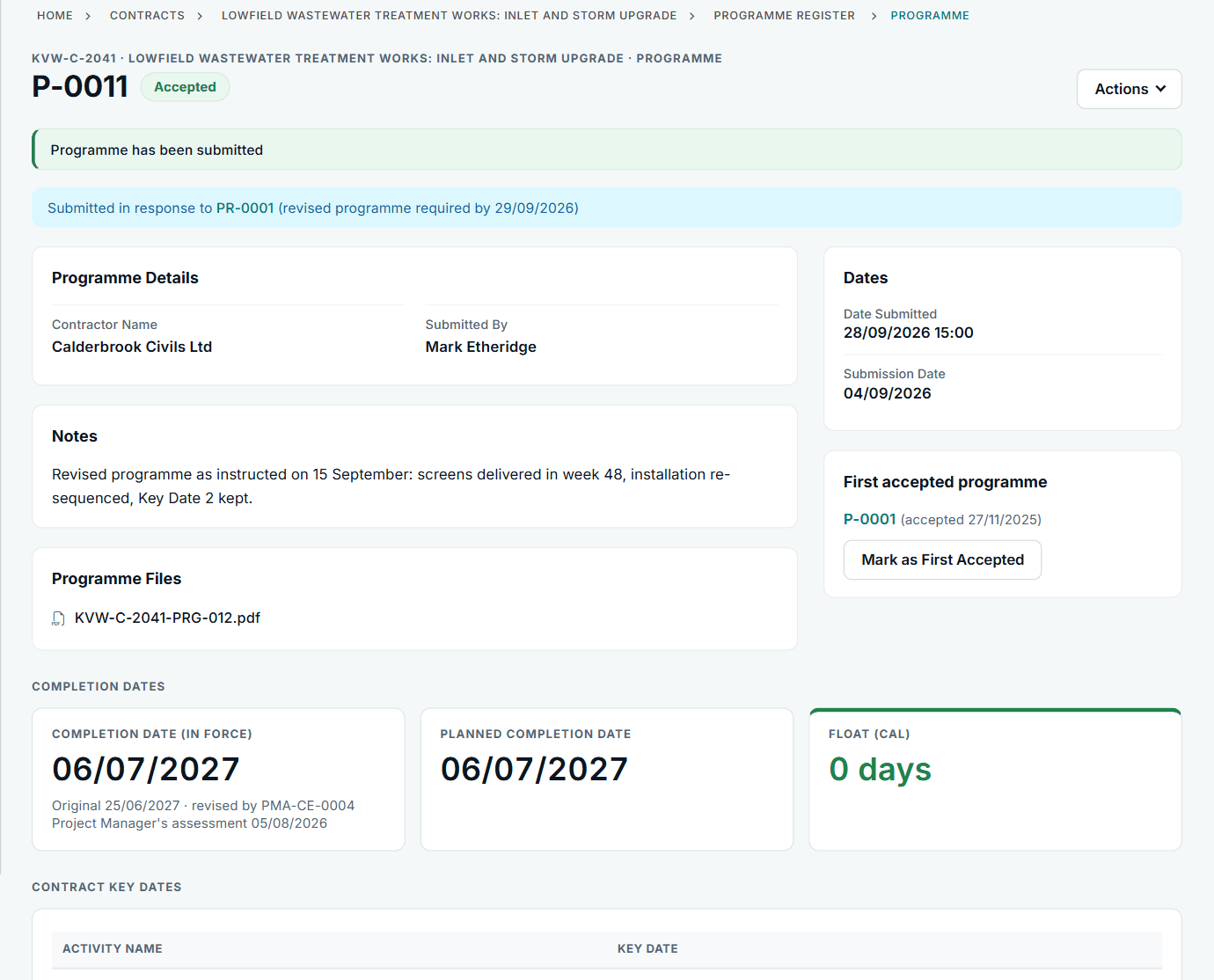
P-0011 answers revised programme request PR-0001.
All screens are from the upgraded app, using a fictional water company, Kestrel Valley Water, and its made-up contractors.
What happens next on the other side
The Client side sees the new programme under Programmes to Review, with its reply date. While this is going on, keep notifying events and quoting: the time bar keeps running. See how the review looks from the Client side.
See it on a contract you can click through
The guided tour lets you walk the same fictional account yourself. Or book a demo, and bring the situation you are dealing with.