
Never be the reason a quotation is treated as accepted
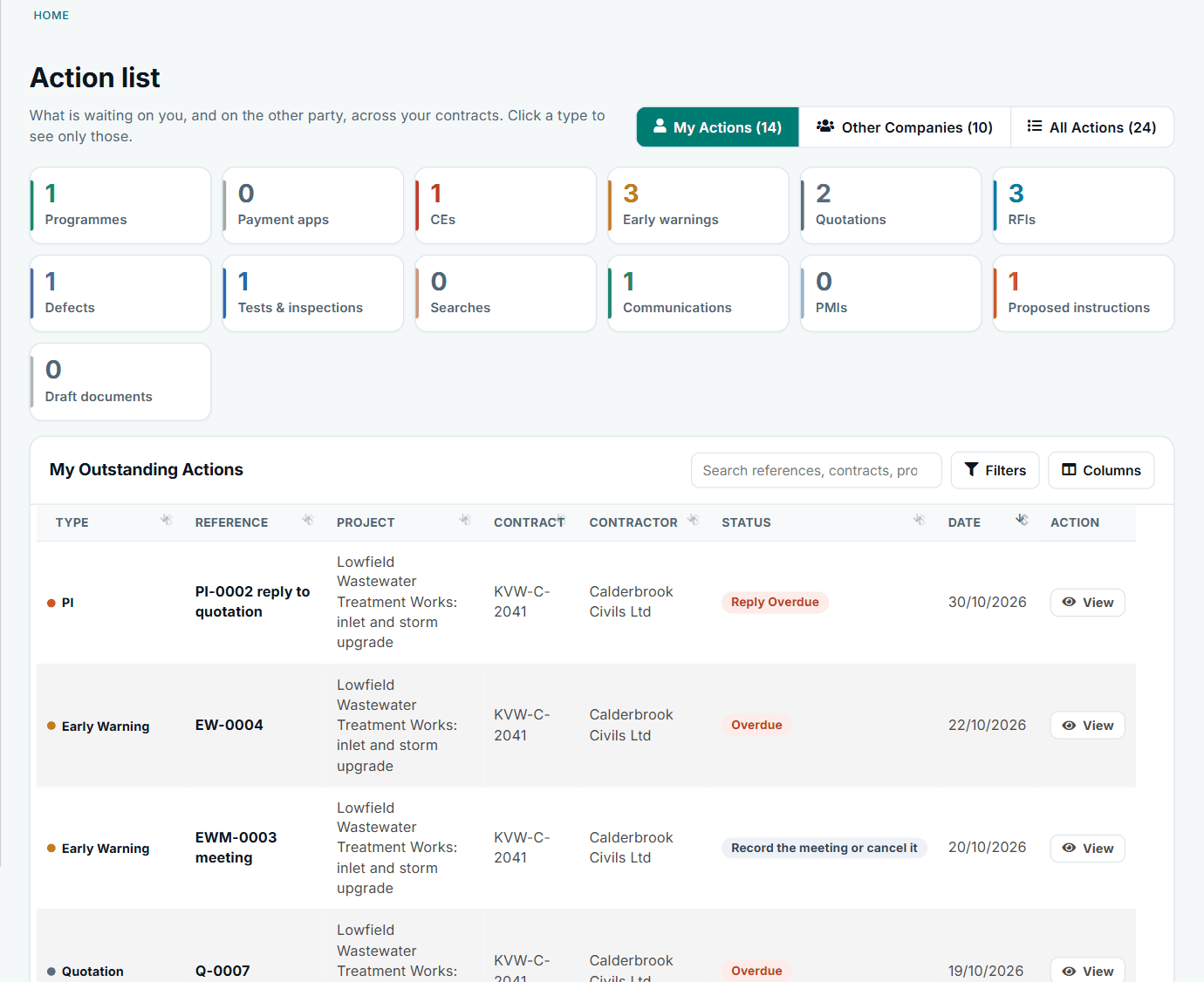
You answer for more dated replies than anyone on an NEC contract, usually on top of running the job. Contract Status puts each one on a list, with the date the contract gives it.
A day with NEC, without it and with it
The contract asks the same of you either way. What changes is how you find out.
| When | Without it | With Contract Status |
|---|---|---|
| First thing | Forty unread e-mails. Somewhere in them are two notifications and a programme. You flag what you spot and hope the rest can wait. | The Action List shows what is waiting on you, most urgent first, with each reply date worked out from that contract's periods. |
| Mid-morning | The Contractor rings to ask about a quotation you had not seen. It is twelve days old. | The quotation has been on your list since the day it was submitted, showing the two weeks counting down. |
| After the site walk | You agree a change to the Scope standing in a trench, and mean to write it up tonight. | You raise the instruction on your phone, submit it, and notify the compensation event that goes with it. |
| After lunch | The early warning meeting. Someone took notes. Actions are in a Word file nobody will open again. | Decisions and actions are recorded on the register, each with an owner and date, and sit on those people's lists. |
| End of the day | You write the monthly report from four spreadsheets that do not agree. | The status report for the contract downloads as a PDF, with the same figures as the contract page. |
The periods you answer for
These are the standard NEC4 ECC figures, and NEC3 is the same unless we say otherwise. Your own contract decides, so Contract Status lets each contract carry its own periods.
One week to reply to a notified event
Clause 61.4 gives you a week, unless the Contractor agrees longer. Reply on the record: request a quotation, or reject it with your reason. If you miss it and the Contractor gives notice, two more weeks is all that stands between you and a treated acceptance.
Two weeks on a quotation
Clause 62.3 again. Accept, instruct a revised quotation with your reasons, or say you will assess it. After a failure notice, clause 62.6 applies, and the record counts it down for both sides so nobody is surprised.
Your own assessment
Clause 64.3 allows you the time the Contractor would have had to quote. The record holds the assessment and the date, and 64.4 is counted down in the same way if it runs late.
Two weeks on a programme
Clause 31.3. Accept it, or withhold acceptance with one of the reasons the contract gives. Under NEC4 a notice of your failure starts a one-week clock, and a late reply is a compensation event under 60.1(6) in either edition.
The Early Warning Register
Under NEC4 15.2 the first register is due in one week and the first meeting within two weeks of the starting date; 15.4 wants the revised register a week after each meeting. The page reminds you.
Certificates and pay less
Clause 51.1 gives you a week from the assessment date. Assessment dates are loaded once and counted down, and with Option Y(UK)2 a pay less notice is a structured record with the sum and basis.
Replies that say what you meant
Most mistakes are not about the decision. They are the wrong clause, a reason the contract does not allow, or an instruction buried in an RFI answer. The screens are laid out around the steps the contract gives you.
- Only what you may do now. Each record shows one button for your next step and an Actions menu of what is open to you.
- The contract's own reasons. Withholding acceptance of a programme offers the listed reasons, so you can avoid a 60.1(9) event by accident.
- Your clause library. Replies and letters quote the clauses your company holds for that contract, including Z clauses.
- Draft with AI, where switched on. You choose the decision and it drafts a formal reply. It never sends anything: you read it, change it and submit it.
Someone else can pick it up
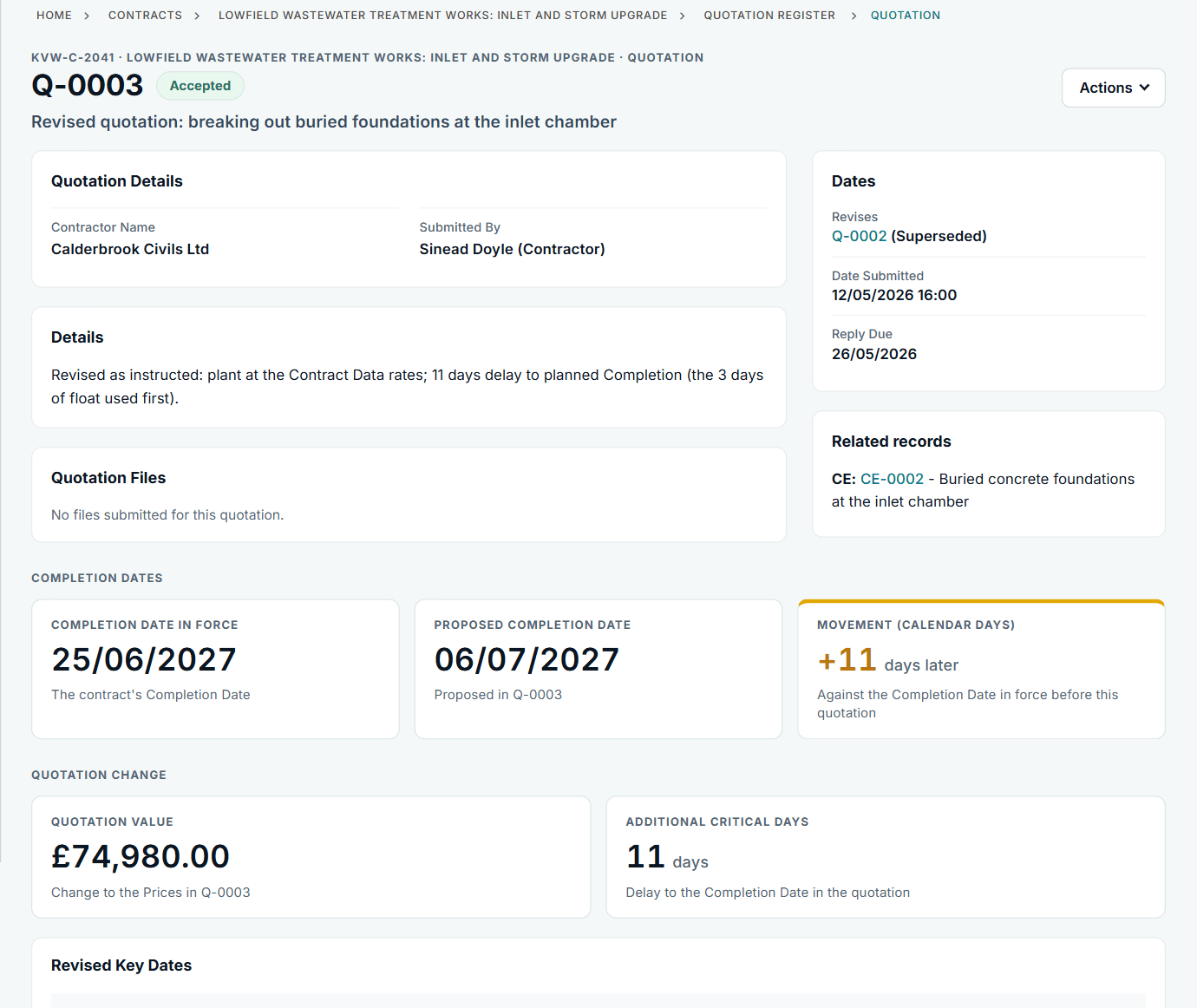
Project Managers move on, go on leave and hand over. Under email, the history leaves with them. Here, each record holds every step: who did what and when, what was attached, and anything changed after issue. Your stand-in sees the same Action List for the contract, and your Accepted Programme and Completion Date in force are on the contract page, not in your head.
The Completion Date and Key Dates only move when a compensation event is implemented (66.1 in NEC4, 65.1 in NEC3), so the date on the page is the one in force, with the event behind each change on its timeline.
See it, try it, read up
The Project Manager has rejected my compensation event
A contractor's notification is rejected. Contract Status keeps the decision, the reason and the dates on the record, ready for the next conversation.
See the exampleAn instruction came with no compensation event
The Project Manager gives an instruction and notifies no compensation event. How the contractor picks it up in Contract Status and notifies it.
See the exampleThe Contractor hasn't given a quotation
The quotation date has passed. Contract Status shows the Project Manager the next step: a Project Manager's assessment, recorded against the event.
See the exampleTry the role-play
A busy week as an NEC Project Manager. Make the calls and see what each one costs you.
Play the scenarioTake a download
Checklists you can use on your own contracts, including the Project Manager's routine replies.
See the downloadsRead up
What the Project Manager really does under NEC, in plain words.
Read the guideSee the Project Manager's view
We will walk through a compensation event and a programme reply from your side, on sample data, and answer your questions as we go.