
Know where your commercial exposure is before the month-end review
On an NEC contract, money is lost in the procedure: a notification not given, a reply not sent, a pay less notice a day late. You need to see those coming, on every contract, without asking everyone.
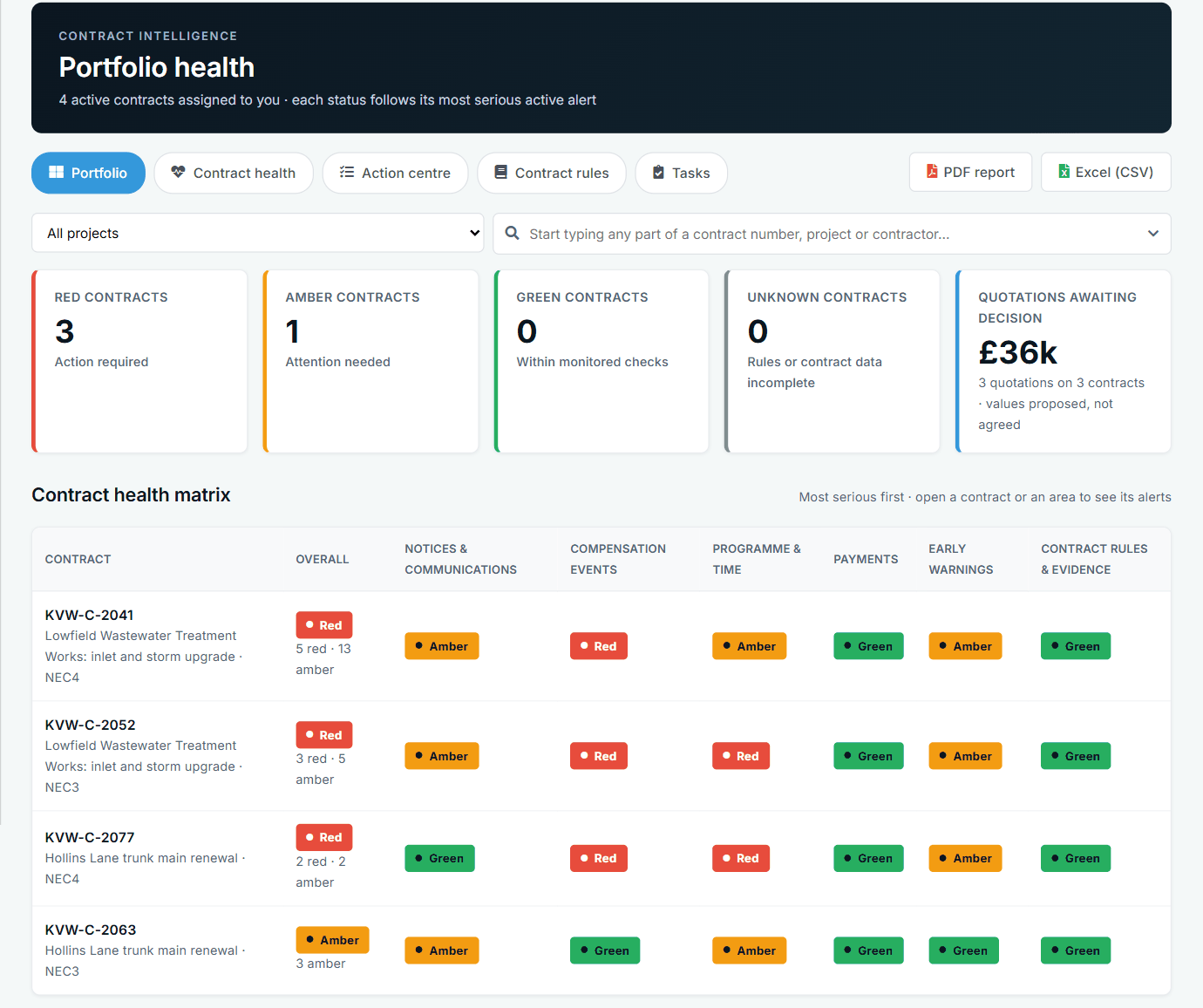
The questions you actually get asked
"How many compensation events are unimplemented on the Lowfield job, and what are they worth?"
"Did we reply to that quotation in time?"
"Have we missed anything on the time bar?"
These are simple questions, and they take half a day when the answers sit in a tracker, a mailbox and somebody's memory. If you can only answer them by asking each QS, you find out about problems late, when the fix is an argument rather than a notice. Finding out early is most of what commercial control means on an NEC contract.
A day with NEC, without it and with it
| When | Without it | With Contract Status |
|---|---|---|
| Monday | You ask each team for an update. Two reply. One sends last month's tracker. | You open Contract Intelligence. Each contract shows Red, Amber, Green or Unknown, with the overdue items, the clause and the next step. |
| Tuesday | A contractor says a quotation has been treated as accepted. You did not know the reply was late. | The failure notice was on the record the day it was given, with a countdown visible to both sides. |
| Wednesday | Assessment date. You check by e-mail whether every application came in. | A single page shows who applied on time, late or not at all, and whether the certificate followed within a week. |
| Thursday | A new QS starts and spends a week finding what is live. | Their Action List and the contract page show what is open and whose move it is. |
| Friday | You build a board paper by copying figures into a slide. | You download the status report for each contract, or send the data to Power BI or Excel. |
Where the money leaks, and what helps
Standard NEC4 ECC references. Your contract's periods can be recorded on the contract itself and are the ones used.
The eight-week time bar
Clause 61.3 gives the Contractor eight weeks from becoming aware, with its stated exceptions. Recording the awareness date means the app can warn about it. On the client side it is just as useful: the date is there when you reply.
Treated acceptance
After a failure notice, clauses 61.4, 62.6 and 64.4 give two more weeks. Both sides see the countdown and the last step is recorded, so you can step in while there is still time.
Late replies as events
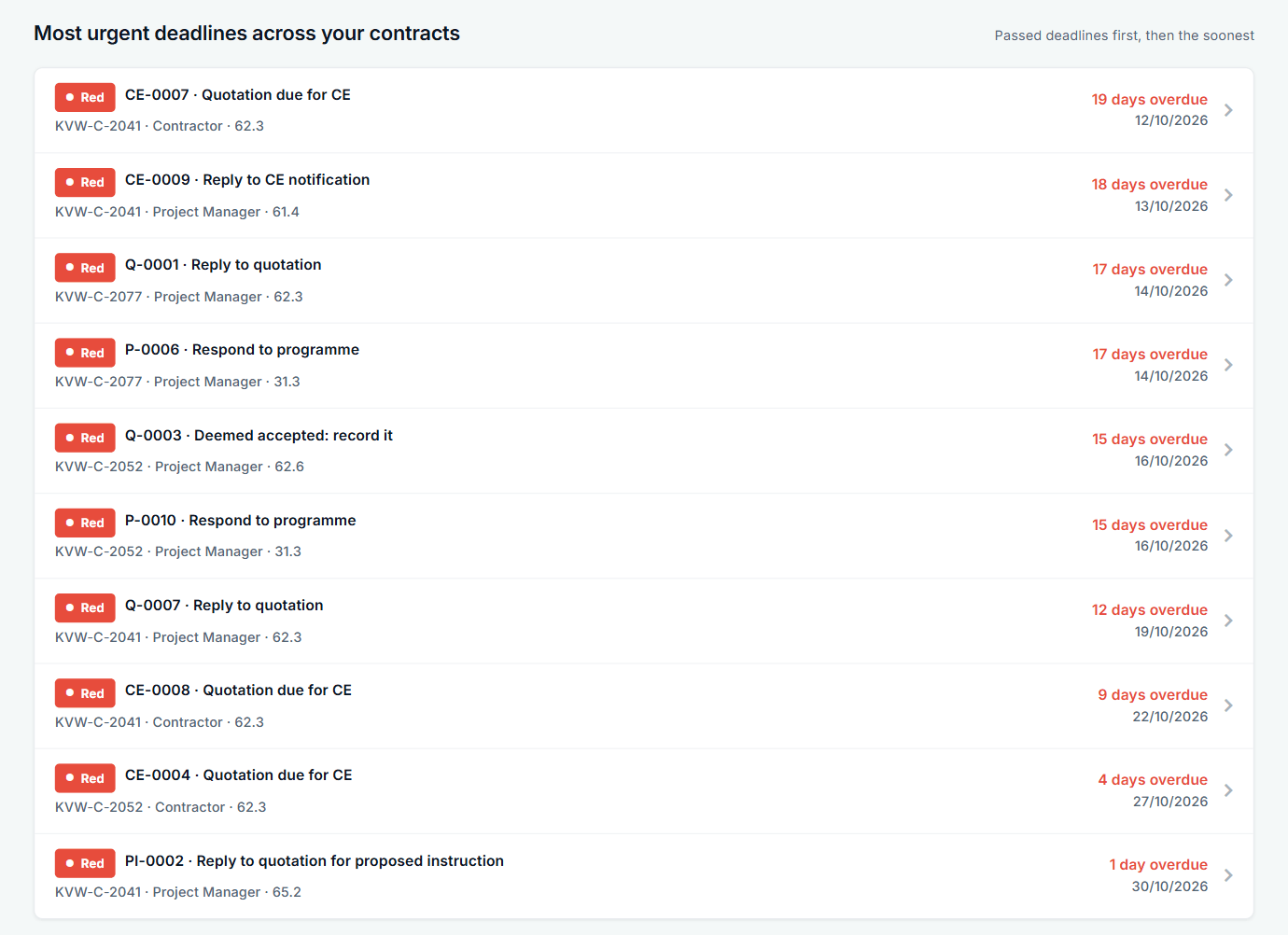
A late reply to the Contractor is itself a compensation event under 60.1(6). Overdue items are flagged on registers and in Contract Intelligence, with optional alerts to both sides.
Pay less notices
With Option Y(UK)2 the notice is due at least seven days before the final date for payment. Dates are in view, and a notice issued in error can be withdrawn with a reason and corrected.
Early warnings not given
Under 61.5 an event can be assessed as if the warning had been given. The register shows every warning with its risk score, decision and actions, so you can see what was warned and when.
Records you can rely on
Every record keeps who did what and when. Anything changed after issue stays visible. If a dispute comes, you can show the sequence rather than reconstruct it.
Control without being in every record
- Money approvals. A limit per role means large quotation decisions and Task Orders come to the right person before they leave the company.
- Payment figures only for those allowed. Application and certificate figures are hidden from anyone without that access, on screens, reports and e-mails.
- Tasks on alerts. Turn a Contract Intelligence alert into a task with an owner.
- Reply periods by contract. Where Z clauses change a period, the contract's own period is what the dates and alerts use.
- Your own wording. Edit a standard clause and it becomes your version; a contract's own clauses are kept with a reason in its history.
See it, try it, read up
The Project Manager has rejected my compensation event
A contractor's notification is rejected. Contract Status keeps the decision, the reason and the dates on the record, ready for the next conversation.
See the exampleAn instruction came with no compensation event
The Project Manager gives an instruction and notifies no compensation event. How the contractor picks it up in Contract Status and notifies it.
See the exampleThe payment certificate came in lower than we applied for
A contractor is certified less than applied for. Contract Status shows applied and certified side by side, the certificate details and the next assessment date.
See the exampleTry the role-play
A commercial scenario from the Contractor's side: what would you notify, and when?
Play the scenarioTake a download
Registers and trackers you can use now, while you decide about software.
See the downloadsRead up
The commercial manager's job on an NEC contract, and what to watch.
Read the guideSee your portfolio view
We will show Contract Intelligence and the status report on sample contracts, and how your own periods feed them.