
An NEC defects register is a working log of every Defect: when it was notified, when its correction period started, when it is due, and how it was closed. The contract doesn't require one by name, but without it you can't reliably run the correction process or produce an accurate Defects Certificate.
It supports the NEC quality and Defects process, where many end-of-job arguments come down to dates. A register that records those dates properly settles many of them before they start.
The fields worth keeping
| Field | Why it matters |
|---|---|
| Reference | A unique number used in every related letter |
| Location | Grid, level, chainage or room, so anyone can find it |
| Description | Factual and short |
| Scope or design reference | What it departs from. This is what makes it a Defect |
| Source | Inspection, test, search or a report from the occupier |
| Notified by, and date | Supervisor or Contractor, under NEC4 43.2 or NEC3 42.2 |
| Date Completion certified | Sets the start of the period for earlier notifications |
| Period start date | Completion, notification, or access to a taken-over part |
| Length of period | From the Contract Data, including any special periods |
| Correct by | Start date plus the period |
| Access: requested and given | Decides which uncorrected Defect rule applies |
| Action owner | Often a subcontractor |
| Closure route | Corrected, accepted by quotation, or uncorrected and assessed |
| Closure date and evidence | Inspection record, repeat test or photographs |
A sample entry
Fictional, with illustrative dates and a 4-week period.
| Field | Entry |
|---|---|
| Reference | DN-031 |
| Location | Block B, Level 2, plant room door D2-14 |
| Description | Fire door gap exceeds the tolerance in the specification |
| Notified | By Supervisor, 12 May |
| Completion | 30 June |
| Period starts | 30 June (notified before Completion) |
| Correct by | 28 July |
| Closed | 19 July, corrected, re-inspected by Supervisor |
Note that the due date is 28 July, not 9 June. A register that automatically adds the period to the notification date would show this item as overdue for weeks, when it wasn't. The guide to correcting Defects sets out the rule.
How to run it
- Keep one register. Separate Supervisor and Contractor lists diverge within weeks. Share a single version.
- Enter every notification straight away. That includes Defects the Contractor finds itself.
- Review it at a regular meeting. Focus on items due in the next two periods, and on items waiting for access.
- Recalculate at Completion. All open Defects notified earlier get their start date on that day. Check them as a batch.
- Close items only with evidence. A Contractor's statement that something's been fixed isn't enough on its own.
- Reconcile before the certificate. The Defects Certificate should be derived from this list.
Reports worth pulling
- Open Defects by subcontractor or work package.
- Items overdue, and items due in the next fortnight.
- Defects stuck for lack of access, with the date first requested.
- Defects by trade, as an early sign of a wider quality problem. A pattern may justify a search elsewhere, or a look at the quality plan.
What goes wrong
- Mixing snags and Defects. If you keep both in one list, add a column to say which is which. Only Defects run on the contract's clock.
- No link to the Scope. Without a reference to the requirement, a later reader can't tell if it was a Defect at all.
- A spreadsheet with no history. If someone overwrites a date, nobody can see what was there before. Keep the original notices, and lock or log changes. Contract Status records Defects and their dates against the contract, but a well-kept controlled sheet will do the same job on a smaller scheme.
- Stopping at the defects date. Items notified just before it stay open afterwards. Keep the register live until the certificate and the final assessment are done.
Related guides
- Quality and Defects Under NEC
- Quality Management Under NEC4
- Contractor's Design
- Equipment, Plant and Materials
- Defects Date Explained
- The Defects Certificate Explained
How this looks in Contract Status
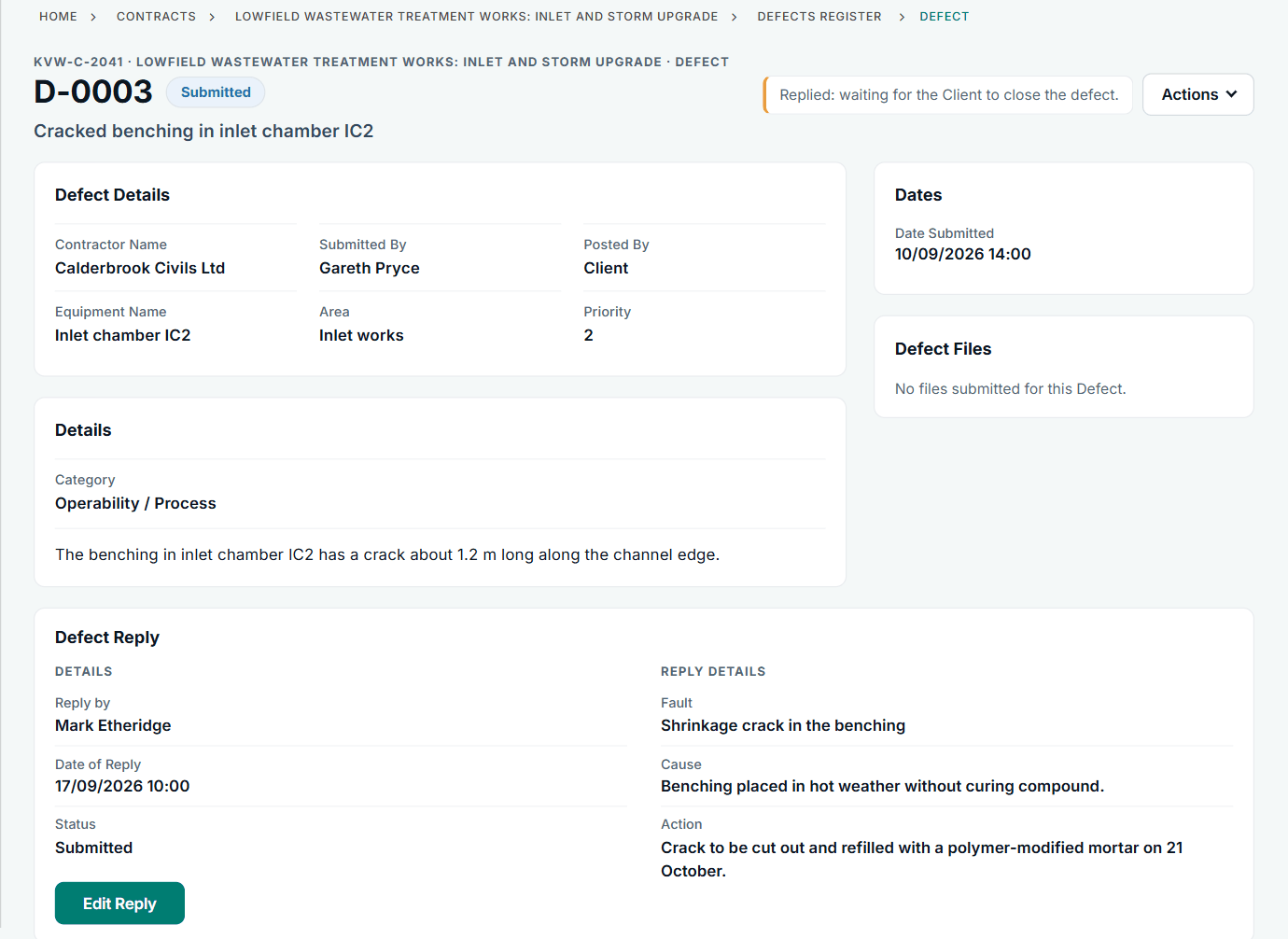
A Defect with the Contractor's reply: fault, cause and action. See the worked example.
See how this works in practice
Click through Contract Status with sample contracts: raise the notice, reply to it, and watch both sides of one record.
Take the guided tour Book a demo
Try the Supervisor role-play, use the free NEC tools or download free NEC templates.
This guide is general information in our own words, not legal advice. Your contract and its Contract Data always govern. NEC, NEC3 and NEC4 are trade marks of Thomas Telford Ltd; Contract Status is not affiliated with or endorsed by NEC.