
An NEC search for a Defect starts with a Supervisor's instruction, given with a reason, at any time up to the defects date. If the search finds a Defect the Contractor corrects it at its own risk, and if it finds nothing the search is normally a compensation event.
The instruction is at clause 43.1 in the NEC4 ECC and 42.1 in NEC3. The compensation event is 60.1(10) in both. For how it fits with the rest of the process, see quality and Defects under NEC.
What a search can involve
A search can go well beyond having a look. The clause allows the Supervisor to require:
- opening up work and putting it back, including taking apart and re-erecting;
- providing what is needed for tests and inspections the Supervisor carries out;
- carrying out tests and inspections that the Scope doesn't ask for.
So a Supervisor who doubts the quality of hidden reinforcement can instruct the Contractor to break out a section of slab, and can do so even though the Scope contains no such test.
The reason has to be given
The instruction comes with a reason. The contract doesn't set a threshold of proof, but the reason should be real and recorded: a failed sample nearby, a site diary entry, a supplier's recall notice. A good reason keeps the search targeted and helps when the cost is looked at later.
A Contractor who gets an instruction without a reason should ask for one straight away, while still complying. Don't refuse to search because of a dispute about the reason. The dispute route exists for that, and the NEC disputes guide explains the options.
Who pays
| Outcome | Result |
|---|---|
| A Defect is found | No compensation event. The Contractor corrects the Defect and carries the search cost in whatever way its main Option provides |
| No Defect is found | A compensation event under 60.1(10), assessed for its effect on the Prices and the Completion Date |
| No Defect is found, but the search was needed only because the Contractor gave too little notice of covering up work that a required test needed access to | No compensation event. The Contractor carries the cost |
See the 60.1(10) guide for how these events are notified and assessed. The third row is the important one for site teams. A missed hold point turns what should be the Client's cost into the Contractor's, whatever the search shows.
A worked example
A fictional water treatment job with illustrative figures. In week 30 a pressure test on one pipe run fails. The Supervisor suspects the same installer's joints in an adjoining run, which has already been backfilled, and instructs a search, giving that reason.
| If joints are sound | If joints are faulty | |
|---|---|---|
| Excavate, test and backfill | £22,000, assessed as a compensation event | £22,000, the Contractor's cost under Option A |
| Effect on the programme | Completion Date moves if planned Completion is delayed | No change to the Completion Date |
| Correction | None | Contractor corrects at its own cost |
If the Contractor had buried that adjoining run without giving proper notice of a required test, the left-hand column would change too: no event, even with sound joints.
Practical tips
- Agree the search method before anyone digs. Decide how much is opened up and what result means "no Defect". A clear plan prevents an argument over partial findings.
- Record the search as you go. Keep dated photographs, labour and plant records. Whichever way the result falls, someone will need the cost.
- Notify the event in time. If the Project Manager doesn't notify the event once the search has found nothing, the Contractor should do so itself, and the clause 61.3 time limit applies. Put a date in the diary on the day the result is known.
- Watch the cut-off. The power to instruct a search ends at the defects date. After that, a Client with concerns has to rely on its general rights over Defects not yet found.
- If one is found, notify it. A search result is a Defect like any other, and its correction period starts in the normal way. Log it in the Defects register.
Related guides
- Quality and Defects Under NEC
- Notifying Defects
- Correcting Defects
- Uncorrected Defects
- Tests and Inspections
How this looks in Contract Status
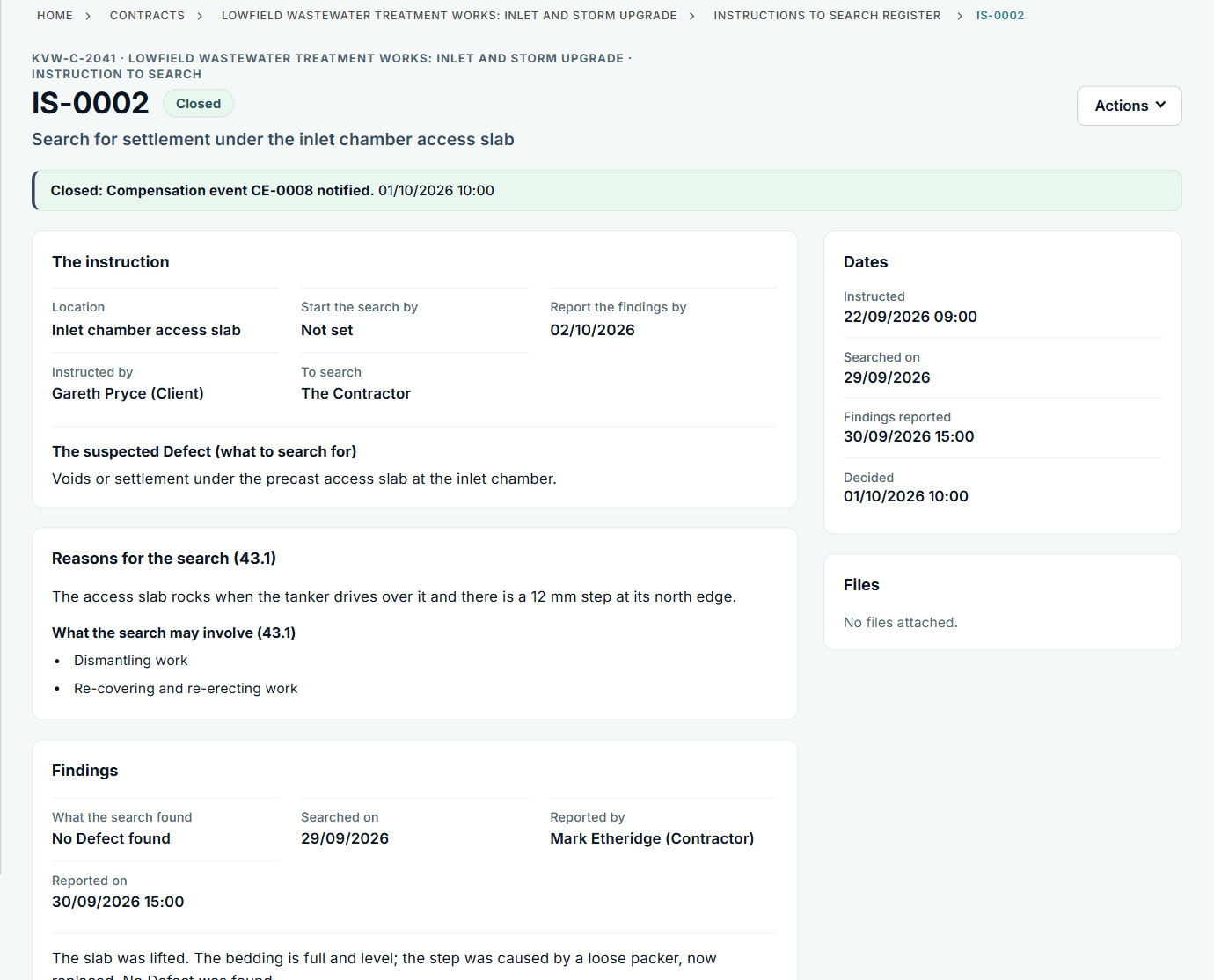
An instruction to search with its reasons and findings. See the worked example.
See how this works in practice
Click through Contract Status with sample contracts: raise the notice, reply to it, and watch both sides of one record.
Take the guided tour Book a demo
Try the Supervisor role-play, use the free NEC tools or download free NEC templates.
This guide is general information in our own words, not legal advice. Your contract and its Contract Data always govern. NEC, NEC3 and NEC4 are trade marks of Thomas Telford Ltd; Contract Status is not affiliated with or endorsed by NEC.