
This NEC programme checklist helps Project Managers and planners review a submission within the two-week reply period in clause 31.3. It runs in stages, and each finding is tied to one of the four contractual reasons, so the reply you end up with holds together.
It is written for NEC4 ECC and works equally for NEC3 ECC, with the differences noted. It is a practical tool, not contract wording, so add your own Scope's requirements. It belongs with the NEC programme guide.
Day 1: logging and first look
- Record the revision, the date received and the reply date.
- Confirm it is submitted for acceptance, not for information only.
- Check the form against the Scope (NEC4) or Works Information. Do you have the native file if it is required?
- Name a deputy, in case you are away when the reply falls due.
- Open the previous Accepted Programme alongside it for comparison.
Days 2 to 5: contents
This is the check for the "required information is missing" reason. Use the item-by-item list in what an NEC programme must show. In a hurry, test the items that matter most:
- Are the Completion Date, Key Dates, access dates and starting date the current contractual ones, reflecting all implemented compensation events?
- Is planned Completion separately visible?
- Are float and time risk allowances identifiable?
- Are dates shown for access needed later than the access date, acceptances, Client-supplied items and information from Others?
- Does each operation have a method and resource statement?
- On a revision: are actual progress, the plan for delays, and the plan for notified Defects shown, with proposed changes identified (32.1)?
- On Option A: is the activity link to the Activity Schedule included (31.4)?
Days 5 to 8: technical quality
| Test | What to look for | Possible reason |
|---|---|---|
| Logic | Open ends, unexplained leads and lags, activities driven only by constraints | Plans not practicable, or not realistic |
| Critical path | Does it make sense from the data date to planned Completion? | Not realistic |
| Durations | Compare with quantities and resources, and against what progress to date has achieved | Not realistic |
| Resources | Are stated gangs and Equipment enough? Are two trades in one space at once? | Not practicable |
| Scope constraints | Working hours, possessions, phasing, others' work | Doesn't comply with the Scope |
| Float | Sudden changes from the last revision; negative float | Not realistic, or a question to ask |
Software can spot many of these automatically, but read the results critically. A flagged lag isn't necessarily wrong. A clean logic report doesn't make a plan realistic.
Days 8 to 10: consequences for your side
This stage is often skipped, and it matters most after acceptance.
- Client-supplied items and access: can the Client meet each date shown? Accepting commits you to measuring lateness against them under 60.1(2) and 60.1(3).
- Others: have the Client's other contractors and utilities seen these dates? Check them for 60.1(5) exposure.
- Your own reviews: do the planned acceptances leave you a realistic reply period?
- Compensation events: are notified or implemented events shown, and how? Don't let acceptance look as though it decides an open event. State this in your reply if necessary.
- Early warnings: does anything in the programme call for a new early warning? See the early warnings guide.
- Payment: if this is a first programme with the required information, it ends the quarter retained under NEC4 50.5 (NEC3 50.3). Tell whoever prepares the assessments.
Day 10 or sooner: the reply
- Sort each finding into one of the four reasons in 31.3. If it doesn't fit, raise it as an observation, not a reason.
- Decide: accept or not. Avoid half-answers.
- If not accepting, be specific, so the Contractor knows what will get it accepted next time.
- Send the reply using the contract's communications method, and log it.
- If accepting, record this revision as the Accepted Programme, and its date.
Sample wording for replies is in the programme acceptance guide.
A note for planners
Run the first two stages on your own programme before it leaves the office. A short internal review will catch most of what a reviewer will find. It's quicker than a rejected programme and a new two-week cycle, during which later compensation events may fall to the Project Manager to assess. The guide for planners covers the rest of your role.
Related guides
- The NEC Programme: A Complete Guide
- An NEC Guide for Planners
- Acceleration Under NEC
- Using the Programme to Assess Compensation Events
How this looks in Contract Status
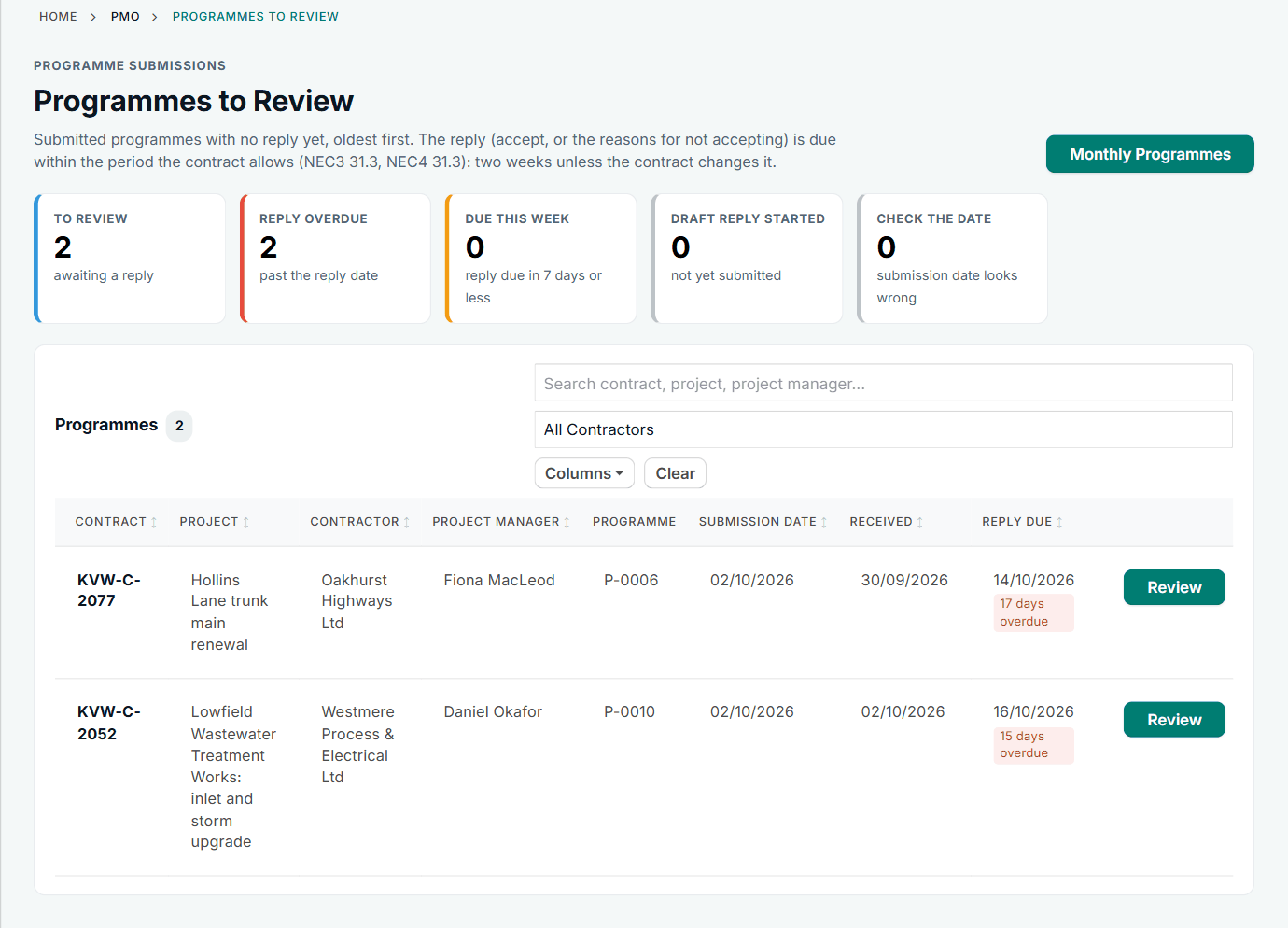
Programmes to Review, with the reply date for each. See the worked example.
See how this works in practice
Click through Contract Status with sample contracts: raise the notice, reply to it, and watch both sides of one record.
Take the guided tour Book a demo
Try the planner role-play, use the free NEC tools or download free NEC templates.
This guide is general information in our own words, not legal advice. Your contract and its Contract Data always govern. NEC, NEC3 and NEC4 are trade marks of Thomas Telford Ltd; Contract Status is not affiliated with or endorsed by NEC.