
The NEC4 Early Warning Register is the shared list of matters that could affect cost, time or performance on a contract, along with how each will be avoided or reduced. The Project Manager keeps and issues it. It is a formal contract document with fixed timescales, not an optional project management extra.
Under NEC3 the same document is called the Risk Register. It works in a similar way, without the fixed times. For the exact meaning of the term, see the Early Warning Register definition.
What goes in it
The register has two sources: the matters listed for inclusion in the Contract Data and the matters notified by either side as early warnings. For each one, the definition expects a description of the matter and of how its effects are to be avoided or reduced.
So the contract's requirements are short. Everything else in a typical register, such as owners, dates and status, is good practice. The columns we suggest are set out in the early warning register template.
When it is issued (NEC4 ECC)
| Step | Who | When | Clause |
|---|---|---|---|
| Prepare and issue the first register | Project Manager | Within one week of the starting date | 15.2 |
| Add each newly notified matter | Project Manager | No fixed time; do it promptly | 15.1 |
| Revise it to show meeting decisions, and issue it to the Contractor | Project Manager | Within one week of each meeting | 15.4 |
| Instruct any change to the Scope a decision needs | Project Manager | At the same time as the revised register | 15.4 |
A note for Contractors: the register is issued to you, but you can't change it yourself. If an entry is wrong, raise it with the Project Manager or at the next meeting, and keep your comment on record.
How the register differs from a corporate risk register
Many organisations keep an internal risk register with scoring, contingency sums and commercial notes. The contract register should not be confused with it.
| Early Warning Register | Internal risk register | |
|---|---|---|
| Audience | Shared by both sides | Your own organisation |
| Purpose | Agree how to deal with specific notified matters | Manage your own exposure |
| Contains pricing or margin? | Not your private figures | Often yes |
| Status | A contract document | A management tool |
Keep the two apart, but compare them regularly. A risk that is on your internal register and could have one of the listed effects may well be something you should already have warned about. That gap is exactly what 61.5 is aimed at.
Reviewing the register so it stays useful
A register tends to go wrong in the same way on most projects: entries grow, actions go stale and nobody reads it. A short routine prevents that.
- Before each meeting, the Project Manager checks each open action against its date and asks owners for an update.
- At the meeting, go through open matters by urgency, not by number, so time is spent where decisions are needed.
- Challenge each entry: Is it still live? Is the action still the right one? Has it become a compensation event, so it needs a separate route?
- Remove what has passed, as a meeting decision, and keep a closed list. Deleting history makes it harder to show what was known and when.
- Reissue within a week, showing what changed, so people don't have to compare versions by eye.
Signs your register isn't working
- Items stay open for months without any change to the action.
- Every entry comes from one side.
- Actions read "monitor" or "ongoing" with no owner or date.
- Decisions that need a Scope change were recorded, but no instruction followed.
- The programme and the register tell different stories about the same risk.
A spreadsheet can work on a small contract, provided someone owns it and version control is tight; our guide to spreadsheet tracking covers the limits. Contract Status keeps early warnings, meetings and revised registers together on one record. Whichever you use, the discipline above matters more than the tool, and the same approach is explained for all your contract records in NEC registers.
For the process around the register, return to the early warnings guide.
Related guides
- NEC Early Warnings: The Complete Guide
- Early Warning Register Template
- Running an Early Warning Meeting
- What Should Be Early Warned?
- How to Write an Early Warning Notice
- Early Warning Notice Template
How this looks in Contract Status
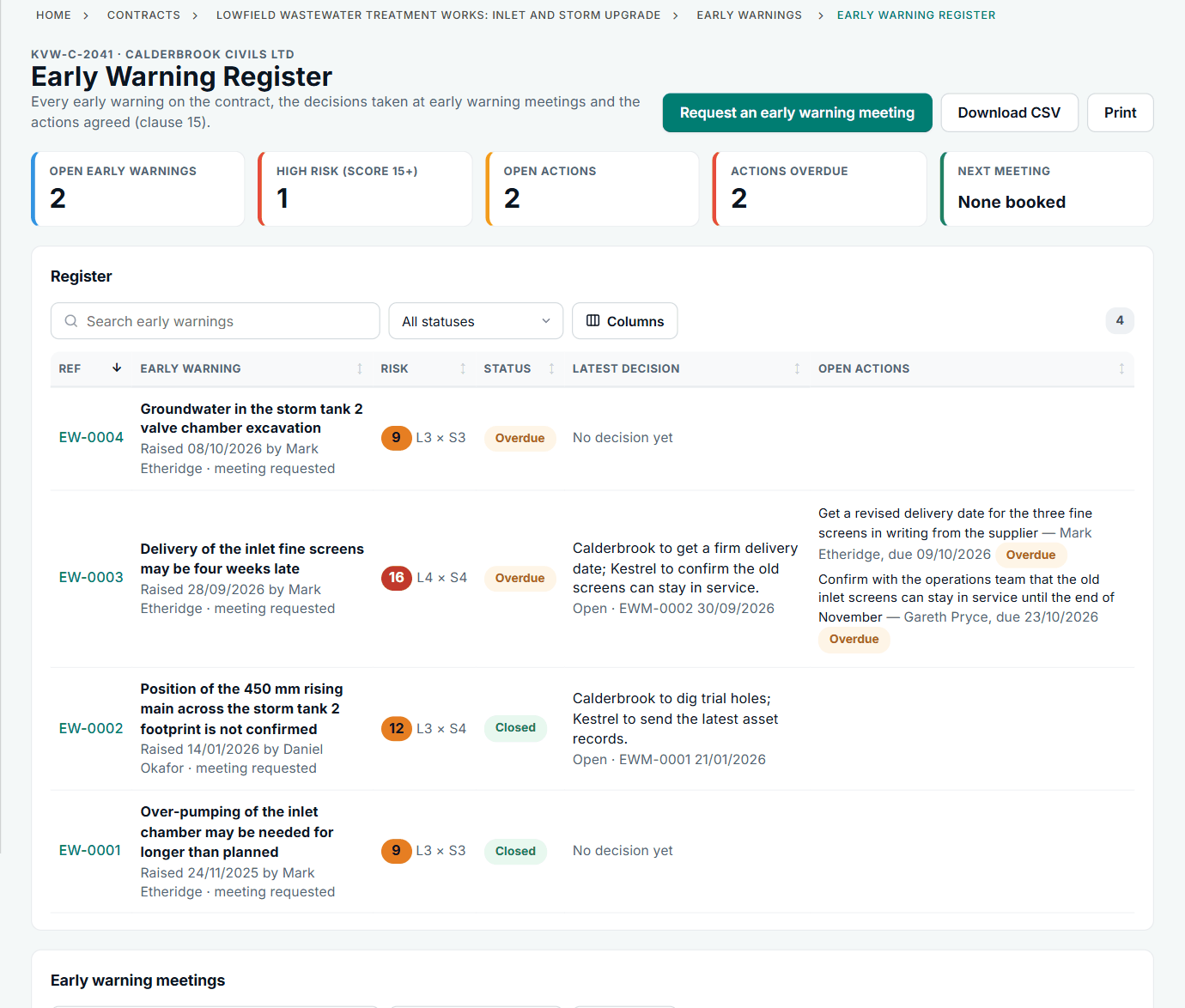
The Early Warning Register page, with risk scores, decisions and open actions. See the worked example.
See how this works in practice
Click through Contract Status with sample contracts: raise the notice, reply to it, and watch both sides of one record.
Take the guided tour Book a demo
Try the Project Manager role-play, use the free NEC tools or download free NEC templates.
This guide is general information in our own words, not legal advice. Your contract and its Contract Data always govern. NEC, NEC3 and NEC4 are trade marks of Thomas Telford Ltd; Contract Status is not affiliated with or endorsed by NEC.