
Subcontract management software for NEC work has to put the Contractor in the Project Manager's seat and hold the subcontract's own periods, which often differ from the main contract's. A system set up for main contracts only, with ECC periods as fixed rules, will give wrong dates on your subcontracts.
This page is for main contractors running NEC subcontracts, and for anyone comparing tools for that purpose. It is part of the NEC contract management software guide. For the practice itself, see managing NEC subcontracts.
The periods differ, and that is the main test
The NEC4 Engineering and Construction Subcontract (ECS) uses the same clause numbers as the ECC for these processes, but its standard periods aren't the same:
| Step | Clause | NEC4 ECC | NEC4 ECS |
|---|---|---|---|
| Reply to a programme | 31.3 | 2 weeks | 3 weeks |
| Reply to a notified compensation event | 61.4 | 1 week | 2 weeks |
| Submit a quotation | 62.3 | 3 weeks | 2 weeks |
| Reply to a quotation | 62.3 | 2 weeks | 4 weeks |
The likely logic shows in the table. The Contractor needs a Subcontractor's quotation before it can price its own, and it may need the Project Manager's view before it can answer. Your own subcontract may have changed these and the Subcontract Data can set others, so look up the ones you signed. Check other forms, such as the ECSS, separately; see the ECS guide.
A worked example: fitting the two together
A fictional main contract with a groundworks subcontract on the NEC4 ECS, with standard periods and illustrative dates. On 1 April the Project Manager instructs a quotation from the Contractor for a change that affects the groundworks.
- 1 April. The Contractor's three weeks start under the ECC. Its quotation is due on 22 April.
- 2 April. The Contractor instructs its Subcontractor to quote under the ECS. That quotation is due on 16 April.
- 16 April. That leaves the Contractor six days to review the subcontract figure and build its own.
- If the Subcontractor is late, the main contract date doesn't move by itself. A longer period needs agreeing with the Project Manager before the time runs out.
A system holding the two contracts separately shows each date correctly, but a commercial manager still has to see them together. Ask how it would show the relationship between linked records. The back-to-back subcontracts guide explains why timing like this needs thought at the drafting stage.
What to look for
- The right roles. The Contractor replaces the Project Manager and Supervisor in the subcontract, and takes the Client's role towards the Subcontractor, so screens and letters should say so.
- Subcontractor access. The Subcontractor should be able to notify, quote and apply on the record. If everything comes through your own team's data entry, the dates and the record both suffer.
- Periods per subcontract. Different packages may have different terms, so an account-wide setting isn't enough on its own.
- A cross-package view. You will want to see what is overdue across your subcontractors without opening each package.
- Payment dates that fit. The subcontract cycle needs to work with the main contract cycle. See payment for NEC subcontractors.
What Contract Status does
Contract Status has subcontract accounts for a contractor managing its subcontractors. In that account you are the Contractor, the other side is the Subcontractor, and you issue Contractor Instructions, playing the Project Manager's part in each process.
- Periods. Record the periods from the Subcontract Data on each contract, or set them as your defaults.
- Registers. The registers are the same as on a main contract, with the same record path: draft, submit, reply and history.
- Unconfirmed periods. Contract health shows Unknown, not Green, where periods on a subcontract haven't been confirmed. This means you aren't told all is well on a rule it couldn't check.
- Your clause library. Clause references come from your own library, so amended subcontract terms can show correctly.
Subcontract periods are a good test of any system, including this one. Book a call, bring one of your subcontracts with its Subcontract Data, and ask to see the dates set up from it.
Related guides
- NEC Contract Management Software
- NEC Software vs Spreadsheets
- How to Choose NEC Contract Software
- Looking for a CEMAR Alternative?
- Contract Administration Software for Construction
- Construction Contract Management Software
How this looks in Contract Status
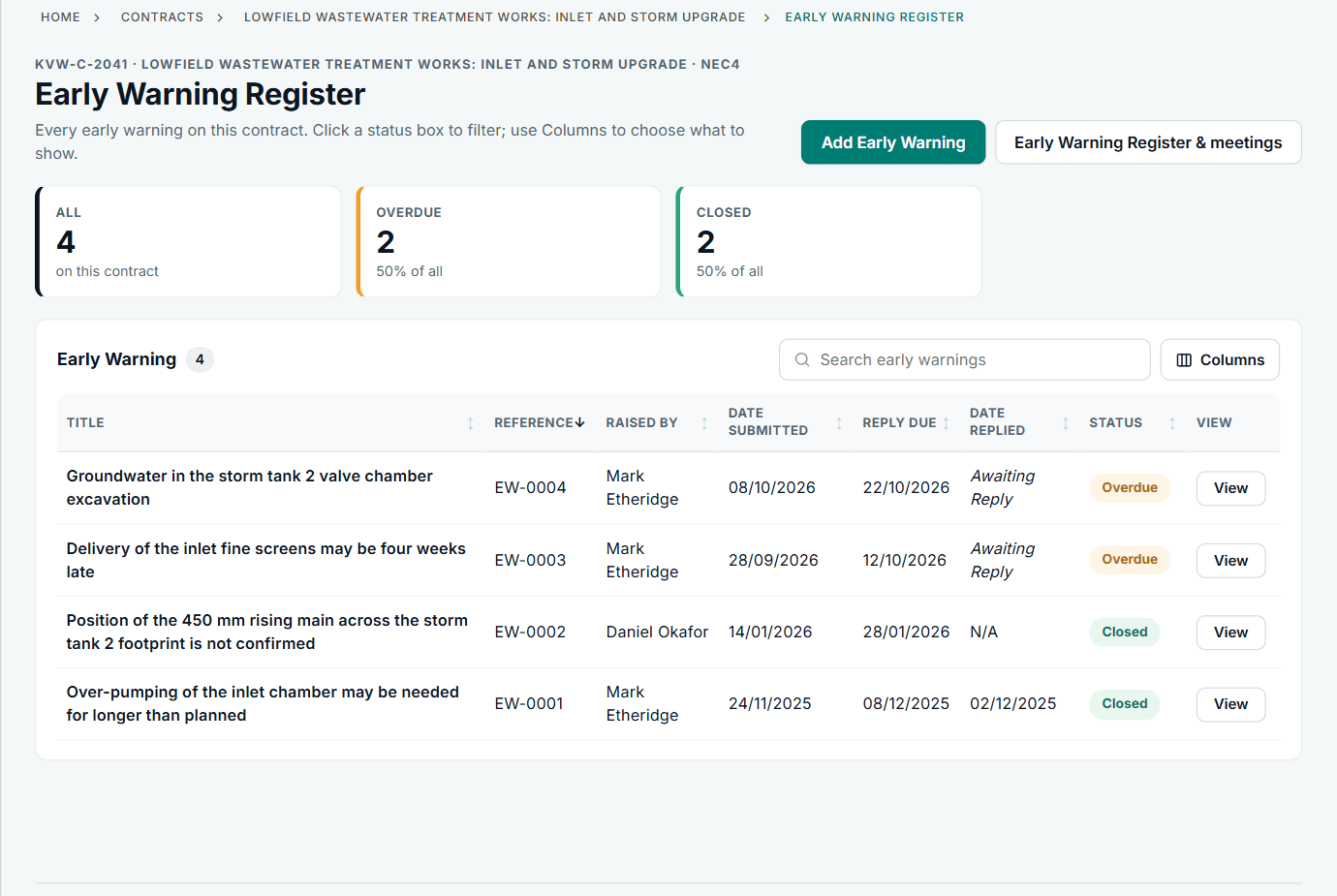
An early warning register. A subcontract account uses its own words for the two sides. See the worked example.
See how this works in practice
Click through Contract Status with sample contracts: raise the notice, reply to it, and watch both sides of one record.
Take the guided tour Book a demo
Test your NEC knowledge, use the free NEC tools or download free NEC templates.
This guide is general information in our own words, not legal advice. Your contract and its Contract Data always govern. NEC, NEC3 and NEC4 are trade marks of Thomas Telford Ltd; Contract Status is not affiliated with or endorsed by NEC.