
Clients use NEC software to see what the contract is likely to cost while there is still time to act. Because NEC prices each change as it arises, NEC software for clients can show committed and possible spend during the job, instead of leaving the true figure to emerge at the final account.
That visibility is a real benefit, but it has a side effect: seeing everything tempts people to run the contract from outside the contract. This page covers both, under the NEC4 ECC. It is part of the NEC contract management software guide, and NEC for clients covers the wider role.
Three numbers to ask for every month
Here is a fictional Client's Option A contract with an illustrative approved budget of £2,800,000. The numbers are made up to show the method.
| Number | What goes in it | Illustrative | Budget left |
|---|---|---|---|
| Committed | Prices at the Contract Date of £2,600,000 plus implemented compensation events of £74,000 | £2,674,000 | £126,000 |
| Probable | Committed plus quotations awaiting a reply of £61,000 | £2,735,000 | £65,000 |
| Unpriced | Events notified and not quoted, and open early warnings. Ask for a count, and a Project Manager's range if there is one | 3 events, 5 warnings | Unknown |
The discipline lies in the third row. A Client report often gives one figure. Here you can see that £65,000 of headroom has to cover three events no one has priced, and you can ask about those now. On Options C and D, add the current target, the forecast of total Defined Cost and the likely share, and treat those forecasts as a starting point for questions.
The same approach, from the delivery team's perspective, is in seeing your commercial position at a glance.
How your money can be committed by silence
Under NEC, a Client's budget can move without a Client's decision. If the Project Manager doesn't reply to a quotation within the period, and doesn't reply after the Contractor's failure notice, the quotation is treated as accepted (62.6) and the event is implemented on it. An implemented assessment then generally stays as it is (66.3). The Completion Date moves with it.
That matters for governance. Your internal approval process may take longer than the two weeks in 62.3. If a Project Manager has to seek your approval before accepting, and your approval takes a month, the delay is yours but the contract effect is real. So:
- Agree a limit on what the Project Manager can accept without referring back, and make the route for larger sums fast enough to fit the period.
- Make clear that a reply can be given, or an extension agreed, while the approval is under way. See avoiding treated acceptance.
- Ask to be told about any failure notice, the day it arrives.
- Check how a system would handle your approval route, and test whether it fits the contract periods.
What good governance looks like on the record
| A question an auditor or board might ask | What should answer it |
|---|---|
| Why did the price go up? | Each implemented compensation event, with its reason and its assessment |
| Who agreed that? | The reply on the record, with name and date |
| Why did Completion move? | The event that changed it, and the Accepted Programme it was measured against |
| Did we know about this risk? | The Early Warning Register, and the decisions made |
| Did we pay what was due, and on time? | Assessment dates, certificates, any pay less notice |
Public-sector and regulated Clients in particular may have rules on retaining records and evidencing decisions. Take those rules to any conversation with a supplier, because they can decide the matter on their own.
A main-contract account in Contract Status, for instance, is set up for the Client or someone acting for it. Its Completion Date timeline shows each change with the event behind it. Contract health is available to administrators, commercial managers and the PMO, showing obligations as Red, Amber, Green or Unknown.
The trap: seeing is not instructing
When a Client can see a quotation on screen, it is tempting to tell the Contractor directly what you think of it. Under the contract, the Project Manager gives the instructions and replies. If a Client instructs a Contractor directly, it may create a compensation event, or an instruction of doubtful status, along with a confused record. See when a Client instructs directly. Use the view to ask your Project Manager questions.
A second trap is using overdue flags as a stick. If every late reply becomes a performance issue for your Project Manager, people may respond faster and worse. A rejected quotation that later has to be reversed costs more than a week's extension agreed in good time.
What it won't give you
- Cost certainty. The tool shows change. It doesn't stop it. Ground risk, your own late decisions and unclear Scope produce compensation events whatever you use.
- An independent check. Figures on the system come from people. For a cost-based Option, you still need the review described in auditing Defined Cost.
- A view of the event nobody has entered. A quiet register can be a good sign, or a sign that both sides have stopped recording.
Related guides
- NEC Contract Management Software
- Why Quantity Surveyors Use NEC Contract Software
- Why Subcontractors Use NEC Contract Software
- Managing Many NEC Contracts Without Losing Track
- Why NEC Project Managers Use Contract Software
- Why Contractors Use NEC Contract Software
How this looks in Contract Status
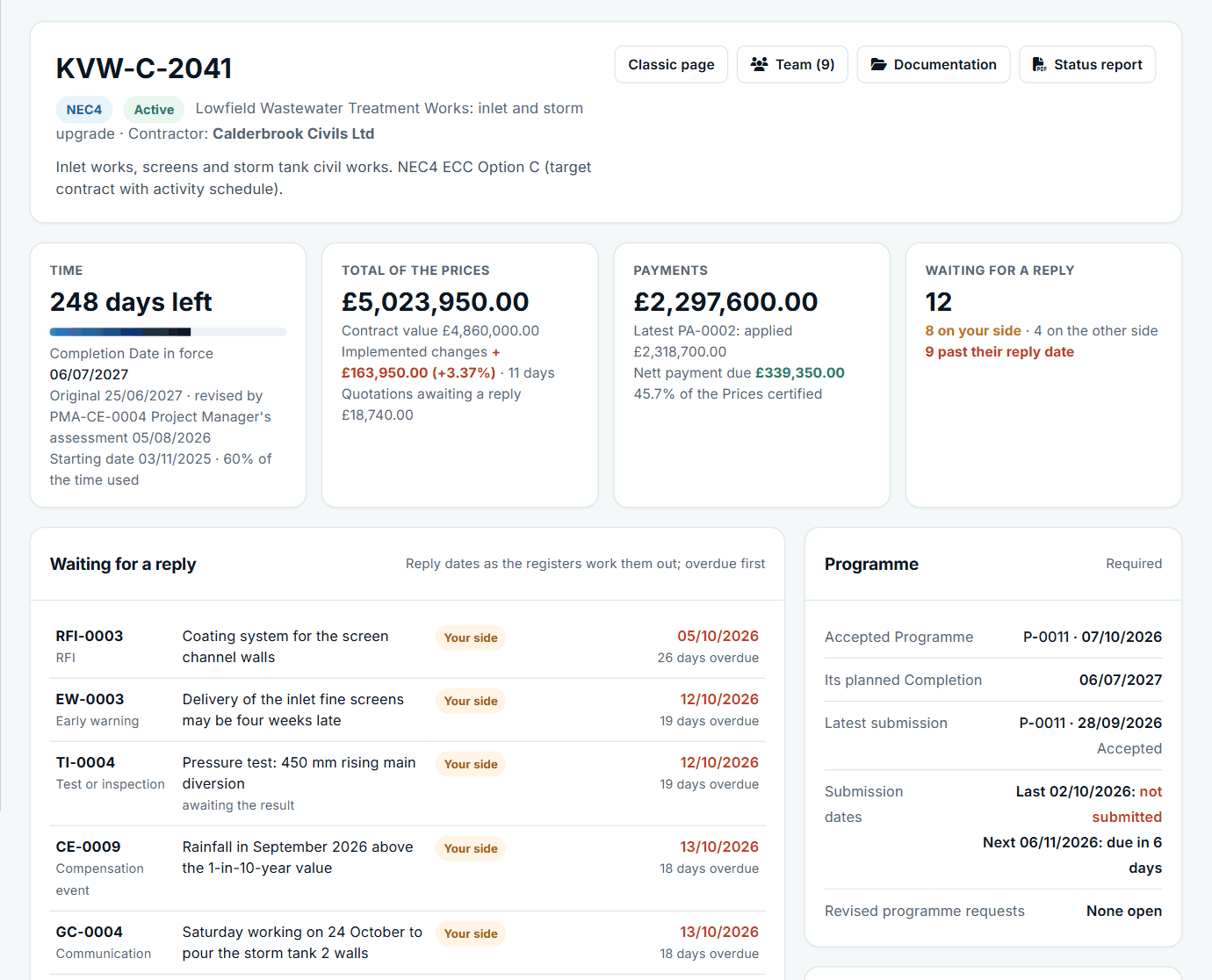
A contract at a glance: time, the total of the Prices, payments and replies waiting. See the worked example.
See how this works in practice
Click through Contract Status with sample contracts: raise the notice, reply to it, and watch both sides of one record.
Take the guided tour Book a demo
Test your NEC knowledge, use the free NEC tools or download free NEC templates.
This guide is general information in our own words, not legal advice. Your contract and its Contract Data always govern. NEC, NEC3 and NEC4 are trade marks of Thomas Telford Ltd; Contract Status is not affiliated with or endorsed by NEC.