
Subcontractors care about NEC software because they sit at the bottom of a chain of periods they don't control. Under the NEC4 ECS, your time to notify is shorter than the main contract's, and your replies can take longer to come back. NEC software for subcontractors helps by holding the subcontract's own dates, and not assuming the main contract's.
The honest starting point is that you may not choose the system. Many subcontractors work in whatever their main contractor uses. This page covers what to watch for either way. It is part of the NEC contract management software guide. For the practice, see an NEC guide for subcontractors.
How the chain works, seen from below
The standard NEC4 ECS periods are set so that the Contractor has room to deal with the main contract. The side effect is that you have less time and a longer wait. These are the standard forms, so check your own Subcontract Data and any amendments.
| Step | You, under the ECS | The Contractor, under the ECC | What that means for you |
|---|---|---|---|
| Notify a compensation event (61.3) | 7 weeks | 8 weeks | You have a week less, and using someone's memory of "eight weeks" could bar you |
| Reply to the notification (61.4) | Contractor has 2 weeks | Project Manager has 1 week | Expect a longer wait, while the Contractor checks upstream |
| Quote (62.3) | 2 weeks | 3 weeks | Less time to price, so have your records ready |
| Reply to the quotation (62.3) | Contractor has 4 weeks | Project Manager has 2 weeks | Longer before you know, and before the money moves |
Other forms, such as the NEC3 subcontract or the short subcontract, can set different periods, and amended subcontracts often do. A heavily amended one may change who bears what, too. The subject is covered in back-to-back NEC subcontracts.
A worked example of the wait
A fictional NEC4 ECS groundworks package with illustrative dates and standard periods. Your supervisor finds a buried service on 4 June, and the event doesn't arise from any instruction.
- 4 June. You become aware. Your seven weeks end on 23 July.
- 11 June. You notify. The Contractor has until 25 June to reply.
- 25 June. The Contractor instructs a quotation. You have until 9 July.
- 9 July. You submit. The Contractor has up to four weeks, to 6 August.
- 6 August. The quotation is accepted. The event is implemented, and the change reaches your next assessment.
So on a clean run, with nobody late, it takes around two months from the find to an agreed change, and you have carried the cost of the work done in the meantime. A record of where each event stands, and whose turn it is, is what lets you chase at the right moment. Chasing on 20 July is pointless if the Contractor still has weeks left. Chasing on 7 August isn't.
When the Contractor's dates cause your problem
- You notify late, and the Contractor is stuck. Your lateness can affect its position with the Project Manager, as well as your own. See our subcontractor notified late.
- The Contractor's reply is late. The ECS has its own failure-notice route, with the Contractor in the Project Manager's place. Keep the dates together, and be aware of what it does to the relationship.
- The event is something the Project Manager did. It may arrive as a Contractor's instruction. Your bar doesn't catch an event arising from a Contractor's instruction, but it is safer not to rely on that.
- Payment dates. Your cycle fits round the Contractor's. Look up yours in payment for NEC subcontractors.
Do you need your own tool?
Usually, a subcontractor with one or two NEC packages doesn't. Think in terms of three situations.
| Your situation | A sensible approach |
|---|---|
| The Contractor runs a system and gives you access | Use it properly. Keep a private list of your own awareness dates, and export or copy your key records if you can |
| The Contractor runs on e-mail and letters | A well-kept spreadsheet tracker and one shared mailbox. See the weaknesses of email |
| You run several NEC packages at once, perhaps for several Contractors, with subcontractors of your own | This is where your own system begins to make sense, since you are playing both roles |
For access to someone else's system, ask three things at the start: can I record the date I became aware, can I see my own reply dates, and what happens to my access when the package finishes? That third question gets forgotten. Your records may be needed long after you've left site.
Contract Status approaches this from the Contractor's side. In a subcontract account, the Contractor plays the Project Manager's part and the Subcontractor is the other side of each record, with the periods from the Subcontract Data recorded on the contract. So where you work on such an account, you notify, quote and reply on the record. Early warnings work the same way: see early warnings for subcontractors.
What no tool fixes
If your supervisor doesn't report the buried service, your seven weeks are still running. If your rates and records aren't ready, two weeks to quote is tight. And a system won't decide whether it is worth pushing a main contractor you hope to work with again. That judgement is yours.
Related guides
- NEC Contract Management Software
- Managing Many NEC Contracts Without Losing Track
- How Good Records Reduce NEC Disputes
- Keeping NEC Knowledge When People Move On
- Why Clients Use NEC Contract Software
- Why Quantity Surveyors Use NEC Contract Software
How this looks in Contract Status
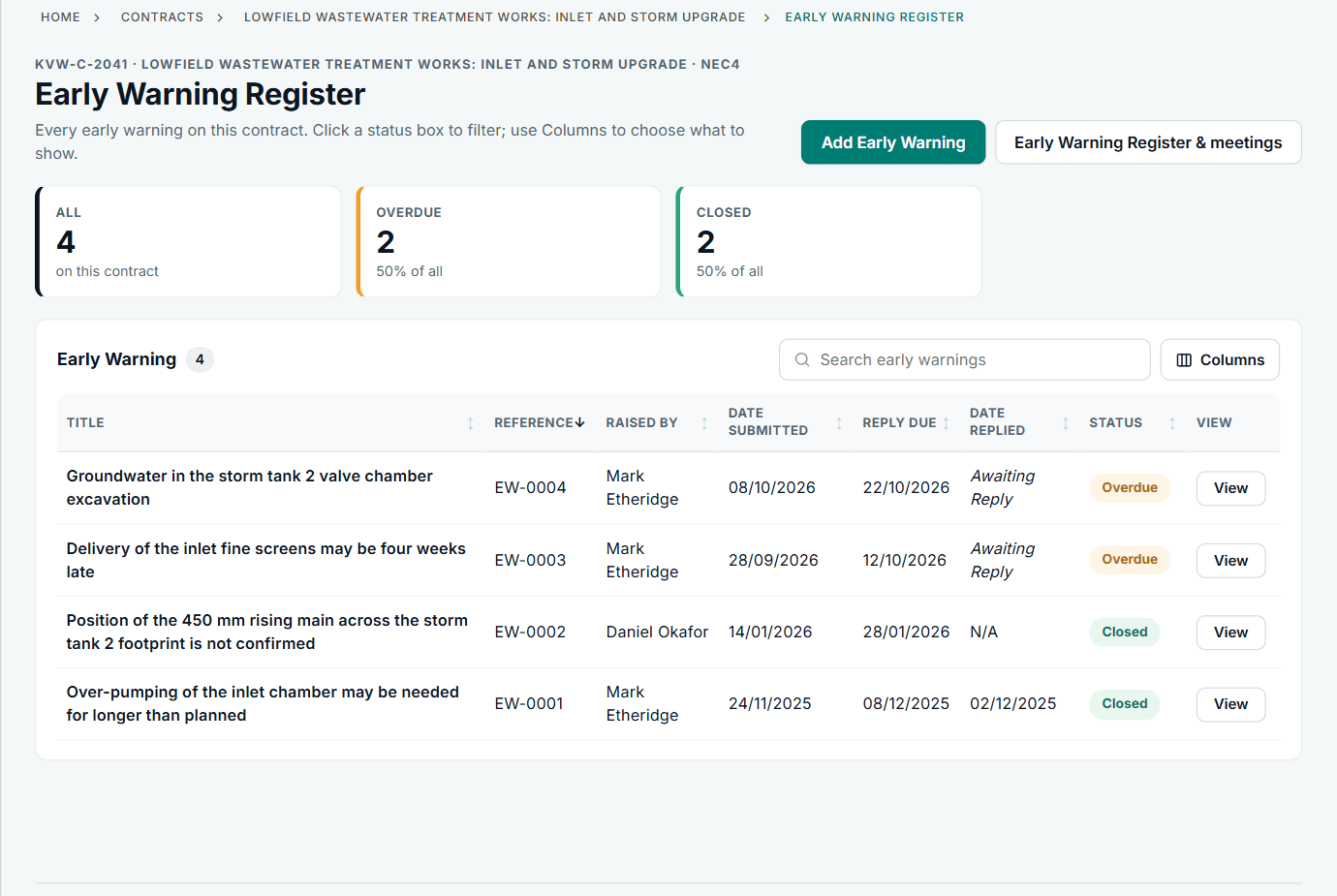
An early warning register. A subcontract account uses its own words for the two sides. See the worked example.
See how this works in practice
Click through Contract Status with sample contracts: raise the notice, reply to it, and watch both sides of one record.
Take the guided tour Book a demo
Test your NEC knowledge, use the free NEC tools or download free NEC templates.
This guide is general information in our own words, not legal advice. Your contract and its Contract Data always govern. NEC, NEC3 and NEC4 are trade marks of Thomas Telford Ltd; Contract Status is not affiliated with or endorsed by NEC.