
NEC contract reporting software should show your commercial position from the records themselves: what is implemented, what is priced but unanswered, what is notified but unpriced, and what is late. If someone has to prepare the figures by hand, you have a monthly report and not a view of the position.
NEC makes this easier than some contracts, because each change is meant to be settled as it happens. That only helps if the stages can be seen. This page shows how to set out the position, using a fictional example, and it forms part of the NEC contract management software guide. For what a monthly report should contain whichever tool you use, see NEC contract reporting.
The exposure ladder
A useful picture puts each amount on a rung according to how firm it is. This is a fictional NEC4 Option A contract, and the figures are illustrative. Rebuild it with your own.
| Rung | Source | Amount | Running total | How firm |
|---|---|---|---|---|
| Prices at the Contract Date | The contract | £4,200,000 | £4,200,000 | Fixed |
| Implemented compensation events | Compensation event register | £185,000 | £4,385,000 | Firm: implemented |
| Quotations awaiting a reply | Quotation register | £96,000 | £4,481,000 | Priced by one side |
| Notified, no quotation yet | Your own estimate per event | £40,000 | £4,521,000 | An estimate, not a contract figure |
| Early warnings still open | Early Warning Register | Not priced | Listed separately | A warning isn't a claim |
Keep the rungs apart. Adding them up into a single "forecast" hides the thing you most want to know, which is how much of the number depends on decisions nobody has made yet. In this example, £136,000 sits above the implemented figure and could still change. The Contractor and the Project Manager's team will also value those rungs differently. Both are entitled to.
The picture is different on cost-based contracts. On Options C, D and E, Defined Cost to date and the Contractor's forecasts are a large part of it, and on Options C and D so is the movement of the target and the share. Our guide to a Contractor who stops sending forecasts explains why those forecasts matter.
Six questions it should answer in seconds
| Question | Where the answer comes from |
|---|---|
| What is waiting on us this week? | Records where it is your side's turn, by due date |
| What has gone past its date on either side? | Replies against the periods held for this contract |
| Which events have been open longest? | Compensation event register, by stage |
| What are the Completion Date and Key Dates in force? | The original dates, plus each implemented event that moved them |
| Which programme is accepted, and is a revision due? | Programme register, and the interval in the Contract Data |
| What did we decide at the last early warning meeting, and is it done? | Early Warning Register, and the actions from it |
A system that answers these from its records removes the job of rebuilding the same picture every month. It also removes a common source of argument, because everyone is looking at one version of it. See NEC registers for what each one should hold.
Be suspicious of a clean dashboard
A traffic light is only as honest as what's behind it. Three checks are worth making.
- What does green mean? "No overdue records" can simply mean that nothing has been entered. The event that site hasn't reported doesn't appear on any screen.
- Does it admit what it can't check? If a contract's periods have never been confirmed, a green light is false comfort. Contract Status shows Unknown rather than Green in that situation, in Contract health, which shows each obligation as Red, Amber, Green or Unknown with the clause and the next step.
- Who does each figure belong to? A quotation figure is the Contractor's view, and an assessment is the Project Manager's. Reporting them under one label can mislead senior readers.
Getting the most out of it
- Review by whose turn it is, not by event number. That is how you find the item that is about to matter.
- Bring the register to the meeting. Commercial meetings should work from the live position, not from a copy prepared last week.
- Agree what your estimates mean. The "notified, no quotation" rung is your own judgement. Say so, and keep it out of anything the other side will read as an admission.
- Look at the age of things. An event with a quotation that has sat for months is a sign of something a system can't fix, such as a difficult decision being avoided.
A good view makes a weak position easier to see. It doesn't improve it. What you do next is still a matter of commercial judgement, and of early warning meetings that actually decide something. If you run more than one job, see managing many NEC contracts for how this works across a portfolio.
Related guides
- NEC Contract Management Software
- Why NEC Project Managers Use Contract Software
- Why Contractors Use NEC Contract Software
- Why Clients Use NEC Contract Software
- Why an NEC Contract Needs a Single Audit Trail
- Why Email Is a Poor Way to Run an NEC Contract
How this looks in Contract Status
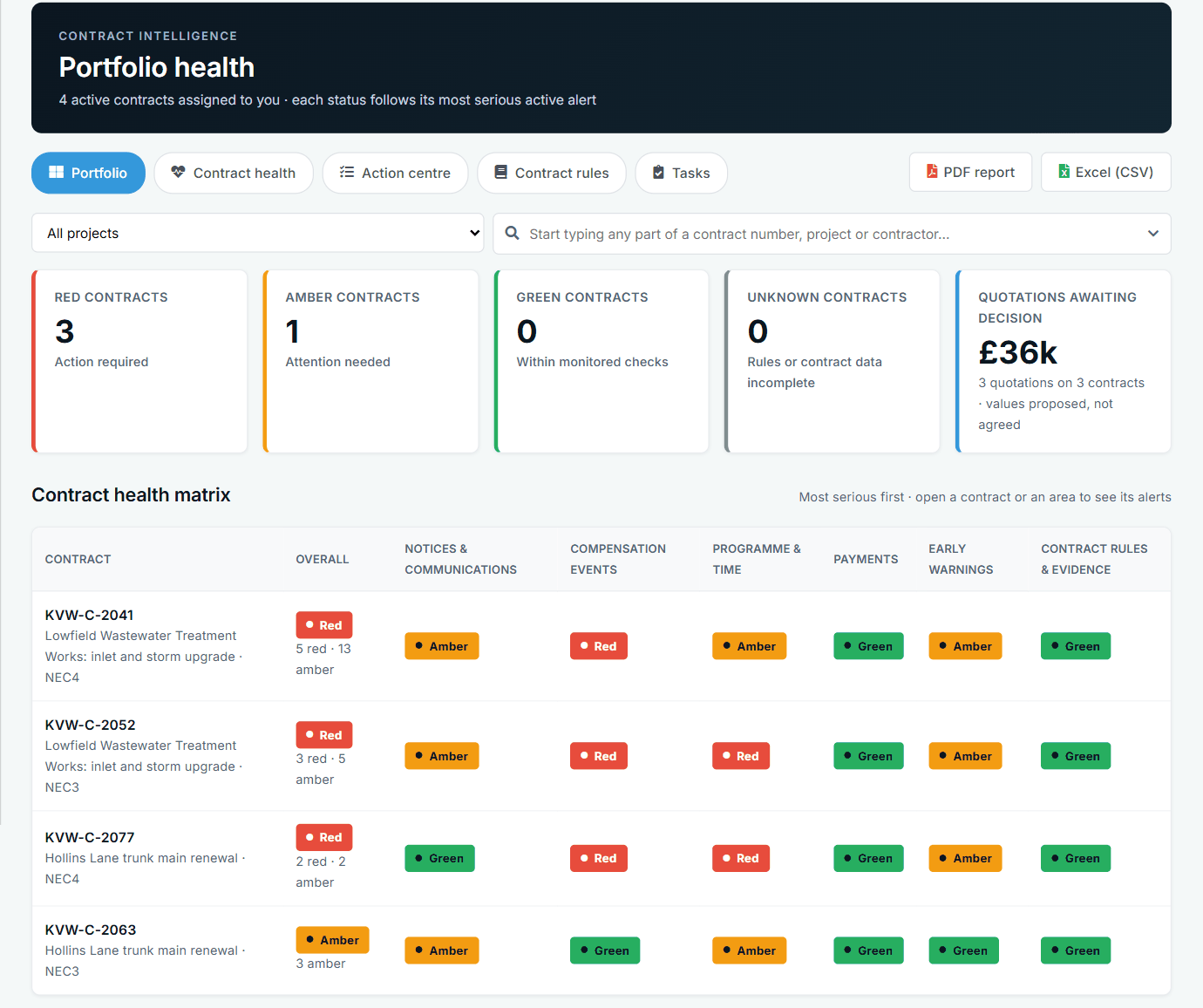
Portfolio health across contracts, by area. See the worked example.
See how this works in practice
Click through Contract Status with sample contracts: raise the notice, reply to it, and watch both sides of one record.
Take the guided tour Book a demo
Test your NEC knowledge, use the free NEC tools or download free NEC templates.
This guide is general information in our own words, not legal advice. Your contract and its Contract Data always govern. NEC, NEC3 and NEC4 are trade marks of Thomas Telford Ltd; Contract Status is not affiliated with or endorsed by NEC.